Travel connectivity guide
Luxembourg Online eSIM in Luxembourg: setup guide
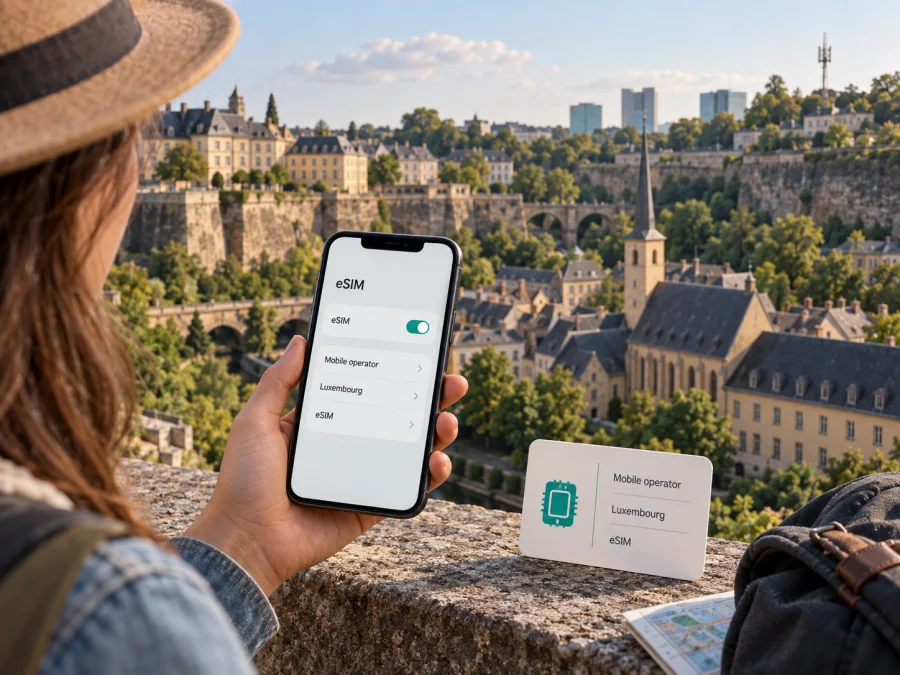
Luxembourg Online eSIM in Luxembourg: connection and travel guide
If you are considering a Luxembourg Online eSIM, the first distinction to make is whether you need a regular mobile line in Luxembourg or mobile data for a short visit. Luxembourg Online’s current English mobile plans page states that its mobile service is available as an eSIM and identifies 5G access, while its mobile assistance section provides separate eSIM guides for Android and iOS. Those pages confirm eSIM support for the operator’s mobile service; they do not, by themselves, establish that a visitor can sign up for a prepaid tourist eSIM or activate service without meeting the operator’s current customer requirements.
This guide covers eSIM eligibility, installation, coverage and traveler checks. Confirm current conditions with Luxembourg Online before applying.
What Luxembourg Online offers in Luxembourg
Luxembourg Online is a Luxembourg-based telecommunications provider whose public site presents fixed internet, television and mobile services. Its mobile pages describe consumer mobile service for use in Luxembourg and identify eSIM as an available SIM format. The practical meaning is that a compatible phone may use a digital SIM profile for a Luxembourg Online mobile subscription instead of a removable plastic SIM. An eSIM does not change the service’s underlying eligibility rules, billing relationship or geographic reach; those remain subject to the operator’s current terms and the local mobile network.
The English “Mobile: Plans” page on Luxembourg Online’s official website, checked on 26 September 2026, labels the listed mobile service as available as eSIM and refers to 5G. The same page describes mobile service as a regular operator offer. Luxembourg Online’s online assistance page, under “Téléphonie mobile,” includes eSIM support links for both Android and iOS. Together, these current public pages confirm that the provider supports eSIM for its mobile service and offers platform-specific help. They do not say that every handset, every customer type or every application route is eligible.
The operator’s public pages do not clearly confirm a dedicated prepaid or tourist eSIM product. Do not assume that the existence of an eSIM option means a visitor can buy a short-term local profile at a shop, register remotely, or activate a line without an ongoing customer account. If you are visiting Luxembourg and are not already a Luxembourg Online mobile customer, ask the operator whether it currently accepts applications from temporary visitors, what identification and payment details are required, whether the eSIM can be issued to a non-resident, and whether activation can be completed from outside Luxembourg. Get the current answer from the operator before relying on the service for arrival-day connectivity.
What to confirm before you apply
The current pages confirm eSIM and mention 5G, with setup help for Android and iOS. They do not confirm visitor eligibility, a prepaid tourist product, or coverage at a specific address. Check those details with Luxembourg Online before you rely on the service.
Network, technologies and coverage
Luxembourg Online’s “Neutralité de l’Internet et qualité de l’accès à Internet” document, dated 1 April 2024, identifies Orange’s network as the one used for its mobile services. The document discusses 4G and 5G among several access technologies, but its measurements are historical and are not a current promise about speed or availability. The newer English mobile page, checked on 26 September 2026, also mentions 5G. In other words, 5G is part of the current offer description, but access depends on the line, device and location.
Coverage is a local question. Indoor spaces, underground areas, terrain, handset radio bands and network load can affect registration and performance. For a hotel, workplace or rural address, check the relevant coverage information for the underlying network and ask Luxembourg Online about any service-specific conditions. Its public information does not support ranking the service or promising a particular signal, speed or uptime.
Do not infer that a Luxembourg eSIM provides the same service when you cross a border. Roaming access and its terms are separate from the eSIM format. Before travel outside Luxembourg, confirm whether your service permits roaming and which networks are available. This article does not compare specific offers or roaming allowances.
Who may find a Luxembourg Online eSIM useful?
An eSIM may suit an existing Luxembourg Online mobile customer who wants a digital profile instead of a removable SIM, or an eligible person moving to Luxembourg who needs a local mobile line. The eSIM changes how the profile is stored on the phone; it does not change the service’s customer eligibility, billing terms or geographic reach.
For short-term visitors, the public pages checked do not confirm a dedicated prepaid or tourist eSIM. Do not assume that a visitor can buy a profile at a shop, register remotely or activate without meeting the provider’s current requirements. Ask Luxembourg Online whether it accepts temporary visitors, what documents and payment details are needed, and whether activation can be completed before arrival. If those details are not confirmed, keep a backup way to get online.
Luxembourg Online presents mobile telephony, but the features attached to a line depend on its current terms. Confirm whether your intended use includes data, calls, messages and roaming. An eSIM label alone does not establish a second number or travel-data features.
Check your phone before requesting an eSIM
The phone needs eSIM hardware and software support. The exact model name matters: two phones with similar product names can differ by region, and some devices sold for particular markets may not include an eSIM function. Also make sure the handset is not locked to another provider in a way that prevents adding a profile. Luxembourg Online’s Android and iOS guides are useful starting points, but the operator’s general eSIM pages do not prove compatibility for every model.
Before applying, check the device manufacturer’s settings or support information for an “Add eSIM” or “Add mobile plan” option. Confirm that the phone has a stable internet connection during profile installation, that its operating system is up to date, and that you can access the account or email used for the operator’s setup instructions. Keep your existing SIM active until the new profile is installed and you have checked which line handles calls and mobile data. If you are not sure whether your exact model is compatible, ask Luxembourg Online or the device manufacturer before requesting an eSIM.
A quick pre-checklist:
- Confirm the exact phone model and region variant support eSIM.
- Check that the device is unlocked and can add a profile from another provider.
- Install pending operating-system updates and connect to stable Wi‑Fi.
- Make sure you can access the customer account and contact details used for activation.
- Ask the operator whether any application, identity or billing requirements apply to you.
- If you need service outside Luxembourg, verify roaming separately before departure.
Requesting, installing and activating the profile
Luxembourg Online’s mobile assistance page links to separate eSIM guides for Android and iOS. Use the guide for your phone; screens can differ by manufacturer and software version. The public support page confirms that help material exists, but does not establish one universal installation flow for every device.
- Confirm eligibility. Ask whether your current service can use eSIM or whether a new application is required. Visitors should confirm eligibility, required documents, payment and activation timing.
- Request the profile through the operator. Follow its current process and use the setup details issued for your line. Do not reuse an old QR or activation code.
- Install with internet access. Open the phone’s mobile or cellular settings and follow the operator’s Android or iOS guide. If you receive a QR code, scan it only on the phone that will use the profile unless the operator says otherwise.
- Choose the correct line. If you keep another SIM or eSIM, label the profiles and select which one handles mobile data, calls and messages.
- Check activation and connection. Profile installation and line activation may be separate steps. Ask when the service is ready, then verify network registration and data access. If it fails, use the operator’s troubleshooting guidance before removing the profile.
If you are preparing before arrival, ask whether the line can be ordered and activated from abroad. Luxembourg Online confirms eSIM support but does not promise that every new customer can complete all steps remotely. Keep another internet connection available during setup and confirm any roaming setting with the operator before crossing a border.
Local mobile service and travel eSIMs serve different needs
A Luxembourg Online eSIM is the digital form of that operator’s mobile service. It is relevant when you qualify for a local line. A travel eSIM is a separate product selected for mobile internet in a destination or region; coverage, network partners, activation rules and calling features depend on that product’s terms. The two should not be treated as interchangeable just because both use eSIM technology.
Kaspersky eSIM Store is an app and website that helps travelers choose, arrange and activate an eSIM with a suitable plan for mobile internet abroad. It is a separate option to review for a trip to Luxembourg. It does not operate Luxembourg Online’s network, supply its service or replace its customer support. Check device compatibility, destination availability and the travel product’s current terms.
If you want to explore a travel eSIM for the destination, see eSIM options for Luxembourg. This is a separate travel-service choice, not an official Luxembourg Online sign-up or partner page.
Documents, eligibility and traveler restrictions
The main unresolved point for a visitor is customer eligibility. Luxembourg Online confirms eSIM for its mobile service, but the pages checked do not clearly state that tourists can subscribe or obtain a prepaid travel profile. Existing customers should ask how to switch their account to eSIM. New applicants should ask what identification, address, payment or other information is required, whether non-residents may apply, and how the operator delivers and activates the profile.
Requirements may differ for a new line, an existing account or number transfer. The public pages do not provide one universal document checklist, so request the operator’s current instructions. If you need to keep a number, ask about portability and timing separately from the eSIM installation.
Before relying on the line, confirm that your exact phone model supports eSIM and is unlocked, that you can access the account used for setup, and that roaming is enabled only if the operator’s instructions require it. Keep a backup connection until activation and local coverage are confirmed.
Frequently asked questions
Does Luxembourg Online support eSIM?
Yes. Its current English mobile page says its mobile service is available as eSIM, and its mobile assistance page links to Android and iOS guides. Confirm eligibility for your exact service and device.
Can a tourist buy a Luxembourg Online prepaid eSIM?
The operator pages checked on 26 September 2026 did not confirm a dedicated prepaid or tourist eSIM. Ask Luxembourg Online whether visitors can apply, what information is required, and whether activation can be completed remotely.
Does eSIM mean 5G will work everywhere?
No. The current mobile page mentions 5G, but access depends on line eligibility, phone capability and local coverage. The operator’s 2024 network document identifies Orange’s network for mobile service; it does not guarantee reception at every address.
Will the eSIM work as soon as I scan a code?
Not necessarily. Installing the profile and activating the mobile line may be separate steps. Follow the current device-specific guide and ask Luxembourg Online when the service will be usable.
What should I do if it does not connect?
Check that the eSIM is enabled and selected for data, then consult the Android or iOS guide or contact the operator. Share your phone model, software version and location. Do not delete the profile unless support tells you how to reinstall it.
A practical decision before your trip
Luxembourg Online’s public pages confirm eSIM for its mobile service, Android and iOS help guides, and a current 5G reference. Its 1 April 2024 network transparency document identifies Orange’s network. The pages checked do not establish a dedicated tourist or prepaid eSIM, universal visitor eligibility or uniform reception across all locations and devices.
If you already have service, ask whether your account can move to eSIM and follow the guide for your phone. If you are visiting, first confirm eligibility, documents, activation timing and roaming. Check device compatibility and local coverage before relying on the line. Kaspersky eSIM Store is a separate travel option that helps you select and activate a travel eSIM; it is not a mobile operator or network provider.
This article is independent and is not affiliated with, endorsed by, or an official publication of Luxembourg Online. The operator name and related marks belong to their respective rights holders. Availability, technical support and service terms may change; confirm current requirements directly with Luxembourg Online before applying.


