Travel connectivity guide
Lycamobile eSIM in Uganda: what to check
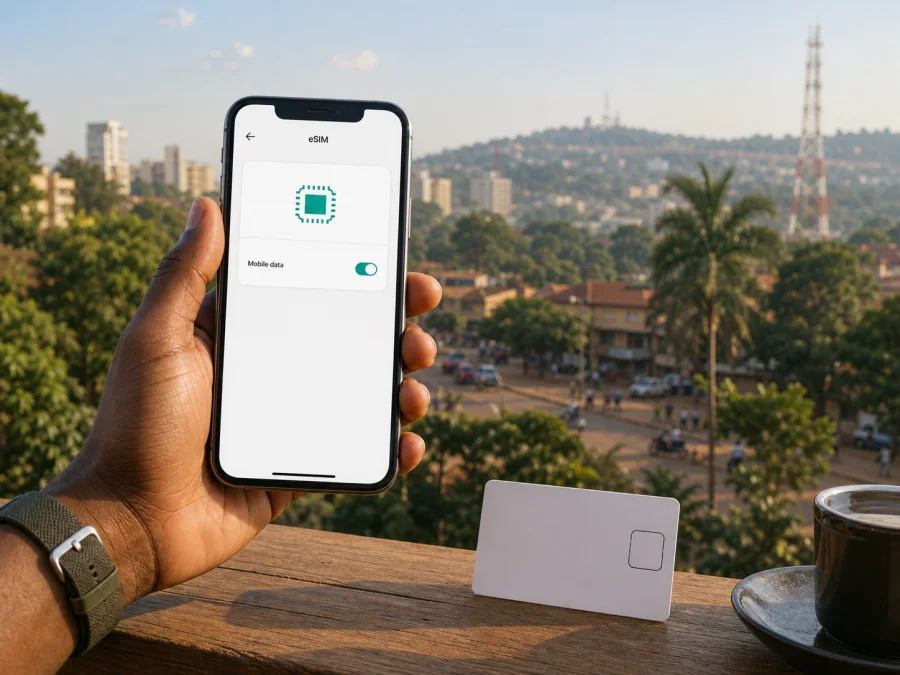
Lycamobile eSIM in Uganda: connection for travel
If you are planning a trip to Uganda and searching for “Lycamobile eSIM Uganda”, start by separating two questions: what Lycamobile currently offers in the Ugandan market, and what kind of mobile internet arrangement fits your journey. An eSIM removes the need to handle a plastic SIM card, but the practical result still depends on the phone, activation route, registration requirements and the network available at each location.
This guide reviews Lycamobile in Uganda, the eSIM information published for its local service and the checks that matter before travel. It also explains how a travel eSIM from Kaspersky eSIM Store differs from a local operator connection. The aim is to help you prepare carefully without presenting one route as suitable for every traveller.
What the current Lycamobile Uganda information confirms
Lycamobile has a public Uganda website with local journeys for ordering a SIM, managing an account and topping up. The Uganda Communications Commission’s public quality-of-service material identifies Tangerine Limited operating as Lycamobile among mobile services assessed in Uganda. That gives a traveller useful market context: Lycamobile is presented as a service for Uganda, not merely as a foreign roaming label.
The operator’s official Uganda site describes Pay As You Go, or prepaid, service. Its current eSIM FAQ explains that an eSIM is integrated into a compatible phone and answers “yes” to using a Lycamobile eSIM with Pay As You Go. This is direct public confirmation that eSIM and prepaid access are available in the local offer as checked on 2 September 2026. It does not establish that every phone, number or activation route has identical support, so verify the exact process before ordering.
The public Uganda pages do not expose a complete, device-by-device eSIM activation manual. Do not assume that every online order creates an immediately usable QR code or that a remote SIM change is available for every customer. Ask Lycamobile which eSIM process applies to your number and device, and keep the confirmation until service is working.
The word “eSIM” describes the form of the SIM profile, not a promise of identical coverage or identical service rules. Lycamobile controls its onboarding and service conditions, while the handset controls whether a profile can be installed and used.
eSIM, physical SIM and registration
An eSIM is a digital SIM profile stored in the phone. It removes the physical exchange step, but not the need to check identity, compatibility or service eligibility. A physical SIM may be easier to replace at a shop if a problem occurs; an eSIM may be more convenient when you want to keep the phone’s physical SIM slot available. The decision is practical.
Lycamobile Uganda’s public ordering guidance says that an online Pay As You Go order can require your full name, address, contact number, email address and payment details. Its retail SIM journey describes an identity-document step. Requirements may depend on the route and on current Ugandan rules, so carry an accepted identity document and follow the latest instructions from Lycamobile. Do not rely on an old screenshot or a reseller’s promise that verification will not be needed.
Before choosing a local connection, ask four simple questions:
- Is the device unlocked and eSIM-compatible?
- Can a visitor complete local registration with the documents they have?
- Will Lycamobile issue an eSIM directly, or does the route begin with a physical SIM?
- Is the profile intended for local use in Uganda, roaming use from another market, or both?
The third answer is especially important. The official page confirms Lycamobile eSIM on Pay As You Go in general, but not that every online SIM order becomes an immediate eSIM activation. Confirm the exact journey before deleting an existing profile or travelling without a backup.
Network technology and coverage in Uganda
Coverage is a location-dependent technical condition, not a blanket promise. Uganda’s regulator has published sector information describing 2G, 3G and 4G as part of the country’s mobile network environment. Its quality-of-service report assessed Lycamobile in selected towns and explains that measurements from sampled places and a defined period do not represent every location or every future experience.
This supports a cautious conclusion: Uganda has several mobile technology generations in operation and Lycamobile appears in public regulatory monitoring, but those facts alone do not prove that your phone will attach to every generation everywhere. Hills, buildings, vegetation, distance from a site, indoor conditions, congestion, the serving network and device bands can affect the result.
The Lycamobile Uganda site has a Network Coverage section, but the current public page was not readable as a complete map in this verification. Use the operator’s current coverage tool or support response to check Kampala, Entebbe, travel between towns, rural areas, parks and accommodation that matter to your itinerary. A connection in one urban area is not evidence for the whole country.
Before departure, check:
- that the phone supports eSIM and is not carrier-locked;
- that the software is current enough to show the eSIM menu;
- that the device supports the bands used by the service where you plan to go;
- that the eSIM can coexist with the primary SIM in the intended dual-SIM setup;
- that the primary line’s data roaming is disabled if you do not want it selected;
- which line will be used for mobile data after arrival.
If the precise radio configuration cannot be confirmed, rely on handset and local-network checks rather than a nationwide guarantee.
Local Lycamobile service or a travel eSIM?
A local Lycamobile eSIM is connected to the operator’s Ugandan onboarding and service model. It may suit someone who wants a local operator relationship, an ordinary mobile line or ongoing use in Uganda. Activation may involve identity and account procedures, and the exact eSIM flow must be confirmed for the customer’s situation.
A travel eSIM is arranged around the trip. Kaspersky eSIM Store is an app and website that helps the user choose, arrange and activate an eSIM with a suitable travel plan for mobile internet abroad. It is not a mobile operator, does not own a Ugandan network and does not provide coverage itself. The underlying connection and its conditions depend on the local operator service available for the selected destination.
The travel route can be useful when you want to prepare before flying, keep your main physical SIM in the phone or avoid searching for a shop immediately after landing. It is data-oriented and should not be treated as a replacement for an ordinary local phone number. Calls and messages can continue through the primary line or internet messengers according to your setup and the selected plan’s conditions.
The local route may be more relevant when local identity verification, a Ugandan number or ongoing operator account features matter. The travel route may be more convenient when the main goal is mobile internet for a defined journey. Compare workflows, not individual commercial offers: check eligibility, activation, coverage, device support and support procedures.
Choose an eSIM plan for Uganda when you want to review the travel-eSIM route alongside your compatibility and itinerary checks.
Installing a travel eSIM with Kaspersky eSIM Store
The following sequence follows the current public installation guidance for a travel eSIM. It is not a Lycamobile activation manual.
1. Check compatibility and connection
Confirm that the phone supports eSIM, is unlocked and has a stable internet connection. Keep the primary SIM available if you want ordinary calls or messages on that line.
2. Open the eSIM menu
On iOS, open Settings and Cellular, choose Add eSIM and then Use QR Code. On Android, menus vary; the current guide uses Samsung terminology: Connections, SIM manager, Add eSIM and Scan QR code.
3. Scan the QR code or use the profile
Scan the code from the purchase confirmation on another screen, or use the profile shown in the Kaspersky eSIM Store account when available. Do not scan a code intended for another device, and keep the confirmation secure.
4. Name the line and select data
Give the new profile a clear label. Keep your usual line selected for calls and messages if that is what you want. When ready to use travel data, select the travel eSIM as the mobile-data line.
5. Review roaming and APN settings
The current iOS and Android instructions say that data roaming may need to be enabled for the travel eSIM. On Android, the guide also says to enter the APN supplied in the Kaspersky eSIM Store app when manual configuration is required. Disable data roaming on the primary line and turn off automatic data-line switching if your phone offers that control.
6. Test after arrival
Turn on the travel line, select it for data and wait for registration. If the connection does not appear, check airplane mode, the selected data line, roaming, APN and local signal conditions before reinstalling anything. Registration can take several minutes. If the problem remains, contact support with the device model and the steps already completed.
FAQ for travellers to Uganda
Does Lycamobile have eSIM in Uganda?
Yes. The current Lycamobile Uganda Pay As You Go page mentions eSIM and answers yes to using a Lycamobile eSIM with Pay As You Go. This confirms general public availability as checked on 2 September 2026, but not eligibility for every device, number or route.
Is Lycamobile prepaid service available in Uganda?
Yes. The Uganda site describes Pay As You Go/prepaid service and provides local ordering and account flows. Conditions can change, so check the operator’s current information.
Does Lycamobile offer a tourist eSIM in Uganda?
The pages checked confirm prepaid and eSIM availability in general, but I did not find a separate tourist-labelled offer that should be treated as guaranteed. Ask Lycamobile which current option is available to visitors and what registration is required.
Do I need identification for a local connection?
Plan to provide identity information if the local purchase or registration route requests it. Lycamobile Uganda’s ordering guidance lists personal and contact details for an online Pay As You Go order, while its retail SIM journey describes showing an ID. Carry an accepted document and follow current operator and Ugandan requirements.
Will a travel eSIM give me a Ugandan phone number?
Do not assume that it will. The Kaspersky eSIM Store Help Center describes its travel eSIM as data-only, without a regular phone number for ordinary calls and texts. Keep your primary line or use internet messengers according to your setup and the selected plan’s conditions.
Why is an eSIM installed but not online?
Check that the eSIM is on and selected for mobile data, the device is on the expected network and the required data-roaming setting is enabled. On some Android phones, confirm the APN supplied in the Kaspersky eSIM Store app. Disable the primary line’s data roaming to avoid an unintended connection, then contact support if needed.
Can I move an activated travel eSIM to another phone?
Do not plan on transferring it. The Kaspersky eSIM Store Help Center says that an activated eSIM cannot be transferred to another device and that the activation code is tied to its assigned device. Check the destination phone before installation.
Verification and responsible use
This article was checked on 2 September 2026 against the Lycamobile Uganda official Pay As You Go/eSIM page, the operator’s current Uganda ordering and account pages, the Uganda Communications Commission’s public quality-of-service report and sector information on network generations, plus the Kaspersky eSIM Store Help Center and current iOS and Android installation guides. The regulator’s measurements are a snapshot of sampled locations and a defined period, not a guarantee for every address or future result.
Public offers, registration rules, supported devices, coverage and activation flows can change. Recheck Lycamobile’s current support information before purchase, especially if you are a visitor, need a local number, plan to travel outside major towns or rely on a particular device band. If support gives you a different current instruction, follow it and retain the confirmation.
Lycamobile and Kaspersky eSIM Store are independent services. This article is informational and is not an endorsement, partnership statement or representation of affiliation with Lycamobile. Kaspersky eSIM Store is an app and website that helps users choose, arrange and activate a travel eSIM; it is not Lycamobile, a Ugandan mobile operator, a network owner or a provider of mobile coverage.
Conclusion: choose the route that matches the trip
The current public Lycamobile Uganda information supports general eSIM use with Pay As You Go/prepaid service, while the exact activation journey, eligibility and local coverage still need to be confirmed for the traveller, device and route. A local Lycamobile connection can make sense when local service and a local number matter. A travel eSIM can make sense when preparing mobile data before departure is the priority.
Make the final choice after checking compatibility, documents, activation, data-line settings and coverage for your actual itinerary. Review the Uganda travel-eSIM option in Kaspersky eSIM Store only after those checks, and verify all current conditions at the point of use.


