Travel connectivity guide
M1 eSIM in Singapore: setup and travel guide
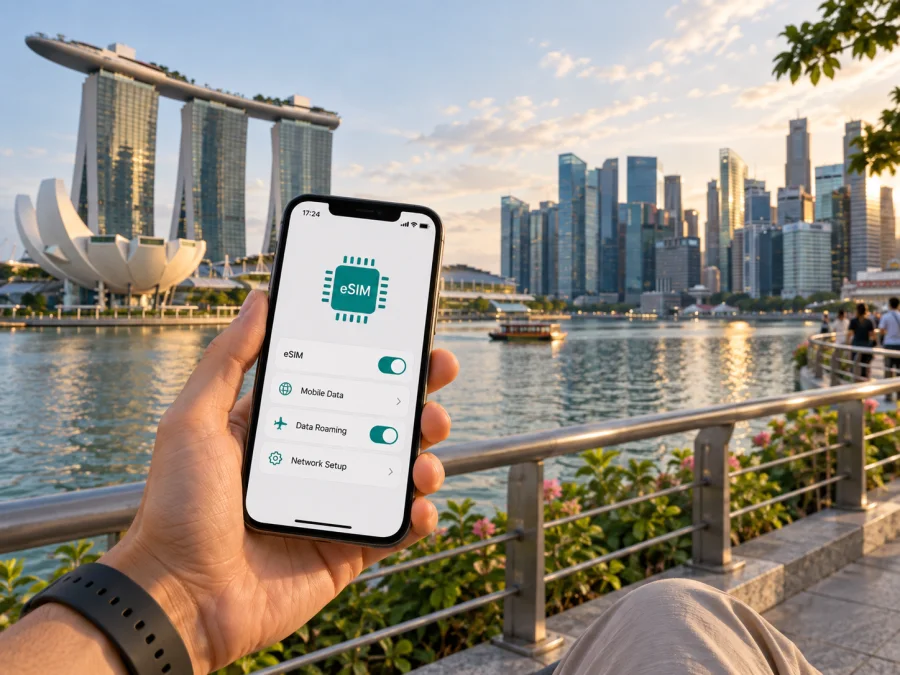
M1 eSIM in Singapore: availability, setup and travel considerations
Updated 26 September 2026. M1 and all related names and marks belong to their respective owners. Kaspersky eSIM Store is not affiliated with M1 and is not its official partner or distributor.
M1 is a Singapore communications provider with mobile service for residents, visitors and business customers. Travelers searching for an M1 eSIM in Singapore can find eSIM support for both regular mobile service and prepaid tourist use. The right route depends on whether you are opening a new line, converting an existing M1 SIM, or registering a visitor offer after arrival. Device compatibility, identity checks and the timing of setup matter as much as the eSIM format itself.
This guide explains what M1’s current public information confirms, what a visitor should prepare, and how local service differs from a travel data eSIM. It does not list individual plans or their commercial terms, which can change. Check M1’s own current support and purchase channels before making a decision.
M1’s role in Singapore mobile service
M1 is an established communications provider in Singapore, offering mobile service alongside fixed-line, broadband and business services. Its current site presents mobile, prepaid and visitor services separately. For a traveler, “M1 eSIM” can therefore mean a new mobile line, an eSIM conversion for an existing line, or a visitor prepaid option. Each route has its own eligibility and activation steps.
M1’s eSIM FAQ confirms prepaid support through its tourist prepaid service. The practical choice is whether you need a local mobile service or mainly mobile data for apps. Check the exact offer with M1 before purchase; online purchase does not necessarily mean that registration and installation are complete.
Is M1 eSIM available in Singapore?
Yes. M1’s eSIM FAQ describes eSIM as a digital SIM used to activate a mobile line without inserting a physical SIM card. The page explains how new-line customers can request eSIM support through M1 shops, while existing customers can request a SIM exchange through the My M1+ app or at a shop. The same FAQ confirms prepaid support through M1’s tourist prepaid service. These are current public confirmations of eSIM availability, although eligibility and procedures can vary by line type.
M1 also publishes separate instructions for visitors buying a tourist SIM or eSIM. Its traveler guidance says that eSIM customers should collect or receive the QR code after completing registration, then add the mobile plan in the phone settings. The steps are intended for use after arriving in Singapore. Do not assume that every visitor product can be fully registered from overseas, or that buying online means the eSIM is already active.
The operator’s eSIM FAQ and tourist service pages were checked on 26 September 2026. They are the best place to confirm any changes to sign-up channels, supported devices, identification rules and current availability. If an eSIM option does not appear for your circumstances, ask M1 whether your customer type and device can use it before purchasing.
How visitor registration and activation work
M1’s visitor instructions separate purchase, identity registration and installation. A confirmation email or redemption reference should not be treated as proof that the eSIM is registered or active. Follow the current instructions for the exact purchase channel.
A typical visitor setup is:
- Check the phone. Confirm that the exact model supports eSIM and is not carrier-locked.
- Choose an eligible visitor offer. M1 offers tourist prepaid service in general and lists eSIM as an available format.
- Bring acceptable identification. M1’s current guidance lists a passport for foreign visitors. Keep the original document used during purchase available.
- Register after arrival. M1 directs visitors to the designated collection process in Singapore. After successful registration, the eSIM QR code is provided.
- Install with internet access. Connect to Wi-Fi if needed, open cellular or mobile settings, choose “Add eSIM” or equivalent, and scan the QR code.
- Check line settings. Select the intended line for mobile data and review roaming settings on any home SIM you keep active.
Registration comes before QR setup in the visitor process M1 describes. A QR code is an installation credential, not a substitute for an identity check. Keep it private and do not delete a working profile without guidance. M1’s prepaid FAQ says a deleted tourist eSIM profile cannot be restored and directs customers with QR problems to an M1 shop.
Allow time for registration at the specified collection point and keep your confirmation accessible offline. Make sure you can get online through Wi-Fi if mobile data is not yet available. If the instructions sent with your purchase differ from this general sequence, follow those current instructions and ask M1 to clarify before leaving.
Documents, eligibility and other traveler restrictions
Identity registration is required for M1 tourist prepaid service. M1’s current FAQ lists a passport as an accepted document for foreign visitors, but eligibility and accepted documents can vary by traveler status. Check the current requirements rather than relying on an older guide. Bring the original passport and ensure that the details used for registration match it. Ask M1 whether the purchaser and traveler may be different people, and whether registration limits apply to your group.
The handset must support eSIM and be unlocked. Device support can vary by exact model, regional version and software. M1 points iOS users to Apple’s setup guidance and Samsung users to Samsung’s instructions; neither reference means every model is supported. Confirm the exact model with its manufacturer and M1 before leaving.
M1 says setup requires an internet connection. Keep Wi-Fi available, update the operating system in advance and avoid deleting the profile once installed. If activation fails, record the error and contact M1 through its published support channels.
Compatible phones and managing two SIMs
Many recent eSIM phones can store multiple profiles, but the number that can be active at once depends on the handset. M1 says multiple eSIM profiles can be installed on one device; this is not a guarantee that all can operate simultaneously. Before travel, look for “Add eSIM” in cellular settings, check the manufacturer’s specifications for the exact regional model and confirm the phone is unlocked.
After installation, label the lines clearly and choose which one handles mobile data, calls and texts. If the home SIM stays enabled, review its roaming settings so it is not selected for data unintentionally. Keep it available if you rely on its number for account verification. Settings differ between iOS and Android versions, so follow the labels shown on your device.
An eSIM profile does not guarantee a specific radio technology. Access depends on the handset, coverage and activated service. If 5G matters, confirm separately that the phone and service support M1’s 5G requirements.
M1 coverage and mobile technologies
M1 operates 4G and 5G mobile service in Singapore. Its public materials describe a standalone 5G network and provide a coverage map; compatible devices and service conditions apply. M1’s eSIM FAQ does not promise a particular speed or signal at every address. Network mode depends on the phone, location and activated service.
Singapore’s Infocomm Media Development Authority (IMDA) publishes 4G service-monitoring results that include M1. IMDA explains that individual experience may vary with handset, settings and nearby network use. Nationwide measurements do not guarantee uninterrupted reception in a hotel room, underground station or crowded venue.
Check M1’s coverage information against your itinerary, especially for indoor or underground locations. A map is a planning aid and cannot account for every building, temporary maintenance or local demand. Keep directions and key travel details available offline.
M1 states that it ceased 3G service in 2024, so travelers should check that older devices support compatible 4G functions. 5G also depends on coverage, device settings and service eligibility; an eSIM alone does not establish 5G access.
Local M1 prepaid service or a travel eSIM?
An M1 prepaid eSIM is a local service that follows M1’s registration and setup process in Singapore. The service functions depend on the specific offer, so verify them with M1 rather than assuming every visitor option is identical.
Kaspersky eSIM Store is an app and website that helps travelers choose, purchase and activate an eSIM for mobile data abroad. Its Singapore destination page was available when checked on 26 September 2026; its product information describes the travel eSIM as data-only, without a separate number for ordinary calls or SMS. Internet messaging and voice apps can still work over data.
A local operator route may fit a traveler who wants service registered in Singapore and can complete the arrival steps. A travel data eSIM may fit someone who mainly needs internet access for apps and wants to arrange it online. Check each service’s network arrangements and activation terms separately.
For this destination, see Kaspersky eSIM Store for Singapore. Check device compatibility and current terms before purchase. Kaspersky eSIM Store does not operate M1’s network or provide the radio connection itself. It is an app and website for selecting and activating travel eSIM service, and it has no affiliation with M1 or status as its partner or reseller.
Which option fits your trip?
Use these questions to check your travel setup:
- What do you need? Ask M1 to confirm which functions apply to the visitor service you are considering. A travel data eSIM may not provide a local number.
- Can you complete the arrival steps? Check the registration location, required identity document and QR collection process, and allow time after landing.
- Is the phone ready? Verify exact-model eSIM support, unlocked status and Wi-Fi access for setup.
- Where will you use data? Review coverage around your stops and account for indoor or underground use.
- Will your home SIM stay active? Set the data line deliberately and check your home carrier’s roaming conditions.
These checks cover routine needs such as maps, transport apps, booking details and messaging. They also distinguish the installed eSIM profile from the provider that controls network access and coverage.
Troubleshooting before and during the visit
If a QR code will not scan, confirm eSIM compatibility and internet access, then check that you are using the phone’s “Add eSIM” flow and that the code is clear. Do not delete and reinstall a profile repeatedly. M1’s support pages direct visitors with QR issues to an M1 shop.
If the profile installs but data does not work, check that the M1 line is enabled and selected for data. Follow any roaming-setting instructions for that service. Restarting the handset may help it reconnect, but it will not resolve an incomplete registration or incompatible device. Contact M1 with the handset model, location and any error message.
If there is no signal, check that airplane mode is off and consult M1’s coverage information for your location. For a home line that stops receiving messages, review its settings and roaming conditions. An eSIM does not transfer your home number.
Frequently asked questions
Can I buy an M1 eSIM before flying to Singapore?
Some visitor products can be purchased online, but M1’s published instructions describe registration and QR collection after arrival. Treat purchase as an initial step and follow the current instructions for your offer.
Do I need a passport?
M1’s prepaid FAQ says tourist SIM registration is required and lists a passport for foreign visitors. Bring the original document and check the current requirements for your status.
Can my phone use M1 eSIM and my home SIM together?
Many compatible phones can store multiple profiles, but simultaneous use depends on the device. You can generally choose a line for data, calls and texts in settings; review your home carrier’s roaming conditions.
Does eSIM automatically mean 5G?
No. 5G access depends on the device, coverage, settings and service. Check those requirements separately with M1.
Is Kaspersky eSIM Store the same as an M1 line?
No. Kaspersky eSIM Store is an app and website for activating travel eSIM service for mobile data. M1 is a local operator with its own registration and network service. They are not affiliated.
Before you go
M1 eSIM is available in Singapore, including a prepaid tourist route, but a visitor should plan for device checks, identity registration and arrival-based activation steps. Confirm the exact handset model, bring the required identification, keep an internet connection available for QR setup and review coverage for your itinerary. For network generation, distinguish eSIM compatibility from 4G or 5G capability and eligibility.
A local M1 line and a travel data eSIM can each serve a different trip setup. Decide whether you need local calling features or mainly data for apps, then check each service’s current terms directly with its provider. M1’s eSIM FAQ, prepaid support pages and traveler instructions, along with IMDA’s public 4G monitoring information, were reviewed on 26 September 2026. Product conditions and coverage information can change; verify the latest details with the relevant provider before purchase.


