Travel connectivity guide
Maafushi eSIM: Mobile Internet in the Maldives
Maafushi eSIM: mobile connection and internet for your island trip
Maafushi is an inhabited island in the Maldives, not a mainland city with a street grid or metro system. It sits in the Kaafu Atoll area, within reach of the capital island Malé and Velana International Airport, but the last part of the journey is by sea. That changes what “getting connected” means: you may need mobile data while coordinating an airport pickup, confirming a speedboat, finding your guesthouse and messaging your host before you arrive at the jetty.
An eSIM can keep a compatible phone ready for mobile internet without swapping out its physical SIM. It is useful for maps, messaging, booking details and checking transfer updates. It does not replace planning the boat journey, and service depends on the selected plan, its partner network, your device and local conditions. Maafushi is compact enough that navigation on foot is usually straightforward; a reliable data connection matters most at transition points and when plans change.
Maafushi is an island destination, not an urban district
The island council describes Maafushi as a local community and publishes services connected with roads and harbours. You will not find the usual city pattern of distant suburbs, rail interchanges and multiple commercial districts. The built-up settlement, guesthouses, shops and harbour sit within a small island landscape, with the lagoon and open water shaping movement beyond it.
That geographic distinction matters when choosing connectivity. A city plan designed around continuous land coverage is not automatically the best match for a trip involving a boat transfer or excursions to nearby islands. Check that the plan’s stated destination is the Maldives and read any partner-network or usage conditions. If your itinerary continues elsewhere in the archipelago, verify the plan’s coverage terms for each part of the route rather than assuming that one island’s experience guarantees another’s.
A useful way to think about Maafushi is in three connected zones:
| Part of the trip | What you may need mobile data for | Practical preparation |
|---|---|---|
| Velana International Airport and the harbour | Contacting your accommodation, locating the meeting point, checking messages | Save your transfer details and host’s contact information before boarding |
| The sea transfer | Updates from the boat operator or guesthouse, if service is available | Confirm departure time, meeting place and what to do if your flight is delayed |
| Maafushi itself | Walking directions, maps, bookings, messaging and day-trip coordination | Save the guesthouse location offline and keep its name available in a note |
From Velana airport to Maafushi: plan the handoff
Most international visitors arrive at Velana International Airport, on Hulhulé near Malé. Maafushi is across the water, so landing at the airport does not mean you have reached your accommodation. The next step is a boat transfer, commonly arranged as a scheduled public ferry or a faster speedboat, depending on the service available for your travel date. Departure points, timetables, fares and operating days can change; check directly with your accommodation or the transport provider before you fly. Do not rely on an old screenshot or an assumed daily schedule.
Keep the following details together in a saved note or screenshot:
- Your accommodation’s full name and its current phone or messaging contact.
- The transfer type you booked, the departure time and the exact meeting point.
- The name of the person or company meeting you, if one has been arranged.
- Your flight number and expected arrival time, including the time zone shown on the booking.
- A backup plan for a late arrival or missed connection, confirmed with your host.
If the person meeting you is not immediately visible, connect to available airport Wi-Fi or use your mobile data to contact the accommodation. Keep your phone charged; a power bank is useful during a long travel day. When the boat is confirmed, send a short message that you have arrived and follow the operator’s instructions about where to wait and when to board.
An eSIM is especially practical at this handoff because the person coordinating your stay may need to reach you before you are on Maafushi. Install the profile in advance if the plan’s instructions permit it, but check its activation rules first: installing a profile and starting its validity period are not necessarily the same event. Some plans begin when the eSIM first connects to a supported network; others may follow different terms. Use the wording shown for your chosen plan rather than assuming that activation happens at a particular moment.
Where mobile internet helps on the island
Maafushi is small, but a visitor’s day can involve several short coordination tasks. You may walk from the harbour to a guesthouse, ask where a tour departs, check a reservation or tell someone that you are running late. A map and messaging app can make those moments easier, particularly just after arrival when street names and local landmarks are unfamiliar.
Mobile data can be useful for:
- Finding your accommodation: Open the map pin sent by your host before leaving the airport or the boat. Save the address and property name in writing as well, since map labels may not match the name used in your booking.
- Coordinating a transfer or excursion: Confirm the meeting point, weather-related changes and return arrangements with the provider. A screenshot of the booking remains helpful if the network is slow.
- Managing reservations: Keep booking confirmations, payment records and check-in instructions available in email or a travel folder on your phone.
- Staying in touch: Messaging and internet calls can work over data when the relevant apps and other person are online. An eSIM data plan does not necessarily provide a standard local voice number or SMS; check the individual plan’s inclusions.
- Working remotely: A connection may support email, document review or short calls, but do not assume it is suitable for uninterrupted video meetings. Confirm the guesthouse’s Wi-Fi arrangements and have a fallback for essential work.
- Checking onward travel: If you are leaving Maafushi for Malé, another local island or a resort, verify the next transfer with the provider and save the latest details before departure.
Choose a plan for the Maldives and your actual route
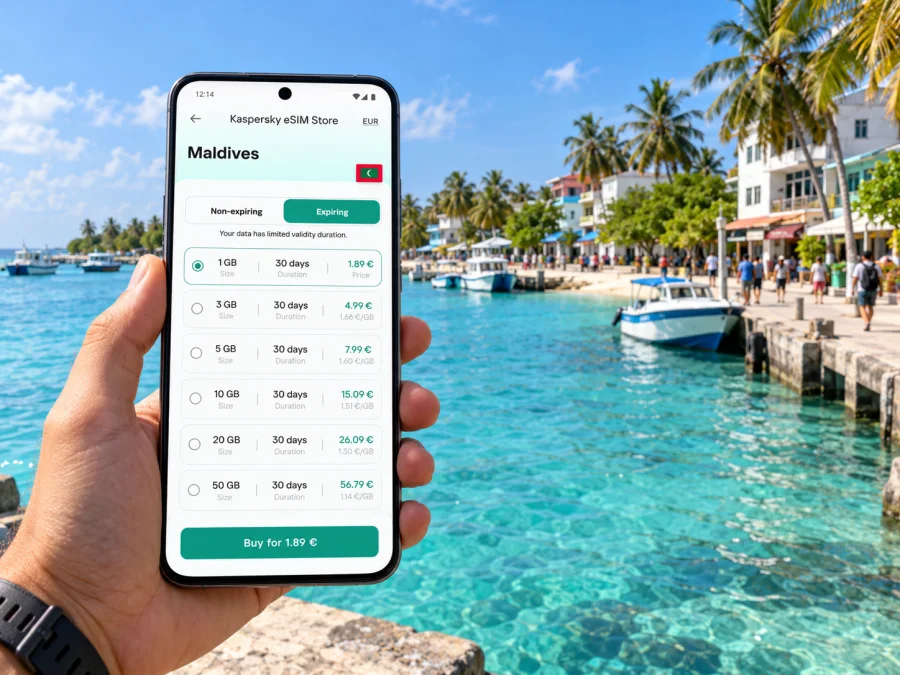
A city name is not always a separate mobile-network destination. Maafushi is part of the Maldives, so start by confirming that the eSIM plan explicitly covers the Maldives. Then consider the duration of your trip, how much you rely on mobile data, and whether you will stay on the island or travel onward. Kaspersky eSIM Store is an app and website where you can select, purchase and activate an eSIM with a suitable plan for mobile internet during an overseas trip. You can review eSIM options for the Maldives and compare the conditions shown for the available plans.
Use the plan details rather than the word “unlimited” or a city label alone to judge fit. Check the data allowance, validity period, supported destination, network or roaming requirements, and any fair-use or speed conditions. If a plan lists a regional coverage area, confirm that the Maldives is included. For a multi-stop holiday, make sure every country or territory on the itinerary is covered; being near Malé does not make Maafushi part of a different destination’s network market.
There are different ways to obtain an eSIM for the Maldives. A travel eSIM plan may be designed for mobile data across a stated destination or region, while a local operator may offer its own tourist eSIM under its own registration, service and plan rules. For example, Dhiraagu’s official tourist information currently describes a tourist SIM that can be purchased as an eSIM. That is a local-operator product and its terms are separate from any travel plan you might choose. Compare the actual requirements and inclusions; do not assume that all eSIMs have the same network access, calling features, registration steps or activation rules.
- Destination: Is Maldives explicitly included in the plan’s coverage?
- Duration: Does the validity period fit your full stay and transfer days?
- Data: Estimate your likely use. Messaging and maps typically need less data than frequent video streaming, large uploads or hotspot use.
- Network conditions: Read the plan’s notes on supported networks, roaming and possible speed limits.
- Device: Confirm eSIM support for your exact device variant and make sure it is not locked to another operator.
- Activation: Identify when the plan starts counting and whether it needs a data-roaming setting enabled.
- Backup: Save bookings and transfer details offline, and know how to contact your accommodation if mobile data is unavailable.
Device compatibility and regional variants
Before paying, check that your phone supports eSIM and is unlocked for use with another service. Compatibility can vary by model, country or region of sale, even when two phones share the same product family name. A device with a similar name is not enough to confirm support: check the exact model and variant in its settings or manufacturer documentation. You can check whether your device is compatible before choosing a plan.
Also consider how you want to use your existing SIM. Many phones support more than one active line, but the available combinations differ by model. You can keep your regular number available for calls or messages while selecting the travel eSIM for mobile data, subject to your device settings and home operator charges. Set the data line deliberately and review the roaming setting for each line so that your home SIM does not use unintended roaming data.
Install before departure, activate with care
Installing the eSIM while you still have a reliable internet connection makes troubleshooting easier. Follow the instructions for your phone’s operating system: eSIM setup for Android or eSIM setup for iOS. The labels and menu sequence can vary by operating-system version and device manufacturer, so follow the on-screen prompts for your model.
A practical sequence is:
- Confirm the phone is compatible and unlocked.
- Choose a plan for the Maldives and review its validity, data allowance and activation terms.
- Install the eSIM over a stable internet connection, following the device instructions.
- Label the new line clearly, for example “Maldives data,” so it is easy to identify beside your home SIM.
- Before departure, decide whether to leave the eSIM switched off until you need it. Follow the plan’s specific instructions about when installation or activation starts validity.
- After arrival, select the travel eSIM for mobile data. Enable data roaming for that line only if the plan’s instructions require it.
- Test a basic connection and messaging app. If it does not connect, check the selected data line, roaming setting and plan instructions before changing other phone settings.
If you prefer to install the profile after landing, arrange access to Wi-Fi first and keep the activation details accessible. Do not delete an installed profile as a troubleshooting shortcut unless support or the plan’s instructions tell you to; some eSIM profiles cannot simply be reinstalled after removal. Save the QR code or activation information securely and do not share it publicly.
On-island etiquette and practical details
Maafushi is a lived-in community as well as a visitor destination. Plan your routes with the island’s local setting in mind, follow signs and guidance from your accommodation, and ask before photographing people or private spaces. Mobile connectivity can help you check directions and communicate, but it is not a substitute for local instructions or respectful behaviour.
Confirm the latest departure information with the operator; weather and operating arrangements can affect travel. If your accommodation arranges the ride, ask whom to contact if your flight is delayed. When you leave the island for an excursion, carry the return time, meeting point and provider contact offline as well as in your messages.
Download tickets, maps and documents ahead of time, and use your guesthouse Wi-Fi for large uploads when available.
Three realistic connectivity scenarios
You land and go straight to the boat. Before travelling, save the booking and meeting-point instructions. Once you are online at the airport, send a message to your host and confirm the transfer. Keep the host’s number or chat details on the phone even if you expect the eSIM to connect immediately; allow time to resolve an activation or network issue.
You spend several days on Maafushi. Use data for maps, restaurant or excursion messages and small everyday tasks. Download maps and entertainment in advance, and connect to accommodation Wi-Fi for updates or photo backups. This makes your mobile-data estimate more realistic than treating every hour of the trip as active browsing.
You continue to another island. Check whether the next destination is included in the same plan and ask the next accommodation or transport provider how to coordinate arrival. Keep the departure time and return details for any boat journey offline. Coverage and signal quality can vary across islands and at sea, so plan for periods without mobile data.
Frequently asked questions
Is Maafushi a city?
Maafushi is an inhabited island in the Maldives, with its own local council and community. “City” may be used as a travel-search label, but the destination is geographically an island rather than a mainland urban centre. Its transport and connectivity planning therefore includes a sea-transfer leg.
Does an eSIM for the Maldives work specifically in Maafushi?
Check the destination and network conditions shown for the exact plan. A plan that includes the Maldives may be suitable for use on Maafushi, but service depends on its partner network, the location, your device and local conditions. Confirm coverage terms before purchase and do not infer offshore coverage from the plan’s country name.
Can I use mobile data during the airport transfer?
You may be able to use data at the airport and on parts of a boat route, but reception at sea is not guaranteed. Download your booking details and map in advance, confirm the meeting point, and use the provider’s instructions as the source of truth for departure arrangements.
Does a travel eSIM include a Maldivian phone number?
Not necessarily. Many travel eSIM plans are intended for data only. Check the selected plan’s terms for voice and SMS. Internet calling and messaging apps can work through data when both parties have access, but they are not the same as a local mobile number.
Should I install the eSIM before flying?
Usually it is convenient to install it while you have stable internet, provided the plan permits advance installation. Read when validity begins: installation, activation and first network connection may be treated differently. Follow the exact plan instructions and keep the profile available on the device.
What should I do if there is no connection after landing?
Check that the eSIM is enabled and selected for mobile data, that its plan is active, and that the correct roaming setting is enabled if required. Restarting the phone may help. If it remains offline, use airport Wi-Fi to review the plan instructions or contact support, and keep your transfer details available offline while you troubleshoot.
Will one plan cover Maafushi and every other island?
Do not assume so. Coverage depends on the plan’s stated countries or regions and the local network arrangement. Confirm each destination on your route, and remember that service at sea can differ from service on land.
Get ready for Maafushi
Before you leave, check your device, choose a Maldives plan that matches your dates and data needs, and save your transfer and accommodation details offline. Kaspersky eSIM Store’s app and website let you select, purchase and activate an eSIM for mobile internet during an overseas trip. Choose an eSIM plan for your Maldives trip, review its conditions, and install it with enough time to prepare your phone before the journey.


