Travel connectivity guide
Macau eSIM: Mobile Internet and Travel Guide
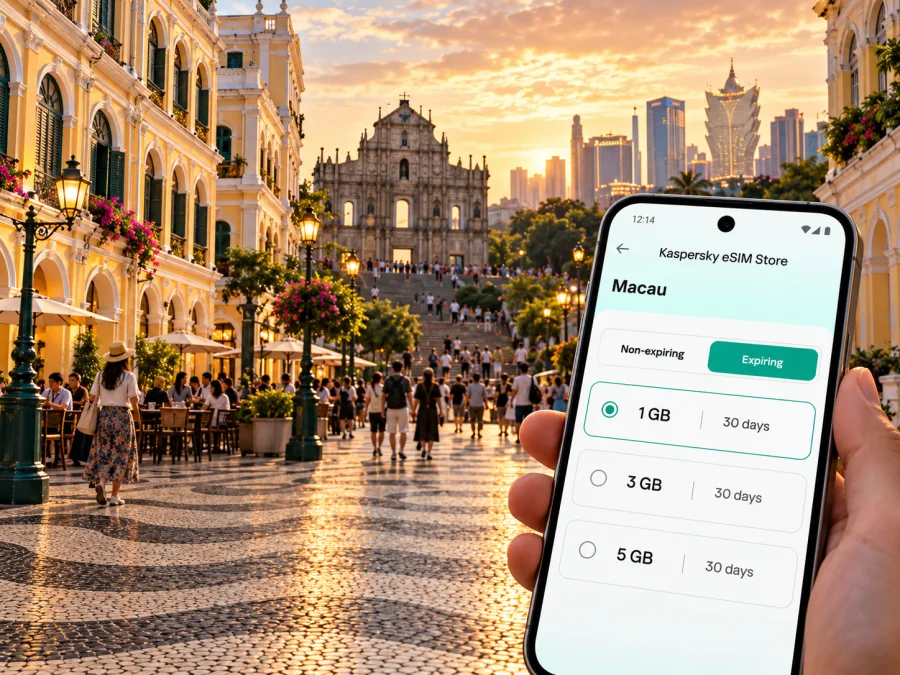
Macau eSIM for a reliable mobile connection and internet on your trip
Macau is compact on a map, but a visitor’s day can cross very different settings: the old streets of the peninsula, Taipa Village, the large Cotai resort district, and the greener lanes of Coloane. Mobile internet helps you check a route between them, find a hotel entrance, translate a menu, or let someone know that your plans have changed. An eSIM can make that data connection easier to prepare before you travel, provided your phone supports it and your selected plan covers the places on your itinerary.
A useful distinction for planning: “Macao” is the English name commonly used by the Special Administrative Region’s government, while “Macau” is also widely used, including in the airport’s name. Macao is a Special Administrative Region of China, not a separate sovereign country. For a mobile plan, however, the destination and coverage terms shown by the provider matter more than how the place name is spelled. Macau, Hong Kong, and Mainland China can be treated as separate destinations in plan terms; do not assume that a Macau plan includes the other two. The destination label alone does not identify a local operator or guarantee a particular network generation. Check the selected plan details for any named network and service restrictions; if those details are not displayed, ask the plan’s support team before relying on a particular operator or service level.
This guide focuses on using mobile data around Macau and preparing for the journey. It does not promise a particular speed, signal indoors, or coverage at every stop: these depend on the local network, the specific plan, your device, and conditions at the time.
Why mobile internet is useful around Macau
The city’s districts are close enough to combine several in one day, yet moving between them still involves decisions. You may arrive at Macau International Airport on Taipa, continue to a hotel in Cotai, cross to the peninsula for the Historic Centre, and later head south to Coloane. A map, live route information, booking details, and messaging apps can all help keep that sequence manageable.
Data is especially useful for:
- checking a walking route through the peninsula’s narrow streets, where a straight line on a map may not match the easiest pedestrian path;
- finding a bus stop, Light Rapid Transit station, ferry terminal, or hotel shuttle point after arrival;
- confirming opening times, reservation details, and the correct entrance to a large resort or event venue;
- translating signs or reading menus while exploring Taipa Village and Coloane;
- keeping work messages and meeting changes accessible during a short business visit;
- sharing your location or sending a message when your party splits up.
Offline preparation remains useful. Save your hotel address, booking confirmation, and a map of your first area before leaving home. That gives you a fallback if a battery runs low, the signal is weak inside a building, or you are still setting up data after landing.
First arrival: airport, hotel, and first route
Macau International Airport is on Taipa. The airport’s transport information lists public buses serving routes around Macau, and an LRT Airport Station connects with the passenger terminal’s north exit. Taxi service and hotel shuttle buses are also options; availability, operating times, fares, and routes can change, so check the current airport or transport information close to departure rather than relying on an old screenshot.
For your first journey, decide on the destination before you leave the arrivals area. A hotel in Cotai, Taipa Village, the peninsula, or Coloane may require a different route. Use the hotel’s full address and, if available, its Chinese-language name in your notes.
A simple arrival sequence
- Connect to airport Wi-Fi if it is available and convenient, or use your already configured travel data connection.
- Open the hotel booking and confirm the exact address, check-in instructions, and shuttle details.
- Compare the airport bus, LRT, taxi, or hotel shuttle based on your destination, luggage, arrival time, and current service information.
- Save the route or destination offline before leaving a Wi-Fi area.
- Once settled, check that your phone is using the intended data line and that maps and messages load as expected.
Check shuttle hours and route in advance, especially for a late arrival or when travelling with substantial luggage.
Getting around: use the map by district
Thinking in districts makes Macau easier to navigate than treating it as one continuous downtown. The peninsula holds many historic sights and busy commercial streets. Taipa combines village lanes, residential areas, the airport, and major resort destinations. Cotai is a reclaimed district between Taipa and Coloane with large hotels and entertainment venues. Coloane offers a slower pace, village streets, parks, and coastal scenery. Roads, bridges, and public transport connect these areas, but the best route depends on where you start and finish.
| Area | What a visitor may be doing | Where mobile data helps |
|---|---|---|
| Macau Peninsula | Visiting the Historic Centre, shops, museums, or a meeting | Walking directions, finding a specific lane or entrance, checking opening details |
| Taipa | Exploring Taipa Village, staying near the airport, or transferring to Cotai | Finding bus or LRT connections and confirming a venue address |
| Cotai | Checking in at a resort, attending an event, or meeting colleagues | Navigating a large complex, locating a pickup point, and coordinating arrival |
| Coloane | Visiting a village, trail, beach, or southern attraction | Checking the route before departure and saving directions for the return trip |
Distances can be deceptive when you are walking. A route that looks short on the map may cross a large road, use a footbridge, or involve stairs. Check the route’s walking instructions and accessibility details instead of judging only by distance. For a group, agree on a recognizable meeting point—such as a named entrance or hotel lobby—rather than relying on a moving map pin alone.
Choose an eSIM plan for the actual itinerary
Before selecting a plan, write down where you expect to use data. A city break spent entirely in Macau has different needs from a trip that continues to Hong Kong or crosses into Mainland China. Coverage names and eligibility are set by the plan’s terms. Check the destination list carefully for each leg; a plan labelled for Macau should not be presumed to cover Hong Kong or China, and a regional plan should be checked for each included territory.
Match the plan to your usage
Estimate your needs in practical terms rather than choosing by the largest data allowance. Navigation, text messaging, email, and searching for local information usually use less data than video calls, streaming, repeated photo uploads, or using your phone as a hotspot. If you expect to work remotely, check whether the plan allows tethering and whether your work tools need more data than ordinary browsing.
| Travel pattern | Planning question | Sensible preparation |
|---|---|---|
| One or two days in the city | Will you mainly need maps and messages? | Check the smallest suitable allowance and validity dates; download maps in advance |
| Several sightseeing days | Will you upload photos or use video calls? | Estimate daily use and leave room for unexpected route searches or bookings |
| Business visit | Will you join meetings or tether a laptop? | Verify hotspot terms, expected meeting data, and a backup connection |
| Macau plus another destination | Does one plan explicitly include every place? | Check each destination and border-crossing leg separately before purchase |
| Longer stay | Does validity cover the full visit? | Compare duration as well as data allowance, and check how top-ups work |
You can review eSIM options for travel to Macao and compare the current terms shown for the destination. Kaspersky eSIM Store is an app and website that helps you select, arrange, and activate an eSIM with a suitable plan for mobile data during an international trip. The plan itself is subject to its displayed destination, data allowance, validity period, and other conditions.
Plan names, prices, allowances, and terms can change. Read the details displayed at the time you choose, including when validity begins, whether unused data expires, and how a top-up works. Avoid buying based only on a headline allowance if the active period would not cover your dates.
Prepare your phone before you travel
Compatibility is a device-specific question. Check the exact phone model and regional version in the manufacturer’s specifications or device settings, and confirm that the phone is not restricted by a carrier lock. Some phone families have versions with different cellular capabilities depending on the market where they were sold. A product name alone is not enough to confirm eSIM support. Check whether your device supports eSIM before selecting a plan.
Also check that you can access your account and install the eSIM while connected to reliable Wi-Fi. Keep your primary SIM active if you need its number for calls or verification messages, but review its roaming settings and charges with your home operator. An eSIM plan for travel data does not automatically provide a regular phone number, voice calls, or SMS unless its specific terms say otherwise. Internet-based calling and messaging apps can work over data, subject to your apps, contacts, and connection.
Before-departure checklist
- [ ] Confirm the exact model and regional variant support eSIM.
- [ ] Confirm the phone is unlocked for use with another plan.
- [ ] Check that Macau is included in the selected plan’s destination terms.
- [ ] If travelling onward, check Hong Kong and Mainland China separately.
- [ ] Compare data allowance and validity with your travel dates and expected use.
- [ ] Install the eSIM according to the instructions and keep the QR code or setup details secure.
- [ ] Save hotel details, tickets, maps, and essential addresses for offline access.
- [ ] Know which line is selected for mobile data and how to switch back to your home line.
Install and activate without losing track of your lines
If possible, install the eSIM while you have stable Wi-Fi and enough time to follow the on-screen steps. The exact menus vary by phone and operating system, so use the instructions for your device: eSIM setup for Android or eSIM setup for iOS. Keep the plan’s activation instructions nearby. Some plans begin their validity at installation, while others start at first connection or another event; follow the terms shown for your chosen plan rather than assuming one rule applies to all eSIMs.
A cautious setup sequence is:
- Connect to a dependable Wi-Fi network and open the installation details for the selected plan.
- Add the eSIM using the phone’s guided setup. Give the line a clear label such as “Travel data” so it is easy to identify.
- Keep your home SIM assigned to calls and messages if you still need that number. Select the travel eSIM for mobile data when the plan should be used.
- Turn on data roaming for the travel line only if the plan’s instructions require it. Read the plan’s setup notes before changing settings.
- After arrival, allow the phone to register and test a simple web page or message. If it does not connect, check the selected data line, plan activation instructions, and account status before changing multiple settings.
Do not delete an installed eSIM just to troubleshoot unless the plan’s support instructions tell you to. Some profiles cannot be reinstalled or transferred freely. If your phone has more than one SIM line, take a screenshot of the intended line settings before travel so you can restore them easily.
Practical city scenarios
A short stopover
If you have only a few hours, the first priority is to keep the route simple. Confirm your onward departure time and transport terminal, save the return route, and choose one nearby area rather than attempting to cover the peninsula, Cotai, and Coloane in a single outing. Mobile data is useful for checking a changed departure or finding the correct terminal entrance, but allow time for transfers and security procedures.
A day in the Historic Centre
Download a map before setting out, then use mobile data for current directions between the main squares, heritage sites, and food stops. Narrow streets and crowded pedestrian areas can make it awkward to keep looking at a phone, so note the next street or landmark before you start walking. Keep the phone secure and avoid stepping into a road while following a route.
An evening in Cotai
Large resort complexes can have several entrances and pickup areas. Save the name of your hotel or venue and the exact entrance from your booking or event instructions. If your group is meeting after a show or dinner, agree on a named indoor meeting place and send a message before the crowd disperses. A mobile connection can help coordinate, but the group should still have a clear plan if messages are delayed.
A slower day in Taipa or Coloane
Taipa Village rewards walking between lanes and local stops; Coloane is better approached with a route chosen before you leave the busier districts. Check the return transport information and save the location of your next stop. For trails or less built-up areas, carry water, check weather and daylight, and keep an offline route available in case data service changes along the way.
A work trip
Before leaving the hotel, download meeting documents and confirm the venue, floor, and visitor instructions. Check whether the venue’s guest Wi-Fi is available as a backup and whether your travel plan permits tethering if you need a laptop connection. Keep a copy of key contacts and meeting details accessible offline so a temporary data issue does not prevent you from finding the appointment.
If the connection does not work as expected
Start with the simple checks. Confirm that the eSIM line is enabled, selected for mobile data, and active under the plan terms. Check whether airplane mode is off and whether the phone displays a network registration. If the setup instructions call for data roaming, confirm it is enabled for the travel line—not automatically for every SIM. Restarting the phone may help it register again, but avoid deleting the eSIM profile.
Then check the plan’s destination and validity. A plan may not apply outside the named market, and a cross-border trip can move you into a different coverage area. If the plan appears active but data still fails, follow its support steps and contact the relevant service support with the device model, location, and a short description of the issue. Avoid posting QR codes, account information, or personal identifiers in public forums.
Public Wi-Fi can serve as a temporary fallback for a map or booking, but use networks you trust and avoid entering sensitive account details on an unknown connection. When practical, download essential information before you need it.
Frequently asked questions
Is Macau a country?
Macao is a Special Administrative Region of the People’s Republic of China. Macau is a common English spelling and is used in names such as Macau International Airport. The terminology on a travel eSIM page may differ, so use the destination coverage terms shown for the plan.
Does an eSIM plan for Macau also work in Hong Kong or Mainland China?
Not necessarily. These are separate destinations in many plan listings. Check that every location on your route is explicitly included before you buy, especially if you will cross a border during the trip.
Can I use an eSIM in any phone?
No. The exact device and regional variant must support eSIM, and the phone may need to be carrier-unlocked. Confirm both points for your own device before purchase; a model family name is not sufficient evidence.
Does a travel data eSIM replace my regular number?
Usually, a data-focused travel plan is for internet access and does not itself provide ordinary voice calls, SMS, or a local phone number unless the plan explicitly includes those services. You may keep your existing SIM for calls and messages, subject to your home operator’s roaming terms.
When should I install the eSIM?
Installing before departure can make setup easier because you can use stable Wi-Fi and read the instructions calmly. Check when the specific plan’s validity begins. If it starts on installation, wait until the appropriate time; if it starts on first supported-network connection, follow the plan’s guidance.
A calm plan for staying connected
For Macau, prepare around your own route: airport to hotel, peninsula to Taipa or Cotai, and any planned time in Coloane or beyond. Confirm that your phone supports eSIM, check the destination and validity terms, install the profile using the device-specific instructions, and keep essential details offline. That gives you a practical way to use mobile data for navigation and coordination while leaving room for local conditions to vary.
When you are ready, choose an eSIM plan for your trip to Macao in Kaspersky eSIM Store. Compare its current coverage, data allowance, and validity against your itinerary, then install and activate it according to the plan instructions.


