Travel connectivity guide
Maceió eSIM: Mobile Internet for Your Trip
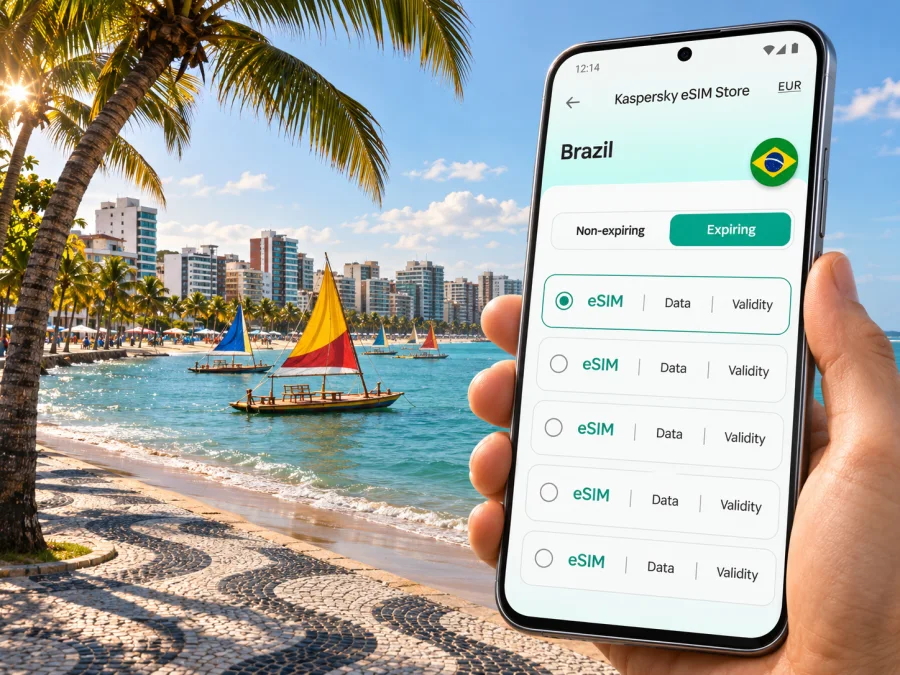
Maceió eSIM: mobile connection and internet for your trip
Maceió rewards a flexible itinerary: a morning along Pajuçara’s waterfront can turn into an afternoon in Ponta Verde, a meeting in the city centre, or a day trip beyond the capital of Alagoas. A working mobile data connection helps with maps, ride requests, hotel messages, digital tickets and checking the next stop. An eSIM can be a practical way to prepare that connection without swapping a physical SIM, provided your phone supports eSIM and the selected plan covers Brazil.
This guide focuses on the real arrival and city-use details: where the airport is, how to plan the transfer, what changes between the beachfront districts and the centre, and how to set up mobile data before you need it. Network availability and performance depend on the local network, your location, device and selected plan; no citywide signal or speed can be guaranteed.
Start with the airport and your first transfer
Maceió is served by Zumbi dos Palmares International Airport (MCZ). It is commonly called Maceió Airport, but the airport area is not simply the city centre: municipal materials describe the site as spanning the municipal boundaries of Maceió and neighbouring Rio Largo. The airport operator’s passenger information lists taxi and road options for onward travel. Plan your transfer as a separate leg, and confirm the pickup point and current arrangements before leaving the terminal.
Your first data needs are usually simple: open the pickup instructions, send a message, check the address and follow a route. Before the flight, save your hotel address in Portuguese, keep the booking confirmation available offline and download the map area if your map app supports offline use. If mobile data is not available immediately, you will still have the essential details to find the right pickup or ask for help.
A useful arrival checklist
- Save the hotel name, full address and a nearby landmark in a note.
- Keep the reservation and transfer contact details accessible offline.
- Charge your phone and carry the cable or power bank you normally use.
- Before boarding, confirm that the Brazil plan you selected is valid for your dates and has not already started its usage period.
- If you install the eSIM before departure, follow the installation instructions and leave your usual line selected for calls if you still need it.
- After landing, choose the eSIM for mobile data only when you are ready to use the travel plan, then check that data roaming is enabled if the plan’s instructions require it.
The airport’s flight and ground-transport details can change. Check your flight status and current pickup information close to travel, rather than relying on a saved schedule from an earlier visit.
Choose a base with the daily route in mind
Many visitors stay along the coast, particularly around Pajuçara, Ponta Verde or Jatiúca. The city describes Pajuçara’s waterfront as a major public and visitor area, with hotels, restaurants, shops and cultural activity. The promenade, beaches and nearby places to eat can make these districts convenient for a trip built around the shore. Ponta Verde and Jatiúca are also useful reference points when you are checking distances and arranging a ride.
The Centro area has a different rhythm and may make sense for appointments, municipal business or a visit focused on the historic and commercial city. A hotel near the beach does not mean every meeting or attraction is walkable, and a central address does not put you beside the waterfront. Look at the locations you will actually visit and estimate each trip separately.
| Trip pattern | What to prepare on your phone |
|---|---|
| Staying near Pajuçara | Save your hotel pin, beach access point and any booked tour meeting point. |
| Moving between Ponta Verde and Jatiúca | Check the destination name and street address before requesting a ride; similar-looking coastal locations can be easy to mix up. |
| Visiting Centro for an appointment | Save the business name, entrance details and return address before leaving the hotel. |
| Arriving late or with luggage | Confirm the pickup arrangement and keep the address available offline in case data takes time to connect. |
| Planning a day trip | Check the meeting point, return time and route with the provider; don’t assume a city data plan covers every stop on the itinerary. |
How mobile data helps around Maceió
A phone is most useful when it reduces small points of friction. In the beachfront area, you may use it to find a restaurant entrance, message a host about check-in or locate the place where a tour begins. If you walk along the coast, save the return address as well as the destination: after sunset, a familiar map pin is often more useful than trying to remember a side street.
For a working visit, download meeting documents, boarding passes and presentations before leaving reliable Wi-Fi. Use mobile data for email, messaging and navigation while moving between appointments. If you expect to join a video call, check the connection in the room beforehand and keep a backup option, such as hotel Wi-Fi or a voice call on your usual line. A travel eSIM plan may be data-only; it should not be assumed to include a Brazilian phone number, traditional calls or SMS unless its terms say so.
On a short stopover, avoid spending the whole connection window on large downloads or automatic photo backups. Set app updates and cloud syncing to Wi-Fi, and keep mobile data available for route changes, messages and check-in. If your stop includes leaving the airport, allow time for the transfer in both directions; the airport is outside the main beachfront hotel area and is not a quick walk into town.
For a longer stay with excursions, check whether the plan you choose applies across Brazil or only to specific destinations, and read how its validity begins. A city name in a travel search does not necessarily define the plan’s service area. The conditions attached to the selected Brazil plan are the reference for destination, allowance, validity and any restrictions.
Once you have mapped your likely travel pattern, you can review available eSIM options for Brazil and compare the current destination, data allowance, validity period and price shown for each plan. Kaspersky eSIM Store is the app and website where you can choose, arrange and activate an eSIM with a suitable plan for mobile data abroad; the underlying service and coverage depend on the selected plan and local networks.
Plan for beaches, tours and changing conditions
Maceió’s waterfront is central to many visits, but beach days often involve moving between a hotel, a meeting point, a restaurant and the shore. Keep addresses in a note and share the agreed rendezvous point with your travel companions. If a tour has a specific boarding location, use the operator’s latest message rather than assuming it begins at the nearest beach access.
Pajuçara’s seafront has public spaces and visitor facilities. The municipal government identifies Parque Massay-ó-k, formerly Praça Multieventos, on the Pajuçara waterfront and describes it as a venue for public events and everyday use. The area can be busy during events, so check your exact pickup point and allow extra time when streets are crowded. A city notice has also described designated tourist-vehicle boarding and drop-off arrangements on Avenida Dr. Antônio Gouveia; street rules and event logistics can change, so follow signs and current instructions on the day.
Coastal plans may depend on tides, weather, sea conditions or a tour operator’s schedule. Confirm the day’s arrangements directly with the provider. Save the meeting point while connected, and keep a screenshot of the reservation. Mobile internet can help you communicate a change, but it does not replace local safety guidance or the tour provider’s instructions.
A simple beach-day phone setup:
- Save your accommodation address and the return destination.
- Download maps or tickets you may need before heading out.
- Carry a water-resistant pouch if you take your phone near the sea, and avoid exposing it to sand or salt water.
- Keep location sharing and battery use at a level that suits your plans.
- Agree on a meeting place in case someone’s battery runs low or the group separates.
Pick a plan for the whole route, not just the hotel
Before choosing an eSIM, write down where you expect to use data: the airport transfer, accommodation, the main beach districts, Centro and any excursions. Then look at the plan’s destination coverage and its practical limits. The same amount of data can feel very different depending on whether you mostly use messaging and maps or frequently stream video, upload large files and use a hotspot.
| Your usage | Planning approach |
|---|---|
| Maps, ride coordination and messages | Estimate how many days you need data and leave room for route changes. |
| Photos and social apps | Consider whether uploads can wait for Wi-Fi; automatic backups can use data in the background. |
| Remote work | Check video-call needs and hotspot rules in the plan terms; arrange a backup connection for important meetings. |
| A route beyond Maceió | Verify that the plan’s stated destination includes every place on the itinerary. |
| Keeping your home number active | Check how your device handles two SIM profiles and which line is assigned to calls, messages and mobile data. |
Do not choose from the plan name alone. Read the current allowance, validity, activation conditions, supported destination and any fair-use or hotspot notes displayed at checkout. If your schedule changes, recheck whether the usage period has already begun and what options the plan allows. Prices, package details and rules can change, so the information shown for the specific plan at the time you choose it takes precedence.
Check your phone before you travel
An eSIM is a digital SIM profile installed on a compatible device. Compatibility can vary by model, hardware version, sales region and carrier lock status. A model family name by itself is not enough to confirm support: make sure your exact phone variant can add an eSIM and is not restricted to a particular carrier. Check whether your device supports eSIM before choosing a plan.
Also check that the phone is updated, that you can unlock it and that you have a reliable internet connection for installation. If you use a physical SIM at home, find the mobile-data and default-line controls before departure. This makes it easier to select the travel profile without accidentally changing the line you use for ordinary calls or messages.
Before travel, keep access to your order, read when the plan validity begins, and avoid deleting an installed profile unless instructed. If you need your regular number for calls or verification texts, check your home carrier’s roaming charges.
Install and activate the eSIM
Follow the instructions provided for your device and the plan. The setup flow differs between operating-system versions, and the labels in Settings may vary. Use the Android eSIM installation guide or the iOS eSIM installation guide, as appropriate.
A practical sequence is:
- Prepare while online. Connect to dependable Wi-Fi and open the plan details and installation instructions.
- Add the profile. Use the QR code or manual activation details provided for your order. Keep the code private and follow the on-screen prompts.
- Label the line. Choose a clear label such as “Brazil travel data” so you can distinguish it from your regular SIM.
- Choose mobile data. Set the travel eSIM as the data line when you want to use it. Keep voice and SMS settings on the line you intend to use for those services.
- Apply the plan’s network settings. Enable data roaming for the eSIM only if the plan’s instructions require it. This setting does not itself mean the plan is a traditional roaming add-on from your home operator.
- Check the connection. After arrival, wait for registration and test a simple webpage or message. If it does not connect, review the selected data line, roaming setting and plan instructions before changing other settings.
Installation and first connection are separate steps. Installing a profile does not always mean the plan is already active, and activation timing depends on the plan terms. If you want to avoid starting usage early, read those terms before installation and leave the profile disabled until the appropriate time if the instructions permit it.
If the connection does not appear
Start with the least disruptive checks. Confirm that airplane mode is off, the eSIM line is enabled, mobile data is assigned to that line and the phone has restarted or refreshed its network connection. Check the selected plan’s destination and whether it is within its validity period. If instructions specify data roaming, confirm that setting for the travel profile.
If you are in a building or a location where service is weak, move to a safe open area and try again. A local signal can vary from one street or indoor space to another. Avoid repeatedly deleting and reinstalling the profile. If the issue continues, contact support through the service used for your order and provide the device model, operating-system version, location, time and the steps already tried. Do not share a QR code or activation details publicly.
Keep a fallback for essential tasks: save your accommodation and transfer details offline, know how to contact your host without data and keep your usual SIM available if your plan and carrier settings allow it. These precautions are useful in any unfamiliar city, even when an eSIM is installed correctly.
Common Maceió scenarios
You land and go straight to Pajuçara. Keep the hotel address and transfer details ready before landing. After arrival, confirm that the eSIM is selected for data and has connected before relying on it for the next trip.
You have a meeting in Centro and an afternoon by the sea. Save both addresses, allow time for each transfer and download meeting documents in advance. Use data for messages and navigation rather than large uploads on the move.
You are travelling with other people. Share the hotel and meeting point before leaving, and agree on what to do if someone loses connectivity. Each person who needs mobile data should check their own device and plan.
You are visiting on a short stopover or continuing elsewhere in Brazil. Decide whether you will leave the airport area, save onward details offline and allow time to return. For any destination outside Maceió, verify that the plan covers it; a city name does not prove nationwide coverage.
Frequently asked questions
Is the airport in central Maceió?
No. Zumbi dos Palmares International Airport serves Maceió, but it is outside the main visitor districts and requires a road transfer. Its municipal boundary situation is also more nuanced than its common airport name suggests: local technical material describes the airport site across Maceió and Rio Largo. Check your pickup and journey time for the exact arrival date.
Will an eSIM work everywhere in Maceió?
No plan should be treated as guaranteed everywhere. Service depends on the selected plan, its local network arrangements, your device and your precise location, including indoors. Review the current Brazil plan conditions and expect conditions to vary.
Does a travel eSIM provide a local phone number?
Not necessarily. Many travel eSIM plans are intended for mobile data and do not include a conventional number, calls or SMS. Check the individual plan terms. Internet messaging and calling apps can work over data, subject to the app and recipient also being available online.
Can I install the eSIM before flying?
Often installation can be prepared before departure, but the right timing depends on the plan’s instructions and when validity begins. Read the activation conditions first. If the plan allows, install while on reliable Wi-Fi and enable it for data when you are ready to use it.
Should I leave my regular SIM turned on?
That depends on whether you need calls or messages to your usual number and what your home carrier charges. You can often keep a physical SIM available while choosing a separate eSIM for data, but dual-SIM behavior varies by device. Check the line settings and carrier conditions before travel.
What should I do if maps stop loading?
Use an offline map or saved address, check whether mobile data is assigned to the travel eSIM and confirm the plan remains valid. If the connection is still unavailable, try a safe location with a clearer signal and follow the plan’s troubleshooting steps. Do not remove the eSIM profile unless directed.
Get ready to stay connected in Maceió
Before you leave, confirm that your device supports eSIM, compare the current Brazil plan details with your travel dates and save your airport transfer and accommodation information offline. Kaspersky eSIM Store is an app and website that helps you choose, arrange and activate an eSIM with a suitable plan for mobile data during an overseas trip. Review the destination, allowance, validity and conditions shown for the plan that fits your route, then follow the setup guidance for your phone.
Choose an eSIM option for your Brazil trip and prepare your mobile data before you set out for Maceió.


