
Travel connectivity guide
Madagascar eSIM: mobile internet guide
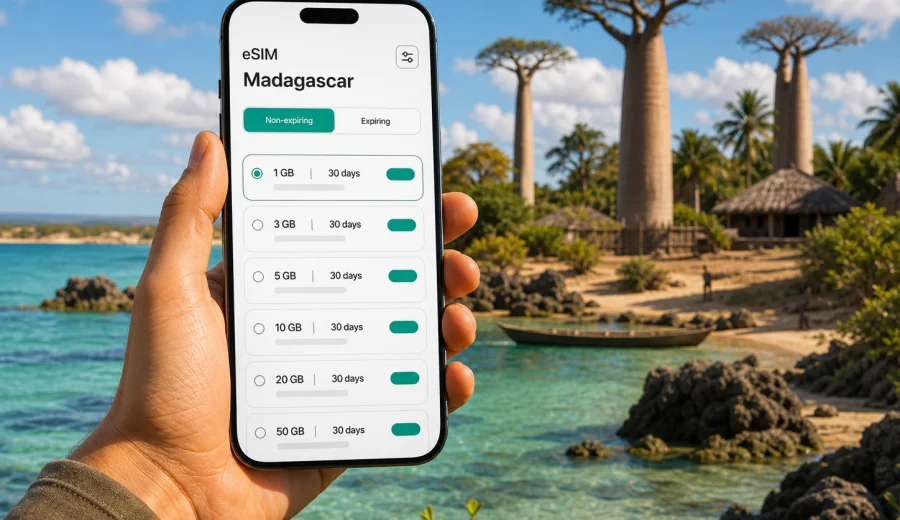
eSIM in Madagascar: mobile connection and internet for your trip
Madagascar is a country where mobile internet can become part of the travel plan, not an afterthought. The island is large, routes often combine city streets, long drives, national parks, coastal transfers and small hotels, and many everyday tasks depend on being online at the right moment. You may need a map in Antananarivo, a message to a guide near Andasibe, a hotel confirmation in Nosy Be, or a translation app at a local market. For that kind of trip, an eSIM helps you prepare mobile data before you start looking for Wi-Fi.
An eSIM is a digital SIM profile installed on a compatible phone or tablet. It can be useful for Madagascar because you do not need to swap a physical SIM card, visit a store immediately after arrival, or rely only on public networks. With Kaspersky eSIM Store, you can use the app or website to choose, arrange and activate an eSIM with a suitable data plan for your overseas trip. The practical result is simple: you prepare mobile internet for travel and keep more control over data volume, validity period and activation timing.
This guide explains how to think about eSIM for Madagascar, what to check before buying a plan, how much data different travel scenarios may need, and how to avoid common mistakes with activation, roaming settings and app updates.
Why mobile internet matters in Madagascar
Madagascar is not a one-city destination. Many trips begin in Antananarivo, then move to rainforests, highland towns, beaches, reserves or island transfers. Distances can be long, road conditions vary, and travel days often require coordination. Even if your hotel has Wi-Fi, you may still need mobile data while moving between places.
Mobile internet is especially useful for:
- checking maps before a road transfer;
- messaging drivers, guides, hotels and tour operators;
- receiving flight or ferry updates;
- using translation and currency conversion tools;
- sharing your location with fellow travelers;
- opening booking confirmations and travel documents;
- using ride, delivery or payment-related apps where available;
- staying reachable through internet-based calls and messengers.
The main advantage of preparing an eSIM is predictability. You can compare the available data amount and validity period before the trip, install the eSIM on a compatible device, and avoid making connectivity decisions while tired after a flight.
What an eSIM gives you in Madagascar
For most travelers, an eSIM for Madagascar is about mobile data. It usually does not include a local phone number, standard voice calls or SMS unless the selected plan clearly says otherwise. That is important if you expect to receive verification codes by SMS or make traditional phone calls. For many travel tasks, however, internet access is enough: messengers, email, maps, video calls and booking apps all work through mobile data.
An eSIM can help if you want to:
- keep your physical SIM card in the phone for your main number;
- avoid buying a local plastic SIM card on arrival;
- separate travel data from your home mobile plan;
- see plan conditions before you pay;
- choose a data package that matches the length of the trip;
- activate mobile data when you are ready to use it.
Coverage and speed depend on the mobile networks available in the places you visit, local conditions, terrain, weather, congestion and the plan terms. No travel eSIM can guarantee the same experience in every village, beach, road section or national park.
Before you choose a plan: the essential checks
The best time to check eSIM readiness is before departure. A few minutes of preparation can prevent a stressful setup at the airport or on the road.
| What to check | Why it matters for Madagascar |
|---|---|
| Device compatibility | Not every phone or tablet supports eSIM. Some models also differ by region. |
| Carrier lock status | A locked device may not accept another SIM or eSIM profile. |
| Trip duration | A short city stay and a two-week island route need different validity periods. |
| Data habits | Maps, messaging and email need less data than video calls or cloud backups. |
| Arrival timing | Installing the eSIM before the flight can be easier than doing it on weak airport Wi-Fi. |
| Backup access | Keep hotel addresses and booking details available offline. |
Before buying a plan, check your device and confirm that it supports eSIM. If you use a work phone, a phone bought through a carrier, or a device from another region, this check is especially important. Also make sure the device has a stable internet connection during installation, because the eSIM profile has to be downloaded before it can be used.
How much data do you need for Madagascar?
There is no universal amount of data for every traveler. A person who uses maps and messaging lightly may need far less than someone uploading videos, working remotely or making long video calls. The safest way to choose is to list your real travel tasks and match them to a data plan.
Here is a practical way to estimate your needs:
| Travel style | Typical online behavior | Data planning tip |
|---|---|---|
| Light traveler | Messaging, maps, email, booking confirmations | Choose a modest package and keep automatic updates off. |
| Active tourist | Maps, photo sharing, social media, ride coordination, restaurant searches | Pick more data so you are not rationing every day. |
| Remote worker | Email, cloud files, video meetings, hotspot for a laptop | Choose a larger package and check whether tethering is allowed by the plan. |
| Family or group coordinator | Several bookings, group chats, navigation, occasional hotspot sharing | Plan extra data for shared tasks and unexpected route changes. |
| Content-heavy traveler | Frequent uploads, reels, video calls, cloud backup | Use hotel Wi-Fi for heavy uploads and reserve mobile data for movement. |
For Madagascar, data planning should also consider geography. In a city, you may use maps, restaurant searches and transport coordination. On a long transfer, you may mostly need messaging and offline maps. In a national park, you may be offline for long periods and then use mobile data again near a town or lodge.
Route scenarios: where eSIM is most useful
A country-wide article should not reduce Madagascar to one city. Travelers often combine several types of locations, and each one creates a different connectivity pattern.
Antananarivo and arrival days
Antananarivo is often the first point of contact with Madagascar. Arrival days can involve airport pickup, hotel check-in, route changes and money or transport questions. Having mobile data ready can help you open messages from your accommodation, confirm meeting points and navigate between neighborhoods. It is also useful if your flight arrives outside normal store hours or you prefer not to search for a SIM counter immediately.
Andasibe, rainforest routes and guided trips
Trips to Andasibe-Mantadia National Park and nearby rainforest areas often involve guides, transfers and early starts. Mobile internet helps before and after excursions: confirming pickup times, checking weather, sending location updates and reviewing the next day’s route. Inside forests or remote areas, signal can vary, so download key information in advance.
Nosy Be and coastal travel
Beach and island trips create a different pattern. You may rely on mobile data for ferry or flight updates, hotel messages, restaurant searches and photo sharing. If you plan to work from a coastal hotel, check whether the accommodation has reliable Wi-Fi and reserve eSIM data for important tasks.
Long road transfers
Madagascar routes can include long drives. During transfers, mobile data is useful for live location sharing, route checks, messaging and quick calls through internet apps. It is wise to cache maps offline before the drive, because mobile signal may not be consistent along every road.
Choosing a Madagascar eSIM plan without overcomplicating it
Choose by three questions:
1. How many days will you be in Madagascar?
2. How much data do you realistically use when away from hotel Wi-Fi?
3. Do you need mobile data only for yourself, or will you share it with a laptop or another traveler?
If your trip is short and you mostly use messaging and maps, a smaller package may be enough. If you are staying longer, moving between regions, using social media daily or working during the trip, a larger package can be more comfortable. The goal is to choose a plan that gives you enough room for the trip you are actually taking.
When you are ready to prepare mobile data before departure, you can choose an eSIM plan for your Madagascar trip through Kaspersky eSIM Store. Review the available data amounts, validity periods and plan conditions before you activate anything, then keep the installation details accessible in case you need them while traveling.
Installation: what to do before and after arrival
The installation process depends on your device and the plan instructions, but the practical order is usually straightforward. You need a compatible device, a stable internet connection and the eSIM details provided after purchase.
Before departure:
1. Check that your phone supports eSIM and is not carrier-locked.
2. Choose the plan for Madagascar and review the terms.
3. Install the eSIM profile while you have a reliable connection.
4. Label the eSIM clearly, for example “Madagascar data”.
5. Keep your primary SIM active if you still need your usual number.
6. Turn off mobile data switching if you do not want the phone to use another line unexpectedly.
7. Download offline maps and key bookings.
For setup steps, use the official device guides: Android installation instructions and iOS installation instructions. Follow the instructions shown for your device, because menus and wording can differ between phone models and operating system versions.
After arrival in Madagascar:
- select the eSIM as the mobile data line;
- enable data roaming for the eSIM if the plan instructions require it;
- keep your home SIM from using roaming data unless you intentionally want it;
- test messaging and maps before leaving the airport or hotel Wi-Fi;
- check the remaining data in your account or app when available.
Do not delete the eSIM profile unless you are sure you no longer need it. Some profiles cannot be installed again after removal, depending on plan conditions.
How to reduce data use during the trip
A few settings can help your plan last longer in Madagascar.
Use this checklist before you leave your hotel:
- download offline maps for the next route;
- disable automatic app updates on mobile data;
- pause cloud photo and video backup;
- reduce video call quality when possible;
- send compressed images in messengers;
- save boarding passes and booking confirmations offline;
- use Wi-Fi for large uploads, app downloads and streaming;
- close navigation when you no longer need it;
- restrict background mobile data for nonessential apps.
If you use a hotspot, remember that laptops can consume data quickly. System updates, cloud sync, browser tabs and video meetings may use more data than expected. For work trips, set your laptop connection as metered if your operating system allows it.
eSIM compared with roaming, Wi-Fi and local SIM cards
Different connectivity options can work in Madagascar, but they solve different problems. The right choice depends on your route, device and tolerance for setup.
| Option | Strengths | Trade-offs |
|---|---|---|
| Travel eSIM | Can be prepared before departure, no physical SIM swap, clear data package | Requires compatible unlocked device and correct setup |
| Home roaming | Uses your existing number and SIM | Costs and data limits depend on your home operator |
| Public Wi-Fi | Useful in hotels, cafes and airports | Availability, speed and security can vary |
| Local physical SIM | Can be useful for longer stays | Requires buying and installing a SIM card locally |
For many travelers, eSIM is a convenient primary data option or a backup next to hotel Wi-Fi. It is especially useful when you want mobile internet ready before arrival, when you do not want to remove your physical SIM, or when your route includes several transfers where public Wi-Fi is not available.
Practical safety and reliability tips
Mobile internet is useful, but travel planning should not depend on one connection method. Treat the eSIM as part of broader preparation.
Keep these items offline:
- passport copy and insurance details;
- hotel names, addresses and phone numbers;
- driver or guide contact information;
- flight and ferry confirmations;
- offline maps for each travel segment;
- emergency contact details.
Also keep your phone charged. Navigation, camera use and messaging can drain the battery faster than expected on long travel days.
Common mistakes to avoid
The most common eSIM issues are not complicated technical failures. They are usually small preparation gaps.
Avoid these mistakes:
- buying a plan before checking device compatibility;
- trying to install the eSIM without a stable internet connection;
- deleting the eSIM profile after installation;
- leaving your home SIM as the active mobile data line by mistake;
- forgetting to enable data roaming for the eSIM when required;
- assuming the plan includes voice calls or SMS;
- using mobile data for cloud backup without noticing;
- waiting until a remote transfer to download maps;
- ignoring the validity period of the selected plan.
If something does not work immediately, start with the basics: check which line is selected for mobile data, confirm roaming settings for the eSIM, restart the device, and make sure you are in an area with mobile signal.
Quick recommendations by traveler type
For a short leisure trip, choose enough data for maps, messaging, restaurant searches and transport coordination. Install the eSIM before departure and activate it according to the plan instructions.
For a photography-heavy trip, use mobile data for messaging and navigation, but upload large photo sets on Wi-Fi. Turn off automatic cloud backup on mobile data unless you intentionally planned for it.
For a nature-focused itinerary, download maps and booking details before each transfer. Expect signal to vary in remote areas.
For business travel, choose a larger data package, check hotspot conditions, and prepare backup Wi-Fi options for video meetings. Do not rely on one connection for time-sensitive calls.
For family travel, set one phone as the main coordination device, but avoid constant hotspot sharing unless the plan and data allowance support it. Keep everyone’s hotel and route details saved offline.
FAQ: eSIM and mobile internet in Madagascar
Can I install an eSIM before I arrive in Madagascar?
In many cases, yes. Installing before departure can be convenient because you can use reliable home or hotel Wi-Fi. Activation timing and validity depend on the selected plan, so read the plan instructions before using mobile data.
Does an eSIM for Madagascar include a phone number?
Usually, travel eSIM plans are designed for mobile data. Standard voice calls and SMS are not included unless the plan conditions say so. You can use internet-based calls and messengers through mobile data.
Will eSIM work in every part of Madagascar?
Mobile service depends on available local networks, geography, device support, plan conditions and current network conditions. Cities, towns, roads, coastal areas and remote parks may not provide the same experience.
Do I need to remove my physical SIM card?
Usually no. One benefit of eSIM is that you can keep your physical SIM in the phone and use the eSIM for mobile data. Make sure your phone settings do not route data through your home SIM unless you choose that intentionally.
Can I share eSIM data with a laptop?
That depends on the device settings and plan terms. If tethering is allowed and works on your phone, remember that laptops can use data quickly through updates, cloud sync and video calls.
What should I do if mobile data does not start?
Check that the eSIM is selected for mobile data, data roaming is enabled if required, and the device is in an area with signal. Restarting the phone can also help. If the issue continues, use the support channel available through Kaspersky eSIM Store.
Final checklist before your Madagascar trip
Before you leave, make sure the basics are covered:
- your phone supports eSIM and is unlocked;
- the eSIM profile is installed on the device you will carry;
- the plan duration matches your travel dates;
- you understand when validity starts;
- mobile data settings are assigned to the correct line;
- key maps and documents are stored offline;
- automatic updates and cloud backups are controlled;
- installation information is saved.
Madagascar rewards flexible planning. Your route may include a capital-city arrival, rainforest roads, beach days, national parks and long transfers, and each setting can change how you use mobile internet. Preparing eSIM in advance gives you one less thing to solve at the airport or on the road.
If you want to set up mobile data before you travel, prepare an eSIM plan for Madagascar in Kaspersky eSIM Store, review the plan conditions, install it on a compatible device, and activate it according to the instructions for your trip.