Travel connectivity guide
Madang eSIM: Mobile Internet in Papua New Guinea
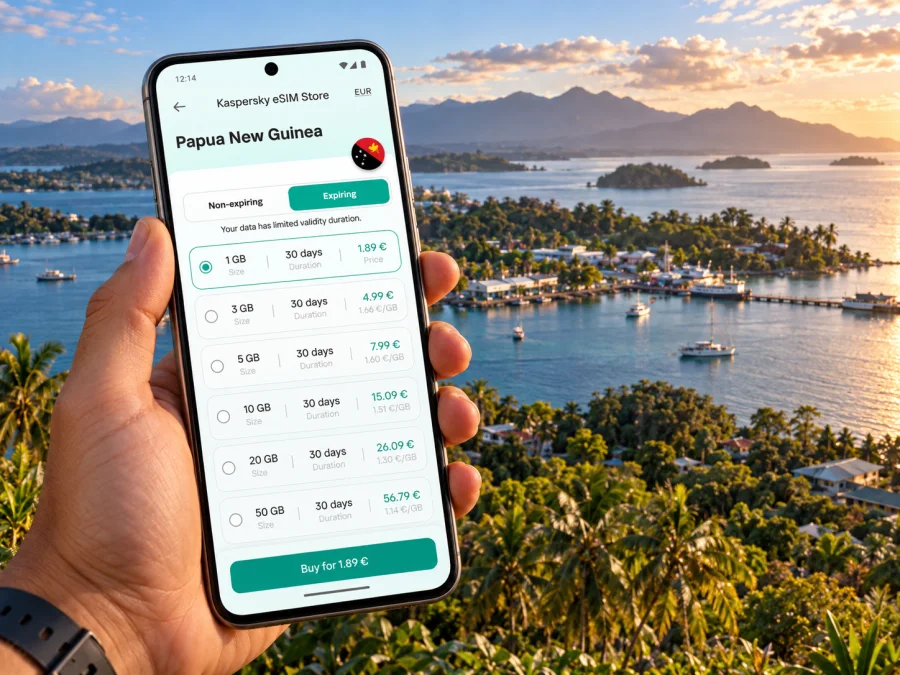
Madang eSIM for reliable mobile connection and internet on your trip
Madang is a compact coastal town on Papua New Guinea’s north coast, and its harbour, lagoon and nearby villages shape how a visit unfolds. You may arrive for a meeting, stay between domestic flights, or use town as a base for snorkelling and boat trips. In each case, mobile data helps with practical tasks: confirming an airport pickup, finding your accommodation, messaging a local guide and keeping plans together when the day moves from town to the water.
An eSIM can add a travel data connection without replacing the physical SIM in your phone. Before you leave, check the plan’s destination, data allowance, validity period and activation rules. Coverage depends on the local network used by the plan and on where you travel; a connection in central Madang should not be taken as a promise of service on every road, island or boat route.
First arrival: plan the handoff from airport to town
Madang Airport (MAG) is the air gateway listed for Madang by Papua New Guinea’s National Airports Corporation. Air Niugini’s airport guide places it about 8 km from Madang. That distance is useful for orientation, but it is not a door-to-door travel time: road conditions, traffic, weather and the exact destination can change the journey.
Arrange the first transfer before you land. Ask your hotel, host or meeting contact which driver or pickup point to use, and keep the confirmation available offline. Do not assume that a ride-hailing app, a particular taxi service or a public transport timetable will be available at the terminal. If you are meeting someone, agree on a recognisable landmark and a backup contact method while you still have a connection.
A simple arrival sequence:
- Keep your accommodation address and phone number in a saved note or screenshot.
- Confirm the pickup arrangement and who will meet you before boarding your flight.
- Once you have landed, check messages and let your contact know whether the flight arrived on time.
- Follow the driver’s directions rather than trying to navigate unfamiliar roads while carrying luggage.
- After check-in, download any maps or documents you will need for the next day.
Mobile data is most valuable at these decision points. It helps you retrieve a booking, send a short update and reopen a map. It does not replace a confirmed transfer or local advice, especially if your itinerary continues beyond town. Save a screenshot of the arrival instructions as well: it remains available if the airport connection is slow or you need to conserve data before reaching your accommodation.
Understand Madang’s coastal layout
Madang is the provincial capital and a town on the north coast; Madang Province is a much larger administrative area of mainland coast, valleys, mountains and islands. Keeping those two scales separate matters when you plan connectivity. A plan for Papua New Guinea is the relevant destination choice for a trip to the town, but service conditions can vary between the built-up area and more remote parts of the province.
The harbour and lagoon are part of the town’s everyday geography. The centre is where you are most likely to handle routine errands, meet a driver, visit a market or find a place to eat. Accommodation and visitor services are spread across the town area, so use the address given by your hotel rather than assuming that “Madang” identifies one central point. If your room is outside the centre, ask in advance how guests usually travel between the property and town.
A practical mental map is more useful than a long list of street names:
| Part of the trip | What to arrange | How mobile data helps |
|---|---|---|
| Airport arrival | Pickup name, meeting point and destination address | Check a message or share an arrival update |
| Town errands | Exact venue, opening details and return ride | Reopen a map or contact the person you are meeting |
| Harbour or lagoon outing | Boat operator, departure point and return time | Confirm changes before leaving the shore |
| Village or inland visit | Local host, transport and permissions | Keep the agreed contact details accessible |
| Departure day | Flight time, pickup and document copies | Review booking updates and coordinate the transfer |
Treat the table as a planning aid, not a promise that every place has the same signal or transport options. Download an offline map for the town area, save accommodation and operator details, and ask your host which landmarks are clearest for directions. In a coastal destination, a short boat ride can take you beyond the conditions you experienced in the centre.
Choose a connection plan around your itinerary
A short business visit and a week built around the lagoon use data differently. A business traveller may need email, calendar updates, messaging and occasional video calls at a hotel or office. A leisure visitor may use navigation around town, send photos, check boat arrangements and message a guide. Rather than guessing from the number of days alone, think about how often you will upload media, use maps and rely on calls over data.
Before choosing a plan for Papua New Guinea, compare the stated allowance with your likely use and the plan’s validity. Video calls, cloud backups and automatic photo uploads can consume data quickly. If the plan has a fixed allowance, turn off automatic updates and large backups until you are on trusted Wi-Fi. Keep your regular SIM active for calls or texts if you need its number, while selecting the travel eSIM for mobile data where appropriate.
For most short trips, the useful amount of data depends less on the map itself than on how often you share photos, sync files or stream. Set automatic media uploads to Wi-Fi only before departure, then review usage after your first day in town. This gives you a better basis for judging whether the allowance fits the rest of your stay.
Kaspersky eSIM Store is an app and website where you can choose, arrange and activate an eSIM with a suitable mobile data plan for an international trip. To review available options for your route, choose a travel data plan for Papua New Guinea. Read the plan details before checkout, including supported destination, data amount, validity and when its validity starts. The eSIM is for data unless the specific plan says otherwise; do not assume that it includes a local phone number, ordinary voice calls or SMS.
Match the plan to the kind of stay
- One or two nights in town: Prioritise enough data for maps, messages, bookings and arrival coordination. Save key information offline in case you do not want to rely on a connection for every detail.
- Several days with meetings: Estimate email and navigation use, then account separately for video calls. If possible, schedule larger calls where you know the hotel or venue has suitable Wi-Fi.
- A marine-focused visit: Plan for the time on shore and check how your boat operator communicates schedule changes. Do not count on a continuous mobile signal while offshore.
- A mixed town-and-province itinerary: Check the plan’s geographic coverage notes and ask local hosts about connectivity at each stop. A national destination label does not guarantee identical service in remote areas.
Get ready before you travel
Install and set up the eSIM when you have stable internet access and enough time to follow the on-screen steps. The sequence and menu wording vary by phone model, operating system and plan, so use the instructions that match your device: eSIM setup instructions for Android and eSIM setup instructions for iOS.
Before purchasing, check whether your device supports eSIM. Also confirm that the device is not restricted by a carrier lock. Some phones support eSIM only in particular regional variants, and a device name alone may not confirm support. Keep access to Wi-Fi during installation, and do not delete an installed eSIM profile unless the plan instructions or support team tells you to do so.
A pre-trip checklist:
- Confirm that your exact phone model and regional variant support eSIM.
- Check that the handset is unlocked for use with another mobile network.
- Compare the Papua New Guinea plan’s data, validity and activation conditions with your itinerary.
- Install the eSIM using the in-app steps or QR code while you have a stable connection.
- Label the lines clearly, for example “Home” and “Travel”, so you can identify them in settings.
- Decide which line will use mobile data and whether data roaming must be enabled for the travel eSIM, following its plan instructions.
- Save your accommodation address, pickup details, flight information and important contacts offline.
- Keep your main SIM available if you need its number for calls or verification messages.
Installing before departure can reduce setup work after landing, but the right time to activate depends on the plan’s validity rules. Some plans begin when installed; others start when the eSIM first connects to a supported network. Read the terms shown for the selected plan and time activation so that the valid period covers the days you need it.
Getting around town and keeping plans coordinated
For short trips between the airport, accommodation, town centre and a meeting place, an online map can help you orient yourself. Save the destination name and address too: map pins can be imprecise, and a street or venue name may be easier for a local driver to recognise. If you are arranging a pickup, send the destination in a message and confirm the return plan before setting off.
Madang is also a starting point for experiences that are not simply town walks. The national tourism site describes Madang as a base for diving, snorkelling and island visits, while the provincial government notes the region’s coastal and island geography. For a lagoon trip, the boat operator or local host should determine the departure point, timing and suitable route. Ask what happens if weather or sea conditions change, and agree on how you will contact each other before leaving shore.
For a village visit or a trip inland, arrange the visit with a local contact and clarify transport, permissions, timing and what to bring. Mobile navigation can help with broad orientation, but it should not be treated as a substitute for a local guide or a confirmed driver. The town’s mobile data experience may not represent the signal on a rural road or at a community outside the centre.
A good habit is to save a small “Madang day” note before leaving your accommodation:
- destination and return meeting point;
- host, guide or driver’s name and contact details;
- planned departure and return times;
- booking reference or tour confirmation;
- offline map area and any essential directions;
- an alternative plan if the outing is delayed or cancelled.
A power bank, waterproof pouch and downloaded confirmation help when you are travelling by boat or spending a long day away from your accommodation.
Business travel, stopovers and remote work
Madang may be a destination in its own right or one stop on a longer Papua New Guinea itinerary. For a short stopover, keep the plan narrow: airport pickup, accommodation, one essential appointment and a realistic buffer for the return transfer. Do not build a tight schedule around an assumed drive time or a connection that has not been tested at your venue.
For work, use mobile data for messaging, directions and light tasks while reserving large file transfers or long calls for a place with a dependable connection. If a meeting depends on video, ask the venue about its internet access before you promise to join remotely. Test audio and access in advance where possible. Keep documents available offline so a brief loss of service does not prevent you from reviewing an agenda or boarding pass.
| Work need | Useful preparation |
|---|---|
| Email and chat | Sync key messages before leaving Wi-Fi |
| Navigation to a meeting | Save the address and a map area offline |
| Video call | Confirm the venue connection and have an audio-only backup |
| Shared documents | Make essential files available offline |
| Schedule changes | Keep the organiser’s number and meeting point in a note |
An eSIM data plan can make coordination easier, but it does not guarantee a stable video connection or replace the venue’s network. Your experience depends on the local network, device, indoor conditions and the route you take. For critical work, keep a fallback such as a rescheduled call or voice contact through your regular number.
Use mobile data thoughtfully
Once the travel eSIM is active, check that the phone is using it for mobile data. Leave your primary line configured for calls or messages if needed, and review the phone’s settings for automatic switching between lines. The exact controls differ across iOS and Android. If a connection does not appear, check the selected data line, the plan’s activation instructions and the coverage information before changing settings repeatedly.
You can stretch a limited allowance with a few simple adjustments:
- Disable automatic app updates over mobile data.
- Pause photo and video backups until you have Wi-Fi.
- Use lower video quality when streaming is necessary.
- Download maps, tickets and documents in advance.
- Check which apps use the most data after the first day and adjust them.
- Keep an eye on the plan balance and validity in the account or app.
Public Wi-Fi can be convenient in a hotel or café, but use your own judgement about what you do on shared networks. A mobile data connection gives you another option for routine browsing and messaging when Wi-Fi is unavailable. It does not make every service or site accessible, and it is not a substitute for a secure workplace connection when handling sensitive company systems.
If the connection is not working
Start with basic checks rather than deleting the eSIM profile. Confirm that the plan is valid for Papua New Guinea, that its activation conditions have been met, and that mobile data is assigned to the travel line. Check whether the phone shows the eSIM as enabled and follow any network-selection instructions included with the plan. A restart may help after changing settings, but avoid resetting the device or removing the profile unless instructed.
If data still does not work, move to a place where you can safely pause and check the plan details and device settings. Connect to trusted Wi-Fi if available, then contact support with the device model, the eSIM status shown in settings and the steps already tried. Do not share verification codes or account passwords in a public place. If you are in a remote location, tell your travel contact that you may be temporarily offline and use the agreed fallback plan.
Frequently asked questions
Is Madang a city or a province?
Madang is the town and provincial capital. Madang Province includes a much wider area of coastline, inland communities and islands. A city guide can help you plan for the town, while travel beyond it needs separate transport and connectivity checks.
Will an eSIM work everywhere in Madang Province?
No plan should be assumed to work everywhere. Local network access varies with location, terrain, buildings, the provider network and the device. Check the plan’s coverage notes and ask your accommodation or local operator about specific rural, island or offshore locations.
Does a travel eSIM provide a local phone number?
A data-focused eSIM plan may not include a local number, ordinary voice calls or SMS. Check the exact plan description. Internet-based messaging and calling apps can use data, while your primary SIM may remain available for regular calls if your home plan permits it.
Should I install the eSIM before arriving?
You can prepare it before departure if you have stable internet and the device is compatible. First check when the plan validity begins: installation and first network connection can have different effects depending on plan conditions. Follow the instructions shown for the selected plan.
Can I rely on maps for a boat or village trip?
Use maps as a helpful reference, not as the only navigation plan. Confirm the route and return arrangements with your host or boat operator, download relevant information beforehand, and do not assume that mobile data continues offshore or in remote areas.
What if my phone has a regional variant?
eSIM support can differ between variants of the same device family. Verify the exact model, confirm that it is not carrier-locked and use the compatibility check before choosing a plan.
A practical connection plan for Madang
Before leaving home, confirm your transfer and lodging details, check the exact phone variant, compare the Papua New Guinea plan conditions with your itinerary and prepare the eSIM while connected to reliable Wi-Fi. On arrival, use data for coordination and directions, while asking local hosts to guide trips beyond town. Save critical information offline and treat signal availability as something that can change with location.
When you are ready, use the Kaspersky eSIM Store app or website to choose, arrange and activate a suitable plan for your trip. Review eSIM options for Papua New Guinea, confirm the data allowance and validity dates, then follow the installation steps for your device. A little preparation before the flight makes it easier to focus on Madang’s harbour, lagoon and town once you arrive.


