Travel connectivity guide
Magticom eSIM in Georgia: what to check
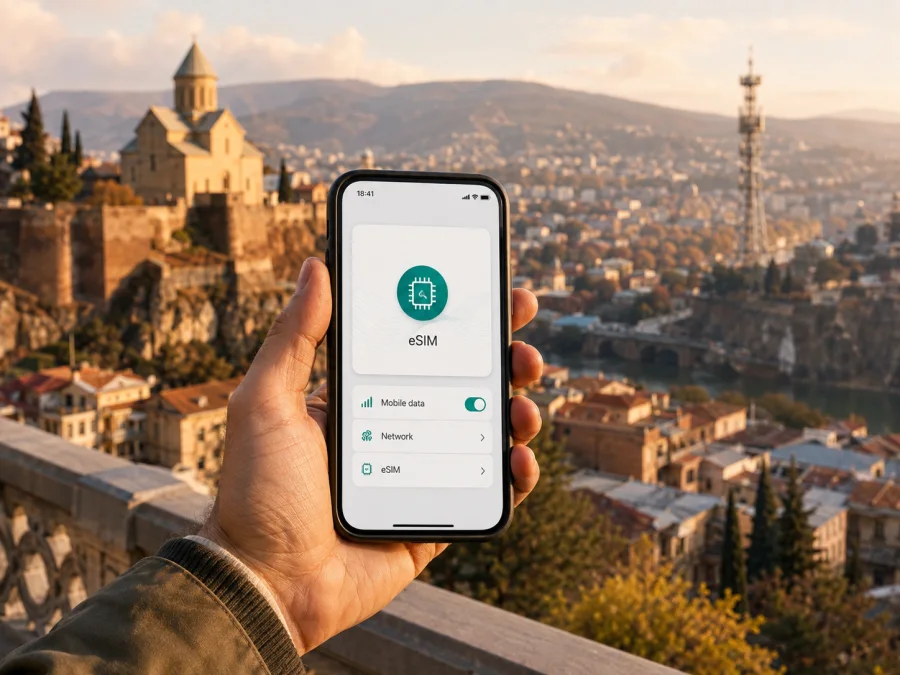
Magticom eSIM in Georgia: connection for travel
If you are planning a trip to Georgia, mobile data is useful from the first moments after landing: for maps, a transfer booking, messages, translation, banking confirmation and contact with your accommodation. Magticom is a Georgian mobile operator whose public pages describe eSIM activation, local mobile service and tourist-oriented SIM availability. This guide explains what to check before choosing Magticom eSIM in Georgia, how the activation route works and when a separate travel eSIM may be more convenient.
The information was checked on 4 September 2026 against Magticom’s current English-language eSIM, MyMagti FAQ, 5G, offices and tourist pages, together with the current Georgia page of Kaspersky eSIM Store. This is the verification date for the details below.
Magticom’s role in the Georgian mobile market
Magticom presents itself on its public website as a Georgian mobile operator. Its local service is organized around a mobile number, access to the operator’s network in Georgia, account management and mobile services. That can matter to a visitor who needs a Georgian number or direct access to local service channels.
Magticom’s public information also addresses visitors: its tourist page describes SIM availability at Tbilisi and Kutaisi airports, and its mobile sections describe prepaid services and MyMagti account management. A local Magticom profile is therefore different from a travel eSIM selected for destination data and installed before departure. Conditions at a particular counter or route can change.
Is Magticom eSIM available in Georgia?
Yes. Magticom’s current public eSIM information confirms that an eSIM can be activated with a new number or used to replace an existing physical SIM. The operator describes activation through the MyMagti web portal and at Magticom service centers. The English-language eSIM page provides installation instructions for iOS and Android, with a QR-code route and a download-based route.
Public service availability does not guarantee that every phone model, regional device version, account type or traveler route will work in the same way. If you are outside Georgia or registering for the first time, confirm the current conditions with Magticom.
Magticom’s eSIM FAQ says a new number can be activated through the operator’s process and an existing physical SIM can be changed to eSIM. When an existing number is moved, the physical SIM is deactivated. The same number therefore should not be expected to remain active on both cards at once. Contacts saved on a physical SIM should be backed up separately because they do not automatically become part of the eSIM profile.
The operator also describes QR-based reactivation and eSIM management. QR-code reuse depends on the profile type, so keep the code private and check the current rule before deleting a profile or moving phones. One code should not be installed on several devices at once.
What to check before you arrive
The most useful preparation starts with the phone. Before requesting a Magticom eSIM in Georgia, check:
- the exact phone model and regional version support eSIM and are unlocked;
- reliable Wi-Fi or another internet connection for download and activation;
- access to the MyMagti route and a second screen for the QR code if needed;
- whether you need a Georgian number or only data, and which line will be used for mobile data.
Magticom’s eSIM instructions specifically require an eSIM-capable device and internet access for activation. Once the profile is installed, Wi-Fi is not necessarily needed for mobile-network access; internet is mainly needed for downloading, activating, deleting or changing the profile. Menu names vary by manufacturer and software version.
The public pages reviewed do not give one universal statement about passport, identity or remote registration requirements for every visitor and every route. Do not assume that an online eSIM request removes identity checks. Ask Magticom what documents and registration steps apply to your case, especially if you are traveling from abroad. Airport and service-center processes can differ from app-based activation.
Smartwatch support is separate: Magticom says Apple Watch use is not available at the time of checking and support on some Samsung watch models may vary. Treat a compatible smartphone as the primary setup target.
Technologies and coverage in Georgia
Magticom’s tourist-facing page lists 2G, 3G, 4G, 4.5G and 5G as network technologies available with its SIM while traveling in Georgia. The operator’s 5G page explains that a compatible handset is required and identifies the radio bands used by its network. In practice, the phone, its regional software configuration, supported bands, network mode and local conditions affect which technology appears.
Not every phone will show 5G in every location. Software, regional configuration, supported bands, network mode and local conditions affect the result; a phone may connect through 4G or another listed technology instead.
Magticom’s public offices page states that its network coverage reaches 99% of Georgia’s populated controlled territory. This is an operator-published figure, not an independent ranking or a promise of identical service everywhere. The page lists locations in Tbilisi, Batumi, Kutaisi and other regional places.
Terrain, buildings, valleys, tunnels, weather, congestion and the phone’s antenna can influence reception. If your route includes rural or mountain areas, check coverage and plan for temporary gaps. Keep essential maps and travel information offline.
Roaming is different from using a local Magticom eSIM in Georgia. If you keep your home SIM active, data roaming on that line may create separate charges under your home operator’s conditions. A dual-SIM phone lets you select the line for data, but settings vary. Review mobile-data selection, automatic switching, calls and SMS defaults before departure. A travel eSIM may require data roaming on that profile; this does not mean you should enable roaming on the home line without checking its conditions.
Local Magticom eSIM or a travel eSIM?
Both routes can be reasonable. The following is a non-tariff reference table:
| Question | Local Magticom eSIM | Travel eSIM for Georgia |
|---|---|---|
| Main purpose | Local mobile service in Georgia | Mobile data prepared for a trip |
| Number | May be associated with a local number | Usually data-only, without a regular number |
| Activation | MyMagti or a Magticom service channel | Website or app, followed by profile installation |
| Timing | When the operator’s onboarding is available | Before departure or after arrival, subject to conditions |
| Main check | Device, account route and traveler requirements | Device, destination support and activation rules |
Choose local Magticom eSIM when a Georgian number or direct local account is important, when you want to manage the service in MyMagti, or when a local service center is part of your arrival plan. Verify opening hours, documents and current availability; an older airport reference is not a guarantee for a future visit.
Choose a travel eSIM when you primarily need mobile data and want to prepare the phone before boarding. This can reduce the need to find a physical SIM point immediately after landing. It is not a local Magticom account and does not automatically provide a Georgian number. Its usefulness depends on the travel eSIM’s destination support, activation instructions, device compatibility and network arrangements for Georgia.
Kaspersky eSIM Store is a possible travel-data option: an application and website that helps you choose, order and activate an eSIM for mobile internet during an international trip. It is not a mobile operator, does not own Magticom’s network or provide its coverage, and is not a Georgian cellular network provider. Its current Georgia page describes online purchase, profile installation and QR-code activation.
Travel eSIMs in Kaspersky eSIM Store are intended for mobile data and normally do not replace a regular phone number. Keep the home line for number-based messages if needed, select the travel eSIM for data and disable automatic switching if it could use the wrong line. Messaging and calling apps can work through data when already set up.
If a travel eSIM is your preferred route for Georgia, explore the eSIM options for Georgia after checking device compatibility and current service conditions. This is a travel-eSIM destination page, not a Magticom activation page.
How Magticom eSIM activation works
Magticom describes activation through MyMagti or a Magticom service center. The route can depend on your account, whether you request a new number and whether you are outside Georgia. At a service location, ask what onboarding route and identification are required; its public pages list city and airport locations, but hours and availability can change.
Route through MyMagti
- Confirm that the phone supports eSIM and is unlocked.
- Connect to Wi-Fi or another reliable internet source.
- Sign in to MyMagti and complete the requested registration step.
- Request a new eSIM or select the supported replacement route.
- Receive the operator’s profile or QR code.
- Add it in mobile-network settings and select it for data.
- Check the profile before deleting or changing another SIM.
Magticom’s English eSIM page gives QR instructions for Android and iOS. The route is generally Settings, Connections, SIM manager on Android, or Settings, Cellular/Mobile Data on iOS, followed by adding a plan with a QR code. Exact labels vary. Download-based activation and manual entry may also be available if QR scanning fails.
If you convert a physical SIM to eSIM, confirm that the physical card will be disabled and copy contacts saved on it. If you later need the number on another phone, ask about the current replacement or QR procedure before deleting the profile.
Common problems and checks
The phone has no “Add eSIM” option. Confirm the exact model, regional version and unlock status. If the QR code will not scan, connect to Wi-Fi, keep the code private and use manual activation if Magticom provides it. Ask Magticom about reactivation if the profile was deleted or the code was already used.
The profile is installed but data does not work. Enable the eSIM, select it for mobile data, check data roaming for that profile where required and turn off automatic switching to the home line. Magticom says internet and APN settings are configured automatically after activation, but an update or manual change can affect them.
The connection changes between technologies. A phone can move between 5G, 4G, 4.5G, 3G and 2G according to location, device support and network conditions. An indicator alone does not establish service quality. If the eSIM disappears after a phone change, ask Magticom about the current replacement or QR procedure; one code is not a license for several devices.
For a city break, decide whether a Georgian number is necessary. For data-only travel, install a separate travel eSIM while you still have reliable internet. On rural or mountain routes, consider terrain and keep essential maps offline.
FAQ
Can a visitor activate Magticom eSIM in Georgia?
Magticom publicly describes activation for a new or existing number through MyMagti and service centers. Confirm the current registration route, documents and remote-activation conditions for your situation; public availability does not make every device or path eligible.
Does Magticom have tourist or prepaid options?
Yes, its public website describes tourist-oriented SIM availability at Tbilisi and Kutaisi airports and publishes prepaid mobile information. The pages do not make every tourist offer identical to the eSIM service, so check current conditions directly with Magticom.
Is a travel eSIM the same as Magticom eSIM?
No. Magticom eSIM is a local operator service. A travel eSIM is a separate digital travel-data product. Kaspersky eSIM Store helps users choose, order and activate one; it is not Magticom, a Georgian network owner or a mobile-internet provider.
What if the phone is not compatible?
Do not activate an eSIM until you confirm support for the exact model and region, verify that the device is unlocked and review the relevant compatibility guidance. A physical SIM or another device may be needed.
Conclusion
Magticom’s current public pages confirm eSIM in Georgia, digital and QR-based activation, MyMagti and service-center support, device requirements, tourist-oriented SIM information, prepaid services, 2G through 5G technologies and an operator-stated coverage figure. These facts are a starting point, not a guarantee of identical reception or onboarding everywhere.
Before departure, check the device, unlock status, internet access, registration requirements and profile rules. Decide whether you need a Georgian number or mobile data only. If data-only preparation is enough, Kaspersky eSIM Store can help you choose, order and activate a separate travel eSIM for Georgia. Magticom is the local mobile operator; Kaspersky eSIM Store is the app and website used to prepare a travel eSIM.
Magticom and Kaspersky eSIM Store are independent services. Kaspersky eSIM Store is not affiliated with Magticom and is not its official partner or distributor. Product conditions, activation rules, device support, roaming behavior and coverage information can change, so verify current details with Magticom or the relevant travel eSIM service before purchase and activation.
If you are ready to prepare mobile data for your trip, choose an eSIM for Georgia after checking compatibility and the current conditions shown for your destination.


