Travel connectivity guide
Mahajanga eSIM: Mobile Internet in Madagascar
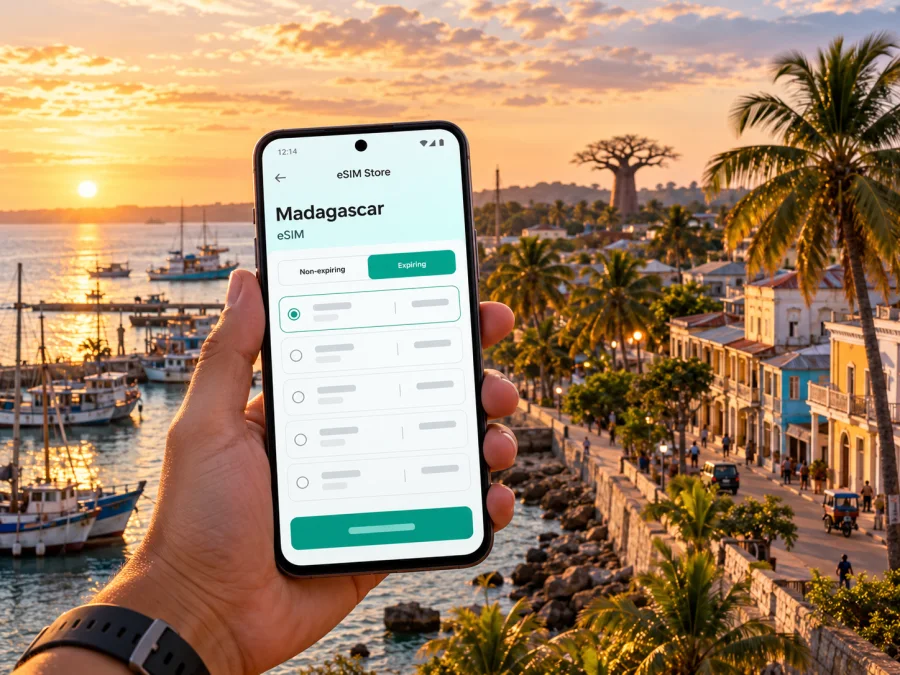
Mahajanga eSIM: mobile connection and internet for your trip
Mahajanga sits on Madagascar’s northwest coast, beside the Mozambique Channel and the mouth of the Betsiboka River. The city is often called Majunga, and its mix of waterfront promenades, markets, port activity and day trips makes mobile data useful for more than checking a map. You may need it to coordinate a transfer from Amborovy, message a hotel, translate a menu, confirm a boat departure or save directions before heading beyond the urban area.
An eSIM can make that first stretch of a trip easier if your phone supports it and the selected plan is valid in Madagascar. It is a digital SIM profile installed on a compatible device, without a plastic card to insert. It does not automatically include a local phone number, ordinary calls or SMS; check the plan terms, and use your regular line or internet calling for voice if needed.
This guide focuses on practical connectivity in Mahajanga and nearby excursions. Network availability varies by operator, street, building and conditions. A plan’s country coverage does not mean every road, beach, boat route or indoor location has a usable signal. If dependable connectivity matters for a particular activity, check the current operator coverage information and arrange a backup before leaving town.
What to expect from mobile internet in Mahajanga
Mahajanga is a major coastal city, but the quality of service you experience depends on the specific network used by your travel eSIM. Madagascar’s telecom regulator, ARTEC, publishes a national interactive map for comparing operator coverage by technology, including 2G, 3G, 4G and 5G. Treat it as a planning aid rather than a promise about reception at a particular hotel room or exact point on a road. Check the map close to departure, then verify which local network or networks the plan you are considering can use.
Coverage can change as you move from central streets toward the edge of the city, the coast, or rural destinations. A strong connection in one part of Mahajanga does not establish the same experience elsewhere. The phone may also move between network technologies as signal conditions change. For messaging, directions and basic browsing, an available data connection may be enough; video calls, large uploads and continuous streaming need more capacity and are more sensitive to weak or fluctuating service.
| Trip activity | Where data helps | Sensible preparation |
|---|---|---|
| Arrival and hotel transfer | Messaging a driver, finding a meeting point, checking a reservation | Save the hotel address and transfer details offline before flying |
| Walking around town | Map search, translation, opening hours and ride coordination | Download an offline map and note the names of key streets or landmarks |
| Waterfront visit | Checking directions and sharing your location | Keep your phone charged and do not assume every stretch has equal reception |
| Boat excursion to Katsepy | Coordinating before departure and after return | Confirm times and meeting arrangements directly; keep the plan flexible if signal drops |
| Longer road trip | Route planning and contacting your accommodation | Download maps and essential information before leaving the city |
| Remote work | Email, messaging and light cloud tasks | Ask the accommodation about its Wi‑Fi and power arrangements; prepare offline work |
Use mobile data as one part of your travel setup, not the only copy of essential information. Save addresses, booking references, maps, tickets and emergency contacts for offline access. If your accommodation has Wi‑Fi, ask about its availability and reliability before relying on it for a call or a deadline.
Arriving at Amborovy and getting into town
Mahajanga’s airport is Mahajanga–Philibert Tsiranana, also known as Amborovy. Flight schedules and ground transport can change, so confirm your arrival details with your airline and accommodation shortly before travel. Once you land, the first useful tasks are usually practical: tell your host you have arrived, confirm the pickup point, and make sure you can access the address without a live connection.
If you install an eSIM before the flight, follow its setup instructions while you still have stable internet. Installation and activation are not always the same step: a profile may be added in advance while data use begins only when the plan connects or under another rule stated in its terms. Read the plan’s activation conditions rather than guessing. Keep your usual SIM available if it carries your primary number, and choose which line handles mobile data in your phone settings.
A simple arrival checklist:
- Save your lodging name, address and phone number in an offline note.
- Share your arrival time and a backup meeting point with your driver or host.
- Install the eSIM only on a device that supports eSIM and is not restricted by a carrier lock.
- Check whether the plan requires data roaming to be enabled for that eSIM; follow the plan’s own instructions.
- Keep your main line’s roaming settings under control to avoid unintended charges.
- Test data with a small action, such as loading a text page or sending a message, before relying on it for navigation.
Airport Wi‑Fi may or may not be available or convenient at the moment you arrive. Do not make your only copy of a pickup message dependent on it. If mobile data does not connect immediately, use the saved details, check that the correct line is selected for data, and follow the provider’s troubleshooting steps. Avoid deleting an eSIM profile as a first troubleshooting move: some profiles cannot be reinstalled freely after removal.
Moving around the city: maps, landmarks and useful routines
The waterfront is an easy orientation point, while the old baobab, port and central streets are useful meeting references. Place names may appear as Mahajanga or Majunga; save both spellings with the exact address when arranging a pickup. A map pin helps, but keep a written description in case labels differ or data drops.
Open routes while connected and download an offline map area if your app supports it. Offline maps help between a hotel, market and waterfront, but may not show live conditions or a current entrance. Confirm details with the venue. Arrange transport with your accommodation, a trusted driver or excursion provider; do not assume a ride app is available everywhere or that a driver can see your live location. Agree on a landmark and time, and show the destination before setting off.
Group nearby stops together instead of crossing town repeatedly. Mobile data can help check a route, but local advice is still useful for road conditions, opening hours and appropriate visiting times. At the waterfront, plan the return journey, keep valuables secure and account for heat and battery use.
Before a walk
- Save destinations and your lodging address offline.
- Check the route and return point before leaving.
- Carry a power bank for a long day of navigation and photos.
- Keep a small amount of cash and do not depend on phone payments everywhere.
- If plans change, message a clear meeting point rather than relying only on location sharing.
Choosing a data plan for Mahajanga
Choose a plan for the whole itinerary, not only the hours spent in the city. A short visit focused on messaging, maps and occasional searches may need less data than a stay that includes frequent video calls, social uploads or remote work. If Mahajanga is one stop on a longer Madagascar route, compare the country or regional validity against every destination. A city-focused itinerary does not need a separate city plan: travel eSIM coverage is generally defined by country or region and depends on the plan’s stated network arrangements.
Before paying, compare these details in the current offer:
- Destination: Madagascar must be explicitly included. A regional plan should list the country in its coverage terms.
- Data allowance: Estimate navigation, messages, browsing, photos and any work use. Video and cloud backups can consume much more data than text.
- Validity period: Check when validity starts and how long it lasts. Purchase date, installation date and first network connection can have different effects depending on the plan.
- Network access: Read which local network or networks are supported when that information is shown. Coverage varies within Mahajanga and outside it.
- Tethering: If you need to connect a laptop or another phone, confirm that hotspot use is allowed by the particular plan.
- Top-ups and expiry: Check whether extra data can be added, whether unused data expires, and what happens when the allowance is exhausted.
- Voice and SMS: Assume the plan is data-only unless its terms explicitly state otherwise. Keep another way to receive important calls or verification messages.
Kaspersky eSIM Store is an app and website where travellers can choose, arrange and activate an eSIM with a suitable data plan for an international trip. To review the current Madagascar options and their displayed terms, browse eSIM plans for Madagascar. That destination page is a place to check available plans; it does not guarantee coverage at every point in Mahajanga or identify a particular local operator unless the offer says so.
Estimate your data needs
Count the activities you expect each day: maps and messages are lighter than video, while photo uploads, cloud backups and laptop hotspot use can consume more data. Keep automatic updates and backups on Wi‑Fi where possible, check your phone’s data counter, and compare it with the plan allowance. These are planning cues rather than fixed consumption estimates; apps and settings differ.
Device compatibility and setup
Not every phone supports eSIM, and support can vary by hardware model, sales region and carrier configuration. A product family name alone is not enough to confirm that a particular device can install a travel eSIM. Before purchase, check the exact model number in the manufacturer’s specifications and confirm that the phone is unlocked for use with another network. Check whether your device supports eSIM.
If your phone has a physical SIM for your home number, many compatible devices can keep it available while using an eSIM for data, but the available dual-SIM behavior depends on the exact model. Make a note of which line is set for mobile data and which line handles calls or SMS. Turn off data switching if your phone might otherwise use the home SIM unexpectedly, and review roaming controls for both lines.
A careful setup sequence is:
- Check support and lock status. Use the device settings and manufacturer guidance for the exact regional model. Confirm that the device is not carrier-locked.
- Choose the destination and plan. Confirm Madagascar is included, then review data, validity, network and activation terms.
- Install with a stable connection. Follow the instructions shown by the app or plan. If a QR code is used, open it on another screen or use the provider’s in-app installation flow.
- Label the line. Give it a clear name such as “Madagascar data” so it is easy to select later.
- Set data preferences. Choose the travel eSIM for mobile data when appropriate. Keep your home SIM selected for your usual number if that is what you need, and understand any roaming charges from your home carrier.
- Activate according to the plan terms. Some plans begin at installation, others at first supported-network connection, or according to another stated rule. Do not rely on a general assumption.
- Test and troubleshoot. If data is unavailable, check the selected data line, airplane mode, network selection and APN instructions if provided. Restart the device only after checking the plan’s steps.
For device-specific steps, see the Android eSIM installation instructions or the iPhone and iPad eSIM installation instructions. Menu names vary by operating system version and manufacturer. The instructions shown for your exact device and plan take priority.
Staying online on day trips
Mahajanga is a base for excursions to Katsepy and Bombetoka Bay, the Cirque Rouge, Anjohibe caves and Ankarafantsika National Park. These trips involve different transport and terrain, and reception may be less predictable outside the city. Mobile data is useful for coordination where a signal exists, but it is not a substitute for local guidance or route preparation.
For Katsepy, confirm boat times, return arrangements and the meeting point with the operator or guide before departure. Save their contact details offline and protect your phone from spray. For Cirque Rouge, arrange transport and timing locally, download directions, and ask about access conditions, water and footwear. A map pin may not explain the final approach.
A longer trip to Anjohibe or Ankarafantsika needs more preparation. Confirm transport, road conditions, entry arrangements and guide requirements through local contacts. Bring power, water and offline copies of bookings. A phone’s GPS location does not mean mobile internet is available.
Before leaving town, save maps and addresses, carry a charged phone and power bank, agree a check-in plan, and make sure the return journey does not depend on finding a signal at the destination.
Short stays, business visits and stopovers
For a one-night visit or stopover, prepare the essentials before arrival: accommodation contact details, an offline airport route, onward itinerary and the plan’s activation rule. Install the eSIM in advance if its instructions allow, but avoid starting a time-limited plan early without checking when validity begins. For work, confirm the meeting entrance and test hotel Wi‑Fi or mobile signal before a call; keep key files offline and have a backup contact method.
Troubleshooting when data does not work
Check the basics one at a time:
- Confirm Madagascar is included and the plan is within its validity period.
- Make sure the eSIM is enabled and selected for mobile data.
- Check the plan’s instructions for data roaming, APN or network selection.
- Move to an open area, then toggle airplane mode or restart if advised.
- Check the remaining allowance; contact plan support over Wi‑Fi if needed.
If service is weak only in one location or outside town, it may reflect coverage rather than a phone fault. Do not delete the eSIM profile unless support instructs you to; some profiles cannot be reinstalled. Keep offline details and another suitable connection option as a backup.
Practical questions travelers ask
Can I use an eSIM as soon as I land?
It can work if the plan includes Madagascar, is active, is installed correctly and can connect to a supported local network. Activation rules vary, so check the plan and test data before relying on it.
Does a travel eSIM include a local number?
Only if the plan explicitly includes voice or SMS. Many travel plans are data-only; internet calling and messaging work when data is available, while verification texts may still go to your regular number.
Will data work everywhere in Mahajanga or on excursions?
No. Reception varies by operator, exact location, buildings and conditions. Check current coverage information and plan network terms; prepare for gaps outside settled areas.
Can I install the eSIM after arrival?
That depends on internet access and the installation process. Setting it up before departure is often easier; if you wait, arrange reliable Wi‑Fi and do not assume it will be available at the airport.
Is an eSIM enough for Ankarafantsika?
It may provide service where a supported network is available, but it cannot guarantee a signal in a park or on rural roads. Save maps and bookings offline and share your route with someone.
A simple Mahajanga connectivity plan
Before departure, check device support, plan terms and pickup details; save maps offline. On arrival, select the travel eSIM for data and confirm activation. Around town, verify transport directly and keep return details saved. Before an excursion, download information, confirm the route locally, carry power and water, and plan for periods without service.
Prepare your eSIM for Mahajanga
A little preparation makes it easier to spend your time on the waterfront, the city’s markets and the landscapes around Boeny instead of sorting out a connection after arrival. Check that your exact phone model supports eSIM, compare the current Madagascar plan terms with your itinerary, and install the profile with a stable connection when the instructions allow it.
When you are ready, review eSIM options for your Madagascar trip in Kaspersky eSIM Store, the app and website for choosing, arranging and activating an eSIM plan for international travel. Check the displayed coverage, allowance, duration and activation conditions before choosing. Keep offline maps and essential travel details available, and use local operator coverage information when planning beyond the city.


