Travel connectivity guide
Mahboula eSIM: Mobile Internet in Kuwait
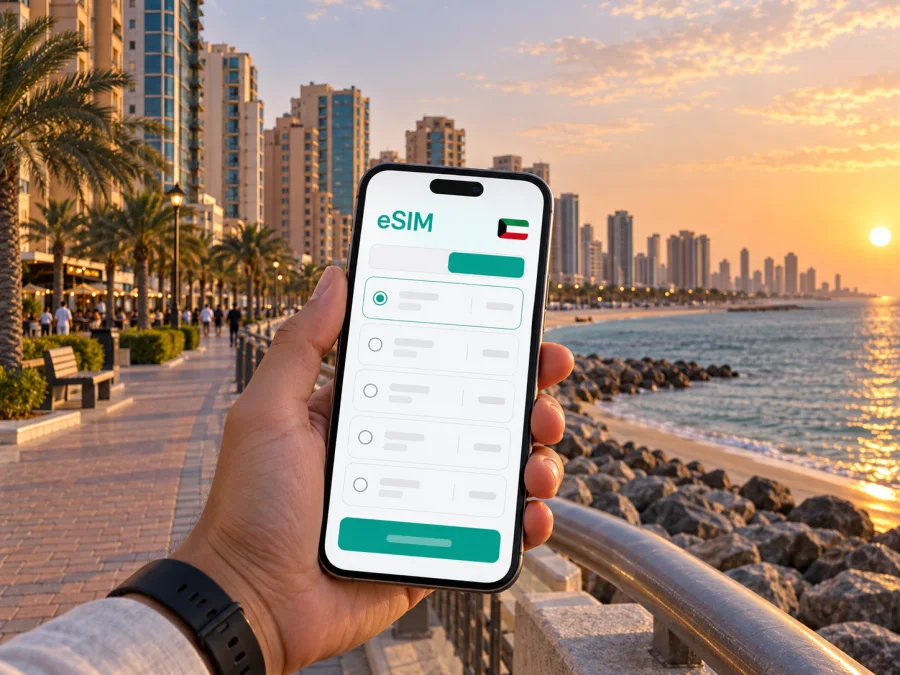
Mahboula eSIM: mobile connection and internet for your stay
Mahboula is a coastal district in Kuwait’s Al Ahmadi Governorate, south of Kuwait City. A visit here may be a short business stay, a longer assignment, or a stop on a trip along Kuwait’s southern coast. In each case, a mobile connection helps with the practical details: confirming your accommodation, arranging a ride, checking a route, or messaging the person meeting you.
An eSIM can make mobile data easier to prepare because it is installed digitally on a compatible phone instead of being inserted as a physical card. You can review the destination, data allowance, validity period, and price before choosing a plan. The right choice depends on how long you will stay in Mahboula, what you expect to do online, and whether your itinerary includes other places in Kuwait.
Your first hours in Mahboula
Kuwait International Airport is away from Mahboula, so your arrival involves a road transfer. Before leaving the airport, check the address and map pin for your accommodation, then share them with your driver or host. Mahboula includes residential blocks and coastal stretches; a precise building name, block, street, and entrance can be more useful than a district name alone when you are arranging a pickup.
Keep the booking confirmation and the host’s contact details available offline as well as in your inbox. If a message app is how you coordinate, mobile data can help you send an updated arrival time or receive a pin while you are still on the way. Downloading the essential details before boarding is a helpful backup if the airport connection is busy or you have not yet activated your travel eSIM.
Getting around from a coastal base
Mahboula is not a compact sightseeing center where every errand is necessarily a short walk. Your plans may involve moving between your accommodation, nearby shops or restaurants, meeting locations, and destinations elsewhere in Kuwait. A map connection is useful for checking the route and estimated journey before you set off, but it should support your travel plan rather than replace local directions or the driver’s confirmation.
When booking a taxi or arranging a ride, share a destination pin and confirm that it marks the correct entrance or drop-off point. Large buildings, hotel driveways, and neighboring blocks can be easy to confuse when searching by name alone. If the map suggests a route that differs from what the driver expects, confirm the destination together before the trip begins.
| Trip situation | What to prepare on your phone |
|---|---|
| Airport to accommodation | Full address, building entrance, host contact, and pickup instructions |
| Short local errand | Destination pin, opening information if available, and a return point |
| Meeting elsewhere in Kuwait | Correct venue name, map pin, meeting contact, and a realistic departure buffer |
| Evening return | Saved accommodation address, ride details, and enough battery for navigation |
| A day outside Mahboula | Route plan, destination details, and offline copies of essential bookings |
Driving times can change with traffic, weather, roadworks, and the exact starting point. Treat an online estimate as a planning aid, check it again before leaving, and leave extra time for airport transfers or scheduled meetings. For a pickup or appointment, agree on the meeting point and timing directly.
Navigation for everyday plans
Mobile data is most useful when it answers a small, immediate question: where is the entrance, has the pickup point changed, or which road leads to the next stop? Search for a place by its full name and compare the map pin with the address supplied by your host or business contact. If there are several results with similar names, verify the neighborhood and building before starting navigation.
Maps and booking apps can use data in the background, especially when they refresh routes or load photographs. Before a busy day, download an offline map for the areas you expect to visit if your map app supports it. Offline maps preserve basic orientation, though they do not provide live traffic, messages, or updated bookings.
Choosing an eSIM plan for Mahboula
Start with your itinerary rather than choosing a data allowance by guesswork. A short stay focused on messaging, maps, and booking confirmations uses data differently from a work trip with frequent video calls or a holiday with regular photo uploads. Think about your normal phone habits, whether your accommodation has Wi-Fi, and how many days you will need mobile data.
Check that the plan’s coverage destination includes Kuwait and read the full terms shown for that plan. A city name may describe your travel purpose, but the plan’s destination is the country or region listed in its conditions. If Mahboula is one stop on a wider route, confirm that the places you will visit are covered before purchasing; do not assume that a Kuwait plan includes another country.
Before choosing, compare these points:
- Validity: Does the plan’s active period cover your dates, including arrival and departure days?
- Data allowance: Is the amount reasonable for maps, messaging, browsing, and any work calls you expect?
- Destination: Does the listed coverage match Kuwait and any additional countries on your itinerary?
- Activation conditions: When does validity begin, and what steps are required for installation or first use?
- Device requirements: Is your phone compatible with eSIM and able to use another provider’s profile?
- Calling needs: Is the plan data-only? Check the terms rather than assuming it includes a phone number, voice calls, or SMS.
You can review eSIM options for a trip to Kuwait and compare the displayed conditions before deciding. Kaspersky eSIM Store is an app and website where travelers can choose, purchase, and activate an eSIM with a suitable data plan for an international trip. The plan terms shown for the selected option determine its allowance, duration, destination, and other conditions.
Install and activate before you leave
If you prefer to have setup ready before arriving, install the eSIM while you have a stable internet connection and enough time to follow the on-screen steps. Read the plan’s activation instructions first: the point at which a plan becomes active can depend on its conditions. Keep access to the setup details until the eSIM appears in your phone settings, and avoid deleting the profile after installation unless the instructions tell you to do so.
A general preparation sequence is:
- Confirm that your phone supports eSIM and is not restricted to a single carrier.
- Review the selected plan’s destination, data amount, validity, and activation terms.
- Connect to reliable Wi-Fi and follow the installation steps for your device.
- Label the new line clearly, such as “Travel data,” so it is easy to recognize.
- Before departure, check which line is selected for mobile data and understand how your home line will be used.
- On arrival, follow the plan instructions for enabling the eSIM and data roaming, if required by that plan.
For device-specific steps, follow the Android eSIM installation instructions or the iOS eSIM installation instructions. The menus can differ by phone model and software version, so use the prompts on your device and the plan’s instructions together.
Check the phone and the plan
An eSIM is a digital profile, and compatibility varies by device, model, region, and sometimes carrier configuration. Check the manufacturer’s specifications for your exact phone variant and confirm that the device is unlocked if you intend to add a travel profile. Check whether your device supports eSIM before purchasing. If the phone is managed by an employer, ask the administrator whether adding a travel eSIM is allowed.
Also confirm how the selected plan handles activation and data roaming. Some plans require data roaming to be enabled for the eSIM line; follow the specific instructions rather than changing settings at random. Keep your primary number available for calls or SMS if you need it, and check your home provider’s roaming conditions so that the wrong line is not used for mobile data.
An eSIM data plan should not be assumed to include a regular phone number, conventional voice calls, or SMS unless the displayed terms say so. Internet-based messaging and calling apps may be useful when both parties have a data connection. For an urgent or time-sensitive conversation, confirm in advance which contact method you and the other person will use.
Mahboula for work, visits, and stopovers
For a business trip, prepare the route to the office or meeting venue before the morning departure. Save the contact person’s number, the building name, and a secondary description such as the street or nearby entrance. If a meeting location changes, ask the organizer to send a new pin and verify that the message refers to the same venue you see in the booking or calendar.
Remote work adds a different kind of data demand. Email and chat may be manageable on a travel plan, while repeated video calls and file transfers can use considerably more data. Test the setup with a short call before an important meeting, use stable Wi-Fi for larger downloads when suitable, and keep a backup way to reach colleagues if the connection drops. Avoid assuming that mobile data will behave identically in every building or room.
For a short stopover, prioritize essential tasks over trying to plan the whole stay from the car. Confirm check-in, save the route, and make sure you can reach the person meeting you. If you intend to leave Mahboula for Kuwait City or another destination, check the return arrangements and travel time before setting out. A multi-stop day benefits from a short list of addresses in the order you plan to visit, with booking details available offline.
Leisure plans can also benefit from a modest amount of preparation. Save the restaurant or venue pin before you leave, check current opening details through the service you normally use, and identify a clear pickup location for the return journey. If you are walking near the coast, use the map to orient yourself but follow local access rules and directions at the site. Conditions and available services can vary by location and time.
If the connection does not work as expected
First check the basics without deleting the eSIM profile. Confirm that the travel line is enabled, selected for mobile data, and configured according to the plan’s instructions. Check that airplane mode is off, restart the phone if appropriate, and move to a different location if you are indoors or underground. A temporary connection issue does not necessarily mean the profile has been installed incorrectly.
Next, compare the phone settings with the plan details and check whether the plan has started and still has data remaining. If the instructions specify a network selection or roaming setting, follow those steps exactly. Keep a screenshot of any error message and note what you have already tried; that information makes it easier to explain the issue if you contact support.
While troubleshooting, use Wi-Fi for urgent bookings or messages if it is available and appropriate. Keep your destination address and travel arrangements accessible offline so a data interruption does not leave you without the basics. Do not reset network settings or remove the eSIM unless the device or support instructions recommend that step, since it can erase settings you may need.
Frequently asked questions
Is Mahboula a useful base for visiting other parts of Kuwait?
It can be a practical base if your accommodation or meetings are in the area, or if your plans focus on the southern part of the country. For other destinations, check the route and transport arrangements from your exact starting point. A map estimate is only a guide, and the best base depends on your schedule and where you need to be.
Do I need a city-specific eSIM for Mahboula?
Choose a plan whose listed destination covers Kuwait and whose terms suit the length and data needs of your trip. The plan is generally selected for a country or region rather than a single neighborhood, so verify the destination shown before purchase.
Can I use the eSIM for calls and text messages?
Check the selected plan’s terms. A data-only eSIM does not provide a conventional phone number, voice calling, or SMS unless those features are expressly included. Messaging or voice apps can work over an internet connection, subject to the apps and both users having access to data.
Should I install the eSIM before flying?
Installing before departure can give you time to follow the instructions over stable Wi-Fi. Read when the plan begins and follow the plan-specific activation steps. If you install after arrival, make sure you can access Wi-Fi and your setup details.
Will one data allowance be enough for my stay?
That depends on how many days you will use it and what you do online. Navigation and messaging differ from video calls, streaming, and large uploads. Review your phone’s usage and the plan’s remaining data as your trip progresses.
Prepare your eSIM for Mahboula
Choose a plan for Kuwait that matches your dates, expected data use, and route, then read its conditions before checkout. Kaspersky eSIM Store lets you use its app or website to select, purchase, and activate an eSIM for mobile data during an international trip. Compare available eSIM plans for Kuwait and prepare your connection before you travel.


