Travel connectivity guide
Mahdia eSIM: Mobile Internet in Guyana’s Interior
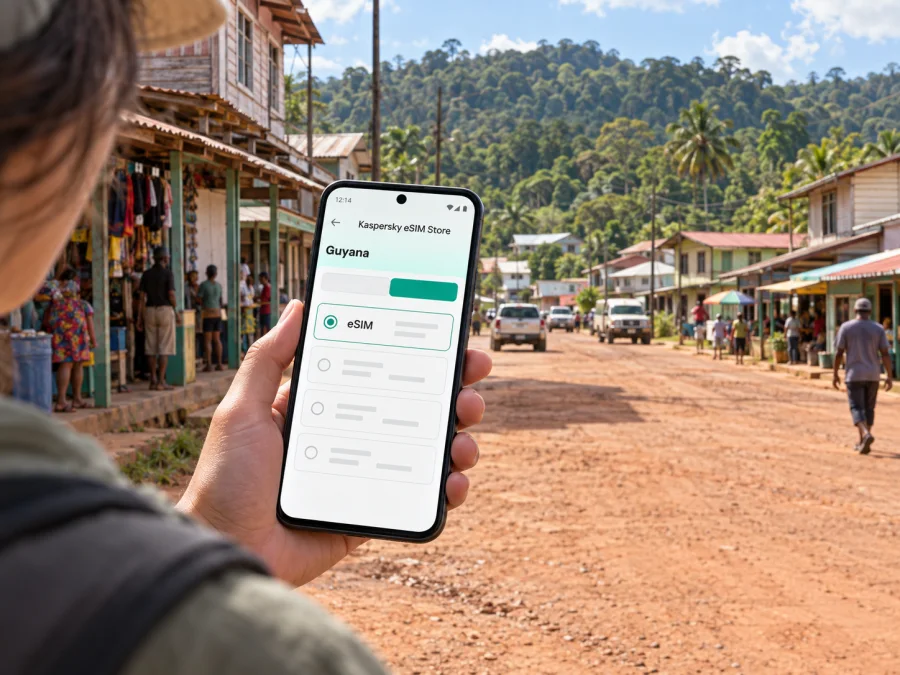
Mahdia eSIM: mobile connection and internet for a remote Guyana trip
Mahdia is a small town in Guyana’s interior, in Potaro-Siparuni (Region Eight). It is a regional service centre and a base for people travelling into the surrounding hinterland. A visit here feels very different from staying in Georgetown: journeys involve more advance planning, road conditions can affect timing, and the options you can rely on in a larger city may not be available. A working mobile data plan is useful for checking arrangements, keeping route details close, and staying in touch when you have a connection.
An eSIM can make the data side of a trip easier to prepare. It is a digital SIM profile installed on a compatible phone, so you do not need to handle a physical travel SIM. Before choosing one, check the plan’s coverage, data allowance, validity period, activation instructions, and any conditions shown for Guyana. Service depends on the local network and the place you are visiting; an eSIM does not remove the limits of remote terrain or guarantee a signal in every location.
Why mobile data matters in Mahdia
In Mahdia, a phone is most useful as a practical travel tool rather than as a substitute for local arrangements. You may use data to message a driver, confirm a room, check a flight update, share your location with someone expecting you, or look up a route before setting out. If you are travelling onward from town, a connection can help coordinate the next leg, but you should not make a remote journey depend on being able to get online continuously.
The town is associated with gold-mining activity and serves as the administrative centre of Region Eight. Mahdia and nearby Campbelltown are distinct communities within the local area. This context matters for visitors: the town is not laid out like a large tourist centre with a single, well-marked hotel district and frequent transport on every street. Ask your host or local contact for the exact pickup point and the name of the place where you are staying. Save those details before you leave a reliable connection.
A useful travel setup combines online and offline tools:
- Keep your accommodation name, address or directions, and a local contact number in a note on your phone.
- Download a map of the relevant area in advance and mark the meeting point if your maps app supports it.
- Save transport and flight details as screenshots or in an offline document.
- Carry a charging cable and a charged power bank for long transfers; a phone used for navigation and messages can run down faster than expected.
- Agree on a check-in plan with a companion or host, especially before travelling beyond the town centre.
Plan the arrival before you leave Georgetown
Most international itineraries begin in Georgetown, but Mahdia is inland and the final leg requires a separate plan. Travel to the town is possible by air and by road. These are different kinds of journeys, not interchangeable last-minute options: air services may depend on available seats, aircraft, weather, and operator arrangements, while a road journey can take substantial time and be affected by road conditions. Confirm your transport with the relevant operator or host close to departure and leave room in your schedule for changes.
If your itinerary includes a domestic flight, confirm the departure airport, reporting time, baggage rules, and the person meeting you in Mahdia. Do not assume that the airport used for an international arrival is also the departure point for an interior flight. Keep the local flight operator’s contact details accessible offline. If a flight is delayed or changed, your onward pickup and accommodation may need to be adjusted as well.
For a road transfer, ask the person arranging it where the vehicle will leave from, what time you need to be ready, what luggage it can carry, and whether the trip is expected to run in the current weather. Road travel into the interior is not a city taxi ride. The journey can be long, the surface and pace can vary, and mobile reception may not be continuous. Take water and any personal essentials you need for the transfer, and tell someone your expected arrival window.
| Before departure | What to confirm |
|---|---|
| Air transfer | Departure location, check-in time, baggage allowance, operator contact, and pickup on arrival |
| Road transfer | Pickup point, departure time, vehicle and luggage arrangements, road conditions, and approximate arrival window |
| Accommodation | Exact name and directions, check-in arrangements, and a contact person who knows your arrival plan |
| Phone access | eSIM installation, data plan conditions, offline map, saved messages, and power supply |
For the digital part of that checklist, you can review eSIM options for Guyana before the trip. Compare the stated data allowance and validity with the dates you expect to be in the country, including any time you will spend in Georgetown. The product page is where to check the current offer details; do not choose a plan based only on an assumption that coverage or data behaviour will be identical across the coast and the interior.
Getting around after you arrive
Mahdia is compact compared with Georgetown, yet distances that look small on a map can be harder to judge on the ground. Ask your accommodation or local contact which route is appropriate for your destination and whether a vehicle should be arranged. Walking may suit short trips within the central area, but heat, rain, road surfaces, daylight, luggage, and the exact destination all affect whether it is practical. For a first visit, follow local advice rather than treating a map estimate as a complete travel plan.
For an airstrip or road pickup, confirm in advance who will meet you and how to recognise them. Save their contact, your lodging details, and the meeting point offline. On arrival, confirm the vehicle and destination before setting off; if plans change, message your host or companion when you have service. Once settled, ask locally which transport is practical for each destination.
Use a map for orientation, not as proof that a route is currently passable or suitable for your vehicle. Download it before leaving a connected area, then ask a local driver or host to confirm the route.
Mahdia Central and Campbelltown: plan by destination
Rather than choosing a hotel or meeting point by a broad neighbourhood label, use the exact destination name. Mahdia Central and Campbelltown are both relevant to the town’s local geography, but your host can tell you which one applies and what transport makes sense. Confirm the spelling and a recognisable landmark or meeting point with the person expecting you. This reduces the risk of relying on a map pin that is approximate or difficult to identify on arrival.
If your plans involve community visits, local work, or travel connected with mining, arrange the visit through an appropriate local contact. Do not assume that an industrial or community area is an open visitor attraction. Respect local guidance, ask before taking photographs, and follow any access or safety instructions. A mobile connection can support coordination, but permission and local knowledge remain essential.
For accommodation, verify the booking directly and clarify whether someone can meet you if you arrive late or if transport changes. In a small interior town, the most useful details are often practical: whether meals are available, where the entrance is, how to contact the host, whether the property can arrange transport, and what payment methods are accepted. Availability and services can change, so confirm rather than relying on old listings or assumptions based on larger destinations.
A phone setup that fits an interior itinerary
Prepare your phone while you still have dependable Wi-Fi and time to troubleshoot. First, check that your handset supports eSIM and is not restricted in a way that prevents adding a travel profile. Check whether your device supports eSIM. Then review the Guyana plan details, install the profile using the instructions for your operating system, and keep your primary number settings as you intend to use them.
For installation guidance, use the Android eSIM instructions or the iOS eSIM instructions. Follow the steps shown for your device and plan. If installation requires a QR code, open it on another screen or use the supported manual method described in the instructions. Avoid deleting an eSIM profile simply because data has not started yet; first check the activation timing and troubleshooting details provided with the plan.
Before leaving Georgetown, confirm the travel eSIM is selected for mobile data and check whether data roaming must be enabled under its instructions. Decide how to use your primary line for calls and texts, disable automatic updates if you need to conserve data, and save maps and documents over Wi-Fi. Keep the plan confirmation and support details available offline.
Kaspersky eSIM Store is an app and website where travellers can choose, arrange, and activate an eSIM with a suitable plan for mobile internet abroad. The plan’s stated terms determine what is included. Your phone connects through the relevant local network where service is available; the store itself is not the mobile network, and neither an eSIM nor a map app can guarantee coverage in Mahdia’s surrounding interior.
Use data deliberately
Download maps and work files over Wi-Fi before leaving Georgetown. Messaging, navigation, and checking an itinerary use less data than streaming or large uploads, so defer heavy transfers until you have reliable Wi-Fi. For a work trip, agree on a backup contact method and schedule calls only after confirming the place and connection. A signal indicator does not guarantee a stable session; confirm that important messages arrive and keep an offline fallback.
Trips beyond Mahdia
Mahdia can be a starting point for organised journeys into the wider Potaro-Siparuni area, including trips to regional natural attractions. Arrange transport, timing, and local guidance in advance; do not assume a destination is a casual day trip or that a route is suitable without an operator. Ask who is responsible for transport, what is included, when to leave, and what communication is possible along the way.
Before setting out, tell your host or a trusted contact your destination and expected return time. Confirm the guide and transport, carry water, weather-appropriate clothing, essential medication, and a charged phone, and keep offline directions and contact details. Ask about permissions for visits or photographs, and follow local guidance if conditions change.
Connectivity can become intermittent outside town. Agree on a check-in time and what to do if it is missed rather than expecting messages to go through everywhere. For organised excursions, rely on the operator’s current briefing for route details and requirements.
Avoidable planning errors
Confirm your exact airport or road pickup, luggage arrangements, and arrival window; do not assume the international terminal is near your interior departure. Treat road duration as variable and ask your host how to identify the lodging entrance. Install the eSIM over Wi-Fi, save its instructions, plan for offline stretches, and keep booking details accessible if your phone battery runs low.
Frequently asked questions
Is an eSIM useful for a trip to Mahdia?
It can help with messaging, checking arrangements, and navigation where a local connection is available. Confirm the Guyana plan terms and keep essential information offline for travel in the interior.
Should I install the eSIM before travelling?
Preparing it before departure gives you time to follow the device instructions while you have Wi-Fi. Check when plan validity begins and keep the setup details saved.
Will mobile internet work throughout the road journey?
Do not count on uninterrupted service along an interior route. Coverage varies by location and network conditions, so download maps and save contacts before departure.
What should I do if the map cannot find my lodging?
Contact the host or driver when you have service and ask for a clear landmark or a meeting point. Save their directions in a note. A local person can clarify access details that a digital map may not show.
Is Mahdia a good base for a remote excursion?
It can serve as a point from which some regional trips are organised, but the right route and duration depend on the excursion. Arrange transport and guidance in advance, confirm what is included, and follow the operator’s current advice on conditions.
A practical final check
Before leaving for Mahdia, make sure the arrival is coordinated, your accommodation knows when to expect you, and your phone has the information you will need offline. Confirm the eSIM’s Guyana coverage and conditions, install it using the appropriate device instructions, and download maps and documents over Wi-Fi. Once in town, use local advice for transport and check the route before you set out.
When you are ready to prepare mobile data for the trip, choose an eSIM plan for Guyana through Kaspersky eSIM Store. Review the current allowance, validity, and activation details, then install the profile in advance so your arrival in Mahdia is easier to coordinate.


