Travel connectivity guide
Mahebourg eSIM: Mobile Internet for Mauritius
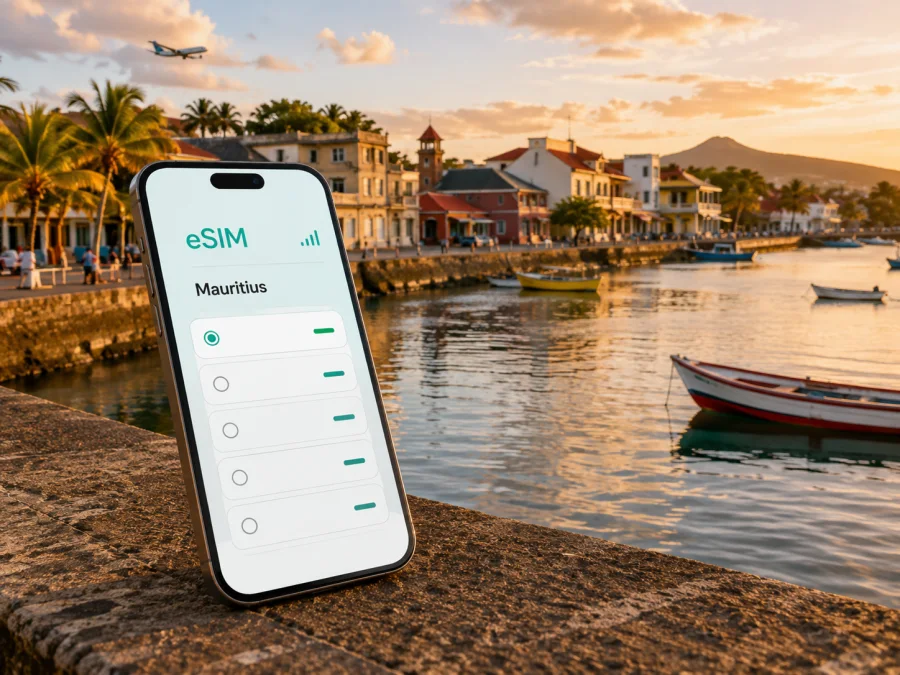
Mahebourg eSIM: mobile connection and internet for your Mauritius trip
Mahebourg is a practical base for exploring the south-east of Mauritius. It is close to Sir Seewoosagur Ramgoolam International Airport, set beside Grand Port, and connected by road and bus with other parts of the island. The town suits travellers arriving late, staying near the airport, taking a boat excursion, working between appointments, or using it as the first stop before moving on to Blue Bay, Pointe d'Esny, or the south coast.
For all of these plans, mobile internet is part of the travel routine. You may need a map before finding your accommodation, a message for a driver, a booking confirmation, a translation, a route update, or a way to tell family that you have arrived. An eSIM, or digital SIM, can help you prepare mobile data without replacing the physical SIM already in your phone. Kaspersky eSIM Store is an app and website where you can choose, arrange, and activate an eSIM with a suitable tariff for mobile internet during an overseas trip.
Why mobile internet is useful in Mahebourg
Mahebourg is more compact and less resort-like than many well-known coastal bases. That is part of its appeal, but it also changes the way you plan a day. You may combine a walk through the centre, the waterfront, a market visit, a heritage stop, and a transfer to a beach or boat departure point. Those places are separate points on an itinerary, so practical information on a phone is valuable.
Mobile data can help you:
- confirm hotel or guesthouse check-in details;
- compare the route from the airport with the next stop;
- contact a driver or host when arrival changes;
- use maps between the centre, waterfront, airport area, and nearby coast;
- translate a message or transport instruction;
- keep bookings and travel documents available;
- share a location and check conditions before an outdoor plan;
- use messaging and internet calls instead of relying on a separate local number.
The question is whether you want a connection when public Wi-Fi is unavailable, a password is unclear, or you are still getting your bearings.
Short answer: an eSIM can be useful for a Mahebourg trip when you need mobile data from the airport onward, want to navigate independently, or are combining the town with coastal and island routes. Choose the destination, validity, and data allowance that match your itinerary, then check the device and tariff conditions before installation.
Arriving through the airport near Mahebourg
Sir Seewoosagur Ramgoolam International Airport is in Plaine Magnien, in the same south-eastern part of Mauritius as Mahebourg. For many visitors, it is the gateway to the town. After passport control and baggage collection, the first task is usually to identify the correct transfer, confirm the accommodation, and decide whether to continue to another part of the island.
Prepare the connection before leaving home if you expect to land outside the opening hours of a shop or prefer not to handle a physical SIM after a long flight. Install it over reliable Wi-Fi, keep it inactive if the tariff conditions allow that, and set it as the mobile-data line when ready. Read the terms carefully: the moment activation or validity begins depends on the selected tariff. If you install after landing, keep the QR code or profile details accessible and test a simple webpage or message before leaving the terminal.
The airport's public-transport information lists bus services linking it with Mahebourg Bus Station and other destinations; the bus stop is in the car park. Routes and times can change, so check current information locally.
Airport-to-town checklist
Before leaving the terminal, check:
- the exact name of your accommodation in Mahebourg;
- the host or transfer contact and expected arrival time;
- whether you need a bus, taxi, pre-arranged transfer, or rental vehicle;
- the data line selected in your phone;
- whether your home line should remain available for incoming messages;
- the location pin for the first destination, saved in case battery becomes an issue.
With luggage or an accommodation outside the centre, confirm the drop-off point rather than relying only on the wider area name.
Moving around Mahebourg
Mahebourg rewards a slower pace, but town, waterfront, airport area, and nearby coast are separate points on your itinerary. Map tools help you leave enough time between them.
Walking in the centre and along the waterfront
Walking is a good way to notice older streets, local shops, food stops, and views across the bay. Save the accommodation location and return route before setting out. Offline preparation is a sensible backup, while mobile data helps with live changes and messages.
Buses and transfers
Public buses can connect Mahebourg with the airport and other towns. Keep the destination written as it appears in your itinerary and allow extra time with luggage or a transport change. For a taxi, send the property name, map pin, and arrival point in one message.
Rental cars and day routes
A rental car gives flexibility for Blue Bay, Pointe d'Esny, the airport area, or further coastal stops. Enter the next destination while parked, never use the phone while driving, and carry the address plus a fallback plan.
Choosing an eSIM tariff for your itinerary
A two-day airport stop, a week based in town, and a multi-stop Mauritius holiday create different patterns of use. Start with the itinerary, then estimate maps, messaging, reservations, work tools, and media.
| Travel pattern | Main data tasks | Planning point |
|---|---|---|
| Airport stopover | Transfer messages, maps, check-in | A small allowance may be enough if you limit video and large downloads |
| Weekend in Mahebourg | Navigation, messaging, photos, activity searches | Choose validity covering the full stay, including arrival and departure days |
| Island itinerary starting here | Frequent maps and accommodation changes | Check that the direction covers the complete Mauritius route |
These are planning categories, not guarantees. Video meetings, photo backups, app updates, and streaming use much more data than messages or maps. Disable automatic updates over mobile data.
When comparing options in Kaspersky eSIM Store, look at four fields:
- Direction. Confirm that the tariff applies to Mauritius and fits the full route.
- Validity. Count travel days from the point at which the tariff can begin, including late arrival and onward travel.
- Data allowance. Match the package to maps, messages, work, and media.
- Conditions. Read information about activation, top-ups, tethering, expiry, and refunds.
At this stage, you can choose an eSIM tariff for a trip to Mauritius and compare the available conditions for the destination. The relevant details are those displayed for the tariff you actually select.
Mobile data in different Mahebourg areas
Waterfront and Pointe Canon
The waterfront and Pointe Canon are natural places for a walk or pause. Keep the return route available. For a museum or heritage stop, check current opening status because renovation and temporary closures can affect access. The National History Museum is associated with Mahebourg's historic Grand Port area.
Blue Bay and the south-east coast
Blue Bay and nearby coastal stops may involve a separate transfer. Send the exact meeting point to companions and keep booking messages on the phone. Check current weather before an outdoor plan.
Hotels and guesthouses in Mahebourg may be an overnight base before an early flight or a longer south-east stay. Save Wi-Fi details at check-in, but do not assume they will be available during every transfer; a travel eSIM can be the mobile-data option between the property, airport, and activities, subject to the tariff.
Business trips and remote work
For a consultant, crew member, event participant, or remote worker, Mahebourg can be a practical stop between airport and island appointments. Check:
- whether your phone supports the required eSIM profile;
- whether the tariff suits the expected data use;
- whether tethering is allowed if a laptop needs the phone;
- how much data your video platform uses and which files are offline;
- how colleagues will reach you if a call moves.
Turn off automatic photo uploads and non-essential background refresh. For a full day of calls, choose an allowance with a suitable margin.
How to prepare and install an eSIM
Install the profile before the trip while you have Wi-Fi. If you install after arrival, keep the confirmation and QR code accessible. Do not scan a QR code from an unknown source or remove a profile simply because it is not being used.
1. Check the prerequisites
Confirm that the phone supports eSIM and is not restricted by an operator. Check your device before choosing the tariff, because support can vary by model and region of sale. Make sure the phone is charged and that you have Wi-Fi or another internet connection for installation.
2. Open the mobile-network settings
Go to mobile-network or cellular settings and choose the option for adding an eSIM or mobile plan. The wording differs between Android and iOS versions.
3. Scan or add the profile
Use the QR code or profile details supplied in your Kaspersky eSIM Store account. Follow the prompts and label the new line clearly, such as “Mauritius travel data”.
4. Select the data line
Choose the travel eSIM for mobile data when you want to use it. Keep your primary line available only if you understand how your phone handles calls, messages, and data switching.
5. Review roaming and data settings
Some devices may require data roaming for the travel eSIM. Check the tariff instructions and phone settings before enabling it. Disable automatic switching to another line if you want to control which profile uses data.
6. Test a small task
Open a webpage or send an internet message. Connection may take a few minutes and depends on the device, profile, and local conditions. If you will use the eSIM later, follow the tariff's instructions for leaving it inactive.
For device-specific steps, use the Android installation instructions or the iOS installation instructions. Menu names can change after an operating-system update, so follow the screens on your phone.
What an eSIM does and does not replace
An eSIM travel tariff is primarily for mobile data. Unless its conditions say otherwise, it does not provide a separate telephone number, traditional voice calling, or SMS. Messaging and calling apps can work over the internet, while your primary SIM remains available for its own services.
Kaspersky eSIM Store helps you choose, arrange, and activate an eSIM for an overseas trip. It is not a mobile operator and does not own the local network. Performance can vary with location, congestion, device settings, and the local operator associated with the tariff.
Practical Mahebourg scenarios
For a late arrival near the airport, the main data tasks are a transfer message, a map, and a check-in instruction. A smaller allowance may suit a brief stay if you avoid media-heavy use; install ahead of time and activate according to the tariff's rules.
For several town walks followed by a coastal outing or onward travel, maps, messaging, photos, and bookings form the main load. Save the accommodation location, confirm the meeting point, and choose validity covering arrival and departure. Add work-call data separately if needed.
Troubleshooting without panic
If data does not start immediately, pause before changing several settings. Verify that the travel eSIM is enabled and selected for mobile data, then check the tariff status, data-roaming setting, and selected line. Restarting may help after a profile change.
If the QR code cannot be scanned, enlarge it, increase brightness, or use manual details when provided. If the profile is installed but there is no data, try a different location, review network settings, and check the allowance. Do not delete the eSIM as a first response: some profiles may not be reusable after removal or activation.
Contact support with order details and a clear description of what you have checked. Avoid sharing a QR code or activation details publicly. Verify route, transport, and attraction information separately.
FAQ about eSIM for Mahebourg
Can I use an eSIM as soon as I land?
Yes, if the profile is installed, the tariff is active under its conditions, and the phone is configured to use it for mobile data. Installing before departure is convenient because setup happens over Wi-Fi. Activation and connection can take a few minutes.
Do I need a local phone number for a Mahebourg holiday?
Not necessarily. For maps, reservations, messaging, and internet calls, mobile data may be enough. A travel tariff generally does not include a normal phone number, voice calls, or SMS unless its conditions say otherwise. Keep your primary line if you need its number and review roaming charges with your home operator.
A calm plan for staying connected
- Check the phone and tariff conditions.
- Choose Mauritius as the destination and match validity to the full itinerary.
- Install the eSIM over a reliable internet connection.
- Select it for mobile data when ready.
- Keep addresses and bookings available offline.
- Monitor data and battery during transfers and outdoor plans.
When ready, select an eSIM tariff for the Mauritius trip, review the allowance and validity, and activate it on a compatible device after checking device support. Then focus on finding your way through Mahebourg and meeting your host.


