Travel connectivity guide
Main Street eSIM: Mobile Internet in Gibraltar
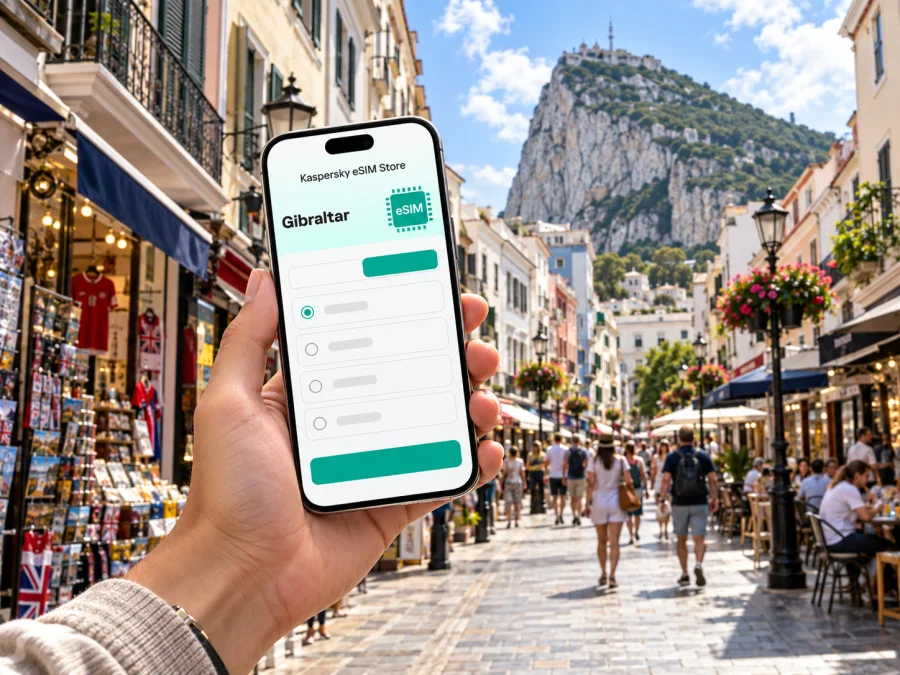
Main Street eSIM: mobile connection and internet in Gibraltar
Main Street is the commercial spine of Gibraltar: a walkable route through the historic centre, lined with shops, cafés, side lanes and landmarks beneath the Rock. It is not a separate city, so this guide treats Main Street as the heart of a visit to Gibraltar and keeps the destination precise. For travellers, the practical question is how to keep maps, messages, bookings and transport details available while moving between the airport, the centre and the rest of the territory.
An eSIM can help prepare mobile internet for the trip without replacing your usual physical SIM. It is a digital profile installed on a compatible, unlocked device. Before choosing one, check that the selected tariff explicitly covers Gibraltar: its status as a British Overseas Territory does not mean that every UK tariff or regional package automatically includes it. Coverage and service depend on the local network and the terms of the plan you select.
What to know about Main Street and Gibraltar
Gibraltar sits at the southern end of the Iberian Peninsula, beside Spain and the Strait of Gibraltar. Main Street runs through the historic commercial district. Casemates Square marks its northern end and works as a useful meeting point; Irish Town and smaller lanes branch through the older centre. The Rock is a constant landmark, but the compact street grid can still make a live map useful when you are looking for a hotel entrance, a bus stop or a particular side street.
Gibraltar is a British Overseas Territory with its own institutions and jurisdiction. It is not part of the United Kingdom. That distinction matters for travel planning and mobile connectivity: do not assume that a UK roaming agreement, a British Isles package or a tariff labelled “Europe” includes Gibraltar. Read the destination list and fair-use conditions before purchase, and ask your home operator if you intend to use its SIM for calls or data.
| Trip detail | Why it matters for your connection |
|---|---|
| Main Street is in Gibraltar’s central commercial district | Search for the exact venue or side street, not just “city centre” |
| Casemates Square is at the northern end of Main Street | It is a useful reference point for walking and meeting friends |
| Gibraltar has a land border with Spain | A cross-border day trip can involve a different mobile market and tariff |
| The Rock and narrow streets shape local routes | Download a map or save your first destination before setting out |
| Gibraltar has its own territorial status | Confirm Gibraltar is explicitly covered by the plan you choose |
Arriving: airport, border and first directions
Gibraltar International Airport is close to the built-up centre, but the final leg is unusual: the airport runway lies across the route between the terminal and town. The airport authority describes a public crossing for pedestrians, bicycles and scooters, managed with safety controls. Follow instructions from police and barriers, stay in the marked lane and wait if the lights require you to stop. Never treat the runway as an ordinary road or pause there for a photograph when asked to move.
Once across, you can continue toward the centre on foot, take a taxi, or check the current local bus routes. The airport information lists Citibus services including routes X5, 5 and 10, and identifies a stop on Winston Churchill Avenue near the airport and frontier. Route details and timetables can change, so confirm them on the day rather than relying on a saved screenshot from an old visit. If you arrive late or have luggage, compare the practical options before leaving the terminal.
A working data connection is useful immediately after landing: open your accommodation details, check its exact entrance, confirm whether reception is open and message your host if needed. Save the address offline as a backup. If you are meeting someone, agree on a recognisable point such as the terminal exit or Casemates Square instead of exchanging a pin while one of you is in a dead spot or crossing the border.
The border is also a reminder that mobile coverage does not follow a traveller’s assumptions. If you walk or ride into Spain, your phone may select a Spanish network. A Gibraltar-only tariff may stop applying, while a roaming arrangement from your home provider may have separate conditions. Check the plan’s country list and your phone’s selected data line before crossing; disable automatic data switching if you want to avoid an unexpected connection on another SIM.
Walking Main Street without losing your bearings
Main Street is best explored at walking pace. Its shops and historic buildings are close together, and nearby streets can be narrow or easy to overlook when you are following a map. Start from Casemates Square, note the name of the lane where you turn, and save a pin for your hotel or the place where you plan to meet later. A map is most useful as a quick orientation tool; look up from the screen when crossing streets or moving through a crowd.
The commercial strip is not only a row of shops. The official visitor information describes Main Street, Irish Town and adjoining lanes as part of Gibraltar’s commercial centre. Casemates Square has cafés, restaurants and event activity; the public market is close by. The Cathedral of St Mary the Crowned stands along Main Street, and the Gibraltar National Museum is a short walk away. These are handy location anchors when searching for directions, but check current opening times separately if you are planning a visit.
Use mobile data for small, specific tasks rather than leaving every app to refresh continuously:
- Open the map before leaving your accommodation and save the route to your first stop.
- Search by the venue name plus “Main Street” or “Gibraltar” to distinguish similar places.
- Keep a screenshot of your booking and address in case you lose signal indoors.
- Send a short message with a clear meeting point if your group splits up.
- Check whether your map app has downloaded the central area for offline use.
- Keep your phone secure and out of the way while walking through busy pedestrian areas.
Main Street and its historic core can be busy, while a café or shop interior may have weaker reception than the open street. That is normal: mobile service can vary with building materials, exact location, congestion and the network used by the selected plan. A map that fails to refresh does not necessarily mean the eSIM is faulty. Step outside safely, check whether data is enabled for the travel eSIM, and try again before changing several settings at once.
Moving between the centre, the Rock and the waterfront
Main Street is a practical starting point, not the whole itinerary. From the centre, visitors may head toward the cable car station, the Upper Rock, the marinas, the waterfront or southern landmarks. Local buses connect the city with many parts of Gibraltar. The official visitor bus information associates Casemates, described as the city centre/Main Street stop, with most routes, and lists different routes for destinations such as the cable car base, Europa Point and the marinas. Use a current route map or ask locally before setting off, especially if a timed attraction or onward connection matters.
A phone is helpful for checking where a bus stop sits relative to your route, but do not assume that every attraction is reachable by bus directly from Main Street. For the Upper Rock, the official visitor guidance describes several ways to reach the Nature Reserve, including authorised tours, the cable car, walking and cycling; access rules and operating schedules can vary. Check current arrangements before building a tight itinerary around a single transport option.
For a simple route plan, divide the day into zones:
| Part of the day | Useful starting point | Connection task |
|---|---|---|
| Arrival and check-in | Airport or frontier | Open your accommodation details and save the route |
| Historic centre | Casemates Square / Main Street | Pin the meeting point and nearby side streets |
| Upper Rock visit | Town centre or designated departure point | Check the current transport and access information |
| Waterfront or marina | Centre bus stop or taxi point | Confirm the destination and return option |
| Evening | Casemates or booked venue | Save the address for your return before going indoors |
For plans that include a transfer into Spain, set a reminder to check the phone’s data line and network selection near the frontier. If you use a physical SIM for your home number and an eSIM for data, label each line clearly in the device settings. Keeping the usual number active for calls may be possible, but charges and roaming terms depend on your home provider. The travel eSIM is intended for data unless the particular tariff says otherwise; it should not be treated as a replacement for ordinary voice calls or SMS.
Choosing an eSIM tariff for a Main Street visit
Choose a plan around the complete itinerary, not only the few blocks of Main Street. A short city break spent mostly on foot has different data needs from a trip with video calls, frequent navigation, social uploads or travel across the border. Estimate how often you will use maps, messaging, ride or bus information, email and media. Background photo backup, automatic app updates and video streaming can consume data quickly, so consider limiting those settings while travelling.
Before paying, review the plan details in this order:
- Destination: Gibraltar must appear by name, or the plan must clearly state that it covers Gibraltar.
- Validity: Check when the validity period begins and how long it lasts. Do not assume it starts only when you first browse.
- Data allowance: Match the included data to your habits and the trip length; avoid choosing by price alone.
- Network and speed terms: Read any stated restrictions, fair-use rules or speed limits. Actual service depends on local network conditions.
- Hotspot use: Confirm whether tethering is allowed if you plan to connect a laptop or another device.
- Device support: Make sure the exact regional model supports eSIM and is not carrier-locked.
- Installation conditions: Check whether you need Wi-Fi, a QR code or an app connection to install the profile.
Kaspersky eSIM Store is an app and website that helps you choose, arrange and activate an eSIM with a suitable tariff for mobile internet on an international trip. You can check the current options for Gibraltar and compare the destination, data amount, validity and terms shown for each available plan. The page is for Gibraltar as a destination; it is not a city-specific Main Street tariff, and the available offers and conditions should be read at the time you plan to travel.
Check your device before you travel
An eSIM is not supported by every phone, tablet or regional version of a model. Even phones sold under the same product name can differ by country or carrier configuration. Check the precise model number in your device settings or manufacturer documentation, then confirm that the device is unlocked. Check whether your device supports eSIM before choosing a plan. If you cannot confirm compatibility, keep your usual SIM and ask the device manufacturer or carrier before purchase; do not rely on the appearance of an eSIM menu alone.
If your phone supports two active lines, decide in advance which line handles mobile data and which stays available for your regular number. Menu wording differs by operating system and manufacturer. Set the travel eSIM as the data line when you want to use it, and review whether data roaming must be enabled for that profile according to the plan instructions. Roaming switches can affect charges on the wrong line, so verify the selected line before enabling them.
Install and activate before you need directions
Install the profile while you have reliable Wi-Fi and enough battery. Follow the instructions provided with your plan; the exact steps depend on your phone and the delivery method. For platform-specific guidance, see the eSIM installation instructions for Android or the eSIM installation instructions for iOS.
A practical setup sequence is:
- Confirm that the phone is compatible and unlocked.
- Read the tariff’s activation instructions and note when validity begins.
- Connect to Wi-Fi and open the installation details or QR code.
- Add the eSIM profile in the phone’s mobile network settings.
- Label the line “Gibraltar” or “Travel data” so you can identify it later.
- Keep your usual number’s call and message settings as intended.
- Set the eSIM as the mobile-data line when you are ready to use it.
- If instructed by the plan, enable data roaming for that eSIM only.
- After arrival, allow a few minutes for registration and test a simple webpage.
If you prefer to install before departure but connect only after landing, leave the travel line switched off until you need it, provided the plan instructions allow this. Some plans begin their validity at installation or at another defined event, so confirm the start rule first. Do not delete an installed eSIM to troubleshoot unless support or the plan instructions tell you to; some profiles cannot simply be downloaded again.
If mobile data does not work on arrival
Start with the least disruptive checks. Confirm that airplane mode is off, mobile data is enabled, and the Gibraltar eSIM is selected for data. Check that the plan is active, its validity has started, and Gibraltar is included. Restarting the phone or briefly toggling airplane mode may help it register, but avoid changing APN or network-selection settings unless the plan’s instructions direct you to.
If the phone shows a signal but apps do not load, check that the data line is correct and that the plan has remaining allowance. If there is no service, move to a place with a clearer signal and wait briefly. In an area near the Spanish border, the phone may select a network from across the frontier; check the displayed network and the tariff’s permitted network options. If the issue continues, contact the support channel shown with the plan and provide the device model, location, time and the status shown on screen. Do not share passwords or one-time codes in a public place.
Three common travel scenarios
A Gibraltar and Spain itinerary
A cross-border trip makes destination coverage especially important. Verify that the plan includes both Gibraltar and Spain if you expect to use one eSIM in both places. Otherwise, plan for a separate permitted connection or rely on your home provider’s terms in Spain. Before crossing, review which line uses data and whether your device may switch automatically to another SIM.
FAQ
Is Main Street a city?
No. Main Street is Gibraltar’s central commercial thoroughfare. The requested destination is best understood as a visit to Main Street within Gibraltar, rather than a separate city named Main Street.
Does a UK eSIM tariff automatically cover Gibraltar?
No assumption is safe. Gibraltar is a distinct territory, and a plan’s coverage depends on its stated destination list and terms. Confirm that Gibraltar is explicitly included before purchase.
Can I use one eSIM in Gibraltar and Spain?
Only if the selected plan covers both destinations, or if your other SIM has suitable roaming terms. Check the plan details and the device’s data-line settings before crossing the border.
Will an eSIM give me a local phone number?
Usually not for travel data plans. Treat the eSIM as mobile data unless the specific tariff explicitly includes voice and SMS. Internet messaging and app-based calls may work over data, subject to the app and connection.
Can I install the eSIM after landing?
You may be able to, but installation often needs a working internet connection and the steps depend on the plan. Installing in advance over reliable Wi-Fi can make arrival easier; first check when the plan’s validity begins.
What should I do if the eSIM does not connect near Main Street?
Confirm that the profile is active, Gibraltar is covered and the correct line is selected for data. Move to a spot with a clearer signal, wait briefly and follow the plan’s troubleshooting instructions. Contact the stated support channel if the issue remains.
A calm connection plan for Main Street
Before leaving, confirm the destination and validity of your tariff, check device compatibility, install the eSIM on Wi-Fi if appropriate, and save your accommodation address offline. At the airport, follow runway-crossing controls and choose a current route into the centre. Around Main Street, use Casemates Square and nearby streets as clear map anchors; for other parts of Gibraltar, confirm the bus, taxi or attraction arrangements for that day. If your route continues into Spain, review coverage and data-line settings before crossing.
When you are ready, use Kaspersky eSIM Store to review the available eSIM options for Gibraltar, choose a plan whose coverage and allowance fit your itinerary, and follow its installation and activation instructions. A few checks before you set off can make it easier to navigate Main Street and the wider Gibraltar visit with mobile internet ready when you need it.


