Travel connectivity guide
Makokou eSIM: Mobile Internet in Gabon
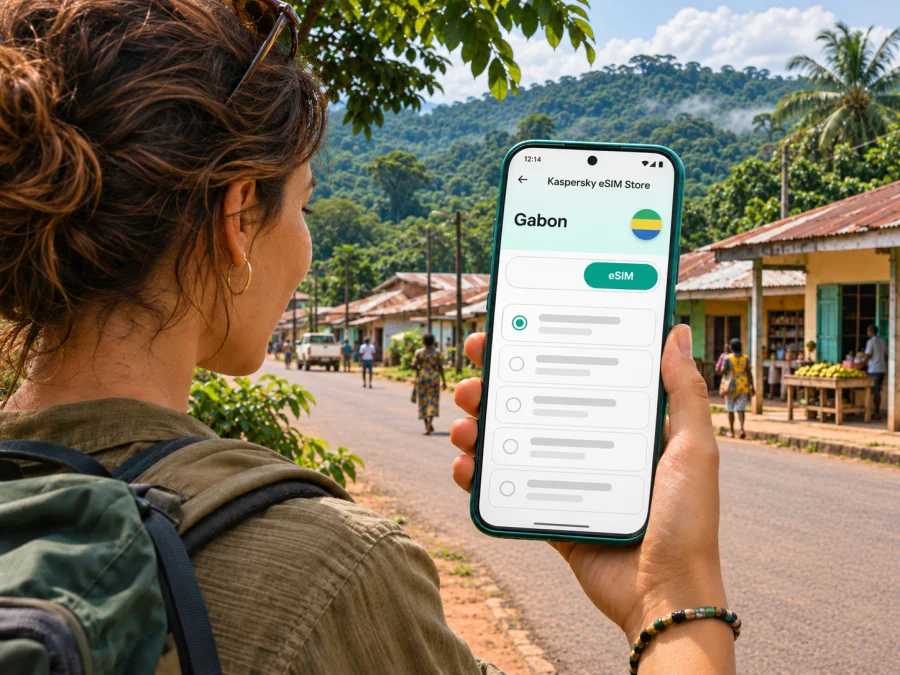
Makokou eSIM: mobile connection and internet for your trip
Makokou is a regional capital in Gabon’s forested northeast, not a large hub where every arrival, transfer, and booking can be handled at a counter. A working mobile data connection can help you coordinate a pickup, check the address of your accommodation, message a local contact, or keep a map available while you get oriented. An eSIM can be one practical way to prepare mobile internet without swapping out your physical SIM, provided your handset is compatible and the selected plan supports Gabon.
A city-specific travel plan matters here. Makokou is the capital of Ogooué-Ivindo Province and an access point for journeys around the Ivindo region. Your phone may have a signal in town but lose it on a road or forest excursion. Treat mobile data as a useful tool for day-to-day coordination, not as a substitute for arrangements with your host, driver, guide, or accommodation.
What to plan before arriving in Makokou
Start with the shape of your trip. Are you staying in town for meetings, arriving for a short visit, or continuing to a lodge, research site, or outdoor itinerary beyond the urban area? The answer changes how much data you need and what you should download in advance.
| Trip pattern | Likely online tasks | Preparation that helps |
|---|---|---|
| Arrival and overnight in town | Confirming a pickup, messaging your host, checking a saved address | Keep the accommodation name and contact details offline as well as in your inbox |
| Several days of work in Makokou | Email, calendar, document access, calls through internet apps | Ask your hotel or host what connection is available and whether it is reliable for your work |
| Moving onward outside town | Checking meeting points, coordinating with a driver or guide | Save maps and key documents before departure; confirm when and where you can next get online |
| Short stop between journeys | Finding the next pickup point and sending an arrival message | Make a compact plan with one contact person and a backup way to reach them |
Download your flight or transport confirmations, accommodation details, and any permits or booking documents while you have a dependable connection. Save important addresses in plain text. A map on a phone is useful only if the relevant area is available offline or your data connection is active. Keep a power bank charged: navigation, camera use, and repeated searches can use battery even when the signal is weak.
Arrival: keep the first connection simple
Makokou’s airport was renovated and inaugurated under the name Emmanuel Issoze Ngondet Airport in March 2025, according to the Gabonese Presidency. That confirms the airport’s local role; it does not confirm a particular airline’s current schedule, terminal facilities, or transfer options. Check those details directly with your carrier and accommodation shortly before departure.
Before leaving your origin airport, make sure you can open your eSIM account and retrieve installation instructions without relying on a new email arriving in Gabon. If you expect someone to meet you, agree on the pickup location and a time window in advance. Share your itinerary with that person while you are online. After landing, send one concise message when you have your luggage and can safely use your phone.
Do not assume that airport Wi-Fi, mobile signal, cashless payment, or a taxi app will be available when you need it. Have a fallback: the host’s phone number written down, a screenshot of the address, and enough local currency or another agreed payment method for the transfer. If your itinerary depends on a domestic flight, verify the schedule with the airline; a route listing is not a guarantee that a flight operates on your chosen date.
A practical arrival sequence
- Before travel, save your accommodation address, host contact, itinerary, and a map of central Makokou for offline use.
- Confirm who will meet you, where, and how long they will wait if your arrival is delayed.
- If you have installed an eSIM, check that its profile is enabled, but keep your home line available for calls or messages if you still need it.
- Once you are in a safe place, select the correct line for mobile data and check whether the plan’s instructions require data roaming for that eSIM.
- Send your arrival update and confirm the next step before leaving the airport area.
These steps do not promise that a connection will be available at the airport. They reduce the amount of critical information you need to look up after landing.
Getting around town and keeping navigation usable
Makokou’s daily travel is best planned with a local contact rather than by assuming that a large-city transport network or live ride-hailing service is available. Ask your accommodation or meeting host how to arrange a car, where to meet the driver, and what name or landmark to use. Pin a location in advance when possible, but also keep the address and a recognizable nearby place in text: GPS pins can be imprecise, and map coverage can vary.
The United Kingdom’s current Gabon travel advice notes that inland roads can be poor and hazardous, and that some routes may require a four-wheel-drive vehicle during rainy periods. It advises against night road travel. These are country-level cautions, not a live report on a particular Makokou street or route, so ask local people about the conditions for your exact journey on the day.
Mobile internet is most useful here for coordination: sharing your location when signal permits, confirming a pickup, checking a saved itinerary, or sending a message if plans change. It cannot tell you whether a road is open unless a current source provides that information. Keep a paper or offline backup for the route and the phone number of the person expecting you.
Neighbourhood plans, meetings, and places outside the centre
Makokou is a compact provincial capital whose services and accommodations are spread across a smaller urban area than Libreville. Exact opening hours, business addresses, and transport arrangements may be easier to confirm with your host than through a live map listing. If you are attending a meeting, request the venue name, a contact person, and a landmark in advance. If a driver is collecting you, confirm whether the pickup is at the airport, your lodging, or another agreed point.
Visitors sometimes use Makokou as a base for travel connected with the Ivindo landscape. The Ivindo National Park and surrounding forest region are distinct from the town itself: do not assume that an eSIM plan, town-level signal, or ordinary map navigation will continue into remote areas. Arrange excursions with a knowledgeable local operator, confirm transport and communications before leaving, and ask what to do if the group is separated or delayed.
For an excursion or work visit beyond town, prepare as if you may be offline:
- Download maps and save the route or meeting point before departure.
- Keep names, phone numbers, reservations, and emergency contacts available offline.
- Agree on check-in times and a point of contact who knows your itinerary.
- Ask your guide or host what communication method is used where mobile networks are unavailable.
- Carry a charged phone and power bank, but do not rely on either as your only safety plan.
- Confirm whether photography, access, permits, or transport arrangements have specific local requirements.
A mobile plan is not a substitute for a guide, local instructions, or an agreed communications plan. If you need dependable contact in a remote area, ask the excursion organizer what equipment and procedures they use rather than assuming a second SIM will solve the problem.
What is known about mobile coverage around Makokou
The regulator ARCEP’s June 2024 update described a separate infrastructure-sharing measure involving the Makokou–Okondja and Okondja–Aboumi axes. In that report, the regulator said Moov Africa Gabon Télécom’s sites on the route were then being used exclusively by that operator and discussed enabling Airtel Gabon to use infrastructure. A later national ARCEP notice in June 2026 confirmed approval of a five-year infrastructure-sharing agreement between Airtel Gabon and Moov Africa Gabon Télécom. These regulator updates show that network arrangements can evolve; they do not establish which partner network a particular international travel eSIM will use or the signal you will receive on a specific trip.
If choosing a travel eSIM, check the plan’s destination list and service terms for Gabon before purchase. Where the provider identifies a local partner network, compare that exact network name with your route and ask the provider if the information is unclear. Do not infer a travel eSIM’s network from a general operator coverage page. You can review the current Gabon options for your trip and check the plan details shown there before deciding; the country page is for Gabon, not a separate Makokou tariff or a promise of coverage in remote areas.
Choosing a data allowance for a Makokou visit
Choose an allowance around how you actually use your phone, not around a generic daily number. A short business visit with messaging, maps, email, and occasional browsing is different from a trip where you stream video, upload large files, or share a hotspot with several devices. If you expect to use hotel Wi-Fi for large downloads, your mobile data can be reserved for movement around town and coordination.
Before selecting a plan, compare these details on its live product page:
| Check | Why it matters in Makokou |
|---|---|
| Destination scope | Confirm that Gabon is included; city names are not always sold as separate destinations |
| Data amount | Maps, messages, and light browsing use less than video calls, cloud backups, or tethering |
| Validity period | Match the plan’s terms to your dates and check when validity or usage begins |
| Network information | Confirm which local network or networks the specific travel plan uses, if disclosed |
| Hotspot rules | Check whether tethering is supported and whether the selected plan has limits |
| Activation steps | Know whether you should install before departure and when to enable the profile |
| Refund and support terms | Review the conditions before purchase and keep access to support details offline |
Avoid counting on a plan’s stated validity as a substitute for reading its activation rules. Installation, profile activation, and the beginning of data usage can be separate events. Follow the exact instructions shown for the chosen plan. If you will continue from Makokou to other parts of Gabon, check the entire route against the destination coverage and plan conditions rather than assuming that a city reference means national coverage everywhere.
A data-only travel eSIM may not include a Gabonese phone number or ordinary cellular calls and SMS. Confirm the offer’s terms. You can keep your usual SIM for your number if your phone supports dual SIM, while setting the travel eSIM as the data line. Calls through messaging apps require an internet connection and an account that is already set up.
Check your phone before buying
An eSIM requires a compatible device and a phone that is not restricted in a way that prevents another carrier profile from being used. Support varies by model, device edition, and country of sale. Do not rely only on a family resemblance between model names: check the precise regional version and the phone’s settings or manufacturer information. Check your device’s eSIM compatibility before you choose a plan.
It is also worth checking that your operating system is current enough for the device’s eSIM features, that you can access the account where the eSIM will be delivered, and that you have a second screen or printed QR code if setup requires scanning a code from the same phone. If the installation is in-app, keep the app open and follow its prompts. Do not delete an installed eSIM profile as a troubleshooting shortcut unless the provider confirms you can reinstall it; some activation codes are single-use.
For visitors who need their home number for banking codes or calls, confirm how the phone handles dual SIM before leaving. Set a clear label for each line, decide which line handles data, and review roaming settings for the home SIM to avoid unexpected charges. Device menus differ, so use the instructions for your operating system rather than following screenshots from a different model.
Installing and activating your eSIM
If possible, install the eSIM while you still have reliable Wi-Fi and enough time to read the instructions. You can usually prepare the profile before departure, then enable it for mobile data when your plan’s instructions say it is time. A profile appearing in your settings does not by itself prove that it has connected to a local network.
- Confirm compatibility and unlock status before purchase.
- Open the order or app instructions and check whether installation needs a QR code, an app flow, or another method.
- Add the eSIM profile using the device’s mobile-network settings.
- Label the profile so you can distinguish it from your home SIM.
- On arrival, choose the travel eSIM for mobile data and use the plan’s guidance for data roaming.
- If data does not connect, check that the profile is enabled, the correct line is selected, airplane mode is off, and the plan’s activation conditions have been met. Then follow the provider’s troubleshooting steps.
See the step-by-step Android eSIM installation instructions or iPhone eSIM installation instructions. Menu labels vary across manufacturers and software versions, so the device may use slightly different names.
If there is no connection, move to a place where you can safely check settings, restart the phone if the instructions recommend it, and contact support over Wi-Fi if available. Do not repeatedly remove and reinstall the profile without guidance. For urgent coordination, use your offline contact information and the backup arrangements you made before the trip.
Short visit, work trip, or onward journey?
For a nature-focused excursion: arrange transport, guide, and contact procedures before leaving town. Do not treat a signal in Makokou as evidence of signal in Ivindo National Park or another remote area. Save the meeting point and emergency contacts, and follow the organizer’s instructions for the terrain and activity.
Common questions
Is eSIM coverage guaranteed throughout Makokou?
No. An operator’s published coverage information includes Makokou as a 3G/4G city, but no city listing guarantees indoor service, a signal at every location, or uninterrupted data. A travel eSIM also depends on the local partner network named in that specific plan.
Can I use an eSIM on the road from Makokou to another town?
Possibly, if the plan supports Gabon and the local partner has service along that route. Coverage may vary, and official network arrangements have changed over time. Check the plan’s network information and ask your driver or host about the actual route; download essential information in advance.
Does the travel eSIM replace my usual phone number?
Usually a data-only travel plan supplies mobile data rather than a local voice number. Check its terms. You can often keep your existing SIM active for calls and messages while assigning data to an eSIM, depending on your device and home operator settings.
Should I install the eSIM before I arrive?
Installing in advance can be convenient if you have a reliable connection and follow the plan’s instructions. Review when the data package starts and whether activation can be scheduled. Keep the profile available and do not assume that installation alone starts or completes service.
Will I have internet in Ivindo National Park?
Do not assume so. The official city coverage listing says nothing about a particular remote trail, park site, or lodge. Ask your guide or accommodation what communications are available and prepare to be offline.
What if my phone cannot use eSIM?
Use another connection method that fits your trip, such as your existing roaming service or a local physical SIM if available and suitable. Confirm requirements and terms directly with the provider or seller before travelling. Keep maps and trip details offline regardless of which option you choose.
A final Makokou connectivity checklist
Before departure, verify the exact eSIM model support, phone unlock status, Gabon destination terms, data allowance, validity, partner-network details if stated, and activation steps. Save your accommodation and pickup information offline. Ask your host about the airport transfer and your onward route. Download maps and documents before leaving a stable connection. Pack power, keep a contact plan, and expect that coverage can become limited outside town.
Kaspersky eSIM Store is a website and app that helps you choose, purchase, and activate an eSIM plan for mobile data while travelling abroad. Compare the live plan terms with your itinerary and choose an eSIM plan for travel in Gabon before you go. In Makokou, a well-prepared eSIM is one part of staying connected; local arrangements and offline backups remain essential.


