
Travel connectivity guide
eSIM for Malawi: mobile internet guide
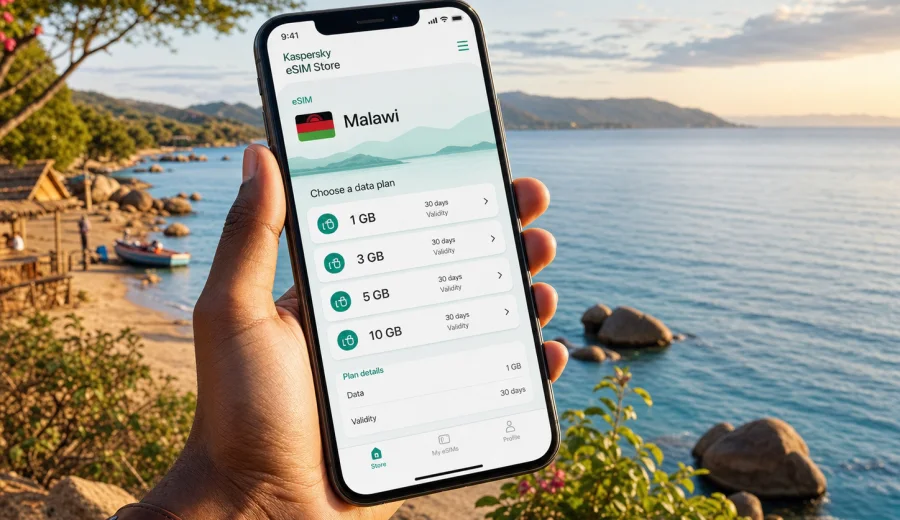
eSIM for Malawi: mobile connection and internet for your trip
Malawi is a country where mobile internet can make the difference between a smooth trip and a day spent solving small logistics problems. You may need maps after landing in Lilongwe, a ride to your hotel in Blantyre, weather updates before visiting Lake Malawi, messages with a lodge in Liwonde, or email access during a business trip. An eSIM helps you prepare mobile connection for Malawi before you depend on airport Wi-Fi, a hotel desk, or a local shop.
An eSIM is a digital SIM profile installed on a compatible smartphone or tablet. Instead of inserting a physical SIM card, you add an eSIM profile, choose it for mobile data, and use a prepaid data tariff for the destination. For a trip to Malawi, this is especially practical if your route includes several stops, late arrivals, national parks, lakeside areas, or work days where you cannot spend time looking for a physical SIM.
Kaspersky eSIM Store is an app and website where you can quickly choose, arrange, and activate an eSIM with a suitable tariff for mobile internet in an international trip. It is not a mobile operator and does not own a mobile network. The practical value is simpler preparation: you can review the destination, data amount, validity period, and tariff conditions before you travel, then install the eSIM on a compatible device.
Why mobile internet matters in Malawi
Malawi is compact on a map, but travel days can be varied. A visitor may land at Kamuzu International Airport near Lilongwe, continue to Blantyre for meetings, spend several days around Lake Malawi, or add a safari stop in Liwonde National Park. In each scenario, mobile data supports basic travel tasks:
- navigation between airports, hotels, bus stations, offices, and lodges;
- ride-hailing, taxi coordination, and driver messaging where available;
- hotel, tour, and flight confirmations;
- online banking alerts and card transaction checks;
- translation, local search, and opening hours;
- messaging with family, colleagues, guides, and hosts;
- cloud access for work documents and travel documents;
- photo backups when your connection is stable enough.
Public Wi-Fi can help in hotels, cafes, airports, and offices, but it is not always available at the exact moment you need it. It may also require registration, work only in one building, or be too slow for calls and file transfers. An eSIM gives you another option: mobile internet from a selected tariff for your trip, without replacing every other connection method.
What an eSIM does and does not do
For most travel scenarios, an eSIM is best understood as a data connection for your phone. It helps you use internet-based services while abroad, but it does not automatically replace every service from a local mobile line.
| Topic | What to expect |
|---|---|
| Mobile data | Internet access through the chosen eSIM tariff. |
| Calls and SMS | Usually not included unless stated in the tariff terms. |
| Phone number | Travel eSIM tariffs generally do not provide a regular local number. |
| Validity | The tariff has a defined validity period and start condition. |
| Coverage | Speed and signal depend on local networks, terrain, buildings, and tariff conditions. |
This framing is important for Malawi because travel can combine cities, lakeside stays, rural roads, and nature destinations. Keep key documents and maps offline before long drives.
When eSIM is useful for a trip to Malawi
An eSIM can be useful before the trip starts, during arrival, and throughout the route. It is not only for tourists. It also suits business travelers, remote workers, volunteers, journalists, researchers, and people visiting family.
Common scenarios include arrival days in Lilongwe or Blantyre, lakeside travel where Wi-Fi quality can vary, business visits with email and messenger calls, multi-stop routes through Mzuzu or Mangochi, and family travel that depends on maps, booking details, food options, and messaging.
If you rely heavily on video calls, large file uploads, constant navigation, or social media, choose a larger data allowance. If you only need maps, messengers, email, and occasional browsing, a smaller package may be enough.
How to choose an eSIM tariff for Malawi
The right tariff depends on your travel style, not only on the country name. Before choosing, define four things: how long you will stay, how much data you usually use, which parts of Malawi you will visit, and whether you also need internet in neighboring countries.
Use this simple decision table:
| Trip type | Typical data needs | What to check before choosing |
|---|---|---|
| Short city stay | Low to medium | Validity period, maps, messengers, email, hotel and transport apps. |
| Lake holiday | Medium | Photo sharing, maps, booking apps, hotel Wi-Fi backup, travel between towns. |
| Business trip | Medium to high | Email, calendar, cloud files, video calls, hotspot policy if needed. |
| Long overland route | Medium to high | Validity, data allowance, regional options, offline maps for remote stretches. |
| Family trip | Medium | Multiple devices, shared hotspot needs, messaging, navigation, entertainment. |
Do not select only by the lowest visible price. A tariff that is too small can run out before the trip ends. A tariff that is too large may be unnecessary if your hotel or office has reliable Wi-Fi and you use mobile data mainly for movement. The practical goal is to match data volume and validity to your real itinerary.
Data planning for Malawi
Estimate your usage before you buy. Messaging and maps are usually light, email and browsing are moderate, and social media, video calls, automatic uploads, and hotspot use can spend data quickly. Before departure, download offline maps, save hotel addresses, update apps on Wi-Fi, turn off automatic cloud backups on mobile data, and keep important documents available offline.
Device compatibility comes first
Before buying any eSIM tariff, confirm that your phone or tablet supports eSIM and is not locked by your mobile operator. eSIM support can depend on model, region of purchase, and device settings. A recent phone name alone is not enough; some versions of the same model can differ.
Start with your device settings and the manufacturer information. Then check your device before you choose a tariff. This step is especially important if you bought the phone through an operator contract, received it from work, or purchased it in a region where eSIM support may vary.
Also check that you have a stable internet connection for installation, the camera can scan a QR code if needed, the correct SIM line is selected for mobile data, and your primary SIM roaming settings will not create extra costs.
How to install and activate an eSIM for Malawi
Installation is usually a short process, but it is worth doing carefully. You can install the eSIM before travel if the tariff terms allow it, or after arrival when you have a stable Wi-Fi connection. The exact screens depend on your phone model and operating system.
General steps:
1. Check that your device supports eSIM and is not operator-locked.
2. Choose Malawi as your destination and review tariff details.
3. Arrange the selected tariff through the website or app.
4. Install the eSIM profile using the instructions shown after purchase or the QR code from the confirmation email.
5. Select the eSIM line for mobile data.
6. If required by the device or tariff conditions, enable data roaming for the eSIM line.
7. Test basic internet access before relying on it for navigation or messages.
For detailed setup, use the official Android installation guide or iOS installation guide. Follow the steps for your device and avoid deleting the eSIM profile after activation unless support instructions or tariff conditions clearly say it is safe.
Practical travel routes and internet needs
Malawi trips often combine different connection situations. A plan that works well in a hotel lobby may not feel the same on a road between towns, near a lake resort, or inside a large building. Think through the route, not just the first destination:
- Lilongwe: useful for airport transfers, maps, hotel messages, and first-day logistics.
- Blantyre: useful for business travel, shared documents, calendar updates, and messenger calls.
- Lake Malawi: useful for lodge communication, weather checks, photos, and route planning.
- Parks and rural areas: useful as a prepared data option, but offline maps and saved contacts are still important because signal can vary.
By the middle of your planning, when you know your route, trip length, and data needs, you can choose an eSIM tariff for Malawi and compare available options by data amount, validity period, destination, and price.
eSIM compared with roaming, local SIM cards, and Wi-Fi
Different connection methods solve different problems. For many travelers, the best approach is not a single option, but a sensible combination.
| Option | Strengths | Limitations |
|---|---|---|
| eSIM for Malawi | Can be prepared before or during the trip, no physical SIM swap, clear tariff details before selection. | Requires compatible unlocked device; mostly mobile data; conditions depend on chosen tariff. |
| Home operator roaming | Keeps your usual SIM active and may be simple for short trips. | Costs and data limits can vary widely; check roaming terms before departure. |
| Local physical SIM | May be useful for longer stays or local voice needs. | Requires time, a shop or kiosk, SIM swap, and sometimes local registration steps. |
| Public Wi-Fi | Useful in hotels, offices, cafes, and airports. | Not always available, may be slow, and can be inconvenient during transfers or outdoor travel. |
For a short trip, eSIM can reduce setup time. For a long stay, you may still compare local options after arrival. For work travel, eSIM is often a practical backup even if you also expect office or hotel Wi-Fi.
Checklist before departure
Use this checklist a few days before you fly:
- Confirm your phone or tablet supports eSIM.
- Check that the device is not locked to one operator.
- Review the Malawi tariff: data amount, validity, destination, and price.
- Save installation instructions and your purchase confirmation.
- Download offline maps for Lilongwe, Blantyre, Lake Malawi areas, and your route.
- Turn off automatic media backups on mobile data if you want to conserve traffic.
- Check whether data roaming must be enabled for the eSIM line.
The main idea is simple: do the setup work while you still have time and stable internet. Then arrival day is about confirming that the eSIM line is selected for mobile data, not solving everything from the airport.
Data-saving and setup mistakes to avoid
Your tariff will last longer if you control background usage. Download offline maps, use Wi-Fi for app updates, disable automatic video playback, pause cloud photo backup on mobile data, and close hotspot sharing when you are not using it. If you travel with a laptop, remember that cloud sync and system updates can spend data quickly.
The most common eSIM problems are preventable: buying before checking compatibility, installing the eSIM on the wrong device, deleting the profile after activation, leaving your home SIM selected for mobile data, or assuming that calls and SMS are included without checking the tariff terms. If something does not work, first check the selected data line, eSIM roaming setting if required, remaining data, validity period, and local signal.
FAQ: eSIM and internet in Malawi
Can I use eSIM for mobile internet in Malawi?
Yes, if the selected tariff includes Malawi and your device supports eSIM. Check tariff conditions and confirm that the device is not operator-locked.
Should I install the eSIM before I travel?
You can often install it before departure, but read the tariff terms first. Validity may start at installation, activation, or first connection, depending on the tariff.
Does an eSIM include a local phone number?
Travel eSIM tariffs are usually focused on mobile data. Voice calls, SMS, or a local number are not included unless the tariff explicitly says so.
Do I need to remove my physical SIM?
Usually no. On dual SIM devices, your regular SIM can stay in the phone while the eSIM is selected for mobile data.
How much data do I need for Malawi?
For messaging, maps, and email, a modest package may be enough. For video calls, social media uploads, hotspot use, or longer trips, choose more data.
What if I visit more than one country?
If your route includes Malawi plus Zambia, Tanzania, Mozambique, or another nearby country, check whether a regional or multi-country option fits your route better.
Final preparation: choose your Malawi eSIM tariff
A good mobile connection plan for Malawi is practical, not complicated: confirm device compatibility, choose a tariff that matches your route and data needs, install the eSIM carefully, and keep offline backups for essential travel information. This gives you a prepared way to use mobile internet for maps, messages, bookings, work, and everyday travel tasks.
Kaspersky eSIM Store helps you choose, arrange, and activate an eSIM with a suitable tariff for mobile internet in an international trip. Before departure, review the available options and prepare an eSIM tariff for your trip to Malawi so your phone is ready for arrival, transfers, hotels, meetings, and travel around the country.