Travel connectivity guide
Malay eSIM: Mobile Internet for Your Trip
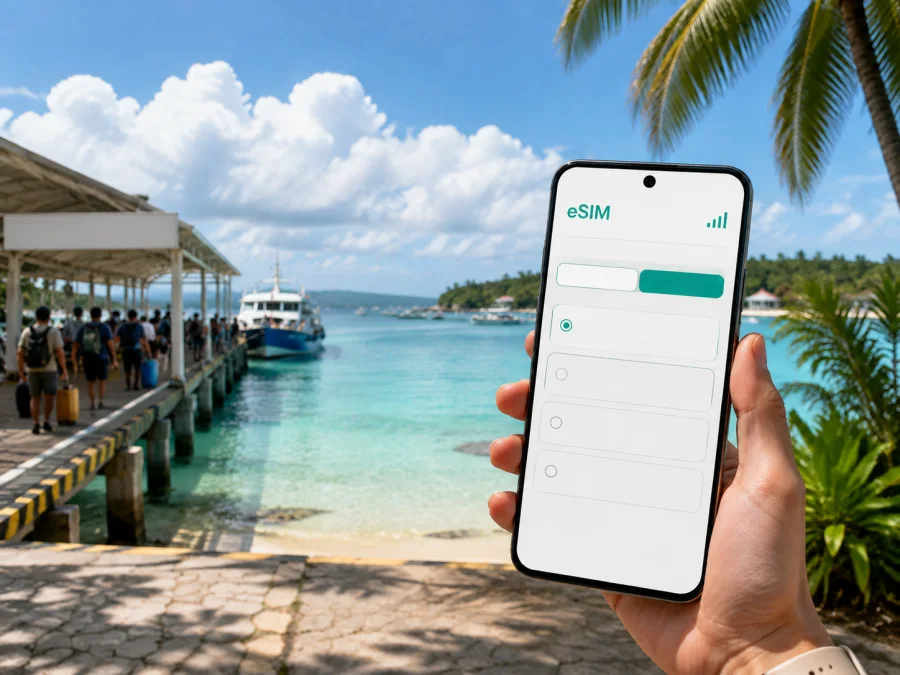
Malay eSIM: mobile connection and internet for your trip
Malay is a practical arrival point in the Philippines, especially when your itinerary combines Caticlan, the ferry crossing and Boracay Island. A mobile connection is useful for maps, messages, reservations, transport coordination and the small decisions that make an unfamiliar place easier to navigate.
An eSIM, or digital SIM, can help you prepare mobile internet for Malay without removing your everyday physical SIM card. Kaspersky eSIM Store is an app and website that helps you choose, arrange and activate an eSIM with a suitable plan for mobile internet during an international trip. The available conditions depend on the selected plan, including its destination, data allowance, validity period and other terms.
Why mobile internet matters in Malay
Malay is not just a single resort strip. The municipality connects the mainland area around Caticlan with Boracay Island, so a trip can involve an airport, roads, a passenger terminal, a boat crossing and a hotel transfer. Even if your final accommodation is on the island, the first practical tasks often begin on the mainland.
With mobile data ready, you can:
- open a map while leaving the airport or port;
- share your arrival point with a driver or hotel representative;
- check a booking message before boarding a transfer;
- contact your travel companions if plans change;
- use translation, banking and travel apps when public Wi-Fi is unavailable;
- send a message to your hotel instead of searching for a desk or shop with a local SIM;
- keep navigation available while moving between the mainland and the island.
Not every traveller needs a large data package. A short stay may use little data, while remote work, video calls and several transfers require more. Match the choice to your route and habits.
Arrival in Malay: plan the first connection
Many visitors reach Malay through Godofredo P. Ramos Airport, commonly known as Caticlan Airport. The airport is in Caticlan, Malay, Aklan, which makes the town an especially important orientation point for travellers continuing to Boracay. After landing, you may need to coordinate the next part of the route rather than simply walk to a city-centre hotel.
Before departure, save these details in more than one place:
- Your accommodation name and address.
- Your transfer contact and flight details.
- An offline booking copy and a note with the airport, passenger terminal and hotel sequence.
Those preparations are useful even when data is available. They also give you a backup if your battery is low or an app needs to be reopened. An eSIM adds another layer of convenience because the profile can be prepared before the journey and enabled for mobile data when you need it, subject to the plan’s activation conditions. The airport-to-island journey may include a road transfer to the passenger terminal and a boat crossing, so check current arrangements for your travel date rather than relying on an old screenshot.
A simple landing routine
On arrival, confirm the battery, check that the eSIM profile is visible, select it for mobile data, and enable data roaming only if required. Open your saved accommodation details and follow current terminal instructions. If the phone does not connect immediately, wait a few minutes, review the data line and plan instructions, and do not delete the profile as a first response.
Moving between Caticlan and Boracay
The Caticlan side and Boracay side serve different purposes in a Malay itinerary. Caticlan handles many arrival logistics, while Boracay may be the overnight, work or activity base. The route has several hand-offs, and access to information is most helpful at those points.
For the mainland part of the journey, you may need a map for the airport area, the passenger terminal, accommodation in Caticlan or a meeting point. On the island, you may be travelling from the port toward Station 1, Station 2 or Station 3, or farther north toward areas associated with Yapak and Diniwid. Compare the address in your booking with the place where a driver expects to drop you.
Local transport can include tricycles, e-trikes, vans, boats and pre-arranged transfers, depending on the route. Confirm the vehicle, meeting point and price before setting off, and keep the destination written exactly as it appears in your booking. Mobile internet supports that conversation; it does not replace checking the ride terms.
Data needs by journey stage
| Journey stage | Typical online tasks | What to consider when choosing a plan |
|---|---|---|
| Airport arrival | Messages, maps, transfer details, booking checks | A small allowance may be enough for a short transfer day |
| Port and crossing | Coordination, tickets or registration details, updates | Keep the phone charged and store key details offline too |
| Boracay hotel stay | Maps, messaging, restaurant and activity research | Estimate how often you will use video, photo uploads and calls |
Video, automatic photo backup and app updates can use substantially more data than text messages or occasional map checks, so review which apps may run in the background.
Keeping navigation useful without wasting data
Malay’s travel pattern rewards simple navigation habits. Save the accommodation address, the name of the arrival terminal and the next transport point. Mark the route from Caticlan Airport to your first stop before you leave the terminal. If you are heading to Boracay, keep the mainland-to-island sequence visible rather than searching from scratch at every stage.
Use mobile data deliberately:
- download or cache map areas when the app allows it;
- send one clear meeting-point message with a landmark and time;
- postpone large photo uploads and automatic backups;
- check the data counter in your phone and in the Kaspersky eSIM Store profile or app when that information is available.
Choosing an eSIM plan for a Malay itinerary
Start with the route, then choose the data allowance. If Malay is one stop in a wider Philippines itinerary, look for a plan whose destination and regional terms fit the complete route rather than focusing only on the first hotel. If the trip remains around Caticlan and Boracay, consider how many days you will need data and how much of your time will be spent online.
Review these points before paying:
- Destination. Confirm that the plan applies to the Philippines and to the route you intend to take.
- Validity. Match the active period to your arrival, stay and departure dates, and check when validity begins.
- Data allowance. Estimate map use, messaging, work, internet calls and photo uploads.
- Device and settings. Check eSIM support, operator lock status and whether data roaming is required.
- Terms. Read renewal, top-up, refund and transfer conditions before installation or activation.
- Voice limitations. A mobile-data eSIM may not include a regular number, voice calls or SMS unless the terms say otherwise.
For a weekend stopover, a modest allowance may cover maps, messages and reservations. For a longer stay with remote work, frequent navigation and video calls, a larger allowance may be more appropriate. Hotspot use can increase data consumption and battery drain.
Once you know your dates and estimated use, you can choose an eSIM plan for a trip to the Philippines and review the conditions before completing the purchase.
Area notes for a Malay itinerary
In Caticlan, mobile data is most useful for locating the terminal, confirming a driver and checking a hotel message. On Boracay, addresses may use Station 1, Station 2 or Station 3, or a barangay, sitio or landmark. Boracay is administratively part of Malay and includes Balabag, Manoc-Manoc and Yapak, so use the full property address rather than the island name alone. Save the address, pin the return route and send the property name with the meeting point when arranging a vehicle. Your phone supports orientation; local staff can clarify final access details.
Business trips and remote work
For work in Malay, mobile data can cover calendars, messages, documents and internet calls while you move between Caticlan, the port and a hotel on Boracay. Keep the home SIM installed if you need its number, select the travel eSIM for data, prevent large automatic synchronisation and carry a charged power bank. A video meeting uses more data and battery than text or audio, so plan sensitive calls for a quiet, private location.
Short stopovers and late arrivals
A stopover in Malay may be brief: one night near Caticlan, a few hours before a ferry, or a late arrival before an island transfer. The goal is to keep the next decision simple.
Use a stopover checklist:
- save the first accommodation and next departure point;
- send your arrival time to the person expecting you;
- keep booking and transport details offline;
- charge the phone and confirm the morning route.
For a short stay, the value of an eSIM is often continuity rather than heavy data use. You can keep your route, messages and reservations accessible without first looking for a physical SIM. The right plan still depends on its terms and expected use.
How to install and activate an eSIM
Install the profile when you have a stable internet connection and enough battery. The exact menu names vary between devices, but the sequence is usually similar. Keep the QR code or profile details available from the email or your Kaspersky eSIM Store account.
1. Check the device
Make sure the phone supports eSIM and is not operator-locked. Regional versions of the same model can differ, so check your device compatibility before purchase.
2. Open mobile-network settings
Go to the phone’s mobile-network or cellular settings and choose the option to add an eSIM or mobile plan.
3. Scan the QR code
Scan the QR code provided with the eSIM, or follow the profile instructions shown in your account. Keep the device connected to the internet during setup.
4. Label the line
Give the new profile a clear label such as “Philippines travel” so that you can identify it beside your everyday line.
5. Select mobile data
Choose the travel eSIM as the line for mobile data when you want to use it. Keep your regular line selected for calls or messages only if that matches your plan and roaming preferences.
6. Review roaming settings
If the plan requires data roaming, enable it for the travel eSIM. Check that roaming is not enabled on the line you do not want to use for mobile data.
7. Test the connection
After activation, open a simple webpage or messaging app. Connection may take a few minutes. If it does not work, review the selected data line, the plan instructions and the phone’s network settings before contacting support.
For detailed device guidance, use the Android eSIM installation instructions or the iOS eSIM installation instructions. If you plan to install before departure and activate after landing, follow the validity and activation conditions of the chosen plan so that the timing fits your itinerary.
What to check before leaving for the airport
Device checklist
- eSIM support confirmed;
- operator lock ruled out;
- operating system updated when convenient;
- QR code or account access available;
- phone battery charged;
- everyday SIM retained if needed;
- travel eSIM labelled clearly;
- data roaming setting understood.
Trip checklist
- Caticlan Airport arrival details saved;
- accommodation address copied offline;
- passenger-terminal sequence understood;
- transfer contact saved;
- Boracay station or barangay noted where relevant;
- return or onward route visible;
- current local entry and terminal requirements checked;
- data allowance matched to the trip rather than guessed.
The most reliable preparation combines online access with offline backups. A phone can lose power, a boat schedule can change, and a transfer meeting point can be moved. Screenshots, written addresses and a charged battery take little space and make the eSIM more useful when plans change.
Frequently asked questions
Is Malay the same as Boracay?
Malay is the municipality in Aklan that includes the mainland area around Caticlan and Boracay Island. They are closely connected in many itineraries, but an accommodation address or terminal may be on either side. Use the exact address when navigating.
Do I need an eSIM for a trip to Malay?
No. It is an option for travellers who want a separate mobile-data line without replacing a physical SIM. Suitability depends on device support, operator lock status, plan conditions, trip length and expected data use.
Will an eSIM include calls and text messages?
Not necessarily. Many travel eSIM plans are intended for mobile internet and do not include a regular number, voice calls or SMS unless their terms state otherwise. Use internet messaging apps when appropriate.
When should I install it?
Install it before departure if you have stable internet access and want fewer tasks after landing. You can activate it after arrival if that fits the plan’s rules. Check when the validity period starts.
A calm connection plan for Malay
The most useful eSIM setup follows the actual route: Caticlan Airport, mainland transfer, passenger terminal, boat crossing and the Boracay accommodation area. Estimate your data use, review destination and validity, check your phone before purchase, and keep important addresses offline.
When you are ready, choose an eSIM plan for your Philippines journey, install it on a compatible device and activate it according to the plan conditions. This prepares mobile internet for arrival, movement around Malay and the next stage of your trip.


