Travel connectivity guide
Maliana eSIM: Mobile Internet in Timor-Leste
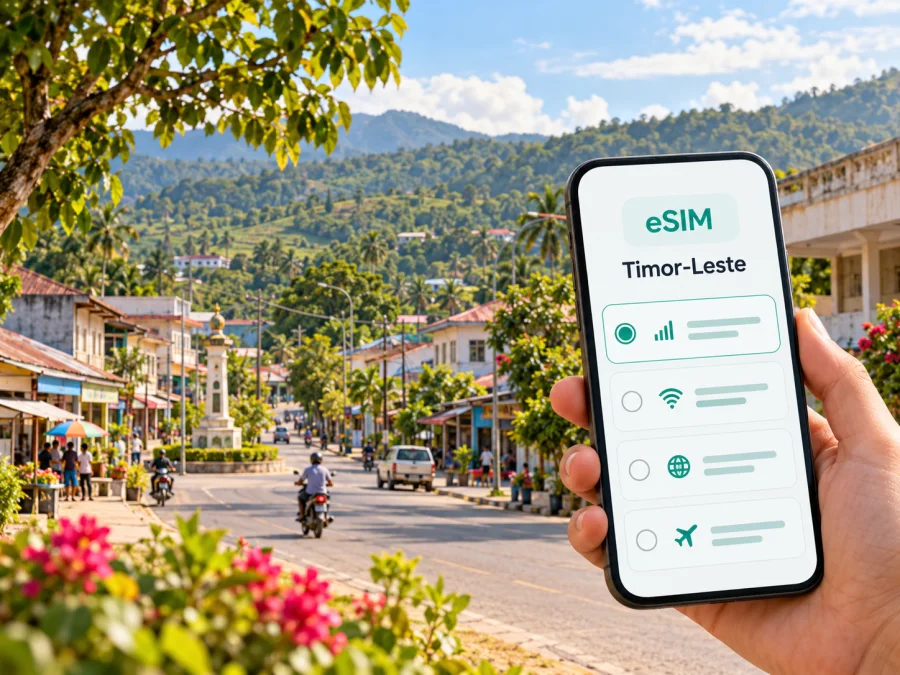
Maliana eSIM: Mobile Connection and Internet for Your Trip
Maliana is a practical base for exploring Bobonaro, the western part of Timor-Leste, and the communities and landscapes beyond the town. A reliable plan for mobile data can help with directions, translating a message, contacting your accommodation, or checking arrangements before you set out. Because travel here may include long road journeys and places where mobile service is less predictable, it is useful to prepare for both online and offline navigation.
This guide focuses on using mobile internet in Maliana: how to plan arrival from Dili, what to prepare before leaving town, how to think about an eSIM, and what to do if a connection is unavailable. Local network performance can vary by place, building, device, weather, and provider. An eSIM plan for Timor-Leste does not by itself guarantee a signal in every part of Maliana or Bobonaro.
Where Maliana fits into a Timor-Leste itinerary
Maliana is the capital of Bobonaro Municipality, in the west of Timor-Leste. It is also the seat of Maliana Administrative Post. The municipality borders Indonesia to the west and includes several distinct administrative posts and communities. That makes Maliana a useful reference point for visitors arranging local meetings, accommodation, transport, or trips farther into the municipality.
The town is not the country’s main international arrival point. Most visitors who fly into Timor-Leste will first arrive in Dili, at Presidente Nicolau Lobato International Airport, then continue overland if Maliana is their destination. Check current flight and road arrangements close to departure: schedules, road conditions, and travel times can change, and a route that looks straightforward on a map may take longer than expected.
In and around Maliana, plans may involve a town stay, a visit to municipal offices or local businesses, or onward travel to places such as Balibo, Cailaco, Bobonaro, or Marobo. These are separate destinations within the wider municipality, rather than city neighbourhoods. Ask a local host or driver about the day’s route and the best way to reach your specific stop; do not rely on a mobile map as your only source of directions.
What mobile data is useful for
In Maliana, data is most valuable when it helps you coordinate a real task. Before setting out, you might use it to:
- Send your accommodation a message with your expected arrival time.
- Save a map, address, and directions while you have a stable connection.
- Translate a short note or confirm a meeting point.
- Check a route or contact a driver before leaving town.
- Keep travel documents and booking details available on your phone.
- Use messaging or internet-based calling with people who already have your account details.
A data-only travel eSIM should not be treated as a replacement for every local communication need. Unless a specific plan says otherwise, it does not provide a regular phone number, standard voice calls, or SMS. Keep your usual number available if you need calls or verification codes, and check with your home operator about roaming and incoming-call costs.
Arriving from Dili: plan the connection before the drive
Presidente Nicolau Lobato International Airport is in Dili, not Maliana. If your itinerary continues west, arrange the onward trip before you land where possible. Confirm who is meeting you, the vehicle, the departure point, and whether you will stop overnight. If plans depend on a driver responding to a message, exchange the relevant details while both of you have a working connection.
The road journey from Dili to Maliana passes through changing terrain and communities. Government material identifies road development and rehabilitation projects in Bobonaro, including routes around Maliana and a Maliana–Cailaco–Marobo corridor. Construction or maintenance can affect progress, so treat online route estimates as a starting point rather than a promise. Ask your transport provider about current conditions, daylight travel, fuel and rest stops, and a backup plan if arrival is delayed.
Before leaving Dili, download an offline map, save your destination as a pin and written place name, and keep your phone charged. If you travel close to the land border, check entry rules separately; a mobile data plan does not grant permission to cross it.
Choosing an eSIM for Maliana
An eSIM is a digital SIM profile that can be installed on a compatible, unlocked device. For a trip to Maliana, the relevant destination is Timor-Leste as a whole: there is no separate city tariff to assume for Maliana. Before choosing a plan, read its current destination, data allowance, validity period, activation terms, and any restrictions shown at checkout. Those details belong to the specific plan and can change.
Kaspersky eSIM Store is an app and website that helps you choose, arrange, and activate an eSIM with a suitable data plan for an international trip. The Timor-Leste page is a starting point for checking what is currently listed; it should not be read as a promise of coverage in a particular street, hotel, or rural route. Compare the displayed plan terms with your itinerary, then decide whether the data allowance and validity make sense for the whole trip.
Match the plan to your trip, not just the city name
Estimate how you will use data. Light use may mean messages, occasional map checks, and short searches. More intensive use can include video calls, uploading photos, cloud backups, or sharing a connection with another device. Download large files and entertainment over Wi-Fi before travelling when practical, and turn off automatic app updates or photo backups if you want to keep data use predictable.
| Travel pattern | What to consider before choosing |
|---|---|
| A short stay in Maliana | Check the plan’s validity and when its term begins. Make sure it lasts through your arrival and departure days. |
| Several days with road trips | Allow for navigation, coordination, and possible changes of plan. Download maps offline so they do not depend on mobile data. |
| Work or field visits | Estimate the data needed for messaging and documents, and confirm whether your work apps require a stable connection or two-factor SMS. |
| A longer stay in Timor-Leste | Review the plan’s full validity, top-up or renewal options if shown, and whether another local arrangement would suit your needs better. |
| Travel with a companion | Decide whether each person needs their own connection. Hotspot sharing depends on device support and the selected plan’s terms. |
This is a planning framework, not a ranking of plans. Do not choose based only on a headline allowance: duration, start date, network availability, device compatibility, and the route all matter. If the trip includes destinations beyond Timor-Leste, confirm that the plan explicitly includes each country or region before relying on it.
If you want to review the currently available destination options, check eSIM plans for Timor-Leste. Read the plan details shown at purchase rather than relying on an old price or another traveller’s package. A country label describes the destination market; access depends on the plan terms and local network availability.
Will your phone work with an eSIM?
Check the exact phone model and regional variant before purchase. eSIM support can differ between devices that share a product name, and some phones are locked to a home carrier. A device may also need a recent operating-system version or a stable Wi-Fi connection to install its profile. Use the manufacturer’s information and your carrier’s unlock status to confirm the details for your own handset, then check whether your device is compatible.
Do not assume that a phone supports eSIM because it is new, has dual-SIM features, or was sold in another country. If the compatibility result is uncertain, ask the device manufacturer or carrier before relying on it for a remote itinerary. If your phone is incompatible or locked, options include asking your home provider about roaming, using a compatible second device, or arranging a local SIM after arrival where available and appropriate. Check any identification requirements and current local terms directly before purchasing a physical SIM.
Before departure, make sure you can sign in to your account, access the email address used for the order, and install apps or profiles without needing a text message sent to a number that will be unavailable. Keep the QR code or installation instructions accessible on a second screen or printed copy if the installation flow requires scanning. Do not delete an installed profile to troubleshoot unless the plan’s instructions tell you to do so; some activation codes are single-use.
Install and activate before you need directions
If possible, install the eSIM while you have dependable Wi-Fi and time to follow the prompts. Installation and activation are not always the same step: the profile may be added before the data plan starts, depending on the plan’s terms. Read the displayed instructions and activation conditions carefully. Avoid removing your existing SIM or changing its settings until you understand which line handles calls, messages, and mobile data.
A general preparation sequence is:
- Check the phone’s eSIM compatibility and confirm it is not carrier-locked.
- Review the plan destination, data allowance, validity, start conditions, and any roaming setting it requires.
- Connect to reliable Wi-Fi and follow the installation flow in the app or website.
- Label the new line clearly, such as “Travel data,” so it is easy to identify in the phone settings.
- Keep your home line available for calls or verification codes if needed, while checking its roaming settings with your carrier.
- When you are ready to use the travel data, select the eSIM for mobile data and follow the plan’s instructions for data roaming or network selection.
- Test a simple page or message before you leave a place with Wi-Fi, then keep offline maps available as a backup.
For detailed platform steps, use the Android eSIM installation instructions or the iOS eSIM installation instructions. Menu names differ across operating-system versions, so follow the on-screen prompts for your device. If the eSIM does not connect, check the selected mobile-data line, the plan’s activation status, and any required roaming setting before changing other options.
Keep the two SIM lines clear
Many travellers want their home number for calls while using an eSIM for data. If your device supports dual SIM, you may be able to keep both profiles available, but the exact settings vary. Set the travel eSIM as the mobile-data line only when appropriate, and check whether your home line’s data roaming is off if you want to avoid unexpected charges. Your home operator controls its own roaming fees and terms.
A travel data eSIM generally supports internet use rather than ordinary calls and SMS unless the plan explicitly states otherwise. Messaging apps can work over data, but they may remain tied to the phone number or account used to register them. Keep access to those accounts and any required verification method before switching settings.
Getting around Maliana and Bobonaro
Use the phone as one part of a navigation plan. Town layouts, road names, map pins, and business listings may not be equally complete in every mapping app. Ask your accommodation to confirm the best approach, especially for a guesthouse, office, or meeting point that is not on a main street. A pin is helpful, but a local place name and a contact number can be more useful when a driver is unfamiliar with the map listing.
For an outing beyond Maliana, check the route and transport with a local contact before departure. The wider Bobonaro area includes places in different administrative posts, and a map distance alone does not tell you how long a road journey will take. If you are heading toward Balibo, Cailaco, Bobonaro, or Marobo, ask whether the intended route is suitable for your vehicle and the day’s conditions. Agree on a meeting point and return plan before mobile data becomes important.
In town, save your accommodation, meeting venue, and pickup point. Keep an offline copy of important directions, and message your contact if plans change.
Connectivity expectations: prepare for variation
A country-level eSIM listing cannot confirm signal quality at a particular Maliana address. Performance depends on the plan’s local network, infrastructure, terrain, congestion, buildings, and device. A town-centre connection may be weaker indoors or unavailable on an out-of-town road, so keep offline information available.
If staying online is essential for a work task, arrange a backup channel before you travel. This could mean agreeing on a check-in time, sharing a written itinerary with a colleague, or identifying a place with Wi-Fi where you can reconnect. For an important call, try to schedule it from accommodation or another location whose connectivity you have tested rather than assuming mobile data will be consistent throughout the day.
When there is no signal, check the selected line and plan settings when service returns. Avoid deleting or reinstalling the profile unless support recommends it. Offline directions and saved contacts are useful fallbacks.
Three practical scenarios
Several days of municipal or field visits
List each destination and contact before the first day. Ask your host to verify routes between stops and save the place names in writing. Consider data for maps, messages, and work tools, but do not plan meetings around uninterrupted video calls unless you have tested the connection where you will work. Download files in advance and set a check-in routine for travel days.
A compact checklist before leaving home
- [ ] Confirm the route from Dili to Maliana with your transport provider.
- [ ] Check current flight, pickup, and accommodation details close to travel.
- [ ] Save a written address, map pin, and key phone contacts offline.
- [ ] Confirm your phone’s exact regional variant supports eSIM and is unlocked.
- [ ] Review the current plan terms, including destination, data, validity, and activation.
- [ ] Install the profile over a reliable connection and keep the instructions available.
- [ ] Check which SIM line handles mobile data, calls, and messages.
- [ ] Download maps and any translation tools you may need.
- [ ] Bring a charging cable and power bank for the overland journey.
- [ ] Agree on a backup check-in or meeting plan in case mobile service is unavailable.
Frequently asked questions
Is Maliana a separate eSIM destination?
Plan availability is generally presented by country or region rather than by individual town. Use Timor-Leste as the destination and read the listed terms. A country-level plan does not guarantee that every part of Maliana or the route to it has service.
Will mobile data work all the way from Dili to Maliana?
No plan should be treated as a guarantee of uninterrupted service on the road. Coverage can vary along the route and inside buildings. Download maps before departure and coordinate transport while you have a connection.
Does the eSIM give me a local phone number?
A data-only plan does not normally include a regular number, voice calls, or SMS unless those features are explicitly listed. Internet messaging and calls may work through apps, subject to data access and your account setup.
What if my phone does not support eSIM?
Check your precise model and regional variant with the manufacturer, and confirm that the phone is not carrier-locked. If it is incompatible, consider home-carrier roaming, another compatible device, or a local SIM option after checking current requirements and availability.
Can I use the eSIM for hotspot sharing?
That depends on your device and the selected plan’s terms. Check both before relying on tethering for a laptop or a companion’s phone. A hotspot also uses the same data allowance, so keep larger downloads under control.
Prepare your Maliana connection plan
A good mobile-data setup for Maliana starts before the drive: confirm the route, save key details offline, check your device, and choose a plan whose current terms fit the itinerary. In town, use mobile data for coordination while keeping local advice and offline navigation available.
When you are ready, use Kaspersky eSIM Store on the website or in the app to review the destination details, select a suitable option, and follow the installation steps for your device. Check the current eSIM options for Timor-Leste and verify the data allowance, validity, activation terms, and device compatibility before you travel.


