Travel connectivity guide
Malkerns eSIM: Mobile Internet for Swaziland
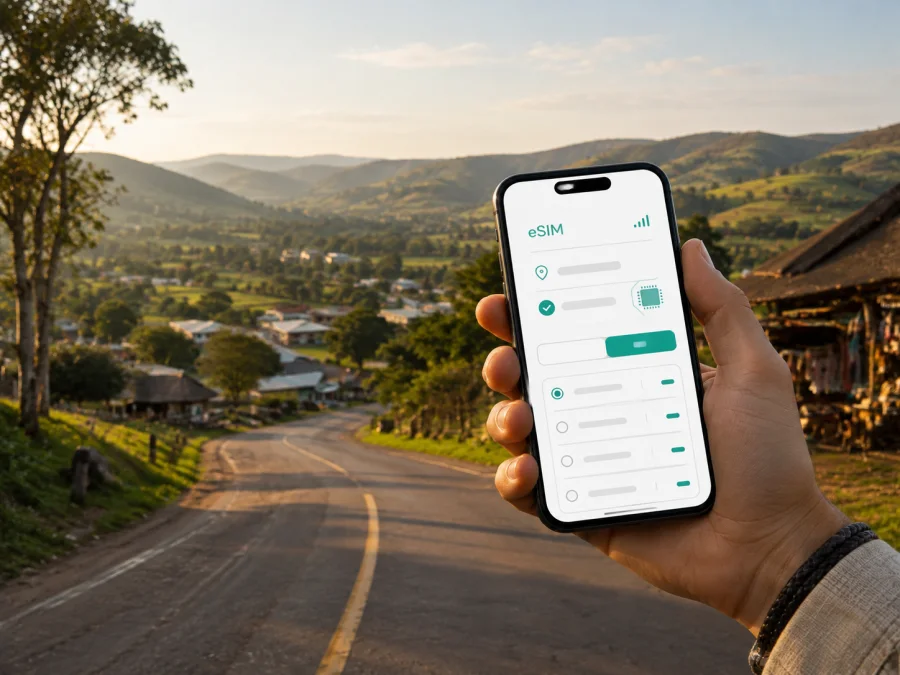
eSIM for Malkerns: mobile connection and internet for your trip
Malkerns is a useful base for a trip through Swaziland’s middleveld. The town sits between Ezulwini and Manzini, with a rural setting, accommodation in the surrounding valley, craft and cultural stops, and access to nearby nature areas. That combination makes a reliable mobile connection valuable: you may need to find a lodge after dark, message a driver, check a map at a junction, confirm a booking, or keep a work call moving while travelling between towns.
An eSIM, or digital SIM, can prepare mobile internet for the journey without replacing the physical SIM already in your phone. Kaspersky eSIM Store is an app and website where you can choose, arrange and activate an eSIM with a suitable plan for mobile internet during an overseas trip. The practical goal is simple: arrive with a clear data plan, use the profile when you need it, and keep your regular number available for calls or messages if your device supports dual SIM.
Why mobile internet matters in Malkerns
Malkerns is not a dense city centre where every stop is immediately visible from a main avenue. The town and its surrounding valley include farms, lodges, visitor attractions and roads leading towards larger urban centres. A phone with mobile data can make the day easier in several very ordinary situations:
- locating a guesthouse when the final turn is away from a main road;
- sharing your arrival time with a host or driver;
- checking a route between Malkerns, Ezulwini, Manzini and nearby attractions;
- using a map while looking for a market, café, craft shop or meeting venue;
- confirming opening hours or reservation details before setting out;
- translating a message or sending a document during a work trip;
- contacting family without searching for Wi-Fi at every stop.
The benefit is not a promise of a particular speed or signal in every location. It is the ability to have a prepared data option while you move through a town whose points of interest are spread across a middleveld landscape. Actual service depends on the selected plan, the local network, the device, the road and the conditions at the time of use.
Arriving in Malkerns: plan the first hour
Many visitors reach Malkerns as part of a wider Swaziland itinerary rather than as a stand-alone airport destination. You may come from the direction of Manzini, Ezulwini or Mbabane, or continue onward after a stay in another part of the country. The last stage of the journey is when a ready data connection is especially useful: luggage is in the car, the light may be changing, and the address of a small lodge may be easier to follow on a phone than from memory.
Before leaving your arrival point, save the accommodation name, phone number, written address and any pin sent by the property. Decide which SIM will handle mobile data, and keep a copy of the booking details in the app or messages. If you are driving, set the route before departure and stop safely when you need to change it.
Getting around: roads, transfers and navigation
Malkerns connects with the wider area through road corridors including the MR3, MR103, MR18 and MR27. Treat navigation as a planning aid: map data, road names and conditions can differ from accommodation directions, so allow extra time for unfamiliar turns.
A practical movement checklist
- Save the accommodation pin and a second description of the route.
- Keep Ezulwini and Manzini in your notes as useful reference points.
- Confirm the meeting place for a taxi, transfer or tour before leaving your lodge.
- Carry a charging cable and keep essential directions offline.
- Check that your data line is selected before opening maps or sending large files.
Malkerns can also be a convenient base for day trips. If your route extends to Mbabane, Lobamba, Manzini or an attraction outside the town, choose a plan by the whole itinerary rather than by the number of nights spent in one room. A short stay can still use more data if you stream video, upload photographs, join meetings or rely on live navigation for many hours.
Choosing an eSIM plan for a Malkerns itinerary
The right plan depends on how you will use your phone, how long the trip lasts and whether Malkerns is one stop in a larger route. Start with the destination and the validity period, then estimate the type of activity rather than guessing from the name of the city.
| Travel pattern | Typical data use | What to consider |
|---|---|---|
| One or two nights in Malkerns | Maps, messages, booking checks and occasional browsing | A small package may be enough if photos and video are limited. |
| Several days in the valley | Navigation, reservations, social posts and regular messaging | Allow room for repeated route checks and uploads. |
| Malkerns plus Manzini, Ezulwini or Mbabane | Continuous movement between stops | Check that the destination and the full route are covered by the selected plan. |
| Business stay | Email, cloud files, calls in work apps and hotspot use | Review the data allowance and whether tethering is permitted by the plan. |
| Nature and craft-focused trip | Maps, camera uploads and messages from outdoor locations | Do not assume that every trail or rural stop has the same signal conditions. |
Review the data volume, validity, activation rules, supported destination and restrictions before confirming the order. Note when validity begins: installing a profile and starting to use mobile data may be separate actions under the plan’s terms.
For a multi-stop journey, view eSIM options for a trip to Swaziland and compare them with your route. Kaspersky eSIM Store helps you choose and activate the plan; the local network carries the data service.
Estimate your data use before departure
Think about your real habits: occasional maps or live navigation, text messages or frequent video, email or meetings, and phone-only use or hotspot for a laptop. Disable automatic updates and photo backups on the eSIM line if you want the allowance to be more predictable.
Where a connection helps around the town
Malkerns combines accommodation in the valley with agriculture, craft and cultural tourism. A day may run from a lodge to Swazi Candles or House on Fire, then towards Mlilwane or another town. Save the property’s directions, contact details and venue names while online; opening arrangements and final turns can change, and Wi-Fi at a rural property may not be available at the moment you need it.
For an outdoor visit, save the meeting point and return time, tell your accommodation where you are going, and keep essential information offline. Paths and viewpoints can have less predictable signal, so use the eSIM for transport coordination and messages at the edges of the excursion, while following local guidance inside a reserve or on a trail.
Business travel and short stopovers
For a business traveller, Malkerns may combine a rural lodge with meetings, a client visit and an onward drive. Mobile internet is then less about browsing attractions and more about reducing friction between appointments.
Before the workday, confirm the meeting pin, download essential documents, check hotspot conditions, and keep the regular SIM available for important calls if your device supports two lines. Tell colleagues when you will be travelling between Malkerns and another town.
For a stopover, install and test the eSIM before leaving for the road. For a longer stay, record the activation date, monitor remaining data and review validity. If you continue to another country, check that destination separately; a Swaziland plan should not be assumed to apply elsewhere.
Install the eSIM before you leave
Installation is easier when you have a stable internet connection, a charged phone and the QR code or profile details available. First confirm that your device supports eSIM and is not locked to an operator. Some models differ by region, so check the exact device version rather than relying only on the product family name. Check your device compatibility before ordering.
If the eSIM is for data only, keep your regular physical SIM in place if you want to receive calls or texts on your usual number. During setup, label the profiles clearly, for example “Swaziland travel”, so you can identify the correct line later.
A simple installation sequence
- Connect to a dependable Wi-Fi network or another working internet connection.
- Open the profile or message containing the eSIM details.
- Go to your phone’s mobile-network settings and choose the option to add an eSIM or mobile plan.
- Scan the QR code, or enter the activation details if the device asks for them.
- Give the new profile a clear travel name.
- Choose the eSIM as the line for mobile data when you want to use it.
- Keep data roaming enabled for the eSIM only if the plan’s instructions require it.
- Test a simple web page or message before you start driving.
The menu names differ between phones. For more detailed device-specific steps, use the Android installation instructions or the iOS installation instructions. Installation can take a few minutes and may depend on the device and local network. If the profile does not appear, check the QR code, the internet connection and the activation conditions before trying repeatedly.
After installation, verify which line is selected for data and turn off automatic switching if your phone might move data back to the home SIM. If the device asks about roaming, follow the plan’s instructions for the selected profile.
What to check before you order
Use this checklist before paying for any travel eSIM:
- Device: does the exact phone or tablet support eSIM?
- Operator lock: is the device free to use with another network?
- Destination: does the plan include Swaziland and the other places on your route?
- Validity: when does the period begin, and how long does it last?
- Data volume: does it match navigation, communication, work and media use?
- Activation: do you need Wi-Fi, a QR code or an app profile?
- Calls and SMS: is this a data plan without a separate phone number?
- Hotspot: is tethering allowed if you plan to connect a laptop?
- Support: do you know where to find help if installation or activation stalls?
Conditions can differ between plans. Read the details shown for the selected destination instead of assuming that two packages with similar names behave identically. A plan can be a good fit for a short Malkerns visit and a poor fit for a longer route if the validity or data allowance does not match your schedule.
Common situations and practical responses
If a map cannot find the lodge, check the spelling, try the written address and ask the host for a landmark or road. If data is not working, confirm that the eSIM is enabled and selected for mobile data, then check the activation conditions and whether roaming is required. If the phone shows an operator lock or refuses the profile, contact support with the device model and the exact message. For unexpectedly high usage, review video autoplay, cloud backup, updates and hotspot use.
FAQ for a Malkerns trip
Is an eSIM useful if I am staying only one night?
Yes, when you need maps, a transfer message, a booking confirmation or a route to an early departure. Choose validity and data volume for the itinerary rather than the room nights alone.
Can I use an eSIM for ordinary phone calls?
Usually, a travel eSIM in this context is intended for mobile internet and does not include a separate phone number, ordinary calls or SMS unless the selected plan says otherwise. You can use messaging and calling apps over data, while your regular SIM may handle normal calls if your device and operator support dual SIM.
Should I install the eSIM in Malkerns or before the trip?
Installing before departure is often more convenient because you can use a stable connection and resolve compatibility questions calmly. Activate or select the travel profile according to the plan instructions and your arrival schedule.
Will the eSIM work on every road near Malkerns?
No provider can promise identical service at every point. Signal depends on the plan, local network, device, terrain, buildings and congestion. Keep essential accommodation details offline and follow local advice for outdoor routes.
What if I am continuing beyond Swaziland?
Review the next country or region separately. A plan selected for Swaziland should not automatically be treated as a regional plan, so confirm the destination list before travelling onward.
A calm connection plan for Malkerns
The most dependable setup is a small sequence completed before the road day begins: check the device, choose a plan for the full itinerary, install the eSIM while online, save accommodation details, test mobile data, and keep a backup of essential directions. In Malkerns, this is especially practical because a stay may combine a valley lodge, a nature visit, a craft destination and a drive towards a larger town.
Kaspersky eSIM Store helps you choose, arrange and activate an eSIM plan for mobile internet during that trip. Review the destination, data volume, validity and device conditions, then use the profile that matches your route.
Prepare your eSIM for the journey
When you are ready, choose an eSIM plan for your Malkerns itinerary, check the conditions for Swaziland, and complete installation before you set out. Keep the booking address and essential directions available offline so your travel plan remains useful even when the next stretch of road has limited data service.


