Travel connectivity guide
Mana eSIM: Mobile Internet in French Guiana
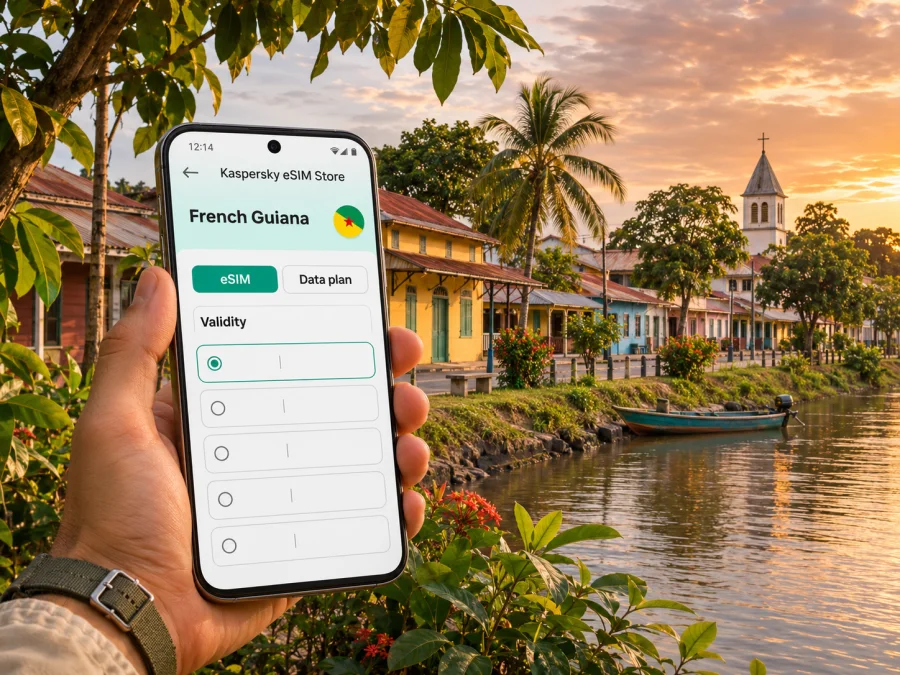
eSIM in Mana: mobile connection and internet for your visit
Mana is a small town in western French Guiana, where a phone can be useful for more than finding a restaurant: you may rely on it to coordinate a road transfer, check a regional bus, confirm accommodation, or keep a map available while travelling between settlements. An eSIM can provide mobile data without replacing the physical SIM already in your phone. The important preparation is to choose a plan that explicitly covers French Guiana, confirm that your device can use eSIM, and save essential travel details before setting out.
French Guiana is geographically in South America and administratively part of France. Those two facts matter when you choose connectivity: a plan labelled simply “France” may refer to metropolitan France or may include French Guiana under its own terms. Check the destination and roaming-network details for the exact plan you are considering. This guide focuses on Mana and the practical routes around it; coverage, speed, and availability can still vary by place, building, device, and provider.
Why mobile data can help in Mana
Mana is not a large, dense city with every service concentrated around a transport hub. It is the main settlement of a broad commune in the west of French Guiana, with routes leading toward Saint-Laurent-du-Maroni, Awala-Yalimapo, and other communities. A connected phone is useful for checking an address, messaging a host, opening a saved map, or confirming a change in travel arrangements. It is also a convenient way to translate a short message, access a booking, or contact someone if your plans shift.
The value of data is often greatest during transitions:
- On arrival: send your expected arrival time to your host or driver and check the pickup point.
- On the road: follow the RN1 corridor and keep the next stop visible without repeatedly asking for directions.
- In town: look up a business, service, or meeting address and share your location if needed.
- Between communities: check route information and contact the person expecting you before you leave.
- For work: join a brief call or retrieve a document when a dependable Wi-Fi connection is not available.
A travel eSIM is principally a mobile-data option. It does not automatically provide a regular local phone number, voice calls, or SMS; those features depend on the specific offer. Keep your usual SIM active if you need its number for calls, bank verification, or other messages, and check what your home operator charges for roaming. Internet-based calls and messaging can work over data, subject to the apps and account settings you use.
Arriving in French Guiana and continuing to Mana
If your trip arrives through Cayenne–Félix Éboué Airport in Matoury, Mana is farther west. The RN1 is the main east–west road linking Cayenne and Saint-Laurent-du-Maroni, and Mana connects to this corridor through local roads. Build the journey around confirmed onward transport rather than assuming the airport is close to Mana.
Before departure, save the name and address of your accommodation, the contact number for your driver or host, and any instructions for meeting them. If your eSIM is already installed, you can use data when the plan becomes active and a supported local network is available. If you intend to install it after landing, download the app, sign in, and keep the installation instructions accessible beforehand; a new eSIM profile may require an internet connection to install.
For a transfer by road, check the pickup location and estimated travel time directly with the transport provider. Keep a downloaded map of the route and the surrounding area in case mobile data is temporarily unavailable. If you are using a taxi or prearranged driver, share the meeting point in writing instead of relying on a single live map pin. If your itinerary includes a public or interurban bus, verify the current timetable and stop with the transport service before travel; schedules can change, and live updates should not be assumed.
A regional interurban line links Awala-Yalimapo, Mana, and Saint-Laurent-du-Maroni. The service is useful context when planning an onward trip, but it is not a substitute for checking the current timetable, days of operation, ticket arrangements, and exact stop. Keep a screenshot of the schedule and your destination address. A low-data connection is enough for many practical tasks if you avoid large uploads and video streaming during the ride.
The wider Mana area also includes part of the Amana National Nature Reserve, a coastal wetland protected across the communes of Mana and Awala-Yalimapo. If your plans extend to the reserve or nearby coast, confirm access and local arrangements before setting out. Download directions and any visitor information while connected to Wi-Fi; do not plan around continuous mobile data for a nature outing.
Choose an eSIM plan for the actual destination
Start with the destination field, not the most familiar country name. French Guiana is an overseas territory of France in South America, and mobile services there use the regional operator market. A French metropolitan plan may have different partner networks or may not include French Guiana at all. The plan details should explicitly list French Guiana or clearly explain the included territory and roaming conditions.
Kaspersky eSIM Store is an app and website where you can choose, purchase, and activate an eSIM with a data plan for an international trip. It does not operate a mobile network. The plan’s own terms determine the destination coverage, available data, validity period, supported network access, and whether tethering or other features are included. Review those conditions before checkout, and compare the destination against every stop in your itinerary.
A quick plan-selection checklist
| What to check | Why it matters for Mana |
|---|---|
| Destination name | Confirm that French Guiana is included, rather than relying on a broad “France” label. |
| Validity period | Make sure the period covers your stay and any travel days before or after Mana. |
| Data allowance | Estimate maps, messages, email, browsing, and calls separately from video or cloud backups. |
| Activation trigger | Find out whether validity starts on installation, first connection, or another event stated in the terms. |
| Network and roaming terms | Check the listed partner access and any stated speed or service limitations. |
| Hotspot and top-ups | Confirm whether tethering or adding data later is supported if you need it. |
Do not choose only by the number of gigabytes. A short visit with mostly maps and messaging can have a different data pattern from a week of remote work or frequent video calls. Estimate your own use from your phone’s data settings, then leave a margin for navigation, unexpected delays, and the first day. Automatic photo backups, software updates, and high-resolution video can consume data quickly; pause them over mobile data if you want to keep use predictable.
What to expect from mobile coverage
French Guiana has a distinct mobile market from metropolitan France. Local networks and roaming access depend on the plan’s partner arrangements, and a travel eSIM may connect through a partner rather than a direct local subscription. Do not infer network access from the app brand or from the word “France” alone. Look for the specific territory and network terms in the package details.
The latest available regulator tests are useful at a broad level but cannot promise a signal at a particular address. In its 2026 quality-of-service assessment for French Guiana, Arcep reported that Orange and Outremer Telecom ranked near the top on many indicators in residential locations; results varied by use, and Orange led on most mobile-internet measures while Outremer Telecom ranked highest for upload speeds. The results compare territory-level conditions and tested routes. They do not prove that a particular travel eSIM uses either network, or that a connection will be strong at your hotel, on a rural road, or inside a building in Mana.
For a practical check, use the provider’s current coverage information for the exact location and ask your accommodation or local contact which areas are reliable. If you need a video meeting or must send large files, arrange a known Wi-Fi option as a backup. Download maps, tickets, and documents while connected to Wi-Fi, and avoid depending on a continuous signal for navigation outside the built-up area.
If French Guiana is the destination shown for your plan, you can review available options for a trip to French Guiana. Use the page to check current plans and terms; confirm the specific package details before assuming a network, price, or coverage level.
A simple backup plan
- Save your accommodation address and important phone numbers offline.
- Download an offline map that includes Mana and your planned road route.
- Keep transport details and bus information as screenshots or PDFs.
- Carry a charging cable or power bank for long transfers.
- If data stops working, check that the eSIM line is enabled, the selected line is used for mobile data, and the plan has not expired or run out of data.
- If the connection remains unavailable, use Wi-Fi or contact your provider’s support before changing multiple network settings.
Device compatibility and setup
An eSIM plan only works if the phone supports eSIM and is not restricted by a carrier lock. Support differs across device models and regional variants, so do not assume that two phones with similar names have identical eSIM capability. Check the exact model and the device manufacturer’s specifications, and check whether your device is compatible before purchase. If your phone is locked to a home carrier, ask that carrier whether it can be unlocked for international use.
Install the profile over a stable internet connection before the journey if the plan’s terms allow it. Follow the setup instructions for your operating system: installation instructions for Android and installation instructions for iOS. Keep your primary SIM available if you still need its number for calls or verification messages. Name the new line clearly, such as “French Guiana data,” so it is easy to select after arrival.
A typical setup sequence is:
- Confirm the device is eSIM-compatible, carrier-unlocked, and updated.
- Choose a plan whose listed destination includes French Guiana; read the validity and activation terms.
- Install the eSIM using the app or the method stated in the purchase instructions. Keep the QR code or manual details available only as directed by the provider.
- Before travel, decide whether the eSIM should remain off until arrival or whether the plan instructions require an earlier step. Follow the plan’s stated activation trigger.
- When ready to use it, turn on the eSIM line and select it for mobile data. Enable data roaming for that line only if the plan instructions require it.
- Keep your primary SIM’s data roaming setting under control so your home line does not generate unexpected charges.
- Test a simple page or message once the plan is active. If it fails, restart the phone and check the eSIM and data-line settings before contacting support.
The menu labels vary between Android manufacturers and iOS versions. The key checks are consistent: the eSIM profile is present, its line is enabled, mobile data is assigned to it, and any roaming option required by the plan is enabled for that line. Avoid deleting an eSIM profile during troubleshooting unless the provider confirms that it can be reinstalled; some profiles cannot be transferred or restored freely.
How much data might your visit need?
There is no universal allowance for a trip to Mana. The right amount depends on your stay, habits, access to Wi-Fi, and whether you use the phone for work. Maps and text messages are generally lighter than continuous video, large file uploads, or cloud photo syncing. Use the phone’s recent data-usage screen as a baseline if you have one, then account for any extra navigation or calls during the trip.
| Travel pattern | Common data activities | Ways to keep use manageable |
|---|---|---|
| Short stop or overnight visit | Directions, messages, booking details | Download the route and hotel information before leaving Wi-Fi. |
| Several days in Mana | Maps, browsing, messaging, occasional calls | Turn off automatic updates and photo backup over cellular data. |
| Work trip | Email, documents, conferencing, hotspot use | Check whether hotspot is permitted and use Wi-Fi for large files or long calls. |
| Road journey with several stops | Navigation, schedule checks, sharing arrival updates | Save offline maps and screenshots before each leg. |
If a plan has a fixed data limit, check its remaining balance before relying on a call or upload. When possible, use Wi-Fi for backups and operating-system updates. A voice call through a messaging app still uses data, and video calls can use substantially more; switch off video or reduce call quality when the connection or allowance is limited.
Common mistakes to avoid
- Buying a mainland France plan without checking its territory list. French Guiana is in South America; its inclusion must be clear in the plan terms.
- Assuming every eSIM plan connects to every local network. Roaming partners and available technologies differ by provider and package.
- Waiting until the roadside to install the eSIM. Installation may need an existing internet connection; set it up and understand its activation conditions beforehand.
- Turning on data roaming for the wrong line. If your home SIM remains active, confirm which line handles mobile data.
- Expecting an eSIM to replace every phone service. Check separately for a local number, conventional calls, and SMS if those are essential.
- Relying on live maps for every part of the journey. Save offline directions and transport information before travelling.
- Treating a territory-wide signal report as a guarantee for Mana. Verify the coverage for your route and accommodation and keep a backup.
Frequently asked questions
Is Mana in France or South America?
Both descriptions can be correct in different senses. Mana is in French Guiana, which is geographically in South America and administratively part of France. For a mobile plan, use the exact destination and coverage terms rather than relying on a continent or country label alone.
Will a France eSIM work in Mana?
Only if that specific plan includes French Guiana and its conditions allow use there. Some plans distinguish metropolitan France from overseas territories. Check the destination list, network terms, validity, and activation instructions before buying.
Does an eSIM guarantee reception throughout Mana and nearby roads?
No. Reception depends on the network used by the plan, local coverage, terrain, buildings, device, and temporary service conditions. Even territory-level regulator data cannot guarantee service at a particular address or along every stretch of road. Download essential information and keep a way to contact your host if data is unavailable.
Can I keep my usual number active?
Often you can keep a physical SIM enabled for calls or SMS while selecting the eSIM for mobile data, but the phone and carrier settings determine how lines work together. Check roaming charges for your usual SIM, and review whether the travel plan includes only data or other services.
When should I activate the eSIM?
Follow the selected plan’s instructions. Some plans start their validity when first connected to a supported network, while others may define a different trigger. Install ahead of time when allowed, but do not guess when billing or validity begins; read the plan terms and keep the line off until the appropriate moment if the instructions say to do so.
What if there is no data connection after I arrive?
Check that the eSIM profile is installed and enabled, that it is selected for mobile data, and that the plan is active and still has data available. Enable data roaming only if instructed for that eSIM. Restart the phone once, then contact the provider through Wi-Fi if the connection does not return. Do not delete the profile unless support tells you how to restore it.
Is an eSIM enough for travel around the west of French Guiana?
It can help with maps, messages, and online information where the plan and local network provide service, but it should not be your only source of directions or trip details. Save key information offline, confirm transport in advance, and check coverage for each planned stop.
Prepare your eSIM for Mana
Use Kaspersky eSIM Store, the app and website for choosing, purchasing, and activating an eSIM for an international trip, to review the current options and conditions for French Guiana. Choose an eSIM data plan for your trip to French Guiana, confirm that the terms fit your route and dates, and complete setup before you depend on mobile data in Mana.


