Travel connectivity guide
Manado eSIM: Mobile Internet for Your City Trip
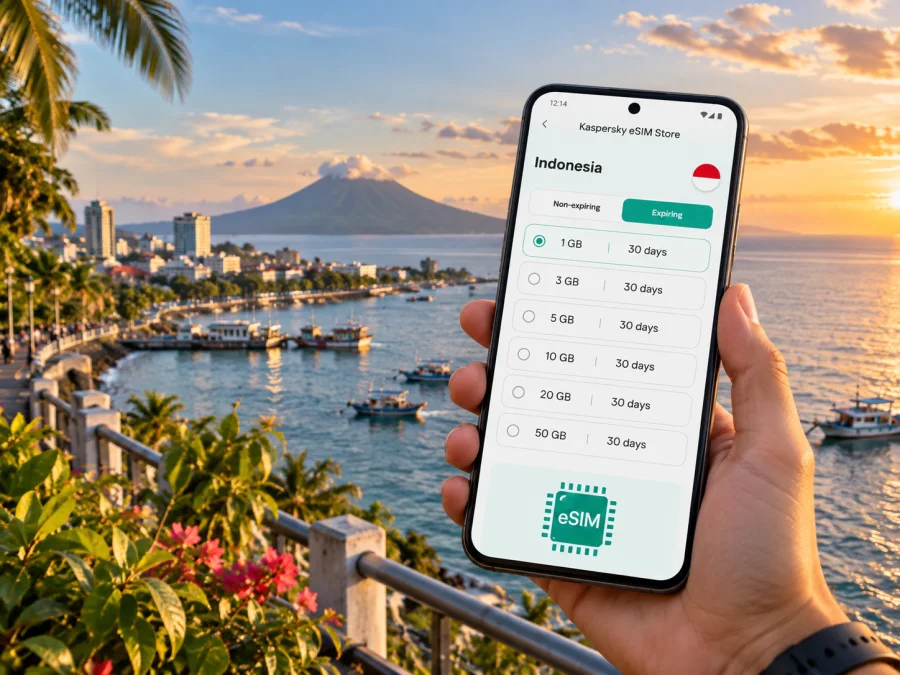
Manado eSIM: mobile connection and internet for your city trip
Manado is a practical base for a trip that may begin at Sam Ratulangi International Airport, continue along the city’s waterfront, and later head out by boat toward Bunaken. A mobile connection helps with the small decisions that shape each leg: confirming a pickup, checking a hotel address, following a route through unfamiliar streets, or messaging a boat operator. An eSIM can provide mobile internet without replacing the physical SIM already in your phone.
This guide covers mobile data in Manado, Indonesia, from arrival and city travel to work visits, stopovers and onward trips. Local conditions and network performance can vary, so keep key details available offline.
When mobile internet helps in Manado
At Sam Ratulangi Airport
Sam Ratulangi International Airport (MDC) is in the Mapanget area of Manado. After landing, you may need to coordinate a driver, let your accommodation know your arrival time, or check the route before leaving the airport. Having data ready can make those first steps simpler, especially if you do not want to search for public Wi-Fi immediately.
Before the flight, save the accommodation name and address, the pickup contact, and a screenshot of any transfer instructions. Keep the hotel’s phone number or messaging contact somewhere accessible offline. Once you are connected, compare the driver’s location and meeting point with the information you received; do not rely on a map pin alone if the pickup instructions specify a particular terminal exit.
Across the city
Manado’s daily routes often link accommodation, offices, shopping and dining areas, and the waterfront. The Boulevard area is known for hotels, cafés, restaurants and businesses, while other parts of the city may be more useful depending on your appointment or lodging. A map app can help you compare the route from your current location, share an arrival estimate, or save a pin for your return journey.
Use a destination’s full name and address when requesting a ride. Similar business names, changing traffic and local pickup conventions can make a short trip less straightforward than it appears on a small map. If a driver calls or messages, mobile data makes it easier to clarify the entrance or landmark. For a meeting, share a pin and the written address rather than only a venue name.
For the waterfront and Bunaken plans
Manado faces the Bay of Manado, with Bunaken and other islands offshore. Bunaken is part of the city’s wider travel picture, but getting there is a separate boat journey, not an urban commute. Travelers commonly arrange transport through a boat operator, accommodation or tour provider; departure point, timing and sea conditions should be confirmed directly before setting out.
A connection is useful for confirming the meeting point, checking messages if plans change, and letting someone know when you have reached the waterfront. Coverage and data service can differ between the mainland and islands and while travelling by boat. Download maps and keep essential contacts before departure, and do not assume that mobile data will be available throughout an offshore trip.
For work and short stopovers
A business visit can involve an airport pickup, a hotel, an office or meeting venue, and a meal with colleagues in different parts of town. Mobile data supports calendar updates, email, document access and messaging between those stops. If you expect to join calls or upload large files, check your data allowance and the venue’s Wi-Fi options in advance; a mobile plan should not be treated as a guaranteed replacement for a stable office connection.
For a stopover, keep the plan modest and specific. Save the return-to-airport route and your departure details before leaving the hotel. Allow a buffer for traffic and for finding the correct pickup point, and avoid building a tight schedule around an estimated travel time from a map.
Choose an eSIM plan around your Manado itinerary
Start with the whole route, not only the name of the first city. If Manado is your only destination, check that the selected eSIM plan covers Indonesia and review its duration and data allowance. If you will continue to other parts of the country, confirm that the same plan applies to the full route. A city name in your travel plan does not necessarily mean a plan is city-specific.
Estimate use by activity. Map checks and text messages generally need less data than video calls, frequent photo uploads or streaming. Hotel and office Wi-Fi may handle heavier tasks, while mobile data can be reserved for navigation, ride coordination and communication while moving around. Your usage depends on app settings, call length and automatic downloads, so treat estimates as a guide rather than a promise.
| Travel pattern | What to consider when choosing |
|---|---|
| One or two nights in Manado | A short validity period and enough data for maps, messaging and bookings |
| Several days in the city | The full trip length, expected use away from Wi-Fi and a small reserve |
| Manado plus Bunaken | Indonesia coverage, island plans with your boat provider, and offline copies of key details |
| Meetings around town | Email and navigation use, video-call needs, and Wi-Fi at work locations |
| Manado as a starting point | Coverage across every destination on the onward itinerary |
Kaspersky eSIM Store is an app and website where you can choose, purchase and activate an eSIM with a suitable plan for mobile internet while travelling abroad. In the app or on the site, review the destination, data amount, validity, price and any activation notes before completing a purchase. To compare options for the country that includes Manado, review eSIM plans for Indonesia.
An eSIM plan is for mobile data; it does not automatically provide a regular mobile number, voice calls or SMS unless the specific plan terms say otherwise. Keep your usual number available if you need calls or verification messages, and use internet messaging or calling apps when appropriate. Confirm that the plan’s terms suit the way you intend to stay in touch.
Prepare your phone before you travel
An eSIM is a digital SIM profile installed on a compatible, unlocked device. Before purchase, check whether your device supports eSIM and make sure it is not restricted to a different carrier. Device support can depend on the model, region and software version, so check the settings and manufacturer information for your exact phone.
Installation and activation checklist
- Choose a plan for Indonesia that matches your dates and itinerary, then read the plan conditions carefully.
- Use a reliable internet connection to install the eSIM, preferably before departure if the plan instructions allow it.
- Label the new line clearly, such as “Indonesia data”, so it is easy to identify alongside your regular SIM.
- Keep your primary line set for calls and messages if you need it, and select the eSIM line for mobile data when appropriate.
- Follow the plan’s activation instructions. The point at which validity begins depends on the plan, so check its terms rather than assuming installation starts the clock.
- If data does not connect after arrival, confirm that the eSIM line is enabled, selected for mobile data and configured as instructed. Some plans or devices may require data roaming to be enabled for that eSIM.
Use the official setup steps for your phone: eSIM installation instructions for Android or eSIM installation instructions for iOS. Keep access to the instructions and purchase details until the profile is working. Do not delete an installed eSIM while troubleshooting unless the plan instructions or support team tell you to; profiles may not be transferable or reinstallable under every plan’s conditions.
What to keep available offline
A working data connection is useful, but a Manado itinerary should not depend on it at every moment. Before heading out, save the details that would be difficult to reconstruct if service is intermittent:
- your accommodation address and check-in instructions;
- airport pickup details and the driver or host contact;
- names and meeting points for boat trips or tours;
- reservation confirmations and important tickets;
- a map of the route between your hotel and key stops;
- the next destination’s address if you are leaving Manado.
Screenshots are often enough for a short transfer or booking confirmation. For a boat trip, confirm timing and arrangements with the provider directly, and keep the plan flexible if weather affects departure. An eSIM can support coordination while you have service; it cannot make a boat schedule or connection certain.
Getting around without losing your bearings
For a first visit, group stops by area instead of crossing town repeatedly. Put the hotel, appointment locations and places you want to visit into a saved list. Check the route before you leave, then use live directions as a supplement. If a route changes, compare the new destination carefully before accepting a ride or walking in an unfamiliar direction.
The waterfront Boulevard corridor is a useful reference for hotels, food and business activity, but it is not the only place visitors stay or meet. Choose accommodation based on the actual itinerary: proximity to an office, airport transfer arrangements, or a planned departure to the islands may matter more than a broad label such as “central.” Ask your hotel how guests usually arrange local transport and how long to allow for an airport journey at your travel time.
| Situation | A practical data habit |
|---|---|
| Leaving the airport | Confirm the pickup point and share your destination address before boarding |
| Going to a meeting | Save the venue pin and entrance notes; send an arrival update if delayed |
| Exploring the waterfront | Keep a return pin and accommodation details saved |
| Meeting a boat operator | Confirm the pier or departure point in writing before travelling there |
| Travelling onward | Download tickets, addresses and route details while connected |
Navigation apps can help with directions, but follow a specific meeting point from your driver, hotel or tour operator. If a map marker seems misplaced, verify the street name and nearby landmark before continuing.
Troubleshooting mobile data
If an eSIM shows no connection, work through a few checks in order:
- Confirm that the eSIM profile is present and switched on.
- Check that it is selected as the line for mobile data.
- Review the plan’s start date, validity and destination conditions.
- Follow any network selection or roaming instructions provided for that plan.
- Toggle airplane mode briefly or restart the phone, then allow it time to reconnect.
- If the issue continues, use the support route shown in your purchase or app account.
Avoid deleting the profile as a first step. If you need help, note the phone model, the selected data line, your approximate location and the time the problem began. These details make it easier to explain whether the issue is related to setup, the plan conditions or local signal availability.
Questions travellers ask
Can I use one eSIM throughout a Manado and Bunaken trip?
That depends on the plan’s Indonesia coverage and local network availability. Check the destination and conditions before purchase, and expect service to vary offshore. Save the details needed for the boat journey before leaving the mainland.
Will an eSIM give me a local phone number?
Not by default. The plans described here are for mobile internet unless their specific terms state that calls or SMS are included. You can keep your usual SIM active for calls if your operator and device settings allow it.
Should I install the eSIM before I reach Manado?
Installing before departure can make it easier to follow setup instructions while you have a dependable internet connection. Follow the plan’s activation guidance and confirm when its validity begins. Some travellers may choose to install after arrival; use the method described for the plan you selected.
Do I still need Wi-Fi at my hotel?
Wi-Fi can be useful for large downloads, video meetings and conserving mobile data. An eSIM complements your travel setup; it does not guarantee a particular speed or replace a reliable connection for every work task.
What if the map or ride pickup looks wrong?
Check the written address, the venue entrance and the nearby landmark. Contact the driver or host through the app or message thread and confirm the meeting point before starting the ride. Keep a screenshot of the destination in case your connection drops.
A simple plan for staying connected
Before you travel, check device compatibility, choose an Indonesia plan for the length and shape of your Manado itinerary, and save the addresses and transfer details you will need. Install and activate the eSIM according to its instructions, then select it for mobile data when you are ready to use it. Keep your regular number for calls or messages where needed, and retain offline copies of key information for the airport, the city and any boat trip.
When you are ready to prepare mobile data for your visit, choose an eSIM plan for Indonesia in Kaspersky eSIM Store. Review the plan details, install the eSIM on a compatible device, and follow its activation instructions for your Manado trip.


