Travel connectivity guide
Mandeville eSIM: Mobile Data in Jamaica
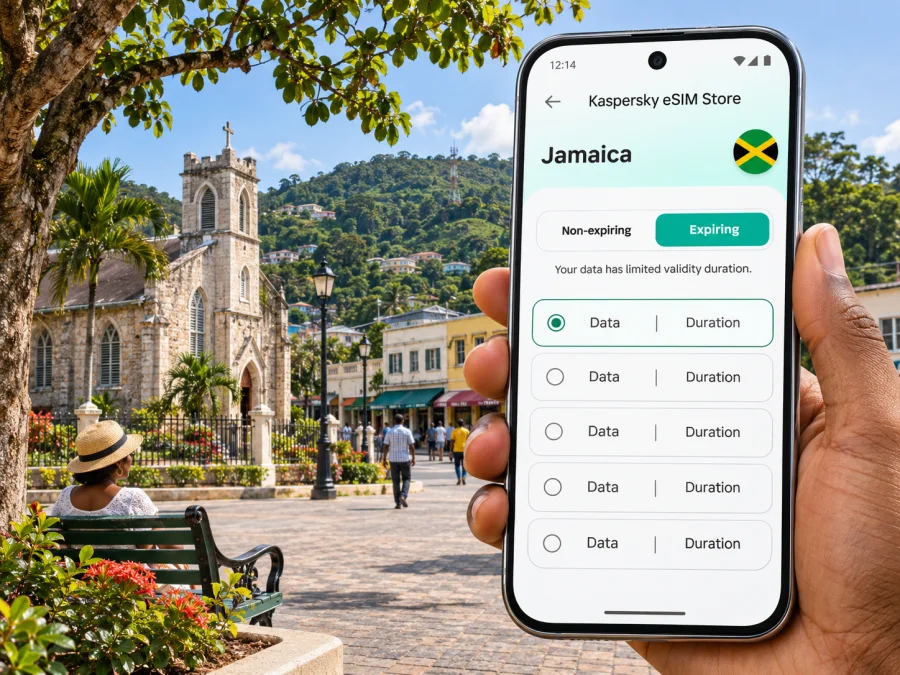
Mandeville eSIM for mobile connection and internet on your Jamaica trip
Mandeville is an inland town in Jamaica’s Manchester Parish, set among the island’s central hills. It is not a coastal resort or one of Jamaica’s two formally designated cities: it is the parish capital and an important centre for business, education and services. That distinction matters when planning arrival and connectivity. A stay here may involve an airport transfer, a coach ride, local errands and day trips across the parish, rather than moving only between a beach and a hotel.
A travel eSIM can give your compatible, unlocked phone a mobile-data option for maps, messages, bookings and work while you are in Jamaica. It is useful to prepare before leaving home, especially if your route to Mandeville includes a long drive from an airport. The exact network, coverage, speed, validity and data allowance depend on the Jamaica tariff you select and the local network it uses. Check those details before purchase; no mobile connection can be promised for every road, building or hillside.
Why mobile data helps in Mandeville
Mandeville sits at elevation in a hilly part of the island. The town is a practical base for Manchester, but the surrounding landscape means you may travel between built-up streets, rural roads and smaller communities. Mobile data can help you keep directions, accommodation details and transport arrangements available as plans change.
Think of the connection as a travel tool rather than a guarantee of uninterrupted service. Before setting out, save your route and key addresses offline, keep the accommodation’s phone number or check-in instructions accessible, and ask your driver or host about the best local route. If a signal becomes weak on a particular stretch, offline information can carry you through until you are back within network range.
| Part of the trip | What mobile data can help with | Useful backup |
|---|---|---|
| Airport arrival | Finding a pre-booked transfer, sharing an arrival update, checking a reservation | Keep the driver’s name and meeting point in a screenshot |
| Coach or road journey | Following the route and messaging your destination about delays | Download an offline map and save the address |
| Mandeville town centre | Looking up opening information, navigating between appointments, arranging a ride | Note the street name and a nearby landmark before leaving Wi-Fi |
| Day trip around Manchester | Checking directions and coordinating a return pickup | Agree the pickup point and time in advance |
| Work away from your hotel | Sending messages, opening cloud documents and joining calls when the connection allows | Download essential files and carry a power bank |
Arrival: plan the connection before the road transfer
Mandeville has no international airport in the town itself. Visitors generally arrive in Jamaica through an airport elsewhere on the island, then continue by road. Sangster International Airport serves Montego Bay; Norman Manley International Airport serves Kingston. Which one makes sense depends on your flight and onward itinerary, so confirm the pickup location with your driver rather than assuming the airport and Mandeville are close together.
If your arrival plan includes a booked coach or private transfer, check the current departure point, operating days, baggage rules and schedule directly with the transport provider before travelling. Intercity coach services list Mandeville among their Jamaican locations, and airport transport options may connect through a separate terminal or town stop. Timetables and routes can change, and a connection involving a transfer needs more planning than a single ride. Leave a buffer for immigration, baggage collection, traffic and the handover between services.
A few steps make the first hour easier:
- Save the full address of your accommodation, including the town and parish.
- Keep your arrival and transfer details in an offline note or screenshot.
- Before departure, confirm where the driver or coach will meet you and how to identify them.
- If using a travel eSIM, install it where you have a stable internet connection and follow its activation instructions.
- At arrival, select the eSIM for mobile data only after checking the tariff’s activation conditions. Keep your home SIM available if you need its number for calls or verification texts.
Plan validity may begin at installation, at first connection or under another condition. Check the selected tariff’s terms before installing, and keep activation details accessible until setup is complete.
Getting around town and the surrounding parish
Mandeville’s central position makes it a useful starting point for local appointments and onward travel. The town centre is the place to orient yourself around civic buildings, shops, services and accommodation. Beyond it, Manchester includes other communities such as Christiana and Porus, as well as countryside and routes that continue toward neighbouring parishes. If an itinerary includes several stops, plan the sequence and return transport before setting out; journey times depend on road, weather and traffic conditions.
Save the street address as well as the venue name, and ask your host which entrance or nearby reference point is easiest for a driver. Share the destination before setting out and verify the final turn together.
| Travel situation | Practical way to prepare |
|---|---|
| You are staying near the centre | Save the accommodation pin and its written address; ask whether a gate or side entrance is used |
| You have several meetings | Group appointments by area and share the next destination with the driver before departing |
| You are visiting a rural attraction | Arrange the return pickup before leaving town; do not assume a ride will be immediately available |
| You are taking an intercity coach | Check the current terminal location, ticket details and boarding time; save them offline |
| You are travelling after dark or in heavy rain | Confirm the route and pickup point with a local host or driver, and allow extra time |
Do not assume a map’s estimated arrival time accounts for local road conditions. In hilly areas, a short distance on the screen can still involve a winding route. If the map loses its signal or reroutes unexpectedly, ask a local driver or host to confirm the road before continuing.
The hills do not predict reception at a particular hotel or road. Coverage depends on the tariff’s local network, infrastructure, handset and location; a room, slope or rural stretch may differ from the town centre. For a critical work call, arrange suitable Wi-Fi or another backup.
Choosing a Jamaica tariff for a Mandeville stay
There is no separate city destination needed for this trip: Mandeville is within Jamaica, so check that the tariff’s coverage description includes Jamaica. Then compare the details that affect your actual use, not just the headline data amount.
- Destination coverage: confirm Jamaica is included in the specific plan. A regional plan may include multiple countries, but its exact list can differ.
- Validity: match the plan’s active period to your dates. Include any overnight stop or onward travel if you need data after leaving Mandeville.
- Data allowance: navigation, messaging and browsing use less data than long video calls, streaming or hotspot use. Estimate your habits and download large files on Wi-Fi.
- Network and service conditions: review the displayed local network information, speed or fair-use limits if stated, and any restrictions on tethering.
- Activation: check when validity starts and whether setup requires Wi-Fi, a QR code or an in-app step.
- Device requirements: make sure your phone supports eSIM and is not carrier-locked. The supported models and variants can differ by country and market.
Kaspersky eSIM Store is an app and website where you can choose, purchase and activate an eSIM with a suitable tariff for mobile data on an international trip. For a Mandeville itinerary, review the Jamaica options and compare the current plan details before deciding. The destination page is for Jamaica as a whole; it does not promise a particular Mandeville coverage result. Confirm the plan terms and network information shown for the tariff you choose.
For a short visit, a smaller allowance may be enough if you use Wi-Fi for video and downloads. Longer stays, frequent map use or laptop hotspot use can require more data. Choose according to your routine and the plan’s validity.
Mandeville scenarios: how much data planning do you need?
A brief town stop. If you are passing through for an appointment or one night, your essential tasks may be directions, messaging and checking a booking. Save documents beforehand and use Wi-Fi for updates or downloads. Your travel data can then be reserved for times when you are away from a trusted connection.
A week based in Manchester. Expect to look up routes, contact a host and coordinate rides more than once. Store the key addresses, offline maps and return details. If you plan to visit nearby communities, check whether your selected tariff remains valid throughout Jamaica, then arrange transport with enough time for road conditions.
A work trip. Separate the tasks that need a live connection from those that can be prepared offline. Download files, enable two-factor sign-in before departure and avoid scheduling an important call for a moving vehicle or a location where coverage has not been confirmed. Ask your accommodation whether its Wi-Fi is suitable for calls and have a mobile-data backup for messages.
A multi-stop Jamaica itinerary. A plan limited to one destination would not cover a route outside that destination. Check the tariff’s country list if you continue from Manchester to another parish or island destination, and verify whether a regional option fits the whole itinerary. Keep navigation working offline so a gap in service does not erase your route.
Device compatibility and regional variants
Before purchasing, confirm that the exact phone in your hand supports eSIM, is unlocked for use with another provider and can add another mobile plan. The same model name can have different hardware or software variants depending on the country where it was sold. A model listing or a friend’s experience may not prove that your particular regional version supports eSIM.
Use your device maker’s settings or support information to check the exact variant, then check your device’s eSIM compatibility. If you cannot confirm support, keep your existing SIM and arrange another way to get online, such as Wi-Fi or a physical SIM that meets your needs. Do not remove a working profile just to test a new one before travel.
A travel eSIM is generally intended for mobile data. It may not provide a standard local phone number, voice calls or SMS; check the plan details rather than assuming these are included. You can continue to use your regular number for calls or texts if your home operator and device settings allow it, but roaming charges may apply. Messaging and voice apps use data and also require the other person to be reachable through that service.
Install before departure or after arrival
If you have a reliable connection before the trip, installing the eSIM at home gives you time to resolve setup questions. Follow the plan instructions about whether to install now and activate later. If you wait until arrival, you may need airport Wi-Fi or another connection to download the profile, so prepare the installation details in advance.
A typical setup flow is:
- Check compatibility and carrier lock status.
- Purchase the plan for Jamaica and read its activation and validity terms.
- Connect to stable Wi-Fi, open your phone’s mobile or cellular settings and add the eSIM using the method provided.
- Label the profile clearly, for example “Jamaica data,” and choose which line uses mobile data.
- When the plan’s instructions say it is time, enable the eSIM and select it for data. Turn off data roaming on your home line if you want to avoid accidental roaming charges; enable roaming for the travel eSIM only when its instructions require it.
- Test a simple page or message before leaving Wi-Fi, then keep the confirmation and support details available.
Menu names vary between phone makers and operating-system versions. Follow the device-specific Android eSIM installation instructions or iPhone and iOS eSIM installation instructions. If the line appears but data does not work, check that the travel profile is enabled and selected for mobile data, review any APN or roaming steps in the plan instructions, and restart the phone if advised. Do not delete the profile as a first troubleshooting step; reinstalling may not be possible without a new activation code.
Keep maps and trip information usable offline
Before leaving accommodation Wi-Fi, download an offline map if available, screenshot your address and transfer details, save tickets or work documents, carry a charger and set data-use alerts for a fixed allowance.
Verify a Wi-Fi network name with the venue before using it, and keep account sign-ins and payment confirmations secure. Mobile data can reduce reliance on public hotspots but does not replace normal account and device security.
If your connection is slow or unavailable
First identify whether the problem is the plan, the device or the location. Check that the plan is active and in date, the Jamaica eSIM is selected for mobile data, and airplane mode is off. Look at the tariff’s connection instructions for roaming or network-selection steps. Move to a different position, preferably outdoors or near a window, then try again after a short wait. Hills, building materials, congestion and local network conditions can all affect reception.
If a network appears but apps cannot load, confirm the eSIM is selected for data and briefly test with Wi-Fi off. With intermittent signal, pause video and backups and use an offline map. Contact support with the plan and device details; never send passwords or one-time codes.
Frequently asked questions
Is Mandeville a city?
Mandeville is the capital town of Manchester Parish and a major urban and commercial centre in central Jamaica. Jamaica’s government information identifies Kingston and Montego Bay as the two parish capitals with city status. For travel planning, use “Mandeville, Manchester” when identifying the destination.
Will an eSIM work everywhere in Mandeville?
No plan can guarantee service in every building, road or rural area. Reception depends on the selected plan’s local network, your device and conditions at your exact location. Check the network information included with the plan and keep maps and essential details available offline.
Can I use the eSIM for calls and text messages?
Check the individual tariff. Travel eSIMs are commonly designed for mobile data and may not include a local phone number, ordinary voice calls or SMS. Internet-based messaging apps can work over data, subject to their own account and service requirements.
Should I activate the eSIM before the flight?
Install it before departure if the instructions allow and you have stable Wi-Fi, but follow the plan’s specific activation rules. Some plans begin their validity at installation or first connection; others have different conditions. The plan details are decisive.
Can I use one plan for Mandeville and another Jamaican town?
If the plan covers Jamaica, it may be suitable for travel between towns, subject to its network coverage and terms. Confirm that the destination list includes every country on your route and check any validity or data restrictions before travelling.
What if my phone does not support eSIM?
Use Wi-Fi, ask your home operator about roaming, or consider a physical SIM option that suits your device and trip. Do not purchase an eSIM until you have confirmed that your exact regional model is compatible and unlocked.
Prepare your Jamaica connection
Before travelling to Mandeville, verify your phone, match the Jamaica tariff’s allowance and validity to your itinerary, and save addresses and transfer details offline. Install and activate the profile as instructed.
Choose a Jamaica eSIM tariff for your Mandeville trip through Kaspersky eSIM Store’s app or website. Review the conditions displayed for the selected plan, including its coverage information and activation steps, so your connection plan fits the journey you have actually booked.


