Travel connectivity guide
Mangaf eSIM for Mobile Internet in Kuwait
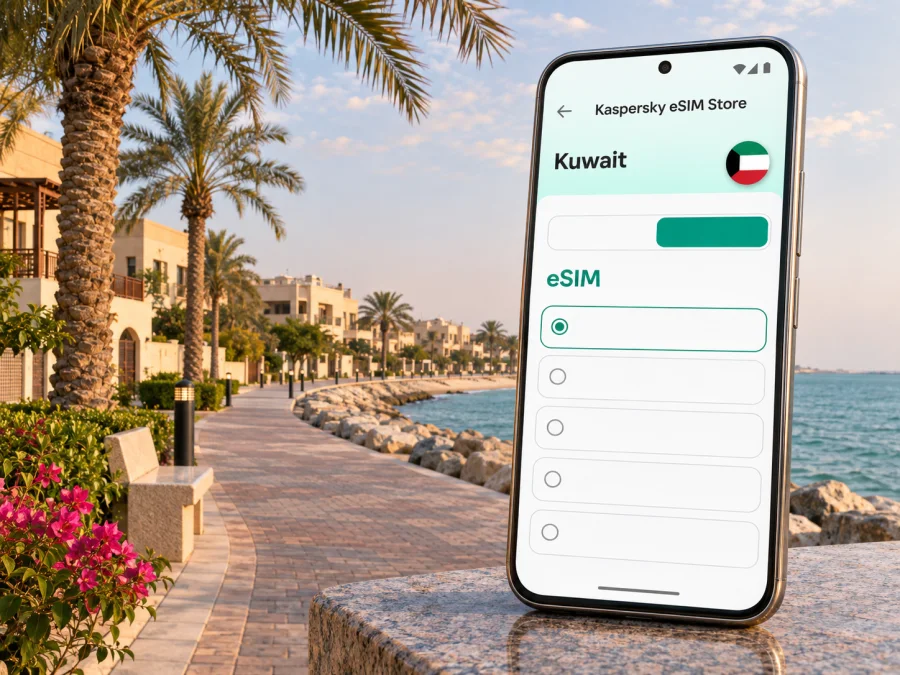
Mangaf eSIM: mobile connection and internet for your visit
Mangaf is a residential coastal area in Kuwait’s Al Ahmadi Governorate, south of Kuwait City. It suits visitors who are staying with family, working in the southern part of the country, or using the coast as a quieter base. A phone connection is useful from the moment you land: for checking your accommodation details, arranging a pickup, navigating local streets, and keeping plans in sync when you travel between Mangaf, Fahaheel, and the capital.
An eSIM can make mobile data easier to prepare before a trip. It is a digital SIM profile installed on a compatible, unlocked device; it does not require you to remove the physical SIM already in your phone. The exact service, data allowance, validity period, and supported network depend on the selected tariff. Check those details before purchase, and treat coverage as something that can vary between locations, buildings, and times of day.
First, understand where Mangaf is
Mangaf is an area rather than a separate governorate. Kuwait’s Central Statistical Bureau places it in Al Ahmadi Governorate, whose settlements extend along the country’s eastern Gulf coast. For a visitor, the most useful distinction is practical: Mangaf is not a central Kuwait City neighbourhood. If your plans include both the capital and the southern coast, allow for road travel and use a map with your exact destination pinned before setting off.
The name may appear with slightly different transliterations in maps and booking records. Save the address in the spelling supplied by your host or hotel, then confirm the street, block, and building details. In a residential area, a broad place name alone may not be enough for a driver or navigation app to identify a particular entrance.
Mangaf’s coastal setting shapes a different kind of visit from a downtown city break. Your day may involve a local errand, a meal or walk near the shore, and a longer drive to a business appointment or attraction elsewhere in Kuwait. That makes dependable access to maps, ride coordination, messaging, and updated opening information more useful than relying on a single downloaded route.
Arriving in Kuwait and continuing to Mangaf
Kuwait International Airport is the main arrival point for international visitors. The airport publishes information about taxis and buses, rental cars, and limousine services. Choose the transfer that suits your arrival time, luggage, and onward plans, and check current details at the airport before departure; availability, pickup arrangements, and routes can change.
Before leaving the terminal, it helps to have the accommodation address saved offline as well as in a message. If you are meeting someone, agree on a precise pickup point and a backup way to contact each other. Airport Wi-Fi, when available, can help with the first check-in, but it is sensible not to make your entire arrival plan depend on finding a network or reconnecting after you leave the terminal.
A short arrival checklist:
- Save your host’s or hotel’s full address, including block and building details.
- Keep the booking confirmation and a contact number available offline.
- Confirm who is meeting you, where to wait, and what to do if plans change.
- Check the airport’s current taxi, bus, rental-car, or limousine information.
- Open your map before the trip and download an offline area if the app supports it.
- Keep your phone charged; a cable or power bank is useful on a long travel day.
Mobile data is particularly handy after a delayed flight or a late arrival, when you may need to message about a change of pickup point. It can also help you compare the route shown by your driver with the address you were given. Avoid assuming that a map pin is exact: confirm the destination with your host if the building entrance or street name is unclear.
Getting around Mangaf and nearby areas
Mangaf is best approached as one stop in a wider southern Kuwait itinerary. Fahaheel and other nearby districts may feature in shopping, dining, work, or family plans; Kuwait City may be a separate trip rather than a quick neighbourhood hop. Before setting off, check the complete route, estimated travel time, and destination entrance in a current navigation app. Traffic and road conditions are variable, so an estimate is a planning aid, not a guarantee.
| Plan | How mobile data helps | Practical check |
|---|---|---|
| Meet a driver after arrival | Share a live update or confirm a pickup point | Agree on the terminal and exact meeting place |
| Find a residence in Mangaf | Follow turn-by-turn directions and message the host | Use the full address, not only “Mangaf” |
| Go to Fahaheel or another nearby area | Compare route options and check the destination pin | Confirm opening hours and return arrangements |
| Attend a meeting elsewhere in Kuwait | Check traffic and share an updated arrival time | Leave a buffer and keep the address accessible offline |
| Spend time by the coast | Locate cafés or services and coordinate with companions | Check local conditions and don’t rely on a signal at every spot |
The most reliable routine is to plan the next leg while you have a stable connection, then keep the essential details available offline. If you change cars or meet someone at a busy location, send the name of the meeting point as well as a pin. A pin may open in a different map app than the one your contact uses, and a short written description can prevent confusion.
Choosing an eSIM for a Mangaf trip
A city name is helpful for planning, but eSIM tariffs are generally organised by country or region. Mangaf is in Kuwait, so check that the tariff’s stated destination includes Kuwait and that its validity covers your dates. If your itinerary also includes another country, verify whether the selected plan covers that destination too; a Kuwait-only plan should not be assumed to work across a border.
Kaspersky eSIM Store is an app and website where you can choose, purchase, and activate an eSIM with a suitable tariff for mobile internet while travelling abroad. The tariff’s terms determine the data allowance, validity, supported destination, and any other conditions. Review the offer shown for your trip rather than relying on a general description or an old screenshot. Explore eSIM options for a trip to Kuwait.
Use this comparison when deciding what to check:
| Your trip pattern | What to look for in the tariff |
|---|---|
| One or two days in Mangaf | A validity period that includes arrival and departure days; avoid paying for time you will not use if alternatives are available |
| A longer stay with regular navigation | Enough data for maps, messaging, browsing, and any work tasks you expect to do |
| Video calls or frequent uploads | A larger allowance may be appropriate; use Wi-Fi for large updates when convenient |
| Mangaf plus other Kuwaiti destinations | Confirm the country coverage and validity rather than choosing by the city name alone |
| Kuwait followed by another country | Check whether a regional option includes every destination, or plan separate tariffs |
There is no universal data amount that suits every visitor. Maps and text messages typically use less data than repeated video calls, media uploads, or streaming. Your consumption also depends on app settings: automatic photo backups, system updates, and video autoplay can use data in the background. Check your phone’s data-usage screen after the first day and adjust those settings if necessary.
Device compatibility and preparation
Before choosing a tariff, verify that your exact phone model and regional variant support eSIM. Some device families have different capabilities depending on where a handset was sold; the model name alone may not settle the question. Also check that your phone is not locked to a carrier and that its operating system meets the installation requirements. Check whether your device supports eSIM.
Keep your regular SIM active if you still need its number for calls, texts, or account verification. An eSIM tariff for travel may provide mobile data without a standard phone number, voice service, or SMS; those features should only be expected when the selected offer explicitly includes them. You can often keep your home SIM for calls and use the travel eSIM for data, but the available dual-SIM behaviour depends on the phone.
Before you travel:
- Confirm the device model, region, eSIM support, and carrier-unlock status.
- Check the tariff’s destination, data allowance, validity, and activation conditions.
- Install the eSIM while you have a stable internet connection, following the device instructions.
- Label the lines clearly, for example “Home” and “Travel,” so you can identify them later.
- Decide which line should handle mobile data and whether data roaming must be enabled for that eSIM, as specified by its instructions.
- Keep the installation details somewhere accessible until setup is complete; do not delete an eSIM profile unless you understand the consequences.
If your phone asks when to activate or start using the tariff, follow the specific instructions that came with the selected plan. Installation and first connection are not always the same event. Do not assume that the validity period starts at purchase, installation, landing, or first network connection; verify the plan’s stated rule.
Installing and activating the travel eSIM
For the smoothest setup, install the profile before departure while connected to reliable Wi-Fi, if the tariff instructions allow it. Some profiles are intended for installation shortly before use or at the destination, so follow the supplied steps rather than scanning a QR code repeatedly. Keep a copy of the QR code or activation details on another screen or device if the setup method requires scanning it.
On arrival, select the travel eSIM for mobile data and check that the phone has connected. If the instructions say to enable data roaming for that line, do so for the travel eSIM only; menu names vary by phone. Leave your home line configured according to your own needs and plan terms. A short delay while the device registers can happen, but if service does not appear, use the troubleshooting sequence below instead of changing several settings at once.
- Confirm that the eSIM line is enabled in the phone’s cellular or SIM settings.
- Check that the travel line is selected for mobile data.
- Review the tariff instructions for any data-roaming or manual-network-selection step.
- Toggle airplane mode briefly, then allow the phone to reconnect.
- Restart the phone if the connection still does not appear.
- Check the plan’s destination, validity, and remaining data in the app or account.
- Contact the service’s support team if the profile or plan status remains unclear.
Installation guides: setup instructions for Android and setup instructions for iPhone.
Do not remove a working eSIM just to troubleshoot. Some profiles cannot be reinstalled freely after deletion. If you change phones during the trip, check the transfer and reissue rules first; an eSIM is not automatically portable in the same way as a physical card.
Staying online during a work or family visit
For a business trip, save meeting details and documents before leaving your accommodation, and test a video call from the room if one is essential. For a family visit, keep important contacts available outside a single chat thread and agree on a backup if someone’s battery runs low. If Mangaf is a short stopover, save the onward flight and airport transport details before leaving; keep enough time to return and complete airport procedures.
Coverage, speed, and sensible expectations
Kuwait has several licensed mobile service providers. The Communications and Information Technology Regulatory Authority publishes nationwide benchmarking, including measurements taken across urban and rural areas, roads, islands, and indoor environments. Such a report is useful context for the national market, but it does not tell you how a particular eSIM will perform at one address in Mangaf. The provider and roaming arrangements behind a travel tariff, handset bands, building materials, congestion, and local conditions can all affect the result.
That is why it is better to plan around essential tasks than to expect a particular speed everywhere. Download maps and tickets in advance, send time-sensitive messages before a drive, and use a trusted Wi-Fi connection for large downloads when practical. If the connection becomes slow, move to a more open area when safe, pause background transfers, and retry later. A temporary change in signal does not necessarily mean the eSIM has stopped working.
Frequently asked questions
Is Mangaf a city or a district?
For travel planning, treat Mangaf as an area in Al Ahmadi Governorate, Kuwait. Official administrative mapping includes Mangaf among the governorate’s areas. Some travel sites and everyday usage may call it a town or city, but a street-level address is more useful for navigation than the label.
Is there a separate eSIM tariff for Mangaf?
Tariffs are generally listed by country or region, not by each neighbourhood. Check the destination field for Kuwait and review the tariff conditions. A Kuwait plan may be suitable for a stay in Mangaf if its stated coverage and terms fit your trip.
Can I use an eSIM for maps and messaging?
A travel data eSIM can support internet-based services when the selected tariff is active and the phone has a compatible connection. Maps, messaging, email, and app-based calls can use mobile data. A data-only tariff does not automatically include a local phone number, conventional voice calls, or SMS.
Will it work inside my accommodation?
No one can guarantee service inside a particular building. Coverage can differ indoors and outdoors, and actual performance depends on the network arrangement, device, signal conditions, and congestion. Save key information offline and ask your host whether Wi-Fi is available as a backup.
Should I install the eSIM before flying?
Often this is convenient, provided the tariff instructions allow pre-installation and you have a stable connection. Check when validity begins and when the profile should be enabled. If the instructions specify installation or activation at a particular time, follow them.
What if my phone does not connect after landing?
Make sure the eSIM line is enabled and selected for data, then check the plan’s activation and roaming instructions. Allow the phone to register, briefly toggle airplane mode, and restart if needed. If the problem continues, contact support and keep the profile installed while you troubleshoot.
Can I keep my usual number active?
Many dual-SIM phones can keep a physical SIM and an eSIM profile available, but how the lines work together depends on the model, region, settings, and carrier. Check your device instructions and decide which line handles mobile data. The tariff itself may not include regular calling or SMS.
Before you set out
Use this final check before leaving for Mangaf or travelling beyond it:
- The accommodation or meeting address includes enough detail to identify the entrance.
- Your airport transfer and local transport plan are clear.
- The eSIM is supported by your exact unlocked device variant.
- Kuwait is included in the tariff, and the validity dates cover the visit.
- The correct line is selected for mobile data, with settings configured as instructed.
- Maps, booking details, and key contacts are available offline.
- You know how to check remaining data and reach support.
For a visit centred on Mangaf, preparation is mainly about moving between a precise address, your arrival point, and the places you plan to visit. An eSIM can simplify access to maps and messaging, while a clear tariff check and an offline backup keep the plan useful when local conditions change.
Prepare your eSIM for Mangaf
Before you travel, use the Kaspersky eSIM Store app or website to review the current options for Kuwait, compare each tariff’s data allowance and validity, and choose one that matches your itinerary. Install and activate it according to the plan instructions, then keep your essential address and arrival details saved offline. Choose an eSIM tariff for your Kuwait trip.


