Travel connectivity guide
Mangilao eSIM: Mobile Internet for Guam Travel
Mangilao eSIM: mobile connection and internet for your Guam trip
Mangilao is a practical base for a Guam visit shaped by university appointments, family visits, local errands, or time spent away from the hotel strip. Mobile data helps with the unglamorous parts of the day: checking an address, confirming a pickup point, messaging a host, and adjusting plans when a meeting runs late. An eSIM can make that preparation easier, provided the selected plan specifically covers Guam and your device supports eSIM.
Mangilao is a village in central Guam, between Barrigada and Chalan Pago. The University of Guam and Guam Community College are located here, so visitors may come for campus meetings, events, study, research, or work as well as leisure. This is not the same trip pattern as staying in Tumon: you may spend more time navigating between campus, accommodation, shops, and other villages, and less time following a hotel-centered itinerary.
Why mobile data is useful in Mangilao
Mangilao is spread across residential areas, campus grounds, and roads connecting the central part of the island. A working data connection is useful for more than turn-by-turn navigation. You can check messages from a driver, look up a business before leaving, share a live location with a travel companion, or confirm the latest details for a campus visit.
Common situations include:
- Arriving from the airport: confirm the accommodation address, contact your host, and check the route before leaving the terminal.
- Visiting the University of Guam: open the right campus entrance or building location, then message your contact if you need directions on arrival.
- Staying with family or in a residential area: coordinate a pickup and use a map when a street name or turn is unfamiliar.
- Driving across Guam: check the next stop and estimated route before setting off; avoid handling your phone while driving.
- Working remotely: use mobile data as a backup for messages and essential online tasks, while checking your lodging’s Wi-Fi and any work requirements separately.
- Taking a short stopover: keep boarding, transport, and accommodation messages available without relying on finding public Wi-Fi first.
A useful rule is to prepare a connection for the whole itinerary, not just for the first place you plan to visit. If Mangilao is one stop on a wider Guam trip, check that the plan’s destination and validity cover every part of the route where you intend to use it.
Getting from the airport and finding your way
Guam’s international gateway is A.B. Won Pat International Airport. From the terminal, visitors typically continue by prearranged transfer, taxi, rental car, or another transport option that is operating for their arrival time. Check the current pickup and service details before departure; availability and schedules can change.
Mangilao is inland from the main airport and hotel areas. Before you travel, save the exact accommodation or campus address, including a building or entrance when available. “Mangilao” alone is not a precise navigation destination. A map pin sent by your host or appointment contact can be more useful than searching by village name after you land.
If you rent a car, plan the first route while parked. Guam’s road network connects villages, but a route may involve turns onto local roads and entrances that are easy to miss when you are unfamiliar with the area. Use navigation for orientation and follow road signs and local rules. If a route becomes unclear, pull over safely before checking your phone.
For a taxi or arranged ride, send the driver the full destination in advance and keep the contact number or message thread accessible. Mobile data can support the conversation, but it is wise to retain the pickup instructions offline too: save a screenshot, write down the address, and agree on a clear meeting point.
Mangilao as a village, not a resort district
Guam is a U.S. territory in the western Pacific, but it is a distinct island destination and mobile market. Mangilao is one of Guam’s villages rather than a separate city or a district of Tumon. The distinction matters when you search for places and connectivity: a U.S. destination label can refer to the mainland market, while a Guam plan or regional variant may have separate coverage terms. Read the exact destination and network conditions shown for the plan before purchase.
The University of Guam’s campus and Guam Community College give Mangilao a strong education and community focus. Visitors may be coming to a campus building, local event, nearby neighborhood, or a destination elsewhere on Guam after an appointment. The best mobile-data setup depends on this pattern: a visitor staying in Mangilao all week may need regular navigation and messaging, while someone attending one meeting may mostly need directions, email, and a reliable way to coordinate transport.
The village also sits among other settled areas. The Guam Visitors Bureau places Mangilao between Barrigada and Chalan Pago and notes subdivisions extending toward Dededo and Yigo. That geography is a reminder to use the exact destination rather than assuming that one central pin covers every address described informally as “near Mangilao.”
Choose an eSIM for Guam, not just a familiar label
An eSIM is a digital SIM profile that you install on a compatible device. For a trip to Mangilao, the key question is whether the selected data plan explicitly includes Guam. Guam’s political status does not make every plan labeled “United States” automatically suitable for the island. The plan’s country or territory list, service area, validity period, data allowance, and restrictions are the details to rely on.
Before deciding, compare your expected use with the plan conditions:
| Trip pattern | What to consider |
|---|---|
| Campus visit for a day or two | A smaller allowance may be enough for maps, messaging, email, and ride coordination if you use Wi-Fi for larger downloads. |
| Several days in Mangilao | Estimate how often you will navigate, upload photos, make video calls, or use cloud services away from Wi-Fi. |
| Work trip across Guam | Allow for navigation and hotspot needs only if tethering is permitted by the plan; keep a separate backup for time-sensitive work. |
| Guam plus other destinations | Check each destination explicitly. A Guam plan may not include other islands or countries, and a regional plan’s named coverage list matters. |
| Brief transit stop | Check when validity begins and whether the plan can be installed before arrival without starting its usage period. |
Data needs are individual. Navigation and text messages usually use less data than video streaming, large photo backups, or frequent video meetings. If you expect to use data heavily, check whether your phone is uploading media automatically and whether apps can download updates over Wi-Fi only.
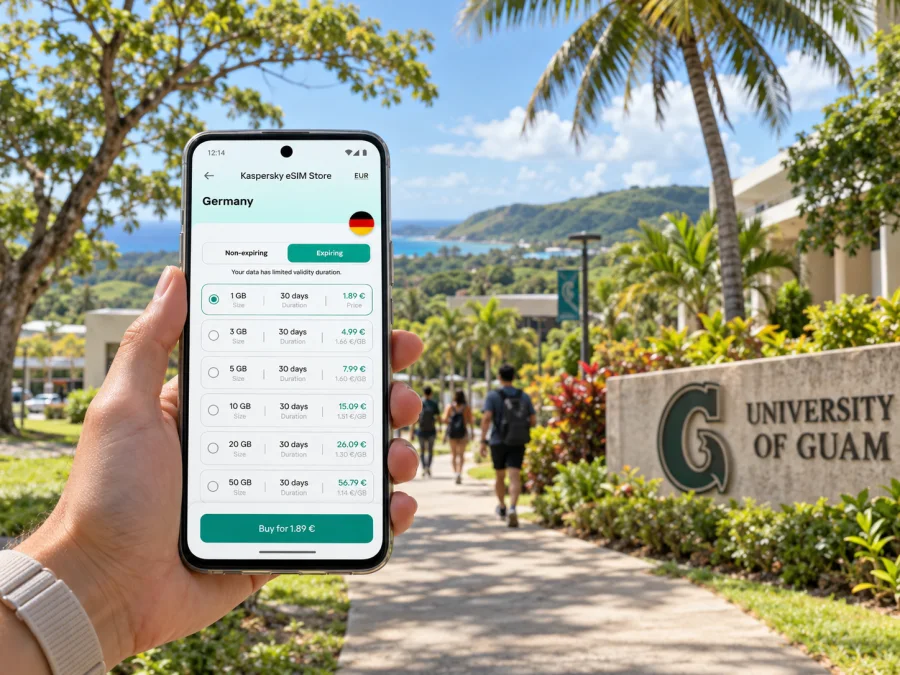
Kaspersky eSIM Store is an app and website where you can choose, purchase, and activate an eSIM with a suitable plan for mobile internet while traveling abroad. To prepare for Mangilao, browse eSIM plan options for Guam and confirm the destination coverage and current terms shown for the plan you select. The store helps you prepare the eSIM; mobile service itself depends on the plan and the local network conditions.
What to compare before purchase
- Destination: Guam should be included by name, or clearly included in the plan’s coverage details. Do not infer coverage from a U.S. flag, a nearby island, or the word “Pacific.”
- Data allowance: choose an amount that fits how you use maps, messaging, email, photos, and calls over apps.
- Validity: check the number of days and the event that starts the validity period. This can matter when you install before travel.
- Tethering: if you plan to connect a laptop or tablet through your phone, check whether hotspot use is allowed and whether it has separate limits.
- Device and carrier lock: confirm eSIM support and that the phone is not locked to a carrier in a way that prevents adding another profile.
- Voice and SMS: travel data eSIMs are generally for mobile internet and may not include a regular phone number, calls, or SMS. Keep your primary line active if you need it, and check its roaming terms.
- Network selection: service depends on the local network and the plan’s roaming arrangements. Coverage and performance can vary by location, building, device, and time.
A note on Guam’s mobile market and coverage
Guam has its own local telecom market. The Guam Visitors Bureau lists Docomo Pacific, GTA TeleGuam, and IT&E/PTI among local internet providers. These are local-market names; they should not be confused with the brand or home network shown on your phone, or with the company that provides the eSIM interface you used to select a travel plan.
That distinction matters most when comparing a travel eSIM with your existing line. Your home carrier may treat Guam differently from the continental United States, and an eSIM plan may connect through a local partner under its own terms. Confirm the destination coverage in the plan details and ask your home carrier about roaming if you intend to keep using your regular SIM. A map or a provider’s broad island-level coverage statement cannot guarantee reception inside a particular Mangilao building.
In practice, expect the experience to depend on where you are: indoors on campus, on a residential road, in a vehicle, or in a more built-up area. Building materials, terrain, congestion, device bands, and network arrangements all affect performance. Keep a second way to reach an important contact, especially for a scheduled pickup or appointment.
Check your phone before you travel
Most eSIM problems are easier to prevent at home, where you have reliable Wi-Fi and time to read the setup instructions. Confirm that your phone model and regional version support eSIM. Some manufacturers sell different device variants in different markets, and two phones with the same product family name may not have identical SIM capabilities. Also check that the device is not carrier-locked.
Check whether your device supports eSIM before purchasing. Use the exact model number in your device settings or on the manufacturer’s documentation; a broad model name alone may not identify a regional variant. If your phone has a physical SIM from your home carrier, you may be able to keep it for calls while assigning mobile data to the travel eSIM, depending on the device’s dual-SIM features.
Before leaving:
- Update the operating system while connected to Wi-Fi.
- Make sure you can access the email or account used for the purchase.
- Confirm the eSIM installation method and whether a QR code or in-app flow is used.
- Keep the QR code available on another screen or printed page if required; a single phone cannot scan a code displayed only on itself.
- Do not delete an installed eSIM profile during troubleshooting unless support or the plan instructions tell you to do so.
- Review which line is selected for mobile data and whether data switching is enabled.
Install and activate with a simple plan
Install the eSIM while you have a stable internet connection and follow the instructions shown for your device. The installation and activation steps can differ by phone model, operating system, and plan. The profile may be installed before departure, while the service period or data use may begin at a different point; check the selected plan’s conditions instead of assuming a universal start time.
Use the appropriate guide for your operating system: eSIM installation instructions for Android and eSIM installation instructions for iOS.
A practical sequence is:
- Connect to Wi-Fi and open the purchase or activation instructions.
- Add the eSIM profile using the method provided for the plan.
- Label the line clearly, for example “Guam data,” so you can identify it later.
- Leave your primary line configured for calls and messages if you need it, and set the travel eSIM as the mobile-data line when appropriate.
- At the time specified in the plan instructions, enable the eSIM and any required data-roaming setting for that line.
- Check that mobile data works before relying on it for directions or transport.
If you are not yet in Guam, a profile can show as installed without being able to connect to the intended local network. That does not by itself prove the installation failed. Check the plan’s activation instructions and use the support route provided with your purchase if the expected service does not start after arrival.
If mobile data does not connect
Troubleshoot in a calm order rather than deleting the profile or changing several settings at once:
- Confirm you are in the plan’s covered destination and that its validity has started.
- Check that the eSIM line is enabled and selected for mobile data.
- Turn airplane mode on briefly and then off, or restart the phone if needed.
- Review the plan’s instructions for data roaming and manual network selection; change these only as directed.
- Move to a different location, preferably outdoors or near a window, and check again.
- If the issue continues, use the purchase support channel and provide the device model, location, and the steps already tried.
Avoid deleting an eSIM profile as an initial fix. Some profiles cannot be reinstalled after removal, and the correct recovery path depends on the plan. Keep access to Wi-Fi or another connection for support if possible.
Quick checklist for a Mangilao trip
Before choosing a plan
- [ ] Guam is explicitly included in the plan coverage.
- [ ] The data amount and validity match your stay and expected usage.
- [ ] Hotspot rules, voice/SMS limitations, and activation terms are understood.
- [ ] Your exact device variant supports eSIM and is not carrier-locked.
Before departure
- [ ] The eSIM is installed or ready to install according to the instructions.
- [ ] Your accommodation, campus destination, and pickup details are saved.
- [ ] You know which line will handle data and which will receive calls or texts.
- [ ] Offline maps and essential confirmations are available.
After arrival
- [ ] Activate the plan at the point specified in its terms.
- [ ] Check data before setting off for Mangilao.
- [ ] Keep an offline copy of important addresses and contacts.
- [ ] Use a safe stopping place before handling navigation while driving.
Frequently asked questions
Is Mangilao a city or a village?
Mangilao is a village in central Guam. It lies between Barrigada and Chalan Pago and includes major educational institutions, including the University of Guam and Guam Community College.
Does a United States eSIM automatically include Guam?
No assumption is safe. Guam is a U.S. territory but has a distinct local mobile market, and plan coverage can be defined differently from the mainland United States. Check that Guam appears in the coverage details for the specific plan.
Will an eSIM work at every address in Mangilao?
No provider can responsibly guarantee service at every address or indoors in every building. Reception depends on the local network, the plan’s arrangements, location, device, and surroundings. Check plan terms and keep essential information available offline.
Does a travel eSIM replace my regular number?
Usually, a travel data eSIM provides mobile internet and does not replace your primary number. Calls and SMS are not included unless a plan says so. You can keep your regular SIM for calls or messages if your phone supports the required dual-SIM setup, while checking your carrier’s roaming charges.
Can I install the eSIM before flying to Guam?
Often the profile can be installed in advance, but when the validity period starts varies by plan. Follow the selected plan’s instructions and confirm the start conditions before installation or activation.
How much data should I choose for a short visit?
There is no single right amount. Maps, messages, and email generally require less data than frequent video calls, streaming, hotspot use, or automatic photo uploads. Review your normal usage and choose based on the plan’s allowance and validity.
Can I use the eSIM in another place after Mangilao?
Only if the plan includes that destination. Review the list of covered countries and territories before traveling elsewhere on Guam’s neighboring islands or beyond. Do not assume a Guam plan includes the Northern Mariana Islands or other Pacific destinations.
Prepare your connection before the trip
A smooth Mangilao visit starts with a few precise details: the exact address, a workable route from the airport, an eSIM plan that names Guam in its coverage, and a phone that supports the correct eSIM variant. Save essential information offline so a temporary signal issue does not disrupt a pickup or appointment.
When your device and destination are confirmed, choose an eSIM plan for your trip to Guam through Kaspersky eSIM Store. Review the plan terms, install the profile using the relevant guide, and activate it according to its instructions before you rely on mobile data around Mangilao.


