Travel connectivity guide
Mangochi eSIM: Mobile Internet for Malawi Travel
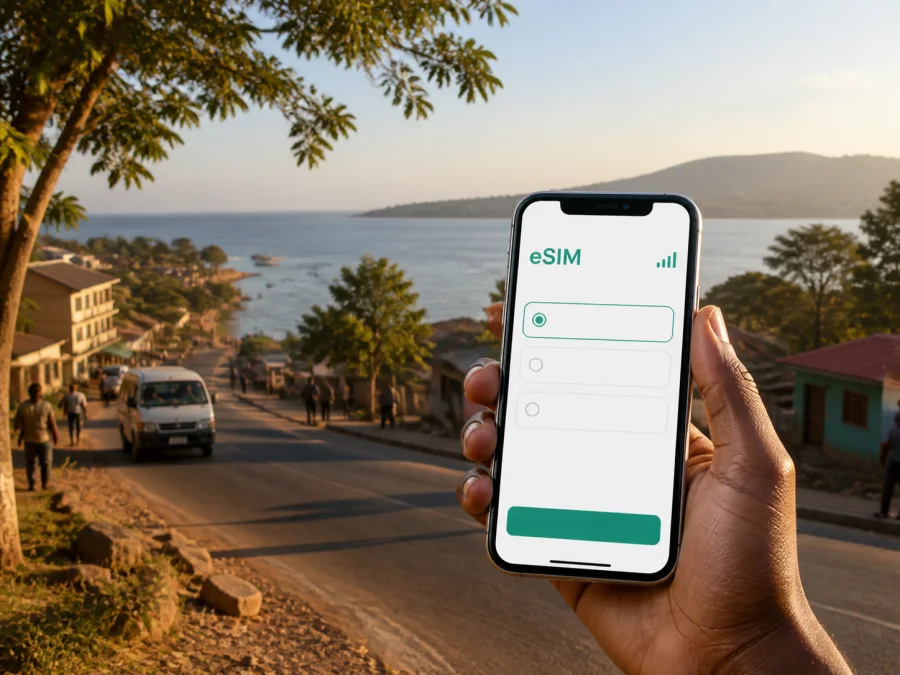
Mangochi eSIM: mobile connection and internet for your Malawi trip
Mangochi is a practical base for exploring southern Malawi. The town sits on the Shire River near the southern end of Lake Malawi, combining everyday urban activity with lakeshore resorts, historic places and road journeys. Mobile internet is useful from the first transfer: you may need to confirm a room, share an arrival time, check a route or contact a driver.
An eSIM, or virtual SIM card, can help you prepare that mobile connection without replacing the physical SIM already in your phone. You choose an eSIM plan for the country or region, install it on a compatible device and use it for mobile data during the trip. This is especially convenient when your Mangochi itinerary includes several types of travel: a town hotel, a lakeshore lodge, a day excursion and a longer road transfer.
Why mobile internet matters in Mangochi
The most useful online tasks usually happen at practical moments:
- confirming where a driver will meet you after a road journey;
- sending accommodation details to someone travelling with you;
- checking a map between Mangochi town and a lakeshore property;
- viewing a reservation without looking for public Wi-Fi;
- coordinating a guide, activity or transfer through a messaging service.
Coverage and performance can vary by place, device, network conditions and local infrastructure. Treat a plan as a tool for staying connected, not a guarantee of the same signal on every road or lakeshore viewpoint. Save reservations, addresses and contacts offline before leaving for areas where service may be less consistent.
Mangochi as a travel base
The town is associated with the Shire River and the southern end of Lake Malawi. Mangochi also has a busy market, shops and the Lake Malawi Museum. Your day may begin with a town errand, continue toward the water and finish with a return trip rather than staying in one compact visitor district.
Think of Mangochi as a set of connected travel zones rather than a single walkable resort area.
| Part of the itinerary | What you may need online | Connection habit |
|---|---|---|
| Mangochi town | Accommodation messages, maps, shop or meeting-point details | Download the town area and keep the hotel address in your notes |
| Southern lakeshore | Lodge messages, activity timing, weather checks | Ask the property about its exact directions and save them offline |
| Road transfer out of town | Navigation, arrival updates, changing plans | Charge your phone and keep a small data reserve |
The right plan depends on your route, habits and the tariff’s stated traffic and validity.
Arriving in Mangochi
Many visitors reach Mangochi as part of a wider Malawi itinerary, with a final road leg, airport transfer or lakeshore route. Keep this information accessible before the last leg begins:
- The full name and phone number of your accommodation.
- The name of the person meeting you, if a transfer is arranged.
- A written meeting-point description, not only a map pin.
- Your arrival window, reservation and late-arrival instructions.
If you are changing vehicles, send a message before the first one leaves. Save the accommodation location, a landmark and a local contact number; allow time for a careful handover. A mobile data eSIM can let you keep your usual physical SIM available while assigning travel data to the eSIM, subject to your device and tariff configuration.
Moving around town and the lakeshore
Local movement may combine walking in the central area, a taxi or minibus to a meeting point, and a car journey toward a lodge or activity. Ask about final road conditions and pickup arrangements as well as checking the map.
For each movement, answer these questions:
- Where does the trip start: hotel entrance, market area, bus stop or roadside point?
- Is the practical mode walking, taxi, minibus, hired car or arranged transfer?
- What happens at the destination: reception, jetty or lodge driveway?
“Mangochi” may refer to the town, the district or a wider lakeshore itinerary. Ask for a description that a local driver can use and keep it written on your phone.
Navigation habits that reduce friction
- Pin your accommodation before you leave a stable connection.
- Screenshot the route and the final turn if the road becomes less familiar.
- Keep your phone secure in busy public places and carry a power bank.
- Agree on a meeting time and place before an activity.
- If a route changes, notify the next person before continuing.
Set large downloads to Wi-Fi, limit background updates and check which SIM is assigned to mobile data.
Choosing an eSIM plan for a Mangochi itinerary
Start with the journey, not just a nominal number of days. Count the first and last planned data-use days, then consider whether you will use maps, calls, hotspot or photo uploads.
Use this simple planning model:
| Your pattern in Mangochi | Likely data behaviour | What to examine in the plan |
|---|---|---|
| Short stopover | Messages, one transfer, occasional map checks | Validity that covers the arrival and departure window |
| Town plus lakeshore stay | Daily navigation, reservations and photo sharing | Traffic volume and whether the validity suits the whole route |
| Work trip | Email, documents, calls through apps and hotspot needs | Whether the stated allowance is enough for your work routine |
| Multi-stop road trip | Frequent route checks and coordination | Coverage terms, validity, top-up conditions and reserve traffic |
Before choosing, check the destination, traffic allowance, validity, price, activation conditions and any top-up instructions. Conditions differ between plans. More traffic is not automatically better for a short stay, while a minimal allowance may be inconvenient if you navigate daily and share media.
Around the middle of your preparation, you can choose an eSIM plan for a trip to Malawi and review the destination conditions. Kaspersky eSIM Store is an app and website that helps you select, arrange and activate an eSIM with a suitable plan for mobile internet abroad. The actual network experience depends on the selected plan, compatible device and local conditions.
Prepare before leaving for Mangochi
An eSIM is easiest to use when setup is complete before the busy part of the journey. You may install it at home or after arrival, depending on the plan and device. Check when data use begins and keep another way to access the internet if you plan to install after landing.
Device and account checklist
- Confirm that your smartphone supports eSIM and is not locked to an operator. Check your device compatibility before purchasing.
- Make sure you can access the account or profile where the eSIM details will appear.
- Keep the QR code or installation information available when needed.
- Charge the phone, pack a power bank and decide which line will handle mobile data.
Menus differ between models and operating-system versions, and regional versions may have different eSIM support. A compatible phone may also need to be unlocked. If the compatibility result or plan instructions do not match your device, pause and check the details.
How to install and activate eSIM
Use the plan’s instructions as the primary reference. The broad sequence is usually as follows, although labels can differ on your phone:
- Check the conditions. Confirm eSIM support, operator-unlock status and access to Wi-Fi or another internet connection for setup.
- Open mobile-network settings. Choose the option for adding a mobile plan or eSIM.
- Add the profile. Scan the supplied QR code or follow the profile instructions shown in your account.
- Label the line. Give the travel eSIM a clear name, such as “Malawi data”, so it is easy to identify.
- Choose mobile data. Select the travel eSIM for mobile data when you want to use it, while keeping your preferred line for calls if appropriate.
- Review data roaming settings. Some devices or plans may require data roaming to be enabled for the eSIM; use the plan’s instructions and check your other line to avoid unintended roaming charges.
- Test the connection. Open a lightweight page or send a message after activation. Connection may take several minutes and depends on the device and local network.
For device-specific guidance, see the Android eSIM installation instructions and the iOS eSIM installation instructions. On dual-SIM devices, review which line is selected for mobile data, calls and messages before starting navigation in Mangochi.
If you will not use the eSIM until you reach Malawi, save the installation details and activate it according to the plan terms. On arrival, enable the travel line, select it for data and allow time for registration. If it does not connect, recheck the data-line selection and required settings before contacting support.
Data habits for hotels, work and sightseeing
Accommodation varies between Mangochi town and the lakeshore. A hotel or lodge may offer Wi-Fi, but its performance can vary, so keep mobile data available for arrival coordination and outdoor movement.
For a business trip, download documents before leaving a stable connection, use lower-bandwidth call settings where practical and postpone large updates. If you need a hotspot, check the plan conditions and battery level.
For a leisure trip, save accommodation information, transport contacts and the daily plan. Share photos selectively until you know how much traffic remains, and tell your accommodation when you expect to return from a quieter lakeshore area.
Mangochi sights and trips beyond town
The Lake Malawi Museum offers a cultural stop between errands and longer journeys. The Shire River setting and southern lakeshore have accommodation and activities spread along routes rather than in one downtown block. Plan around transport time, daylight and confirmed arrangements.
Onward travel may lead toward the southern lakeshore, Monkey Bay or Cape Maclear, or toward destinations such as Liwonde or Zomba. Treat each as a separate route and check the plan’s validity, traffic allowance and your communication method at each overnight stop.
Before a day trip, write the starting point, destination, driver or guide, meeting landmark, planned return and backup contact in your phone. Mobile internet supports the plan, while offline notes make it more resilient.
When the connection does not behave as expected
If the eSIM is installed but data is not working, try these steps:
- Check that the eSIM line is switched on.
- Confirm that it is selected as the mobile-data line.
- Review the required roaming and network settings in the plan instructions.
- Move to a clearer-signal location and wait briefly for registration.
- Check remaining traffic and validity in your profile or app.
- Contact support with your device model and completed steps if the issue continues.
Do not remove an eSIM profile simply because the first connection takes time; deleting or reinstalling it may not be reversible. If only one destination has weak service, the cause may be local conditions rather than installation.
FAQ: eSIM and mobile internet in Mangochi
Is an eSIM useful for a short Mangochi stopover?
Yes. It can help with arrival coordination, maps and messages without searching for a physical SIM after a long transfer. Match the plan’s validity and allowance to the short stay and save key details offline.
Can I use the eSIM for ordinary calls and SMS?
Not unless the specific plan says so. These eSIM plans are intended for mobile internet and generally do not add a regular number, voice calling or SMS. Messaging and calling apps can use the data connection where their conditions allow it.
Should I keep my regular SIM active?
That depends on your phone, operator and priorities. A dual-SIM phone may let you keep the usual line available while assigning data to the travel eSIM; review call, message and roaming settings carefully.
Do I need to check compatibility before choosing a plan?
Yes. Confirm eSIM support and that the phone is not operator-locked before purchase. Regional versions can differ, so use the compatibility check and plan requirements.
What if my Mangochi trip includes several places in Malawi?
Check that the selected plan covers the itinerary and compare its validity with your first and last data-use days. Town, lakeshore accommodation and onward road travel need more planning than one overnight stay.
Final preparation checklist
Before leaving for Mangochi, confirm that:
- your device is eSIM-compatible and unlocked;
- the chosen destination, traffic allowance and validity match the itinerary;
- your accommodation address, transfer details and QR code are saved offline;
- you know which line will be used for mobile data;
- roaming and other settings follow the plan instructions;
- your phone and power bank are charged;
- you have a data reserve and understand that connection quality can vary by location.
Stay connected in Mangochi with a prepared eSIM
Mangochi rewards a flexible plan: part town, part river and lakeshore gateway, with road journeys beyond the central streets. Preparing mobile data helps you coordinate arrival, find accommodation and stay in touch without making every decision depend on public Wi-Fi.
Kaspersky eSIM Store helps you choose, arrange and activate an eSIM with a suitable plan for mobile internet during a foreign trip. Review compatibility first, select the Malawi option that fits your route, follow the installation guidance and keep essential information offline. When you are ready, choose an eSIM plan for your Mangochi journey and prepare the connection before the next leg of your trip.


