Travel connectivity guide
Manizales eSIM: Mobile Data for City Travel
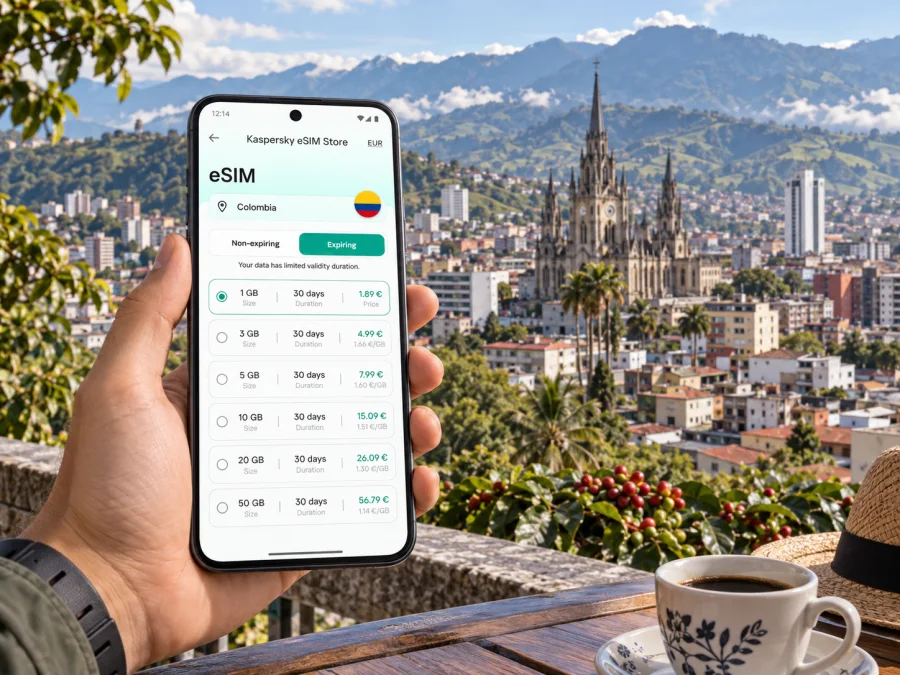
Manizales eSIM for mobile connection and internet
Manizales sits high in the Colombian Andes, where steep streets, changing weather and a compact urban center shape the way visitors move around. A phone with mobile data can help you check a route before leaving a hotel, message a driver, look up a meeting address or find a café between appointments. An eSIM gives you a digital way to connect through a travel data plan, without needing to replace the physical SIM already in your phone.
This guide focuses on using mobile internet in Manizales: what to prepare before arrival, how to move between the airport, downtown and other parts of the city, and how to keep navigation practical during a short visit. Your exact experience depends on your device, selected plan, local network coverage and surroundings, so treat mobile data as a helpful travel tool and keep an offline backup for important routes.
What makes mobile data useful in Manizales
Manizales is not a flat grid. Hills and slopes affect walking times, road routes and how close two places feel on a map. A short distance may involve a climb or a change in elevation, so check the full route before setting off. Mobile data helps you compare walking with a vehicle or public transport and adjust when weather or traffic changes.
Common uses include confirming a hotel address, sharing it with a driver, checking the approach to a meeting, translating a short message, and keeping reservations available. For maps, messaging and browsing, estimate your needs from your itinerary; video calls, file uploads and streaming use more data. Save large downloads for Wi-Fi where possible.
Before you leave: prepare your phone and route details
Set up the essentials while you still have reliable internet access. Save the name and address of your first stop in a note, along with the accommodation phone number or a message from your host. If you have a work appointment, save the building name and any instructions about its entrance. A map pin is useful, but a written address is a good backup if the map loads slowly or the driver prefers to read the destination.
A simple preparation checklist
- Confirm that your phone model and its current software support eSIM. Check whether your device is compatible before choosing a plan.
- Make sure the phone is not restricted in a way that prevents adding an eSIM from another provider. If you are unsure, ask the company that supplied the phone.
- Review your travel plan’s destination, data amount, validity period, activation conditions and supported network details before completing your selection.
- Keep access to Wi-Fi for installation if the plan instructions call for it.
- Keep your existing SIM active if you still need its number for calls or account verification, and review your home carrier’s roaming settings to avoid unexpected charges.
- Download an offline map area and store essential reservations on the device.
- Charge your phone and bring a suitable power adapter or power bank for a long travel day.
The exact eSIM menus differ by phone model and operating system. Follow the instructions shown for your selected plan, and do not delete an installed profile simply because you are unsure whether it has activated. Removing a profile can make it harder to use again. If anything looks different from the instructions, pause and check the plan’s support guidance before changing settings.
Arriving in Manizales
La Nubia is the airport serving Manizales, in the La Enea area. Confirm the airport and onward transport details on your booking. When you are ready, use mobile data or available Wi-Fi to check your pickup arrangement. If a driver is meeting you, agree on a recognizable meeting point and send the full destination address as well as a map pin.
Some properties have entrances that are hard to identify from a map, especially on sloping streets. Ask your host whether a vehicle can reach the entrance and whether stairs remain after drop-off. Before leaving the terminal, check the route, battery and destination name. If data is not ready, use the saved address and offline map while you troubleshoot.
If you arrive by road
Long-distance buses use the Manizales transport terminal in Los Cámbulos. Save the terminal and your next address before arrival. The Cable Aéreo has a station associated with the terminal, but whether it suits your onward trip depends on the route, operating status, hours and luggage. Check current local information rather than assuming every line is running. Plan from the exact address of your next stop; elevation matters more than straight-line distance.
Choose a base that fits your plans
Manizales has several useful orientation areas. Downtown puts you near Plaza de Bolívar and the cathedral; the Cable area has restaurants, shops and business activity; Chipre is known for viewpoints; La Enea is relevant to airport access. These are reference points, not guarantees about any particular hotel or service.
Compare exact addresses rather than relying on labels such as “central.” Check elevation, vehicle access, nearby transport and the time to your first commitment. Ask the property about the entrance and whether a taxi can stop nearby. With heavy bags, a convenient road route may matter more than proximity to a single attraction.
| Priority | Area to consider | Check before booking |
|---|---|---|
| Central landmarks | Downtown, near Plaza de Bolívar | Street access, noise and steep walks |
| Meetings or dining | The Cable area | Distance to the exact office and transport |
| Airport access | La Enea and the route to La Nubia | Transfer details for your flight |
| Viewpoints | Chipre and nearby streets | Elevation and evening return options |
| Bus connection | Los Cámbulos | How you will continue with your luggage |
Getting around: maps, streets and the Cable Aéreo
Roads follow the terrain. Avenida Santander is a major east–west corridor, and Avenida Kevin Ángel is another key route through the city. Traffic, road works and access restrictions can change the best route, so use current map guidance and confirm the block with street signs or local directions.
The Cable Aéreo is part of Manizales public transport. Its routes connect central areas with the transport terminal and neighboring Villamaría; the system has also included a connection toward the Cable area. Stations such as Fundadores, Cámbulos, Betania, Cable and Villamaría are useful map references. Service arrangements, hours and maintenance can change. Check the status and fare before relying on a line, especially for a time-sensitive appointment.
The cable can be a transport option and a way to see how the city connects across its slopes. Match the station to your actual destination and allow time for the walk at each end. If service is unavailable, consider a road-based ride. Walking works for short stretches when elevation makes sense, but rain, luggage or a steep return may make a vehicle more comfortable. For a ride, show the full address and confirm the correct entrance. For your travel dates, compare the destination, validity period and data allowance before choosing a plan. You can review eSIM plans for a trip to Colombia. Kaspersky eSIM Store is an app and website where you can select, arrange and activate an eSIM with a suitable travel data plan. Match the plan details to your Manizales itinerary and likely use.
Staying connected while you work or explore
For a business visit, save office locations and entry instructions in your calendar. Leave time for traffic and the final approach, and message a contact if your arrival changes. Use a stable Wi-Fi connection for video calls or large uploads where practical; mobile data performance varies with location, building materials, availability and congestion.
For sightseeing, download tickets and directions before leaving Wi-Fi. Group stops by area and use data for route changes and messages rather than repeatedly loading large media. If Manizales is a stop between destinations, save terminal or airport details, confirm departure information with the carrier and keep your booking available offline.
How to set up an eSIM for the trip
Install the profile at a time when you have a reliable internet connection and can follow the on-screen steps without rushing. Depending on the plan, installation and the moment data becomes available may be separate events. Read the activation instructions for the specific plan and follow its timing carefully. If you install before departure, leave the profile settings unchanged until you understand which line should provide mobile data in Colombia.
- Choose a plan for the destination and trip duration, then review its data allowance and activation conditions.
- Connect to Wi-Fi if required and open the installation instructions for your phone.
- Add the eSIM profile using the method provided for that plan, such as an in-app flow or a QR code.
- Label the new line clearly, for example “Colombia travel,” so you can distinguish it from your usual SIM.
- When you are ready to use it, select the travel eSIM for mobile data and enable data roaming for that line only if the plan instructions require it.
- Keep your usual line’s roaming settings under your control, then test a basic web page or message when the plan should be active.
Use the step-by-step Android eSIM installation guide or iPhone eSIM installation guide for the relevant device. Menu names can vary by software version, so follow the screen on your own phone and the plan’s instructions. Avoid deleting the profile as a first troubleshooting step; check which line is selected for data, whether airplane mode is off and whether the plan’s activation conditions have been met.
Manage data and keep a backup
Maps and messaging use less data than video, cloud backups, app updates and media uploads. Postpone large updates until Wi-Fi, pause automatic media backups if you do not need them and use offline maps for familiar routes. Phone counters and plan counters may reset at different times, so check both during the trip.
Keep a saved hotel address, a way to contact your host and offline copies of essential travel details. If a journey depends on a current service such as the Cable Aéreo, verify it before leaving. For a meeting or departure, allow extra time and know an alternate route.
A quick travel-day check
- Is the eSIM selected for mobile data?
- Does the plan show the right destination and dates?
- Are roaming settings configured as the plan directs?
- Are your address, route and booking available offline?
- Is your battery charged for navigation and messages?
If data does not work, check the plan’s activation timing, confirm the eSIM is enabled and that the correct line is selected. Move to a location with a clearer signal and consult the plan’s support guidance. Your saved map and address can keep the journey moving while you investigate.
Common Manizales travel scenarios
From La Nubia to a downtown hotel. Save the address and a map pin, check pickup details and message your host. Use the actual route from La Enea rather than estimating from the city center. Keep enough battery to navigate or clarify the entrance.
Arriving at Los Cámbulos. Decide whether the next stop is walkable, served by a current cable route or better reached by vehicle. The right option depends on service status, luggage and your destination. Confirm the final leg before boarding.
Moving between meetings. Save each office separately, include entry instructions in your calendar and allow for slopes and traffic. Share the written address as well as a pin in case the map location is imprecise.
Frequently asked questions
Is an eSIM useful for a short stay in Manizales?
It can help with maps, messages, reservations and work. Compare its validity and data allowance with the length and style of your visit, including how often you expect to use Wi-Fi.
Will a travel eSIM replace my normal number?
A compatible phone may keep more than one SIM line available, depending on its model and settings. You may be able to use one line for data and another for calls or messages; check your device instructions and home carrier terms.
Can I rely on the Cable Aéreo for every trip?
Check current service information before planning around it. Routes, hours and maintenance can change. For a time-sensitive trip, identify a road-based alternative and allow time for the walk from a station or drop-off point.
What if my map stops loading?
Use an offline map, saved address or route screenshot. When data is available again, confirm that the directions still reflect current conditions.
Make the connection part of your plan
Manizales rewards a little route planning: save precise addresses, account for elevation, check transport status and keep offline details available. Mobile data can make those decisions easier during airport transfers, city walks, meetings and onward journeys. Before you travel, compare the duration and data allowance you need, then choose an eSIM plan for Colombia through Kaspersky eSIM Store and follow its setup instructions for your phone.


