Travel connectivity guide
Maracas Bay eSIM: Mobile Data Travel Guide
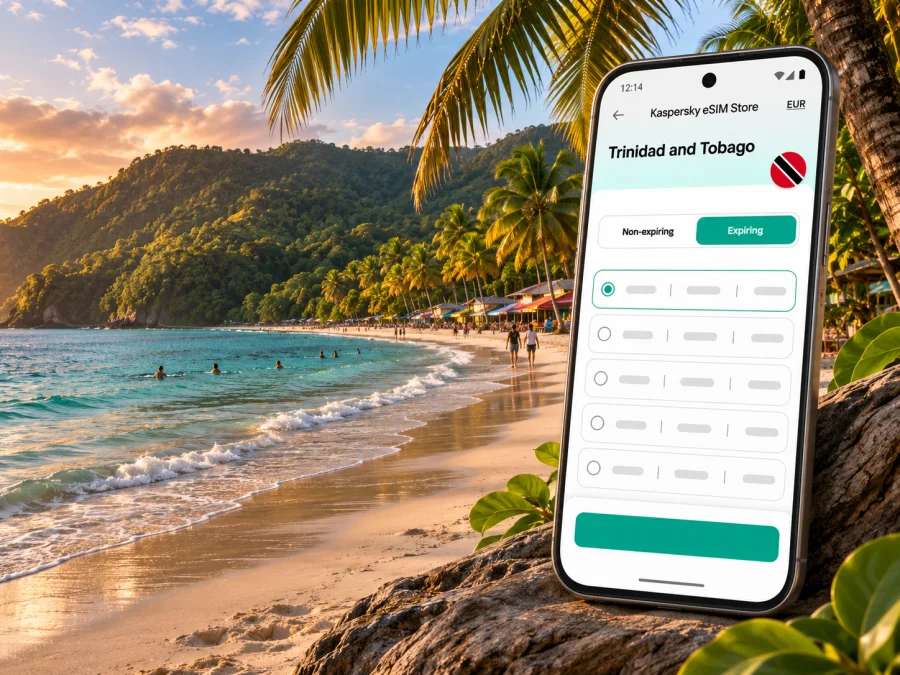
Maracas Bay eSIM: mobile connection and internet for your Trinidad and Tobago trip
Maracas Bay is a beach destination on Trinidad’s north coast, not a city centre. Visitors usually reach it from Port of Spain along a winding coastal road. Mobile internet can help you confirm a pickup, follow directions, check a reservation or coordinate with your group.
An eSIM gives a compatible, unlocked phone mobile data without replacing its physical SIM. Prepare before leaving, but also plan the drive and save essentials offline. This guide focuses on the Maracas Bay trip and what to check before relying on data in Trinidad and Tobago.
What to expect at Maracas Bay
The destination is best understood as a beach and coastal stop within a wider Trinidad itinerary. The official visitor information places Maracas Bay on the island’s north coast and describes the drive from Port of Spain as a winding, roughly 30-minute journey along the mountainside. Treat that figure as a broad orientation, not a guaranteed transfer time: traffic, weather, road conditions, stops and your exact starting point can change the journey.
The road itself is part of the experience. You may want navigation for the route out of the capital, but you should not plan to watch a map continuously while driving. Set the destination before departure, let the driver handle the phone, and use a passenger to check directions when needed. If you are travelling with a hired driver, agree the pickup location and return plan before you head down to the beach, where it may be harder to coordinate by sight.
Maracas Lookout is a separate North Coast Road stop with a view over the bay. Local snack stalls or musicians may be present, but availability varies; do not count on Wi-Fi or a charging outlet.
Maracas Bay has an open shoreline and surf. Follow local water-safety advice; a phone connection is useful for coordination but cannot replace attention to conditions or local instructions.
Where mobile internet helps on this trip
| Moment | Useful phone tasks | Practical backup |
|---|---|---|
| Leaving Port of Spain | Open directions, message your driver, confirm the meeting point | Save the destination and address in advance |
| Along the North Coast Road | Check the route at safe stops; update someone if timing changes | Keep the driver focused on the road and use offline navigation where available |
| At the beach | Coordinate with companions, check a booking, send a message | Agree on a recognisable meeting point and time |
| At Maracas Lookout | Share a photo or check onward directions | Download maps and keep a written note of your return plan |
| Returning to town | Confirm a pickup and navigate to your next stop | Arrange transport before walking away from the main area |
A connection depends on the selected plan, compatible handset and local signal conditions. Service at one point does not guarantee reception at every beach access, hillside bend or roadside stop. Complete essential online tasks before leaving a dependable connection and keep a fallback plan.
Plan the arrival and the drive
International visitors generally arrive in Trinidad through Piarco International Airport, east of Port of Spain. Maracas Bay is not next to the airport: you will first need to arrange onward transport towards the capital or directly to your accommodation and the north coast. If you arrive late, have luggage, or are unfamiliar with local roads, a pre-arranged licensed taxi or a registered transport provider can be easier to coordinate than trying to improvise a route after landing.
Tourism guidance says authorised airport taxis are available and that their tariff is displayed in the arrivals area. For other taxi journeys, confirm the fare before departure; do not assume a meter will be used. Licensed taxis in Trinidad are identifiable by an “H” at the start of the registration plate. Use a recognised provider and confirm the vehicle and pickup details before getting in. If you are using a ride service, check that the service is operating for your location and time rather than assuming app availability.
Many visitors travel to Maracas Bay from Port of Spain along the North Coast Road. Your route depends on the starting point; the road is winding and mountainous, so allow extra time instead of planning around a tight appointment. If you are renting a car, decide in advance where to park and whether your accommodation is comfortable with your arrival time. If you are hiring a driver, agree whether the booking includes waiting time or a return pickup; those details matter more than a map pin alone.
Before leaving, save the accommodation, booking and driver details offline. For a full-day outing, confirm the outward transfer, any planned North Coast Road stops and the return pickup. Tell your driver if you want to stop at the lookout, and check whether that changes the fare or schedule.
Choosing a travel eSIM for Trinidad and Tobago
Start with the places and dates in your itinerary, not with a headline data allowance. If your trip is centred on Maracas Bay but also includes Port of Spain, the airport and perhaps another part of Trinidad or Tobago, confirm that the destination shown in the plan covers the full route. A city or beach name in a search query does not mean a plan is limited to that spot; the country or region coverage listed in the plan is what matters.
In Kaspersky eSIM Store, the app and website help you choose, complete and activate an eSIM with a suitable mobile-data tariff for an international trip. Before completing a purchase, review the selected plan’s destination, data amount, validity period, price, activation terms and any usage restrictions shown for that offer. Availability and terms can change, so rely on the offer displayed at the time you choose it.
A country landing page is a place to review current options for the destination; it should not be read as a promise of a particular tariff, local operator or level of reception at Maracas Bay. Explore current eSIM options for Trinidad and Tobago and compare the details with your itinerary before you decide.
A simple way to estimate your data needs
Estimate usage from your itinerary: messages and maps generally need less data than video calls, streaming or photo backups. Check the plan’s allowance and validity, and pause background uploads if you want to conserve data.
Use this checklist to compare plans:
- Destination and route: Are Trinidad and Tobago and any other countries included?
- Data and validity: Do the allowance and dates fit your expected use and travel period?
- Activation: When does validity begin, and what network or usage terms are stated?
- Services: Do not assume voice, SMS, a local number or a specific operator unless listed.
- Device and support: Confirm eSIM compatibility, carrier unlock and access to setup details.
Local operators and international travel plans are separate offers. The Trinidad and Tobago destination page currently lists Digicel among the local providers for its displayed plans. bmobile also publishes its own eSIM offer, with separate purchase and service terms. A provider listing does not guarantee reception at every point around the bay, so check the details of the specific plan you select.
Check your device before the trip
An eSIM needs a compatible device, and a phone can be eSIM-capable yet still be restricted by a carrier lock or a particular regional model variant. Support also varies between manufacturers, device generations and markets. Do not rely only on a family member’s experience with a phone that has a similar name; verify the exact model and variant using the device maker’s current guidance and your carrier’s unlock information. Check whether your device supports eSIM before selecting a plan.
Keep your usual physical SIM active if you still need your home number for calls or verification messages, provided your phone supports using both profiles in the way you need. The current Trinidad and Tobago destination page describes its eSIM as data-only, without a phone number for ordinary calls or SMS. Messaging and voice apps can work over data, but they still require an internet connection and the relevant app account. Check the selected offer in case its terms differ. Check your home carrier’s roaming settings and charges so the original SIM does not use mobile data unexpectedly.
Install and activate your eSIM
When possible, install the eSIM over reliable Wi-Fi before travelling. Follow the directions for your plan and device; menus vary by model and software. Use the current Android eSIM installation instructions or iOS eSIM installation instructions as appropriate.
- Confirm that your phone supports eSIM and is not carrier-locked.
- Review the plan destination, validity, activation trigger and usage terms.
- Download the profile while connected to Wi-Fi if required, then follow the on-screen prompts.
- Label the line so you can identify it, and select it for mobile data when the plan should begin.
- Enable data roaming for the travel eSIM only if its instructions require it; check your home SIM’s data-roaming setting to avoid unwanted charges.
- Test a basic connection and keep the order details accessible offline.
Installing a profile and using data are not always the same event. The current Trinidad and Tobago page says a Kaspersky eSIM Store plan activates after purchase, while data consumption begins when the eSIM connects to a local network at the destination. Review the selected offer’s validity and any scheduled-activation options before installing early, especially for a short trip. If you must set it up after arrival, use reliable Wi-Fi and the supplied instructions. Do not delete a profile to troubleshoot unless support advises it; some cannot simply be downloaded again.
Prepare for a day with patchy data
Download an offline map covering your accommodation, Port of Spain and the North Coast Road. Save the beach, lookout and pickup points, plus the driver’s contact details and your accommodation booking. Agree on a meeting place and a fallback if someone’s phone battery runs out.
Before leaving, check your eSIM is selected for mobile data, charge your phone and power bank, and pause automatic photo or video uploads if you want to conserve data. Keep devices protected from water, heat and sand. These steps do not improve reception, but they make the day easier if data drops or your battery runs low.
- [ ] Directions and destination saved offline
- [ ] Pickup point, driver contact and return plan confirmed
- [ ] Booking and accommodation details saved locally
- [ ] Phone charged; portable battery packed
- [ ] Correct SIM selected for mobile data
- [ ] Group meeting point agreed
If the connection is weak or unavailable
Confirm the eSIM is enabled, selected for mobile data and active under its plan terms. Check whether its instructions require data roaming, then toggle airplane mode briefly or restart the phone. Troubleshoot only when safely stopped, and do not delete the profile unless support advises it; it may not be downloadable again.
When Wi-Fi is available, review plan status and contact support with your order details. For urgent coordination, use your agreed pickup point or contact the driver or accommodation through another available phone. Do not make the return plan depend on receiving a message at the beach.
If your itinerary goes beyond Maracas Bay
Check that the plan covers every destination and date. Trinidad coverage does not automatically include Tobago or neighbouring islands. For remote work, confirm service and arrange a quieter place with power and backup internet; do not rely on beachside data for an important call.
Frequently asked questions
Is Maracas Bay a city?
No. It is a coastal beach destination on Trinidad’s north coast, commonly visited from Port of Spain. The guide keeps the requested name without treating it as a municipality.
Will an eSIM work at the beach?
Reception cannot be guaranteed at every point. It depends on the selected plan’s network, local conditions and your device. Check the plan details and keep maps and essential contacts offline.
Does a travel eSIM include a local phone number?
Not necessarily. Many travel eSIMs are data-only. Check the specific terms for voice calls, SMS and a local number; messaging apps use data and are not a replacement for ordinary calls or texts.
Can I use a local Trinidad and Tobago eSIM?
Local operators publish their own eSIM options with separate purchase and activation terms. Check those requirements directly and do not assume they match an international travel plan.
When should I install the eSIM?
Installing over reliable Wi-Fi before travel can simplify arrival. For Kaspersky eSIM Store’s current Trinidad and Tobago offer, activation occurs after purchase and data use starts when the eSIM connects at the destination; check the selected plan for validity and scheduled-activation terms.
Is Wi-Fi a reliable backup?
Treat it as a possibility, not a guarantee. Save transfer information and directions offline even if you expect to use Wi-Fi.
Get ready before you leave
For a Maracas Bay visit, the most useful setup is a compatible, unlocked phone, a plan whose destination and validity match your itinerary, a confirmed transfer and offline copies of the information you may need. Check the terms shown for the selected eSIM, install it using the instructions for your device and keep your primary SIM settings under control.
Use the Kaspersky eSIM Store app or website to review and choose an eSIM tariff for your international trip. Browse current options for Trinidad and Tobago, compare the displayed conditions with your travel dates and route, and complete setup before you leave a dependable Wi-Fi connection when the plan allows.


