Travel connectivity guide
Maradi eSIM: Mobile Internet for Niger Travel
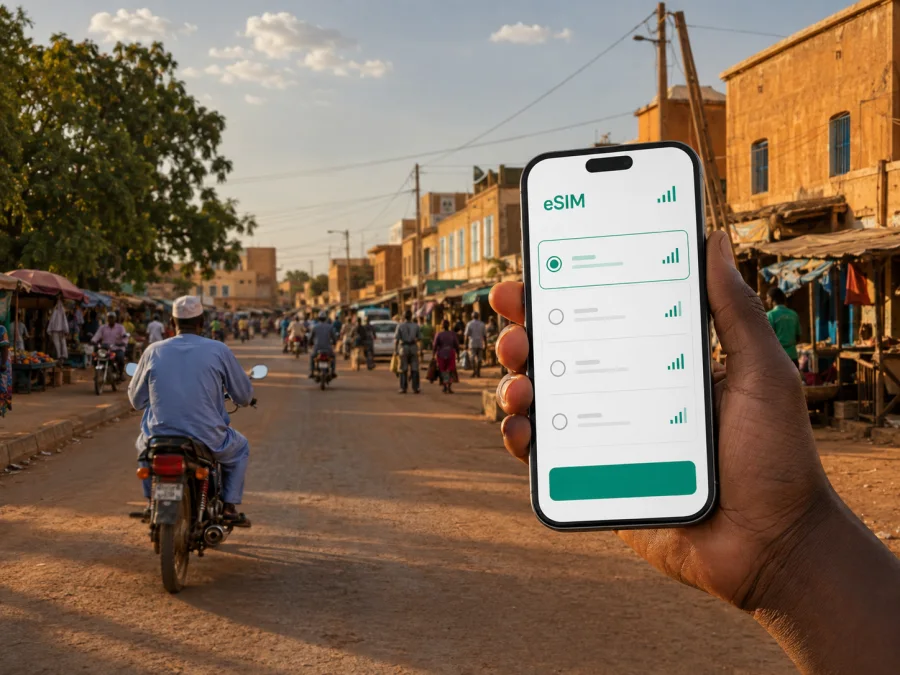
Maradi eSIM: mobile connection and internet for your Niger trip
Maradi is a practical destination for travellers moving through southern Niger: it is the administrative centre of Maradi Region, a commercial city, and a useful base for work or onward travel near the Nigerian border. In that setting, mobile internet is part of the arrival plan. You may need a map before you know the area, a message for a driver, access to a hotel booking, or a way to coordinate a meeting after landing. An eSIM can help you prepare those everyday data needs without removing the physical SIM already in your phone.
Kaspersky eSIM Store is an app and website where you can choose, arrange and activate an eSIM with a suitable data plan for an international trip. You see the destination, data allowance, validity period and price of the selected option before you proceed. For a visit to Maradi, the relevant destination is Niger; the city itself is the travel scenario that determines how much data and how much flexibility you may need.
Why mobile internet matters in Maradi
Maradi is not a resort built around one compact visitor district. It is a working city with a busy market, residential areas, institutions, businesses and road connections spreading beyond a single central attraction. That changes the way you use a phone. A reliable data plan is less about constant sightseeing and more about making a sequence of small decisions confidently.
You may use mobile internet to:
- confirm a meeting point after arriving at the airport or bus terminal;
- check a saved map while moving between a hotel, office and market area;
- contact a host, driver, colleague or travel companion through a messenger;
- check reservations and travel details without looking for a café or hotel Wi‑Fi;
- share your location or look up the next leg of a journey from Maradi.
The benefit is continuity. You can keep your primary SIM available for its usual number while assigning mobile data to the eSIM profile, subject to your device settings and the conditions of the selected plan. This is useful when you want to receive important calls or texts on your home line but do not want it to become the default data line abroad.
An eSIM is a digital SIM profile stored in a compatible device. It is intended here for mobile data during your trip, not as a replacement for every function of a local operator. It normally does not add a standard telephone number, voice calling or SMS unless the conditions of the chosen plan say otherwise. Internet calls and messages in supported apps use the data connection instead.
Maradi arrival: prepare the first hour
The first connection check is often the most valuable one. You may need to move from the airport to accommodation, meet someone outside the terminal or continue by road. Maradi has an airport, but schedules change, so confirm your own arrangements before travelling. The same preparation helps if you arrive by road and need to coordinate a pickup.
Before leaving home, save the essential information that should remain available offline:
- The full name and address of your hotel or host.
- A phone number or messenger contact for the person meeting you.
- Your booking details and onward transport information.
- A secure offline copy of important travel documents and an emergency contact.
Then keep online tasks for the moment when you have data:
- send a short arrival message;
- load the route to your accommodation;
- check whether a meeting time has changed;
- download map or language resources for later use.
Offline preparation covers the basics; the eSIM helps with information that must be updated after you arrive.
Moving around the city
Maradi is connected to the wider region by road, and its commercial activity means that a day can involve several unrelated stops. A traveller might go from accommodation to a business meeting, then to the Grand Marché, and later to a quieter residential area or an institution outside the first route. The best transport choice depends on local advice, time, weather, traffic and the exact destination, so plan each leg rather than relying on one generic route.
Keep the following in mind when using navigation:
| Situation | Useful mobile-data task | Practical preparation |
|---|---|---|
| First transfer | Open the accommodation location and message the driver | Save the address and contact before departure |
| Market visit | Pin the meeting point and confirm the return route | Agree on a recognisable landmark or entrance |
| Business appointments | Share an updated arrival time | Keep a short written address as a backup |
| Crossing the city | Recheck the route before setting off | Allow time for traffic and an unfamiliar road layout |
Maps are helpful, but a map pin is not always the whole instruction. In a busy market environment, ask your contact for a nearby landmark and keep the exact wording of the destination in your notes. If a route changes, data lets you confirm the new plan instead of repeatedly searching for public Wi‑Fi.
Motorcycles and other local transport may be part of how people move through Maradi. Choose transport through your accommodation, host, employer or another trusted local contact; the eSIM gives you a way to communicate while you make that decision.
Choosing an eSIM plan for Maradi
Start with the complete itinerary. Limited checks during a short stay require less data than remote work, frequent navigation or several road journeys. If your route crosses a border, check whether the selected option covers every country; a Niger plan should not be assumed to cover another country.
Use this simple planning model:
| Your pattern in Maradi | What to prioritise |
|---|---|
| Short stopover | A validity period that covers arrival, transfer and departure |
| Hotel and city meetings | Enough data for maps, messages, email and booking updates |
| Market visits and local errands | Navigation, messaging and a little flexibility for changed plans |
| Business trip | More allowance for calls in work apps, documents and tethering, if supported |
| Maradi plus road travel | Destination or regional scope that matches the entire route |
Read the conditions before paying: destination, data volume, validity, activation requirements and any tethering limits. Prices and options can change, and a plan for a short stop may not suit a longer or multi-city itinerary.
Kaspersky eSIM Store helps you compare visible terms, arrange the selected eSIM and manage the plan through the site or app. The experience depends on the chosen plan, local network, device and surrounding conditions.
When you are ready to review the options for the country in your itinerary, you can choose an eSIM plan for a trip to Niger. Select the destination first, then check the allowance and validity against your time in Maradi and any onward travel.
Installation before departure or after arrival
Installing the profile before departure can simplify the first moments in Maradi, but setup requires internet access and a compatible, unlocked device. You can also install after arrival if the plan permits it. Check when installation, activation and data use begin.
Before starting, check whether your device supports eSIM and make sure you can access the QR code or profile details from your email or Kaspersky eSIM Store account.
A practical installation sequence
- Check compatibility. Confirm that the phone supports eSIM and is not operator-locked. Device versions can differ by market.
- Connect to the internet. Use your existing Wi‑Fi or mobile data while adding the profile, unless the on-screen instructions specify another method.
- Add the profile. Open mobile-network settings, choose the eSIM option, then scan the QR code from your purchase email or profile.
- Choose the data line. Label the profile if useful, then select it for mobile data when you want to use the travel plan.
- Check roaming and test. Some devices require data roaming for the travel profile. After arrival, test a simple page or message; connection may take several minutes.
For detailed device steps, use the Android installation instructions or the iOS installation instructions. Keep your primary line’s data roaming disabled if you want to avoid using it unintentionally, and verify which line is selected before opening data-heavy apps.
If you want to use the eSIM later, leave the travel profile available and keep the data-line choice aligned with your plan. Avoid deleting it while troubleshooting: transfer may be restricted by the profile conditions. Keeping the home SIM for its usual number while the eSIM handles data can suit a Maradi business trip, but a data eSIM does not automatically give you a second local phone number.
Three Maradi travel scenarios
A short stopover
You arrive, meet a driver, travel to accommodation and leave soon after. Prioritise a Niger-valid destination, offline booking details and enough data for the arrival message, route checks and departure confirmation.
A working visit
You stay for meetings and need email, documents, messages and navigation. Estimate calls, file uploads and possible laptop tethering; confirm hotspot conditions first and keep addresses offline.
A city-and-region route
Maradi may be one stop on a longer trip through Niger or towards Nigeria. Check geographic scope before purchase: a Niger option does not automatically follow you across a border. Confirm the next leg while you still have a connection.
What to check before purchase
Use this checklist at the planning stage:
- [ ] The destination is Niger and the plan matches the places on your route.
- [ ] Your exact phone model supports eSIM.
- [ ] The device is unlocked for another mobile plan.
- [ ] You know when the plan becomes active and when its validity begins.
- [ ] The data allowance fits maps, messages, work and media for your stay.
- [ ] You have read any conditions for roaming data, tethering, top-ups and expiry.
- [ ] You have an internet connection available for installation.
- [ ] You have saved the QR code or profile details where you can retrieve them.
- [ ] You understand that the eSIM is for mobile data and may not include a number, calls or SMS.
This check helps prevent a plan-duration mismatch or installation on a phone whose regional version does not support eSIM. If conditions are unclear, review the plan details before payment.
When the connection does not start
If the eSIM does not connect after you arrive in Maradi, work through the basics in order:
- Confirm that the eSIM is enabled and selected for mobile data.
- Check the data-roaming setting required by the plan or device.
- Turn airplane mode on briefly, then off, and wait a few moments.
- Check that the plan is valid for Niger and has not reached its allowance or expiry.
- Check the profile or app status, then contact support with the device model and settings already reviewed.
Do not delete the eSIM as a first response. Reinstallation or transfer may be restricted by the conditions of the profile. If the problem is a device lock, an incompatible model or a mismatch between the route and the destination, changing settings repeatedly will not solve the underlying issue.
FAQ about eSIM use in Maradi
Can I use an eSIM for maps and messages in Maradi?
Yes, when the selected plan is valid for Niger, the eSIM is installed on a compatible unlocked device, and the local connection is available at your location. Maps, messages, booking updates and work apps use mobile data according to their own settings.
Do I need a local phone number?
Not necessarily. A data eSIM is useful for internet-based messages and calls, but it usually does not include an ordinary phone number, voice calls or SMS unless the plan conditions say otherwise. Keep your primary SIM or arrange another calling method if a standard number is important.
Should I install the profile before travelling?
Often that is convenient, because you can complete the setup while you have a stable internet connection. You can also install it after arrival when the plan permits it. Check the activation and validity conditions so the timing matches your trip.
Can I use the same eSIM after travelling to Nigeria?
Only if the selected plan explicitly includes Nigeria or the relevant regional coverage. A Niger destination does not automatically mean cross-border use. Check the plan’s stated geographic scope before you leave Maradi.
What if I need help with activation?
First check compatibility, operator lock, internet access, the QR code or profile details, the selected data line and roaming settings. If the issue continues, contact the Kaspersky eSIM Store support service with the relevant device and plan details.
A calm mobile-data plan for your trip
For Maradi, start with the itinerary: arrival point, city routes, the Grand Marché or business districts, length of stay and onward travel. Then choose a Niger-valid option whose allowance and validity fit that pattern.
Before departure, check compatibility, install the profile when appropriate, save addresses offline and choose the data line. After arrival, confirm eSIM status before relying on navigation or messaging.
When you are ready, choose an eSIM plan for your Maradi trip in Niger, review the terms, and activate it on your compatible device according to the instructions. Conditions, availability and usage depend on the selected plan, so choose the option that matches your own route and needs.


