
Travel connectivity guide
Marigot eSIM: Mobile Connection and Internet
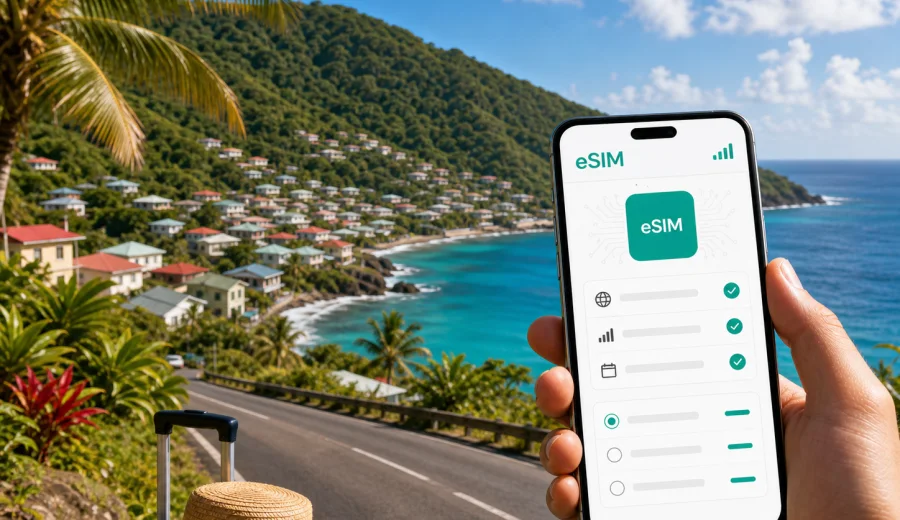
Marigot eSIM: mobile connection and internet for a trip to Dominica
Marigot is one of the most practical places in Dominica to think about mobile internet before you unpack. The town sits on the island's northeast coast, close to Douglas-Charles Airport, so many travelers pass through it first, return to it before departure, or use it as a base for the quieter Atlantic side of the island. If your first task after landing is to contact a hotel, check a transfer, open a map, or tell someone that the flight arrived, an eSIM can make the start of the trip calmer.
This guide is focused on Marigot, not on Dominica in general. It covers arrival near the airport, short stays, local movement, road trips from Marigot, hotel and guesthouse situations, business visits, stopovers, and the moments when a stable mobile connection matters more than a scenic view. Dominica is green, mountainous, and rewarding, but its geography also means that planning your internet access is not just a convenience. It helps you move with fewer interruptions.
Why mobile internet matters in Marigot
Marigot is not a large city with dense public transport and a shop on every corner. It is a coastal community where travel often depends on arranged transfers, rental cars, taxis, local advice, and flexible timing. Mobile internet helps with these everyday tasks:
- confirming airport pickup after landing;
- sharing your live location with a driver or host;
- checking maps before heading into hilly roads;
- messaging a guesthouse if arrival time changes;
- reviewing weather before a coastal drive or hike;
- using internet calls when ordinary voice roaming is expensive;
- keeping boarding passes, hotel details, and car-rental documents accessible.
An eSIM is useful because it can be prepared before the trip and installed on a compatible phone without changing a physical SIM card. You keep your regular SIM in place for your main number, while the eSIM is used for mobile data during the trip. This is especially helpful if you expect to receive bank codes, work messages, or family calls on your usual number.
Marigot arrival: the first hour after landing
For many visitors, Marigot is linked to the airport arrival sequence. After a flight, you may need data before you reach your accommodation. Airport Wi-Fi may be enough for a quick message, but it is not something to rely on for the whole arrival process. A prepared eSIM gives you more control over the first hour.
Typical arrival tasks include:
| Moment | What you may need internet for | Why it matters in Marigot |
|---|---|---|
| Before passport and baggage routines | checking messages from a driver or host | pickup timing can change with flight delays |
| At the arrivals area | opening maps and calling through a messenger | taxi, transfer, and rental details are easier to confirm online |
| On the road from the airport | sharing location or checking the route | roads can be winding, and travel times depend on weather and traffic |
| At the guesthouse or hotel | sending documents, checking booking details | smaller properties may communicate mainly by message |
If you arrive tired or late, it is better to have the eSIM installed in advance and activate data only when you are ready to use it. Check the conditions of the selected tariff, because activation rules and validity periods can differ by plan.
City-focused scenarios where an eSIM helps
Marigot is a practical base for travelers who want to stay close to the airport, explore Dominica's northeast coast, or break a journey before going deeper into the island. The internet scenarios are different from those in a large capital city.
Short stopover or one-night stay
If you are staying in Marigot for one night before an early flight or after a late arrival, you do not need a complicated setup. You need enough data for maps, messaging, transport coordination, weather, booking apps, and maybe a few video calls. A small or medium package can be enough if your hotel Wi-Fi is reliable, but you should not plan every important task around Wi-Fi access.
Airport-area business trip
For a business visit near Marigot, mobile internet can be useful between meetings, transfers, and accommodation. You may need to receive documents, join a call, review messages, or share files while moving around the area. If you expect video meetings, choose a larger data allowance and keep heavy uploads for Wi-Fi when possible.
Nature-focused trip from Marigot
Dominica is known for waterfalls, rivers, forest trails, and coastal scenery. From Marigot, travelers often plan drives or day trips beyond the town itself. Mobile data helps before and after outdoor activities: downloading route details, checking weather, contacting a guide, and arranging return transport. Do not assume that every remote road or trail will have a strong signal. Save essential maps and instructions offline before leaving town.
Family travel
Families often use more data than expected. One phone may handle maps, another plays videos at the accommodation, and someone needs messaging, photos, or travel documents. With eSIM, you can separate travel data from your main number and monitor usage more deliberately.
What to check before choosing an eSIM for Marigot
Before you pay for a plan, confirm three basic points. First, your phone must support eSIM. Second, it should not be locked to a mobile operator in a way that prevents using another mobile plan. Third, the data package should match your route, not only your first night in Marigot.
Use this quick checklist:
- Check whether your device supports eSIM.
- Check that the phone is unlocked for mobile data plans from other networks.
- Decide how many days you will spend in Dominica.
- Estimate whether you need data only around Marigot or also for road trips.
- Review the plan's data volume, validity period, and destination coverage.
- Install the eSIM before departure if the plan instructions allow it.
- Keep the QR code or installation details available until setup is complete.
An eSIM usually provides mobile internet rather than a local voice number. If calls and SMS are not included in a specific plan, use internet-based messengers for calls and messages. This distinction matters when you need to call a hotel or driver: check whether they can use WhatsApp, another messenger, email, or ordinary phone calls.
How much data do you need in Marigot?
Data use depends on behavior, not only on trip length. Marigot can feel quiet, but travel tasks still consume data through maps, messaging, photos, cloud sync, and social apps. The table below gives a practical starting point.
| Trip style | Approximate needs | Planning note |
|---|---|---|
| Overnight airport stay | 1-3 GB | enough for messaging, maps, and light browsing |
| Three to five days in Marigot and nearby areas | 3-5 GB | suitable for regular navigation, messaging, and photo sharing |
| One week with day trips | 5-10 GB | better if you use maps often or work during the trip |
| Remote work or frequent video calls | 10 GB or more | video meetings, uploads, and tethering can use data quickly |
Avoid choosing a plan only by the smallest price. A plan that is too small can become inconvenient if you need navigation during a road trip or a video call before departure. At the same time, you do not need to overbuy if your accommodation has stable Wi-Fi and your mobile use is mostly maps and messaging.
Local movement: taxis, rental cars, and walking around town
Marigot is easier with data because many decisions happen on the move. You may check whether a road is open, message a driver, look for a guesthouse entrance, or confirm a restaurant's location before walking there. Street layouts, hills, weather, and limited lighting in some areas can make live navigation more useful than printed directions.
If you rent a car, download offline maps before the trip and use mobile data for live checks. This gives you a backup if the signal weakens in a valley or on a forested stretch. Keep the phone charged, use a car mount, and avoid relying on a passenger to constantly reload directions while roads curve.
For taxi travel, data helps you:
- send your exact pickup location;
- share a flight delay update;
- confirm the fare or route details by message;
- keep hotel contact information ready;
- translate short instructions if needed.
For walking, mobile internet helps with simple but important tasks: checking distances, deciding whether to continue in rain, finding the nearest shop, or sending your location to someone at the accommodation.
When to choose and activate your plan
The best time to prepare mobile internet for Marigot is before travel, while your home connection is stable and you have time to read the plan details. Kaspersky eSIM Store is an app and website where you can choose, arrange, and activate an eSIM with a suitable mobile data plan for an international trip. It helps you compare the data volume, validity period, destination, and price before you travel.
For Marigot, choose the Dominica destination rather than trying to find a separate city plan. If your route includes other countries before or after Dominica, review whether a country-specific or regional option fits better. For a city stay, the country plan is usually the relevant choice, because mobile coverage is organized by destination rather than by town.
When your itinerary is clear, you can prepare an eSIM data plan for Dominica and keep the setup ready for the arrival period in Marigot. This link is most useful after you have already checked device compatibility and estimated your data needs.
Installing an eSIM before a trip to Marigot
Installation is usually easier before departure, because you can use your home Wi-Fi and avoid rushing at the airport. Follow the instructions for your operating system and keep the eSIM line clearly named, for example "Dominica data" or "Travel eSIM." You can use the Android eSIM installation guide or the iOS eSIM installation guide when setting up the profile.
A practical setup sequence looks like this:
1. Check that your phone supports eSIM and is not locked.
2. Choose a plan for Dominica that matches your stay in Marigot and any trips from town.
3. Install the eSIM profile while connected to stable Wi-Fi.
4. Keep your primary SIM active if you need your regular number.
5. On arrival, select the eSIM for mobile data according to the plan instructions.
6. Turn on data roaming for the eSIM if the instructions for your plan require it.
7. Test messaging and maps before leaving the airport area.
Do not delete the eSIM profile after installation unless you are sure it is no longer needed. Some eSIM profiles cannot be moved to another device after activation, and conditions depend on the selected plan.
Using mobile data during the stay
Plan mobile data around the moments when being offline would slow you down. Before departure, install the eSIM and save booking details. On arrival in Marigot, test maps and messaging before leaving the airport area. During the stay, use hotel or guesthouse Wi-Fi for large downloads, streaming, and cloud backups, and keep mobile data for navigation, transport coordination, weather checks, boarding passes, and internet calls away from Wi-Fi.
For day trips from Marigot, treat mobile internet as a live layer over offline preparation. Download maps, save your accommodation contact, check weather, and tell someone your route before heading into quieter coastal or forested areas. Terrain can affect signal quality, so essential route information should not exist only in an online app.
For business travel, choose enough data for email, documents, messaging, and backup calls. Keep a power bank or car charger with you, save key files offline, and avoid scheduling important video meetings while moving between locations. Use mobile data for flexibility, and use a stable indoor connection for high-stakes calls when available.
Common mistakes to avoid
The most common eSIM mistakes are simple and preventable.
| Mistake | Why it causes trouble | Better approach |
|---|---|---|
| Buying data after landing in a rush | you may be tired, offline, or dependent on airport Wi-Fi | choose and install before departure |
| Ignoring device compatibility | the plan cannot be used if the phone does not support eSIM | check compatibility first |
| Choosing too little data | maps and calls may use more than expected | estimate by trip style, not only by days |
| Deleting the eSIM profile | some profiles cannot be restored or moved | keep it until the trip is over |
| Forgetting data roaming settings | some plans need roaming enabled for the eSIM line | follow the plan instructions carefully |
Also remember that an eSIM for mobile data does not automatically include ordinary voice calls or SMS. If a hotel or driver only accepts regular calls, keep your main SIM available or ask for a messenger contact before you travel.
FAQ: eSIM and mobile internet in Marigot
Is an eSIM useful if I am only staying near Marigot for one night?
Yes, it can be useful for arrival tasks: messages, maps, transport coordination, flight updates, and hotel contact. For a one-night airport-area stay, a smaller data package may be enough if you do not stream or work heavily.
Should I choose a Marigot plan or a Dominica plan?
Choose a Dominica destination plan. City articles focus on local travel scenarios, but eSIM data plans are usually selected by country or region rather than by a single town.
Can I keep my usual phone number?
In many phones, you can keep your physical SIM or primary eSIM active for your usual number and use the travel eSIM for mobile data. Check your device settings and plan conditions before departure.
Will the eSIM include calls and SMS?
Usually, travel eSIM plans are focused on mobile internet. Calls and SMS are not included unless the selected plan says otherwise. Use internet-based messengers for calls and messages when possible.
Is it better to install the eSIM before flying to Dominica?
For most travelers, yes. Installing before departure gives you a stable Wi-Fi connection, more time to read instructions, and less pressure after landing near Marigot. Activation and validity rules depend on the selected plan, so read them before installation.
What if my route from Marigot goes into remote areas?
Download offline maps and key details before leaving town. Mobile data is useful for live checks, but mountainous and forested terrain can affect signal quality. Offline preparation is part of a reliable travel plan.
Final checklist before you travel
Before you leave for Marigot, prepare your phone like you prepare your passport and booking documents.
- Confirm your phone supports eSIM and is unlocked.
- Choose a data allowance that matches your stay and day trips.
- Install the eSIM on stable Wi-Fi before departure if the instructions allow it.
- Save hotel, transfer, and car-rental details offline.
- Download offline maps for Marigot and planned routes.
- Keep your main SIM active if you need your regular number.
- Check whether the selected eSIM line needs data roaming enabled.
- Monitor data use during the trip, especially if you share a hotspot.
Choose mobile internet for Marigot before arrival
Marigot is a place where internet access becomes useful immediately: at the airport, on the road, at a guesthouse, before a coastal drive, or while coordinating a short business visit. Preparing an eSIM in advance helps you arrive with a clearer plan and fewer dependencies on public Wi-Fi or last-minute shop visits.
Before you travel, use Kaspersky eSIM Store to compare the available data volume, validity period, destination, and price, then choose an eSIM data plan for your trip to Dominica. Install it on a compatible device, keep the setup instructions available, and start your Marigot stay with mobile internet ready for the moments when you need it most.