Travel connectivity guide
Marigot eSIM: Mobile Internet in Saint Martin
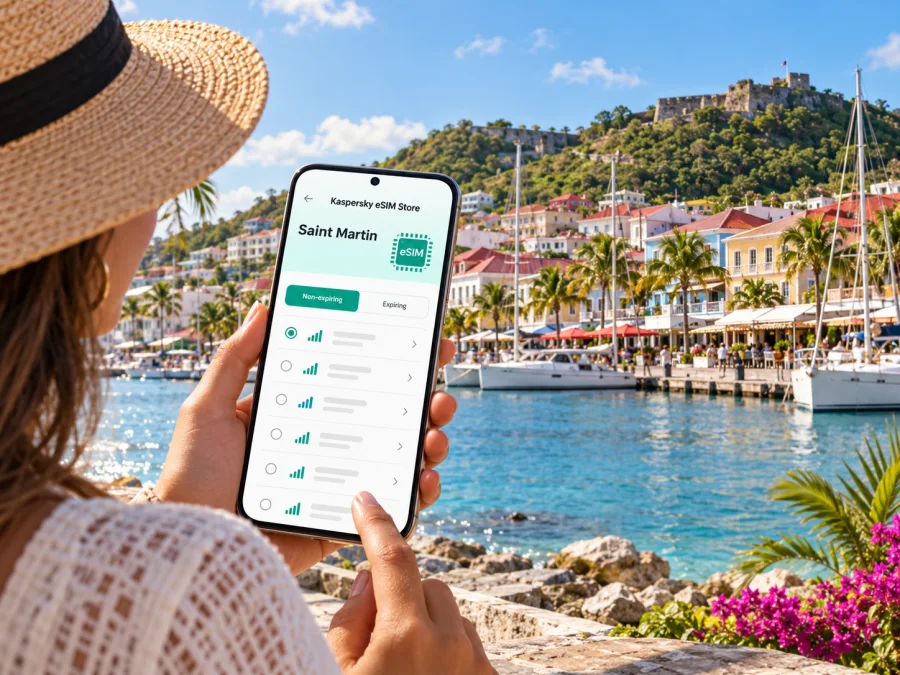
Marigot eSIM: Plan Your Mobile Connection and Internet in Saint Martin
Marigot is the administrative centre of the French Collectivity of Saint Martin, on the northern part of an island shared with Dutch Sint Maarten. That distinction matters when you plan mobile internet: a trip that begins in Marigot may later cross to Philipsburg, Simpson Bay or the Dutch side’s airport, and a plan that covers one side should not be assumed to cover the other. Check the exact destination and territory in the terms of any eSIM before you travel.
A dependable connection helps from the moment you arrive: you can check your accommodation address, message your host, follow a route through town and coordinate a taxi or ferry transfer. An eSIM can make that easier without removing your physical SIM, provided your phone supports eSIM and is not carrier-locked. This guide focuses on Marigot itself, the practical routes in and around town, and what to check before choosing a plan.
What to know before planning connectivity
Saint Martin and Sint Maarten share one island but are separate political and telecom markets. Saint Martin is a French overseas collectivity; Sint Maarten is the Dutch side. Marigot is on the French side. The border is not marked like a conventional land frontier, so it is easy to cross during an ordinary day out, but network coverage and plan terms can still differ across the island.
| Your itinerary | What to check |
|---|---|
| Staying in Marigot and visiting nearby French-side places | Confirm that the plan explicitly includes Saint Martin and check its validity period and data allowance. |
| Taking a day trip to Philipsburg, Maho or Simpson Bay | Confirm whether the plan also covers Sint Maarten. Do not infer coverage from the shared island name. |
| Flying through Princess Juliana International Airport (SXM) | The airport is on the Dutch side. Check that your plan includes Sint Maarten if you need data there before travelling to Marigot. |
| Taking a ferry from Marigot to Anguilla | Treat Anguilla as a separate destination and verify it independently. A Saint Martin plan does not automatically mean Anguilla is included. |
| Continuing to Saint-Barthélemy or another island | Check each destination and any regional-plan terms before departure. |
Mobile service in Saint Martin belongs to its own local market. The French regulator Arcep lists operators authorised in Saint Martin separately from metropolitan France, and this does not establish which network a travel eSIM will use or how well it will work at a specific address. Coverage can vary with location, buildings, terrain, congestion and the plan’s roaming arrangements. Avoid choosing on the basis of a broad “Caribbean” label alone: read the destination list and service conditions for the specific plan.
Arriving in Marigot and getting oriented
Marigot has no international airport. Many visitors arrive through Princess Juliana International Airport (SXM) on the Dutch side and continue by road; others may use Grand Case-Espérance Airport (SFG) on the French side, depending on available flights. Confirm your arrival airport and ground transfer for your dates.
If landing at SXM, save your hotel address and transfer details offline. A taxi, rental car or pre-booked transfer can take you across the island to Marigot; traffic, roadworks and weather affect journey time. Give your driver a precise terminal or meeting point. At either airport, keep your accommodation details and bookings accessible without a live connection.
Marigot’s centre is walkable for many errands; beaches and other settlements usually require transport. Download a town map and save pickup points, tickets and bookings while connected to Wi-Fi.
Moving around town: the waterfront, market and Fort Louis
The waterfront is a natural starting point for exploring Marigot. The marina, ferry terminal and town centre sit close together, with shops, cafés and services in the surrounding streets. If you are meeting someone near the port, agree on a specific entrance or landmark: “the waterfront” can refer to a long stretch, and a busy arrival area is not always easy to describe over a call.
The Marigot market is a useful point of reference for a walk through the centre. France’s official tourism site describes it as a large open-air market, with local produce and other goods. Opening days, stall selection and hours can vary, so check locally rather than planning around a fixed schedule. A downloaded map can help you return to the marina or your accommodation without searching for a signal among the market stalls.
Fort Louis stands above Marigot Bay and is one of the town’s most recognisable landmarks. It dates to the late eighteenth century and rewards a visit with views across the bay and town. The climb includes steps and exposed sections, so bring water, sun protection and comfortable shoes. Save the route before you leave the waterfront; mobile reception can vary on a hillside, and navigation should not be your only way to find the way back.
Other practical anchors include the ferry terminal, the main waterfront streets and the commercial centre. Use your accommodation’s exact map pin where possible, and confirm the spelling of the street name with the host. Street names can appear in French on signs and in booking information even when your phone interface is set to English. Keeping the address in both text and map form makes it easier to show a driver if pronunciation is uncertain.
A simple town-day route
- Save pins for the waterfront, market and Fort Louis before setting out.
- Check the market’s current opening and leave time for the ferry terminal if you have a sailing.
- Climb to Fort Louis only if conditions and your mobility make it comfortable.
- Return to the centre using your saved map and arrange onward transport.
Choosing an eSIM for Marigot
Kaspersky eSIM Store is an app and website where you can choose, arrange and activate an eSIM with a suitable plan for mobile internet on an international trip. It is a way to prepare your travel data setup; the available destination, terms and service depend on the plan you select and the networks it uses. Check what is included before purchase, rather than assuming that every listing or regional label means the same coverage.
When comparing a plan for Marigot, look at four details together:
- Destination: The plan should name Saint Martin or clearly list the territory that includes your destination. If your trip also includes Sint Maarten, Anguilla or Saint-Barthélemy, check each one separately.
- Data allowance: Estimate how you use your phone. Messaging, maps and browsing use less data than repeated video calls, photo uploads or streaming. Leave some margin for unexpected navigation and transport changes.
- Validity: Match the plan’s validity period to your actual travel dates. Read when the period starts: purchase, installation, first network connection or another stated event may apply depending on the plan.
- Tethering and conditions: If you expect to share a connection with a laptop or another device, verify that the plan permits it. Review any speed, fair-use or activation conditions shown for the specific offer.
To browse available options for the destination, check eSIM plan options for Saint Martin. Treat the page’s current listing and plan terms as the source of truth for availability; do not assume that a displayed destination guarantees service in every building or on the Dutch side.
A modest plan may be enough for maps, messages, email and occasional browsing if your accommodation has reliable Wi-Fi. If you work remotely, use cloud backups, upload large files or rely on video meetings, estimate that usage separately and make sure your accommodation has a suitable fixed connection. A mobile plan is a travel data option, not a substitute for checking the connectivity you need for work.
Prepare your phone before you leave
First, check whether your device supports eSIM and confirm that it is not locked to a carrier. Support can differ between device models and regional variants, even when the product names look nearly identical. Follow the manufacturer’s settings and carrier information for your exact model; do not rely on a generic compatibility list for a different market version.
Keep your regular SIM active if you need your usual number for calls or verification messages. A travel eSIM plan generally provides mobile data, not a new ordinary phone number for cellular calls and SMS, unless its terms explicitly say otherwise. You can use internet-based messaging and calling apps over data, subject to their own requirements. Check with your home carrier how roaming charges apply if your regular SIM remains enabled abroad.
Before installation, make sure you have a stable internet connection, enough battery and access to your account or purchase details. Some eSIMs are intended to be installed once and may not be transferable after removal; read the plan instructions before deleting a profile or resetting the phone. If the QR code is shown on the same phone you are setting up, you may need the provider’s manual activation details or a second screen, depending on your device and installation flow.
Installation and activation checklist
- Update your phone’s operating system before departure if an update is available and practical.
- Confirm the exact model supports eSIM and is carrier-unlocked.
- Save the purchase confirmation and setup instructions somewhere you can open offline.
- Install the profile while connected to reliable Wi-Fi, following the steps for your operating system: Android eSIM installation instructions or iPhone eSIM installation instructions.
- Label the travel line clearly, such as “Saint Martin data,” so you can distinguish it from your everyday SIM.
- Review which line is selected for mobile data and whether data roaming must be enabled for that eSIM, as specified by its instructions.
- Avoid removing the profile if it stops connecting; first check the plan’s troubleshooting guidance and contact support through the service you used.
Installing before departure can reduce setup work after landing, but activation rules differ. Some plans start their validity when installed, while others start on first connection or another event. Read the plan conditions and choose the installation time accordingly. If you prefer to install after arrival, make sure you have Wi-Fi access and the relevant account details available.
Using mobile data around Marigot
Set your phone to use the travel eSIM for mobile data while keeping your regular number available only if needed. Menu names vary by phone. After arriving, check that the eSIM is enabled, selected for data, and using any roaming setting required by its instructions. If it does not connect, follow the plan’s setup steps before changing settings at random.
Use accommodation Wi-Fi for large downloads, updates and photo backups. Mobile data is handy for maps, pickup arrangements and ferry checks while you are out. Turn off automatic video playback and large background uploads to conserve data; download maps and travel documents before leaving Wi-Fi.
Reception can vary between the waterfront, buildings and hillside viewpoints because of terrain, structures, congestion and network arrangements. If service is weak, try a more open area and follow the provider’s troubleshooting guidance. For navigation, load the route before walking or driving, keep the return direction in mind, and confirm a taxi destination in writing or with a saved map pin.
Marigot as a ferry stop
Marigot’s port connects the town with nearby islands, including Anguilla, and ferry services are an important part of some itineraries. The public Anguilla ferry departs from the Marigot terminal for Blowing Point. Official travel information and the port operator publish schedules and conditions, but sailings, ticket rules, prices and operating hours can change. Check the current details directly before setting off, and allow time to reach the terminal and complete any required formalities.
Do not confuse the Marigot ferry with private or semi-private services that depart from a terminal near Princess Juliana Airport on the Dutch side. They are different departure points. A route that appears short on a map can still involve road travel, a queue and a separate check-in process. Confirm the exact port named on your ticket, the boarding time, baggage rules and required travel documents.
Before a ferry trip, save the departure information offline and check whether your eSIM plan includes the destination across the water. International roaming, local network selection and data availability can change as the boat leaves shore. If you need to stay reachable, tell your travel companions where you will meet after arrival and keep the ferry operator’s contact details in your booking materials. Do not rely on a continuous mobile connection during the crossing.
Practical scenarios
A short city visit: Download the town map, save the waterfront and ferry terminal, and choose data for maps and messages. Check when the plan validity begins so a short stay does not start the allowance earlier than intended.
A beach holiday based in Marigot: Save your accommodation pin and agree on a pickup point. Check whether your plan covers only Saint Martin or also Sint Maarten if Philipsburg or Maho is on the itinerary.
A work trip: Confirm that your hotel Wi-Fi can support calls and large file transfers. Check tethering terms before relying on the eSIM for a laptop, and keep meeting details available offline.
A multi-island holiday: List every territory and airport stopover, then compare those names with the plan’s coverage list. A regional label alone does not confirm coverage in each place.
If the eSIM does not connect
Work through the basics in order. Confirm that the eSIM profile is installed and switched on, then check that it is selected for mobile data. Verify that the plan is active and valid for Saint Martin on the day you are using it. If the instructions require data roaming for the travel line, enable it for that line only. Restart the phone or briefly reconnect to the network as directed by the plan’s support guidance.
If service still does not work, note your location, the time, the network name shown and any error message. Move to a different open area and try again. Contact the service’s support team with those details rather than deleting the eSIM profile, which may not be recoverable or reinstallable. If you need urgent directions, use saved maps or ask your accommodation or transport provider for assistance while you troubleshoot.
Frequently asked questions
Is Marigot in Saint Martin or Sint Maarten?
Marigot is on the French side, in the French Collectivity of Saint Martin. Sint Maarten is the Dutch side of the same island. The names are often used loosely in travel conversations, so check the precise destination listed in your plan.
Does an eSIM for Saint Martin automatically work in Sint Maarten?
Not necessarily. They are distinct destinations and telecom markets. Check the plan’s coverage list and conditions for both sides before you travel between them.
Can I use an eSIM for calls and text messages?
A travel data eSIM generally supports internet access rather than a regular phone number, voice calls and SMS. Check the specific plan terms. Internet calling and messaging apps can work over data, but their operation depends on the app, your account and the connection.
Should I install the eSIM before arriving?
Often it is convenient to prepare it in advance, but the right timing depends on when the plan’s validity starts. Read the activation terms first. Keep the QR code or setup details accessible and do not remove an installed profile unless the instructions say it is safe.
Will my phone be covered everywhere in Marigot?
No plan can promise a signal in every building or location. Reception depends on the local network, terrain, structures, congestion and plan arrangements. Check current terms and use offline maps as a backup.
What if I arrive at Princess Juliana Airport but my destination is Marigot?
SXM is on the Dutch side, while Marigot is on the French side. Arrange road transport to Marigot, save your route and accommodation details, and verify whether your eSIM includes Sint Maarten as well as Saint Martin for the airport portion of the trip.
A calm setup for a smoother stay
For Marigot, the most useful preparation is simple: identify which side of the island you will use, confirm that your phone is compatible and unlocked, choose a plan whose destination and allowance fit your itinerary, and save routes and tickets offline. Keep in mind that ferry and airport transfers can take you into another market, where plan coverage may be different.
When you are ready, review the current eSIM options for Saint Martin and compare the displayed destination, data allowance, validity and activation terms with your dates. Then install the selected eSIM using its instructions and keep your usual number available if you need it. With those details settled before a busy arrival or ferry day, you can spend less time sorting out setup and more time finding your way around Marigot.


