Travel connectivity guide
Marina Bay eSIM: Mobile Data for Singapore
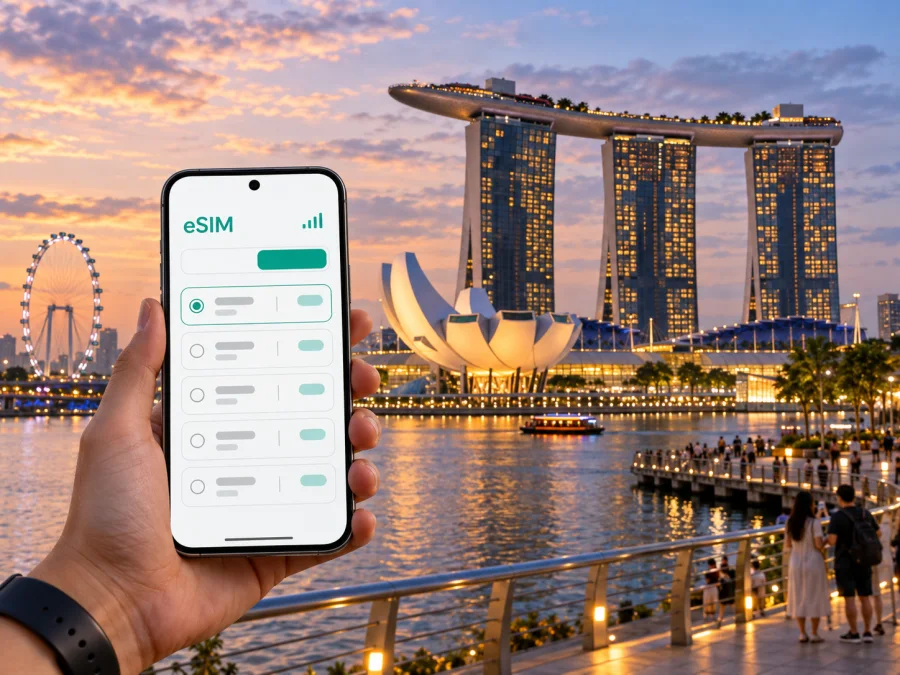
Marina Bay eSIM: mobile connection and internet for a city stay
Marina Bay is both a recognisable waterfront and a useful base for a Singapore visit. Hotels, office towers, promenades and major attractions sit around the water, but the district is larger than one viewpoint. A day might include an airport transfer, a meeting near the towers, a walk to Gardens by the Bay and dinner on the far side of the bay. Mobile internet can help join those moments: confirm an entrance, check a route from the right station, message a host or adjust a plan while you are already outside.
An eSIM is one way to plan mobile data for a trip to Marina Bay. Kaspersky eSIM Store is an app and website where you can select, purchase and activate an eSIM with a suitable data plan for an international trip. Compare the plan terms with the way you expect to use your phone, and prepare the installation before travel if possible. This guide covers local arrival, movement around the bay, workday logistics and practical connectivity decisions.
Understand the Marina Bay area
“Marina Bay” may refer to the waterfront itself, the office core, the Bayfront hotel and entertainment area, or the wider promenade linking them. Those places look close on a map, but large buildings, roads, crossings and station exits affect how long each leg takes. Save the exact entrance or meeting point rather than only a building name. A hotel may have a vehicle drop-off on one side and a pedestrian entrance reached from another street or mall.
The area works well for trips that mix work and sightseeing. You can move from a conference or client meeting to dinner and a waterfront walk without crossing the whole city between each stop. For a large venue, follow the organiser’s entry instructions and allow time to walk from the station or drop-off point.
| Part of the area | Often useful for | Navigation detail to save |
|---|---|---|
| Marina Bay financial district | Office visits and business hotels | Building, tower and lobby entrance |
| Bayfront | Marina Bay Sands, dining and routes towards the gardens | Which side of the station your destination is on |
| Waterfront promenade | Skyline views and walks between landmarks | A specific starting point on the waterfront |
| Gardens by the Bay and Marina South | Garden visits and the southern waterfront | Intended entrance and station |
| Downtown Core and Raffles Place edge | Offices, hotels and onward city connections | Whether rail or a walking route suits the time and weather |
These are practical groupings, not formal boundaries. Explore one section at a time: cross to a chosen landmark, pause, then decide whether to continue on foot or use rail. Straight-line distance can understate a route around a large complex or across a long crossing.
Arriving from Changi Airport
Changi Airport connects to Singapore’s MRT network. The airport station is at Terminals 2 and 3; city journeys by train involve a transfer at Tanah Merah or Expo, depending on the route. Check station signs and a current journey planner for the service pattern and your exact destination. MRT and bus services do not run all night. If arriving late, check operating hours; taxis and private-hire cars are available around the clock.
Keep the hotel name and full address available offline. Check which station is closest and compare the last walking leg with the hotel’s directions; a property in Marina Bay may be closest to a different station or exit than expected. For a car transfer, share the exact drop-off address.
A simple arrival sequence:
- Check that your eSIM is installed and that mobile data is assigned to the intended line, if it is already active.
- Confirm the route to your hotel or first appointment using current transport information.
- Save the address, booking and check-in instructions so they remain accessible offline.
- At the airport interchange, follow signs for the correct platform and direction.
- At your destination, check the station exit and walking route to the specific entrance.
Allow time for immigration, baggage and pickup arrangements before estimating when you will reach the bay. Do not plan a tight meeting connection using only the train ride time.
Choose mobile data for Singapore
Your data needs depend on your schedule. A business visitor may use maps, email, calendars and messaging throughout the day. A short-stopover visitor may need data mainly for the airport route, hotel messages and a few searches. A longer stay with video meetings, photo uploads or hotspot use can consume more. Estimate your habits, then compare plan allowance, validity, activation rules and supported use.
Kaspersky eSIM Store lets travellers use its app or website to choose, purchase and activate an eSIM with a suitable data plan for an international trip. Available options and terms can vary, so read the details shown for Singapore before choosing. A travel data eSIM is not automatically a replacement for a local mobile subscription or your usual number. Check the selected plan’s terms for voice or SMS instead of assuming they are included. Internet-based messaging and calls may use data through compatible apps.
| Trip pattern | Common data tasks | What to compare |
|---|---|---|
| One-day stopover | Airport directions, maps, booking messages and searches | Activation timing, validity and how long you need data |
| City break | Navigation, attraction details, reservations and messaging | Number of days, map use and access to hotel Wi-Fi |
| Business visit | Calendar, email, ride coordination and video meetings | Expected work use, hotspot terms and allowance |
| Multi-stop trip | Repeated route checks and communication over several days | Destination, validity window and total allowance |
This is a planning aid, not a guarantee about a plan. Consumption varies with screen time, app settings, automatic backups, video quality and Wi-Fi use. Review background uploads before travel while keeping the services you need for work or safety available.
When comparing options, explore eSIM plans for Singapore and review each plan’s destination, validity, data allowance, activation instructions and usage limits. A short stop, several days of meetings and a longer itinerary can call for different allowances. Read the terms before purchasing, especially if you expect to tether a laptop or use frequent video calls.
Getting around by MRT and on foot
Marina Bay MRT station connects the North-South Line, Circle Line and Thomson-East Coast Line. Bayfront MRT station serves another part of the waterfront, including the Marina Bay Sands area; Gardens by the Bay station is on the Thomson-East Coast Line. The station names are easy to mix up when checking a map in a hurry. Enter the exact venue or address in a journey planner, then confirm the recommended station and exit.
Singapore’s rail network makes it practical to stay in one district and visit other neighbourhoods. The Circle Line connects Marina Bay with interchanges across the city and through the south towards HarbourFront. Rail connections also lead towards the Downtown Core, Orchard and the east. Routes and operating arrangements can change, so use live local information before setting out.
The promenade is part of the experience, not merely a gap between sights. Start from a clear landmark, follow the waterfront and use marked crossings rather than cutting across roads or buildings. In warm, humid weather, a route that looks short can feel longer. Carry water, choose covered or indoor sections where useful, and consider rail for one leg. During heavy rain, a covered passage or train may be more comfortable than an open walk.
Before leaving your hotel or meeting, check:
- The precise destination pin and building entrance.
- Station, line, direction and exit for the route.
- Whether the walking section is outdoors or covered.
- The return route and likely end time.
- Your phone battery for maps, tickets and messages.
Mobile data is most useful when it answers a question at the right moment. Save essential addresses, booking details and a map area in advance as a fallback for tunnels, temporary interruptions or a low battery.
Plan walks between landmarks
The waterfront is an easy visual reference, but a hotel, viewpoint and garden entrance may require a detour around roads, water or a large complex. Use walking directions that follow public crossings, and agree on a recognisable entrance or station exit rather than “by the bay.”
For an appointment or timed reservation, compare the rail route with the scenic walking option and leave a buffer. If the walk itself is part of the plan, allow time to enjoy it rather than treating it as a transfer.
Prepare your eSIM before departure
If possible, purchase and install the profile while connected to reliable Wi-Fi and before you are rushing between a gate, baggage claim and the airport train. An eSIM is a digital SIM profile installed on a compatible device. Setup screens vary by model and operating system; follow your phone’s instructions and the steps provided with the plan. Installation or activation may require internet access, so check the instructions in advance.
- Confirm that your phone supports eSIM and is not restricted from using another carrier’s profile. Check your device’s eSIM compatibility before purchase.
- Review the destination, allowance, validity and activation conditions.
- Install the profile using a stable connection and the plan instructions. See the Android eSIM installation instructions or the iOS eSIM installation instructions.
- Label the new line clearly in settings so you can distinguish it from your home SIM.
- Check which line is assigned to mobile data and whether data roaming should be enabled for the travel profile, following the plan instructions.
- Keep your usual number’s settings as intended, and understand any charges your home provider may apply.
- On arrival, confirm the profile is active and test a basic connection before relying on it for a timed journey.
If a connection does not work immediately, check the plan instructions, selected data line and device settings before making changes. Avoid deleting the profile without guidance, since reinstalling may require a new activation. Store activation details securely and do not share QR codes or account information in public.
Hotels, meetings and workdays
A conference attendee may move between hotel, office tower, venue and dinner without leaving the area. Save the address, access notes and contact details; mixed-use buildings can have several lobbies, so share a precise entrance with colleagues or a driver.
For remote work, check the hotel or venue Wi-Fi and any rules about mobile hotspot use. Tethering availability, speed and limits depend on the plan and device, so confirm connectivity expectations before an important meeting.Keep your room number and property contact details private. Navigate to the public hotel entrance, then follow the property’s check-in directions. After a long flight, it may be easier to make the first destination simple—hotel, food and rest—before adding several sightseeing stops. Mobile access helps with directions but does not replace a confirmed booking or arrival instructions.
Stopovers and trips beyond the bay
Marina Bay can fit into a stopover if you protect time for airport procedures and the return journey. Choose one priority—a meal, waterfront walk or booked attraction—then check the route back from your actual starting point and leave a buffer for check-in requirements or delays. Do not treat a map estimate as a fixed promise. Late arrivals need particular care because public transport may have stopped running.
For a longer stay, the bay is a convenient starting point for neighbourhoods such as Chinatown, Orchard, Little India and HarbourFront. The best route depends on the destination and station. Confirm whether you are starting from Marina Bay, Bayfront or Gardens by the Bay before planning a cross-city trip. For Sentosa, check the current route towards HarbourFront or the relevant transport connection and confirm attraction hours separately.
Group stops by area rather than crossing the island repeatedly. Keep a flexible return time and save your hotel location. For taxis or ride-hailing, confirm the pickup point in the app; a large complex may have designated pickup areas away from its nearest road entrance.
Common questions about Marina Bay connectivity
Is Marina Bay MRT the closest station for every attraction?
No. Marina Bay, Bayfront and Gardens by the Bay serve different parts of the district. Enter the exact destination in a current journey planner and check its suggested station and exit.
A simple finish to your planning
Treat Marina Bay as a collection of linked places rather than one landmark. Choose the station that serves your exact destination, save entrances and meeting points, and leave room for weather or a scenic detour. Check the current airport route, keep a late-night alternative in mind and protect your return buffer on a stopover. For work, store precise venue details and confirm whether you may need hotspot data.
Before departure, compare plans for your itinerary, review the terms, prepare the eSIM on a compatible device and keep essential details available offline. When you are ready, select an eSIM plan for your Singapore trip through Kaspersky eSIM Store, the app and website for selecting, purchasing and activating a travel eSIM. A little preparation makes it easier to move between airport, hotel, meetings and waterfront with your attention on the city.


