Travel connectivity guide
Maripasoula eSIM: Mobile Internet for Travel
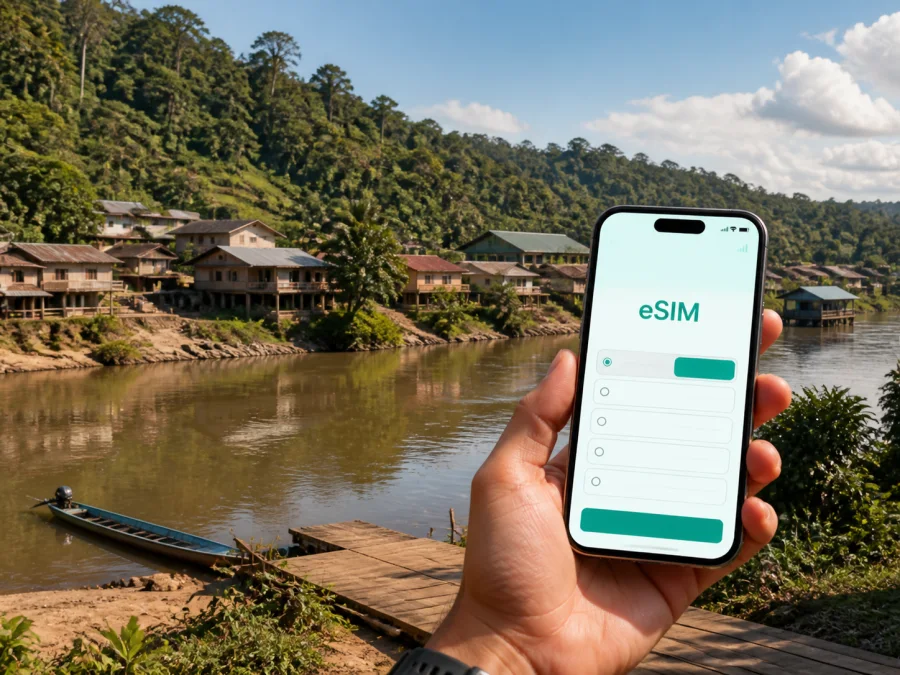
Maripasoula eSIM: mobile connection and internet for travel
Maripasoula is not a conventional city break. In the south of French Guiana, beside the Maroni River, this remote town is a base for air arrivals, river journeys, local appointments, and trips farther into the Amazonian interior. That geography makes mobile internet part of the travel plan, not merely a convenience to arrange after landing.
For a visitor, a dependable data setup can help with the moments that keep a trip moving: checking a flight detail, confirming a boat arrangement, sharing an arrival time, finding a guesthouse, translating a message, or sending a short work update. In Maripasoula, the best approach combines an eSIM on a phone that supports eSIM and is unlocked with saved information, a charged battery, and realistic expectations about coverage.
Kaspersky eSIM Store is an app and website that helps you choose, arrange, and activate an eSIM with a suitable mobile-data plan for an overseas trip. The eSIM works on a device that supports eSIM and is unlocked; service availability and local coverage depend on the selected plan and the underlying network.
Why Maripasoula calls for careful connection planning
The main settlement is only one part of the commune. Other communities and villages follow the river or lie farther into the interior, so one itinerary can include an airfield, the bourg, a landing point, and a boat route. A map pin does not turn a water route into a road route, and a signal available in town may not be available farther along the Maroni.
Prepare the information you need offline, then keep mobile data available for changes and coordination when a connection is present. This is especially useful for:
- flight confirmations and changes before the interior leg;
- messages to a host, driver, boat operator, guide, or colleague;
- map searches and translation in the main settlement;
- sharing your location or expected arrival time;
- two-factor authentication and essential work email;
- checking weather or local travel information before setting out.
No mobile plan should be treated as a promise of continuous coverage on every part of a remote river route. Signal can vary with the place, device, local network conditions, weather, and route. An eSIM is one practical tool within a wider plan that includes offline notes and power management.
Arriving in Maripasoula
By air from Cayenne
Travellers arriving from outside French Guiana commonly organise the interior journey through Cayenne and Félix Éboué airport. Domestic air connections serve Maripasoula, and the town’s airfield is north of the main settlement. Flight schedules, baggage rules, booking conditions, and operating arrangements may change, so check current details through the relevant booking channel before departure.
Use the dependable connection at the gateway to complete five small tasks:
- Save the booking confirmation and a screenshot of essential flight details.
- Confirm how you will travel from the airfield to your accommodation or meeting point.
- Send your arrival time before boarding if somebody is coming to meet you.
- Keep the accommodation name, local contact, and phone number in your notes.
- After landing, use data for final coordination instead of searching for every detail again.
An airfield in the interior is not the same as a large capital-city terminal. Do not assume that a taxi rank, an information desk with long opening hours, or an app-based pickup service will be available. Ask your host or local contact in advance what the normal transfer arrangement is.
By the Maroni River
The river is a major route around Maripasoula. Pirogue travel can connect the town with settlements along the Maroni, including routes from the direction of Saint-Laurent-du-Maroni. Travel time and practical arrangements depend on the water level, season, vessel, route, and operator. Reserve when required and leave room for changes.
Before boarding, send the precise landing point, passenger details, luggage information, and meeting plan while you have a connection. Keep the operator’s contact and written instructions in your notes as well as in a messaging app. A local place name or description of the bank may be as important as a map pin, so save both when possible.
Choosing an eSIM plan for the whole route
An eSIM is a digital SIM profile installed on a device that supports eSIM. For Maripasoula, compare a plan’s destination, validity, data allowance, activation conditions, and total trip length. Count the days from the first departure through the return journey, including time in Cayenne, on the river, and in any other French Guiana stopover.
Estimate your use before comparing the available options:
| Travel pattern | Typical data tasks | Planning note |
|---|---|---|
| Light | Messages, occasional maps, email, short searches | Restrict background data and save addresses |
| Regular | Frequent navigation, translation, messaging, updates | Include the complete air and river itinerary |
| Work-heavy | Video calls, documents, uploads, hotspot use | Plan demanding tasks for a known strong connection |
The remote setting makes the validity period important: a plan that ends before the return leg is inconvenient. Conversely, automatic updates and cloud backups can use data without helping the trip. Adjust those settings first, then compare the current plan conditions shown at the time of purchase.
Before payment, read the current destination, validity, data allowance, supported service, activation instructions, and any stated limits.
Understanding the places around Maripasoula
Maripasoula is easier to navigate when you think in terms of connections between places rather than conventional tourist districts.
The main town
The bourg is the practical base for many everyday services, public facilities, accommodation arrangements, shopping, appointments, and onward travel. It is also where a map, translation tool, or message to a host may be useful several times in one day.
Save more than a street number. Keep the guesthouse name, the name of the person expecting you, a nearby landmark, and any local river or road reference. For a meeting, choose a point that can be described without a live map.
The riverfront and landing points
The Maroni is part of the transport system, not only a scenic backdrop. A landing point may be the start of an excursion, a village transfer, or a longer route upstream or downstream. Water level and local practice matter, so a point that looks close on a map may not be a simple walk from your accommodation.
Use data to confirm the meeting time and send a status update, but retain the instructions offline. Check that a saved map shows the right bank and destination. If the local name differs from the label in your map app, save both versions.
Upstream villages and interior trips
Journeys farther upstream are not ordinary city-centre excursions. They may require a prior arrangement, local guidance, a suitable boat, and attention to applicable access rules. Ask the organiser what permissions, documents, equipment, and communication expectations apply before leaving Maripasoula.
Download or write down route information before departure. Carry a power bank and protect the phone from rain and splashes. An active eSIM can be useful, but it cannot replace local guidance or a plan for periods without signal.
When you are ready, choose an eSIM plan for a trip to Maripasoula.
Hotels, guesthouses, and business trips
Accommodation in Maripasoula may be locally arranged rather than managed like a large chain hotel. Confirm the check-in time, arrival method, payment expectations, meals if relevant, and exact meeting point before travelling. If the property offers Wi-Fi, treat it as useful support rather than your only connection plan.
Ask a host five concise questions:
- Is the accommodation in the main town or in another river settlement?
- How should I travel from the airfield or landing point?
- Who should I contact if my arrival time changes?
- Is there a practical place to charge a phone?
- Are there periods when internet access is limited?
For business travel, separate essential work from convenient work. Email, authentication, short messages, maps, and a brief call may be essential. Large uploads, system updates, photo backup, and long video meetings can wait for a stronger connection or a planned Wi-Fi session.
Before leaving the coast, download the agenda, presentation, contact list, and travel confirmation. Store them on the phone or laptop. Agree with colleagues on a short arrival or delay message that can be sent even when the connection is slow.
Navigation and movement in town
Navigation in Maripasoula combines digital tools with local knowledge. Use a map app for orientation, but confirm the route with your host, driver, boat operator, or guide when the journey leaves the central settlement.
A low-stress navigation routine
- Search for the destination while you have a connection.
- Check the result rather than trusting the first similar name.
- Save the address, contact, and a screenshot.
- Note whether the final approach is on foot, by road, or by river.
- Share your expected arrival time before moving.
- Recheck the plan at the next place with a signal.
Walking may suit short distances inside the bourg, but heat, rain, luggage, and unmarked edges affect the calculation. For longer movements, arrange local transport instead of assuming a generic route planner has understood the available road or landing point.
Use these data-saving settings when moving between town and river:
| Setting | Practical choice |
|---|---|
| App updates | Wi-Fi only |
| Photo backup | Pause until a suitable connection |
| Video autoplay | Off |
| Maps | Save the relevant area where supported |
| Messaging | Compress routine photos |
| Battery | Carry a charged power bank |
Installing and activating the eSIM
Complete the setup before the most remote part of the itinerary. Stable Wi-Fi makes installation easier. Keep your regular line available for account access, and label the new line clearly so it is easy to identify in mobile-data settings.
Menu names differ by manufacturer and operating-system version. Follow the Android installation instructions or the iOS installation instructions for your phone. Keep the QR code or activation details until setup is complete, and do not delete the profile unless the current instructions and plan conditions say to do so.
Setup checklist
- Confirm that the phone supports eSIM and is not operator-locked. Check your device before purchasing.
- Install the profile with the supplied instructions or QR code.
- Label the line, for example “French Guiana trip”.
- Select the travel eSIM for mobile data when you are ready to use it.
- Review data roaming for that eSIM if its instructions require it.
- Disable automatic mobile-data switching if your phone could move data to your home line.
- Test a simple webpage or message before leaving dependable Wi-Fi.
In this context, the eSIM is intended for mobile data. It does not automatically provide a separate ordinary number, voice calls, or SMS unless the selected conditions say otherwise. You can keep your regular line for calls if your home operator’s roaming terms allow it, or use messaging apps over data.
Three Maripasoula travel scenarios
A short town visit
You fly in, stay near the bourg, walk to appointments, and leave after a few days. Priorities are maps, messages, confirmations, and occasional searches. Install the eSIM before departure, save the accommodation details, and limit background data.
A river-based itinerary
You spend time in Maripasoula and continue by boat. Priorities are coordination and battery life. Ask for the landing point and departure window, send an update before boarding, save the details offline, and protect the phone from rain. Do not make a live signal your only plan.
A work trip with an interior stopover
You need essential calls, documents, and updates while moving between the gateway and Maripasoula. Download work files, keep calls focused, disable backups, and tell colleagues when you will next be reachable. Plan large tasks for a known stronger connection.
If mobile data is not working
Check the simplest causes first:
- Make sure the travel eSIM is switched on.
- Confirm it is selected as the mobile-data line.
- Check whether data roaming is required for that eSIM.
- Move to an open area or another place where a signal may be available.
- Toggle airplane mode briefly and wait for registration.
- Restart the phone if necessary.
- Review the plan’s destination, validity, and remaining data in the app or account.
- If the issue continues, use the support route associated with the order.
Avoid deleting the eSIM profile as a first response. On a river route or between flights, saved settings and offline notes are more useful than a rushed reinstallation. If the issue is location-specific, wait until the next place with a signal and continue with the prepared itinerary.
Final checklist before leaving the coast
- The eSIM destination and validity fit the French Guiana part of the journey.
- The phone supports eSIM and is not operator-locked.
- The profile is installed or the activation details are ready.
- The travel line is labelled and selected correctly for data.
- Flight, accommodation, and river-transfer information is saved offline.
- A local contact has your expected arrival time.
- Maps, addresses, and key messages do not depend on a live search.
- Automatic updates, photo backup, and video autoplay are limited.
- The phone and power bank are charged.
- You know where to find support if activation or data use does not go as expected.
Maripasoula rewards this kind of preparation because travel is shaped by air access, the Maroni, weather, and local arrangements. A few saved details can prevent a short signal gap from becoming a missed meeting.
Frequently asked questions
Is an eSIM useful for a trip to Maripasoula?
Yes, if your phone supports eSIM, is unlocked, and the selected plan covers the destination. It can support mobile data for arrival messages, navigation, and coordination. Pair it with offline information and a charged power bank because Maripasoula is a remote river destination.
Can I rely on mobile internet during a river trip?
No connection should be assumed to continue across every part of a river route. Coverage can change with location and local conditions. Send important messages before departure, save details offline, and confirm the communication plan with your boat operator or guide.
Should I install the eSIM before flying?
Installing it before the interior leg is usually more comfortable because you can use stable Wi-Fi and check the settings calmly. Follow the current Android or iOS instructions and review when use begins under the selected plan’s conditions.
Will the eSIM replace my usual number?
Usually not. Travel eSIMs in this context are intended for mobile data and do not include a separate ordinary number, voice service, or SMS unless the selected conditions state otherwise. Keep your regular line only if you understand its roaming settings and possible charges.
Do I need a second plan for Cayenne?
Not automatically. The answer depends on the destination and conditions of the plan and on the rest of your itinerary. Check the coverage area before payment if you will visit several parts of French Guiana or another country.
What is Kaspersky eSIM Store?
Kaspersky eSIM Store is an app and website where you can choose, arrange, and activate an eSIM with a suitable mobile-data plan for an overseas trip. It helps organise the digital SIM step; it is not a mobile operator and does not own the local network.
Get ready for Maripasoula
Prepare your arrival details, river plans, accommodation contacts, offline maps, and device settings before the journey leaves the coast. Check device compatibility, choose a plan for the full route, install the eSIM with the correct instructions, and test the mobile-data settings while you still have a dependable connection.
When you are ready, prepare an eSIM plan for your Maripasoula trip through Kaspersky eSIM Store. Keep your itinerary flexible, follow local guidance, and let mobile internet support the journey without making it the only thing your plan depends on.


