Travel connectivity guide
Maroc Telecom eSIM in Morocco: what to check
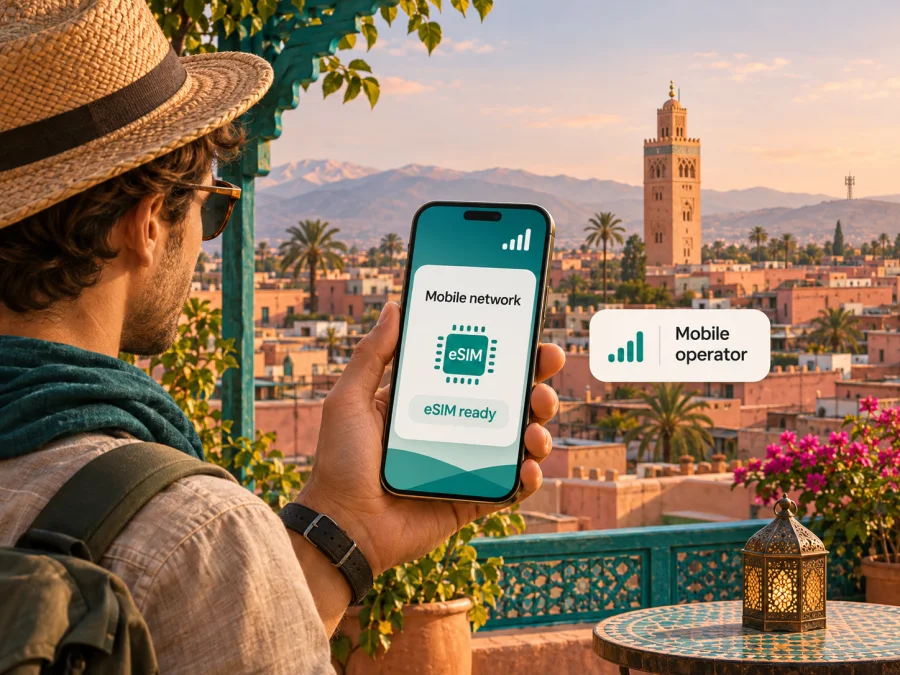
Maroc Telecom eSIM in Morocco: what travelers should check
Maroc Telecom offers eSIM service in Morocco, with an online subscription route and an in-person option described on its official website. That makes a local eSIM worth considering if you need a Moroccan mobile line, while a travel eSIM can suit a narrower need such as mobile data for a visit. The two choices are not interchangeable: check what kind of line, identity checks, device support and service you actually need before you travel.
This guide focuses on Maroc Telecom in Morocco. Its English-language eSIM page and prepaid terms, the Moroccan telecom regulator ANRT, and the operator’s public network information were checked on 4 November 2026. The cited pages are named in the relevant sections; their current wording and requirements should be checked directly with Maroc Telecom before ordering, since availability and processes can change. This article is independent. Kaspersky eSIM Store is not affiliated with, endorsed by, or an official partner of Maroc Telecom.
Maroc Telecom’s role in Morocco
Maroc Telecom is a mobile network operator in Morocco. The National Telecommunications Regulatory Agency (ANRT) lists Itissalat Al-Maghrib, the company that operates as Maroc Telecom, among the country’s licensed fixed and mobile operators. Morocco’s telecom market includes multiple operators, so a visitor can choose between a local line from Maroc Telecom and other connectivity arrangements. This guide covers Maroc Telecom only; it does not rank providers or make claims about comparative network quality.
The practical distinction for a visitor is the service attached to the SIM profile. A Maroc Telecom eSIM is a line on the operator’s own network and may be offered with mobile service that includes calling, messages or data according to the conditions chosen from the operator. A travel eSIM is usually intended for data access while away from home. Do not assume that a travel data profile gives you a Moroccan phone number, ordinary voice calls or SMS. Check the product description before purchase.
Does Maroc Telecom support eSIM in Morocco?
Yes. Maroc Telecom’s official English eSIM page describes eSIM as available for a new mobile subscription and for replacing an existing physical SIM. The page says a customer can request an eSIM through the operator’s online shop when subscribing to a new line, or visit a Maroc Telecom retail branch to order one or request a SIM replacement. For the online flow, it says the QR code and PIN are sent by email after the order is processed.
The operator also publishes prepaid service terms under the JAWAL heading. Those terms explicitly include an eSIM profile downloaded to a compatible device using a QR code, so prepaid service is part of the operator’s published eSIM context. They state that line activation requires a first call and that customer identity must be completed on a form and supported by a valid, up-to-date identity document. The public terms do not establish which identity documents a visitor of every nationality can use in every purchase channel. If you are visiting Morocco, ask Maroc Telecom whether your passport or other document is accepted, whether you can complete the application as a non-resident, and whether an online order can be delivered and activated while you are abroad.
The official page is evidence that Maroc Telecom supports eSIM; it is not a guarantee that every plan, account type, handset or sales channel is eligible. The operator’s website currently shows a list of compatible models, but that list may change and exact availability can differ by regional device variant. Treat the handset check as part of the purchase, not as an assumption based only on a model family name.
What the local eSIM can mean for a traveler
A local operator eSIM may be a good fit when you need the local line itself: for example, if you need a Moroccan number, want a service relationship with the local carrier, or expect to keep using the same line beyond a short visit. The operator’s eSIM page describes access to mobile network services, and its prepaid terms describe mobile voice and data service. The actual features depend on the service you select and the terms that apply to your account.
A visitor should not confuse “available online” with “ready for any tourist to activate before arrival.” Maroc Telecom describes online subscription for a new mobile line, but its prepaid terms also require identity documentation and a first call for activation. The public information reviewed does not give a complete visitor-specific checklist for every nationality, payment method or account type. Before relying on the line for arrival, contact the operator and verify the eligibility steps, required original documents, payment options, QR delivery, activation timing and whether any first-use action must take place in Morocco.
You can also ask whether your intended service is prepaid or postpaid and what customer support is available in a language you can use. Maroc Telecom’s public materials describe prepaid service and online and in-person eSIM ordering in general, but they do not promise that every visitor can obtain every kind of subscription. The operator can confirm the current route for your circumstances. Do not assume identity checks can be skipped; the published prepaid conditions say the customer’s identity is required.
Coverage and mobile technology
Maroc Telecom’s published service terms refer to its GSM and 3G/4G+/5G mobile network, subject to the network coverage area and a compatible, approved terminal. The operator announced the commercial start of 5G service in Morocco in November 2025. ANRT has also published a national announcement about commercial 5G launches by the country’s mobile operators. These sources establish that 5G service has launched; they do not mean 5G is available at every address or included with every subscription.
Maroc Telecom’s 2025 universal registration document reports 4G coverage reaching 99% of Morocco’s population and describes initial 5G deployments. This is a population coverage figure reported by the operator, not a promise of reception at each location, along every route, indoors or in remote terrain. Coverage maps and service can change. Before a trip that depends on connectivity, check the operator’s current coverage information for the actual towns, roads and accommodation on your itinerary.
A compatible 5G-capable phone alone does not guarantee a 5G connection. Access can depend on the exact hardware variant, local availability, line or subscription conditions, and network configuration. The same principle applies to 4G and eSIM: the handset must support eSIM in its specific market version, be unlocked for use with another carrier, and support the relevant local radio network. Ask the seller or operator to verify the complete model code rather than relying on a product name that covers several regional versions.
For an itinerary with time in cities and rural areas, plan for varying signal and speed. Download maps, tickets, and essential travel details for offline access before leaving reliable Wi-Fi. Keep a backup way to contact accommodation or companions, and do not depend on one mobile network for emergency communications. Network availability can differ with terrain, building materials, congestion, maintenance and other local conditions; a technology label is not a performance guarantee.
How to check a Maroc Telecom eSIM before ordering
Use this short checklist before buying or converting a line:
- Confirm that the device supports eSIM in its exact regional version. Check the manufacturer’s specifications and Maroc Telecom’s current compatibility information.
- Confirm that the phone is not carrier-locked and can connect to Moroccan mobile networks.
- Ask Maroc Telecom whether the application is available to a visitor with your nationality and status, and which identity document is required.
- Confirm whether the intended service is prepaid or another subscription type, and whether the eSIM option is available for that specific application.
- Ask how and when the QR code and PIN are delivered, what internet connection is needed to install the profile, and when the line becomes active.
- Check whether a first call or another action is needed after arrival, and whether you need to select the eSIM for mobile data or voice in phone settings.
- Verify current coverage for the locations you will visit and the technology supported by your device and service.
- Save the operator’s customer support details and your account or order reference before you travel.
Local Maroc Telecom eSIM or a travel eSIM?
The right choice depends on what you need, not on a general claim that one option is better. A local Maroc Telecom eSIM is relevant when you want service directly from that operator and can meet its signup requirements. A travel eSIM can be more straightforward when your main goal is mobile data for a trip and you would rather prepare the connection before departure. Availability, compatible devices and the service details should be checked for either option.
| Question | Local Maroc Telecom eSIM | Travel eSIM |
|---|---|---|
| Main purpose | A Maroc Telecom mobile line, subject to the chosen service | Usually mobile data for travel; verify the product’s functions |
| Signup | Operator online shop or retail branch, as described by Maroc Telecom; eligibility still applies | Select and set up through the travel eSIM service, subject to its terms |
| Identity checks | Maroc Telecom prepaid terms require customer identity documentation | Requirements depend on the travel eSIM service and applicable rules |
| Phone number | Depends on the local line issued to you | Do not assume a local number; many travel eSIMs are data-only |
| Network | Maroc Telecom’s own mobile network, where available | The serving network depends on the travel eSIM arrangement and location |
| Best next step | Confirm visitor eligibility, documents, device support and activation with Maroc Telecom | Check destination availability, device compatibility, data-only status and setup instructions |
The table is a general decision aid, not a list of offers or a comparison of plan prices. Neither option should be selected on an assumption about exact data allowances, validity, roaming access or voice service. Those details vary by the specific product and may change. Review the applicable conditions before paying.
If you would like to explore a separate travel-data option, see eSIM options for Morocco. Kaspersky eSIM Store is an app and website for choosing, purchasing and activating an eSIM for mobile internet on an international trip. The Morocco destination page is a place to check current travel eSIM availability; it is not a Maroc Telecom tariff page and does not imply a partnership with Maroc Telecom. The service’s own Morocco page describes its eSIM as data-only, without an assigned phone number for ordinary calls and SMS, so keep a separate line if you need those services.
Set up your eSIM safely
The exact installation steps depend on the phone and the eSIM provider. Use the instructions shown by Maroc Telecom for its profile, and follow the manufacturer’s current directions for your device. In general, prepare the eSIM while you have a stable internet connection and access to the QR code or installation flow. Do not delete a working profile just to troubleshoot unless the provider tells you how to restore it.
Before installation
- Check that your phone is eSIM-compatible and unlocked.
- Connect to Wi-Fi or another working internet connection.
- Keep the QR code, PIN and account details accessible, and protect them from other people.
- Confirm with Maroc Telecom whether the profile should be installed before departure or after reaching Morocco.
- Make sure you understand the activation step and which line should be selected for data.
On an iPhone
Open Settings, then Mobile Service or Cellular (the label varies by iOS version). Choose Add eSIM and follow the on-screen instructions. If Maroc Telecom gives you a QR code, use the phone’s camera or the QR scanning option in the eSIM setup flow. Name the line so you can identify it later. Select the intended line for mobile data only when you are ready to use it, and review data roaming settings according to the operator’s instructions.
On an Android phone
Open Settings and look for Network & internet, Connections, or SIM manager, depending on the manufacturer and software version. Choose the option to add or download a SIM, then scan the QR code or follow the provider’s installation steps. Menu names differ across Android devices. Label the profile, choose which SIM handles mobile data, and change roaming settings only as instructed by the provider.
For more device-specific help, check device compatibility. The compatibility link opens the Kaspersky eSIM Store device-check guidance; use it for a travel eSIM and verify Maroc Telecom support separately with the operator. If the phone has no eSIM option, the menu is missing, or the scan fails, stop and confirm the exact model variant and profile status with the manufacturer or the eSIM provider before deleting or retrying the profile.
After installation
Leave the home line configured as you need it for calls or verification messages, and select the travel or local eSIM for mobile data according to your plan. Turn off data roaming on a line that you do not want to use for internet access, but follow the eSIM provider’s instructions because some profiles require roaming to be enabled. Check the network name and data connection after reaching the destination. If service does not start, verify that the correct line is enabled, airplane mode is off, mobile data is assigned to the intended eSIM, and the phone has restarted or refreshed its network connection. Contact the provider if activation remains unsuccessful.
Common questions
Can I buy a Maroc Telecom eSIM before flying to Morocco?
Maroc Telecom describes an online subscription route for new mobile service, but its prepaid conditions require identity verification and a first call to activate the line. The reviewed public information does not spell out all eligibility rules for international visitors or confirm that every line can be fully activated before arrival. Confirm your application, accepted identity document, delivery and activation timing with Maroc Telecom before relying on it for the journey.
Will my eSIM work in every phone with the same model name?
Not necessarily. A manufacturer can sell regional variants with different connectivity support, and carrier restrictions can also matter. Check the complete model number, country of purchase, eSIM capability and lock status with the device maker and Maroc Telecom. A compatibility list can change as devices are added or removed.
Does a travel eSIM replace a Maroc Telecom line?
Not automatically. A travel eSIM may be intended for data and may not provide a Moroccan phone number, local calls or SMS. Keep or obtain a separate voice line if those functions matter, and check whether your phone can use both profiles in the way you expect.
What if I need connectivity as soon as I land?
Prepare the device, confirm installation timing with the provider and keep the QR code and support information available offline. If using a Maroc Telecom prepaid line, the operator’s published conditions say that a first call is required for activation. Because the line may not be usable until its required steps are complete, keep a backup for transport directions or contacting someone on arrival.
A practical choice for your trip
Start with your requirements: do you need a Moroccan phone number and local operator service, or mainly mobile data while visiting? For the first, ask Maroc Telecom whether you can sign up as a visitor, what documents to present, how the eSIM is delivered and activated, and whether the exact phone variant is supported. For the second, compare the current travel eSIM conditions with your itinerary and confirm the service is data-only or includes any other functions you need.
Before departure, download essential travel information for offline access, install a profile only through the instructions of its provider, and leave time to troubleshoot while you still have reliable Wi-Fi. In Morocco, confirm current network coverage for each destination and check the device settings after arrival. If choosing a separate travel connection, browse current eSIM options for Morocco and review the service details before you select one.
Maroc Telecom and related names belong to their respective rights holders. This independent guide is not affiliated with or endorsed by Maroc Telecom. Check the operator’s current eSIM, prepaid, identity and coverage information directly before ordering; requirements can change.


