
Travel connectivity guide
Maroua eSIM: mobile internet for Cameroon travel
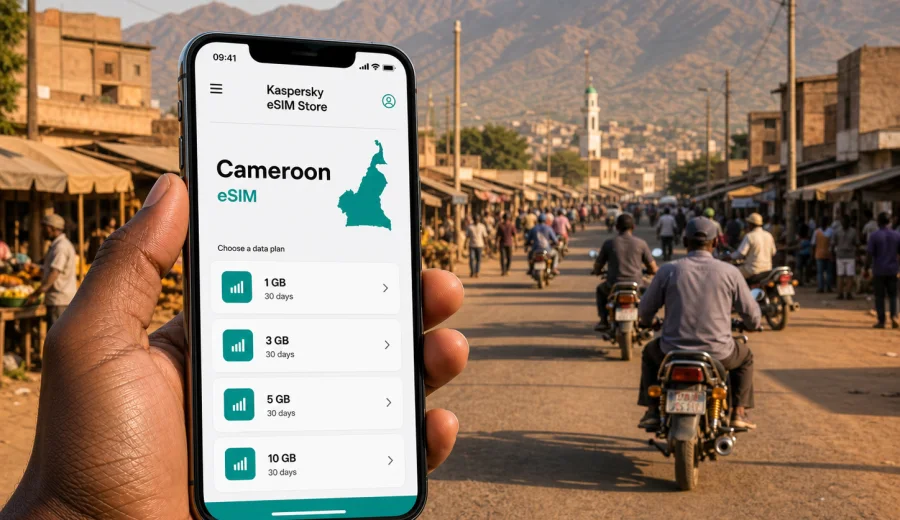
Maroua eSIM: mobile connection and internet for your trip
Maroua is one of the most practical bases in northern Cameroon: a city of markets, government offices, hotels, motorbike taxis, overland routes, and trips toward the Mandara Mountains and other Far North destinations. For travelers, the city rewards preparation. Addresses may be described by landmarks rather than street numbers, local movement often depends on quick calls or map checks, and plans can change when heat, traffic, or road conditions slow the day down.
That is why mobile internet matters in Maroua. An eSIM helps you prepare data before you need it, without searching for a physical SIM card after arrival or relying only on hotel Wi-Fi. With a compatible phone, you can choose a prepaid data plan, install the eSIM profile, and keep your primary SIM available for calls or messages if your device settings allow it.
This guide focuses on Maroua itself: arrival, movement inside the city, hotels, business travel, short stopovers, and regional trips that start from the city. Cameroon is the country context, but the day-to-day question is local: how do you stay online while moving around Maroua?
Why mobile data is useful in Maroua
Maroua is not a city where a traveler should assume every step can be solved from a hotel lobby. You may need data when leaving an airport transfer, finding a driver, checking the route to a market, confirming a meeting, or sending your location from a busy street. Even when the plan is simple, mobile data gives you a backup layer.
Common Maroua travel moments that depend on internet access include:
- checking a map before taking a motorbike taxi or car;
- messaging a hotel, host, colleague, or guide;
- translating short phrases when arranging transport;
- confirming meeting times during business visits;
- checking whether a route toward another town still fits your schedule;
- saving digital documents, tickets, receipts, and booking details;
- using internet-based calls when ordinary voice service is not included in your travel data plan.
An eSIM is especially useful when you want to arrive with a plan already installed. You do not need to make mobile connectivity the first errand of the trip. Instead, you can focus on the transfer, the hotel check-in, or the meeting that brought you to Maroua.
Arrival scenarios: airport, overland route, hotel transfer
Travelers may reach Maroua through different combinations of air and road travel. Some itineraries use Maroua-Salak Airport, while others come overland from other Cameroonian cities or from regional routes. In each case, the first hour is when mobile internet is most valuable.
If you arrive by air, data helps you coordinate the transfer before you leave the terminal area. If you arrive by road, it helps you message your hotel when the vehicle is delayed or when you reach a familiar city landmark instead of a formal address. If someone is meeting you, mobile data gives both sides a simple way to share a pin, a photo of the meeting point, or a change of plan.
For a short trip, prepare the eSIM before departure and keep key details offline too. Save the hotel name, district, contact number, and a screenshot of the booking. Mobile internet is useful, but good travel preparation does not depend on a single connection method.
What makes Maroua different from a capital-city trip
In a larger capital, a visitor may move between airports, malls, international hotels, and dense business districts. Maroua feels more local and more practical. The city center, markets, administrative areas, university-related movement, guesthouses, and road connections matter more than glossy tourist zones.
This affects how you use data:
| Travel need in Maroua | Why internet helps | Practical tip |
|---|---|---|
| Finding a hotel or office | Landmarks may be easier than exact addresses | Save the location before leaving Wi-Fi |
| Moving by motorbike taxi or car | Routes can change with traffic and road conditions | Check the route before starting |
| Visiting markets | You may need messaging, translation, and mobile payments or receipts | Keep battery and data for the return trip |
| Business meetings | Times and locations may shift during the day | Share a live location only when useful |
| Regional trips | The city is often a base, not the final point | Download maps for the wider route |
The main lesson is simple: treat mobile internet as trip infrastructure, not as a luxury. It supports navigation, planning, safety communication, and everyday coordination.
Choosing a data amount for Maroua
The right eSIM plan depends on how you use your phone. A traveler who only checks maps and messages needs less data than someone who joins video calls, uploads photos, or uses the phone as a hotspot for a laptop.
For a short Maroua stopover, a small data package may be enough if you mostly use messaging, maps, email, and occasional browsing. For several days of business meetings, choose more data so you are not forced to ration every map refresh or document download. For a longer northern Cameroon route, consider the whole journey: Maroua plus road time, side trips, hotel nights, and any work you need to do from the phone.
Use this simple estimate:
- Light use: maps, messaging, email, ride coordination, and hotel communication.
- Medium use: frequent maps, photo sharing, document access, translation, and some internet calls.
- Heavy use: video meetings, large uploads, hotspot use, cloud backup, and streaming.
Avoid choosing only by price. Look at data allowance, validity period, destination coverage, activation rules, and whether the plan fits the number of days you will actually be in Cameroon.
When to set up eSIM before the trip
The safest time to prepare an eSIM is before your travel day, while you still have stable Wi-Fi and time to read the plan conditions. Installation can be quick, but it is not a task to rush while standing near luggage, negotiating transport, or trying to find a hotel after dark.
Before leaving for Maroua, do the following:
1. Check that your phone supports eSIM and is not locked to one mobile operator.
2. Choose Cameroon as the destination for your trip.
3. Select a data amount and validity period that match your stay.
4. Install the eSIM profile while connected to reliable Wi-Fi.
5. Keep your primary SIM settings clear so you know which line is used for data.
6. Save your QR code or installation details where you can access them if needed.
If your itinerary includes a connection through another city before Maroua, do not wait until the last minute. Install the eSIM profile in advance, then activate or start using it according to the selected plan conditions.
A city-first data plan for common Maroua itineraries
For a two-day business visit, most mobile data goes to maps, email, messaging, document access, and calls over internet apps. Keep video meetings for hotel Wi-Fi when possible, or choose a larger plan if mobile data is part of your workday.
For a market-and-city visit, mobile data supports navigation between the hotel, market areas, restaurants, transport points, and local contacts. The phone is also useful for translation, photos, and confirming where to meet your driver.
For a regional route from Maroua, use data before departure to check the plan, share your route, and download offline maps. Once outside the city, conditions can vary. A prepared phone helps, but you should not assume the same experience everywhere along the road.
If you want to prepare mobile internet before traveling, Kaspersky eSIM Store lets you choose an eSIM plan for Cameroon through the site or app, then install and activate it on a compatible device according to the selected plan conditions.
Local movement: taxis, motorbike taxis, and walking
In Maroua, local movement is often arranged by habit, landmarks, and direct conversation. Motorbike taxis and cars can be practical, but a visitor still benefits from checking the direction, distance, and return route. Mobile data helps you avoid guessing.
Before starting a ride, open the map and confirm that the destination is in the expected part of the city. If you are meeting someone, ask for a nearby landmark as well as a pin. If the route is unfamiliar, keep the map visible enough to notice whether you are moving in the right direction, but do not advertise your phone unnecessarily in crowded places.
Walking also needs data. A short walk between a hotel, shop, restaurant, or meeting point can become confusing when streets are busy or when the heat makes you want the most direct route. Check the path before leaving shade, carry a power bank on long days, and keep the phone charged for the ride back.
Hotels and Wi-Fi: useful, but not enough
Hotel Wi-Fi can be helpful for large downloads, video calls, and evening planning. It should not be your only connection method in Maroua. You may need internet before check-in, after leaving the hotel, in a vehicle, or while waiting at a meeting location.
Use hotel Wi-Fi for heavier tasks when it is stable:
- downloading offline maps;
- updating apps before a field day;
- joining long calls from your room;
- backing up photos at night;
- sending large work files.
Use mobile data for movement:
- map checks;
- messaging;
- email confirmations;
- location sharing;
- quick translation;
- internet calls when appropriate.
This split keeps the eSIM data plan focused on the moments when mobility matters most.
Business travel in Maroua
Business trips to Maroua may involve offices, field visits, government or NGO meetings, logistics coordination, university-related activity, or supplier visits. The practical challenge is not only having internet; it is having internet at the exact moment a meeting changes, a driver needs directions, or a file must be opened away from the hotel.
For business travel, choose an eSIM plan with a margin. A plan that is barely enough for personal messaging may feel restrictive if you need email attachments, cloud documents, route sharing, or internet calls. Also check whether your device allows dual SIM use so your usual number can remain reachable while mobile data uses the eSIM.
Business checklist:
- save meeting addresses and contact names offline;
- keep calendar invitations available without internet;
- download key documents before leaving the hotel;
- turn off automatic cloud backup on mobile data if your plan is limited;
- use Wi-Fi for long video calls when possible;
- keep a charger or power bank available during field visits.
An eSIM does not replace good planning, but it reduces the number of situations where you have to stop work because you cannot get online.
Installing eSIM and checking device compatibility
Before you buy any travel data plan, check whether your phone or tablet supports eSIM and whether it can use mobile data on an eSIM profile. Some devices support eSIM only in certain regional versions, and some phones may be locked by an operator. You can check your device before choosing a plan.
Installation usually involves adding the eSIM profile to your device, often through a QR code or in-app flow, then choosing when to use it for mobile data. For step-by-step setup, use the Android installation guide or the iOS installation guide. Keep your phone on Wi-Fi during installation and read the selected plan conditions before activation.
Important details to remember:
- eSIM data plans usually provide mobile internet, not a regular local phone number.
- Voice calls and SMS are not included unless the specific plan says so.
- Internet-based calls and messaging apps can work over mobile data.
- Some plans may require data roaming to be enabled for the eSIM line.
- An eSIM profile may not be transferable after activation, depending on its conditions.
Practical data-saving habits in Maroua
Maroua can involve long days outside, warm weather, and several small movements rather than one big journey. Data and battery management matter together. A phone with an active data plan is only useful if it still has power by the time you need the return route or the hotel address.
Use these habits:
- Download offline maps for Maroua and the surrounding route before leaving Wi-Fi.
- Turn off automatic app updates on mobile data.
- Reduce cloud photo backup until you are on Wi-Fi.
- Save hotel and driver contacts in your phone, not only in a messaging app.
- Keep screenshots of bookings, route notes, and meeting addresses.
- Close video apps and background sync when using a limited data plan.
- Carry a power bank if you expect a full day away from the hotel.
For many travelers, maps and messaging are more important than streaming. Protect data for the tasks that solve real travel problems.
Short stopovers and one-night stays
A Maroua stopover can be simple: arrive, reach the hotel, attend a meeting or rest, then continue the next day. Even then, mobile data can make the trip smoother. The first and last kilometers are often the most dependent on coordination.
For a one-night stay, prepare these items:
| Need | What to save | Why it matters |
|---|---|---|
| Arrival | Hotel name, phone, and map pin | Helps with transfer coordination |
| Evening | Restaurant or shop options near the hotel | Avoids unnecessary wandering |
| Departure | Next transport time and meeting point | Reduces morning confusion |
| Backup | Offline map and emergency contact | Useful if data is weak or battery is low |
If you only need a small amount of data, pick a plan that matches the short stay. If Maroua is one stop in a longer Cameroon route, choose a plan for the whole country itinerary rather than only the city night.
Trips from Maroua
Maroua is often a base for wider Far North travel. Depending on the itinerary, travelers may use it before moving toward nearby towns, mountain landscapes, parks, administrative visits, or project sites. Conditions outside the city can be more variable, so prepare before leaving.
Before a regional trip:
1. Confirm the route and expected travel time with local contacts.
2. Download offline maps for the full route.
3. Share your plan with someone who knows when you should arrive.
4. Check that your eSIM line is selected for mobile data.
5. Save key addresses and phone numbers outside messaging apps.
6. Keep enough battery for the return or onward leg.
Mobile internet is useful for coordination, but it should not be your only source of route information. Ask local contacts about road conditions, timing, and practical stops before departure.
Security, privacy, and public Wi-Fi
Public Wi-Fi can be convenient, but it is not always available when you need it, and quality can vary. A personal mobile data connection gives you more control when checking email, opening work documents, messaging contacts, or using maps away from the hotel.
Use public Wi-Fi carefully. Avoid entering sensitive information on networks you do not trust, keep your device updated, and prefer mobile data for important travel coordination. An eSIM plan helps reduce dependence on unknown Wi-Fi networks, especially during arrival, transfers, and business movement around the city.
Quick answers about eSIM in Maroua
Is Maroua eSIM only for tourists?
No. It can be useful for business travelers, visiting researchers, NGO and project staff, people visiting family, and anyone who needs mobile internet while moving through the city.
Can an eSIM give me a Cameroon phone number?
Usually these travel data plans are for mobile internet. They do not normally include a local phone number, voice calls, or SMS unless that is clearly stated in the selected plan.
Should I install the eSIM before I arrive in Maroua?
Yes, if possible. Install it while you have stable Wi-Fi and enough time to follow the setup steps. Then use it according to the activation rules of the plan you selected.
Do I still need offline maps?
Yes. Offline maps are a practical backup, especially if you travel outside the city or want to save data.
Can I use the eSIM as a hotspot?
It depends on your device and plan conditions. Check the details before relying on hotspot use for a laptop or another phone.
Final checklist before you travel
Before leaving for Maroua, make sure your phone is ready:
- your device supports eSIM and is unlocked;
- the eSIM profile is installed correctly;
- you know which SIM line is used for mobile data;
- data roaming settings are correct for the eSIM, if required;
- your hotel, contacts, and maps are saved offline;
- automatic updates and cloud backups will not consume data unexpectedly;
- you have a charger or power bank for long days.
Maroua is easier to navigate when your phone is ready before the first transfer, meeting, or ride across town. To prepare mobile internet for the trip, you can choose an eSIM plan for Cameroon in Kaspersky eSIM Store, install it on a compatible device, and use it for practical travel tasks around Maroua and the wider route.