Travel connectivity guide
Marsaxlokk eSIM: Mobile Internet in Malta
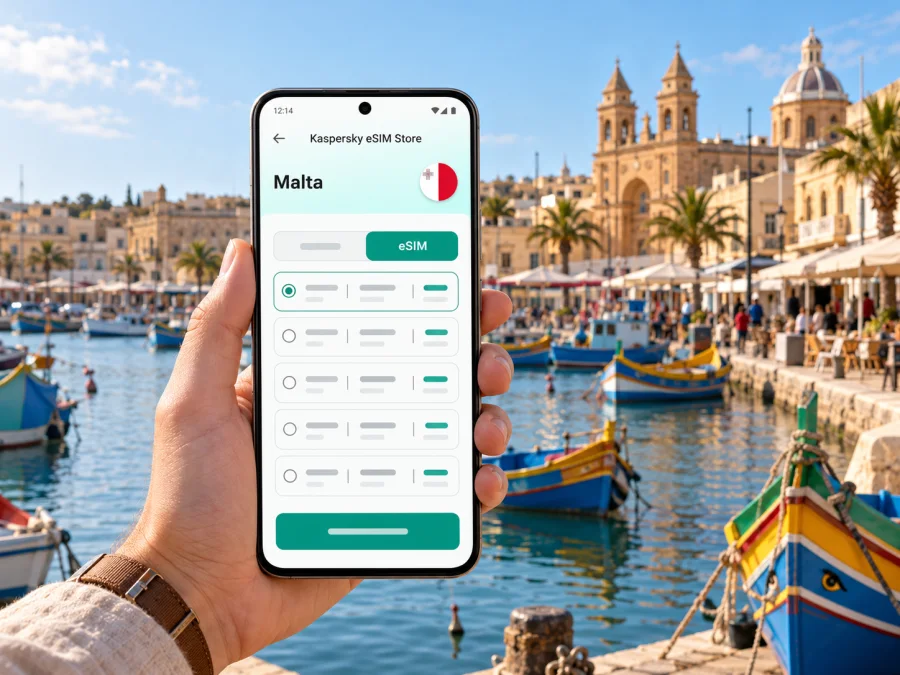
Marsaxlokk eSIM: mobile connection and internet for your Malta trip
Marsaxlokk is a small fishing village on Malta’s southeastern coast, best known for its harbour, colourful luzzu boats and Sunday market. If your stay is based elsewhere on the island, it is often a day trip; if you are staying by the waterfront, it can be a quieter base for exploring the south. In either case, mobile internet helps with the practical parts of the visit: checking the bus journey, finding your accommodation, coordinating a lunch booking and keeping maps available while you walk along the bay.
An eSIM is a digital SIM profile that you can add to a compatible, unlocked phone. For travel, it can provide mobile data without replacing your physical SIM. Kaspersky eSIM Store is an app and website where you can choose, arrange and activate an eSIM with a suitable data plan for an international trip. The service is not a mobile operator: the actual connection depends on the selected plan, its local network partner, the device and conditions at your location.
What mobile internet is useful for in Marsaxlokk
The village is compact, but your day rarely happens in one place. You may arrive from Malta International Airport, walk the harbourfront, continue to a nearby beach or viewpoint, then head back toward Valletta or another part of the island. A working data connection makes it easier to join those steps without printing directions or repeatedly asking for Wi-Fi.
Typical uses include:
- opening a live map to locate your guesthouse, the waterfront or a bus stop;
- checking a current bus route and departure time before leaving the harbour;
- messaging your host if your arrival is delayed or you need directions to a door or key box;
- confirming a restaurant reservation, opening its menu or sharing your location with companions;
- checking weather alerts and adapting a walk if the coast is windy or the sun is strong;
- translating a short sign or message, while remembering that translation apps may need data or an offline language pack;
- keeping tickets, booking details and travel documents available in cloud services where you have access.
You can use the same phone for maps, messages and trip details between the airport, Marsaxlokk and other Maltese destinations. Reception still varies with terrain, buildings, congestion, the handset and the selected plan’s network.
A harbour visit has two different rhythms
Sunday is the best-known market day, with fish and seafood activity alongside other stalls on the waterfront. It is also when more visitors may arrive, and bus services can be affected by local diversions around the market area. On other days, the harbour and promenade remain the main reason to visit, but the atmosphere is generally less centred on the Sunday market. If market stalls are important to your plan, check current local information before setting out rather than assuming every stall or activity is available throughout the day.
On a busy Sunday, check the return journey before lunch and save your accommodation address as a backup. Navigation, photos and mobile data can drain a battery, so bring a power bank for a long day.
Getting from the airport and moving around
Marsaxlokk is on Malta’s main island, not on Gozo. Malta International Airport is the usual air arrival point for a visit to the village. The official public transport route information lists Airport route 119 serving Marsaxlokk, and also lists route TD10 between Valletta and Marsaxlokk. These are useful starting points for planning, but a route listing is not a promise that a particular departure will suit your arrival: check the live timetable, stop and service notices for your travel date.
At the airport, an eSIM can help you check the current journey, compare a bus with a taxi or booked transfer, and let your host know when you are on your way. Before leaving the terminal, verify that the plan is active, mobile data is assigned to the intended eSIM, and your map has loaded. If you have no data yet, use airport Wi-Fi to troubleshoot or save directions. Do not assume a QR installation will work without an internet connection; some devices need a connection during setup.
| Your travel moment | What to prepare on your phone |
|---|---|
| Before boarding | Save the accommodation address, booking confirmation and the route to Marsaxlokk. |
| At Malta International Airport | Check the current 119 service or your chosen transfer, including any disruption notice. |
| At a bus stop | Confirm the direction and destination shown for the service; stop names can be unfamiliar. |
| In the village | Keep a map pin for your lodging and the return stop, especially if arriving after dark. |
| On the way elsewhere | Recheck connections before you leave; the next leg may require a different route or interchange. |
The harbour is walkable, though paving and steps can be uneven and parts of the route are exposed to the sun. Save an offline map and check the return connection before continuing to another coastal spot.
Search by the place name and exact accommodation address. Ask your host for a landmark or entrance instruction and keep it offline; a map pin may point to a nearby entrance rather than the door.
Choosing an eSIM plan for a Malta stay
A city name is useful for travel planning, but the plan’s destination coverage is what matters technically. Marsaxlokk is in Malta, so review a plan for Malta and check its terms rather than looking for an assumed city-specific product. If your itinerary continues to Gozo, the rest of Malta or another country, verify that the plan’s coverage area matches every leg. A regional plan can have a different scope from a country plan; do not infer that one includes the other from the name alone.
Kaspersky eSIM Store lets you review available options for the destination and choose a plan according to your expected data use and trip length. Explore eSIM options for Malta and compare the conditions shown for each plan before selecting one. Availability, local network partner, data allowance, validity, price and activation conditions are plan-specific and can change. The selected provider’s network determines service in a particular location; no plan should be treated as a guarantee of signal in every room, road or bay.
Choose a data allowance by considering how often you will use maps and messaging, and whether you plan to upload photos, stream video or work online. Navigation and occasional messages generally use less data than video calls, streaming or automatic cloud backups.
Check four items before purchase: destination, data amount, validity period and when the validity starts. Some plans begin their validity at installation or activation; others have different conditions. Read the wording for the specific plan so you can install at a sensible time and avoid starting a limited period earlier than intended. Also confirm whether top-ups are available and what happens when the included data is used. Do not assume that an eSIM includes a standard phone number, voice calls or SMS; these are included only if the plan explicitly says so.
Match the plan to the shape of your trip
A short harbour visit may need data mainly for directions and messages; a longer stay with regular island travel, photo sharing or work calls can use more. If you plan to share a hotspot, check whether the selected plan and device allow it.
Set up before you leave
Installing the eSIM before departure can make arrival simpler, as long as the purchase terms allow it and you have a reliable internet connection during installation. Keep your regular SIM available if you need its number for calls or verification messages. An eSIM data plan usually does not replace your home number; whether calls and SMS are available depends on your existing SIM and the chosen plan’s terms.
Before buying, check whether your device supports eSIM. Confirm that the phone is not carrier-locked, that its exact regional version supports eSIM, and that you can access a stable internet connection to add the profile. Support differs among models and regional variants, so a model family name alone is not enough to confirm compatibility.
A straightforward setup sequence is:
- Review the plan terms. Confirm Malta is included, then note its data amount, validity, start condition and any hotspot restrictions.
- Prepare the phone. Update its operating system if appropriate, keep it charged and connect to stable Wi-Fi.
- Add the eSIM. Follow the on-screen steps in the app or use the QR code supplied with the plan. Avoid deleting a profile after installation unless support or the plan instructions tell you to do so.
- Label the line. Give it a clear name such as “Malta data” so it is easy to distinguish from your home SIM.
- Choose when to use it. Set the eSIM as the mobile data line when you want the travel plan to connect. Keep your primary number enabled only as needed and review its roaming settings to avoid unexpected charges.
- Check activation conditions. Some plans require data roaming to be enabled for the travel eSIM. Follow the specific instructions, then wait for the network registration process to finish.
For device-specific steps, use the Android eSIM installation guide or the iOS eSIM installation guide. Menu names can differ by operating system version and manufacturer. If the phone displays a status such as “activating,” allow time for it to complete and avoid repeatedly deleting and reinstalling the profile.
If you install after landing, keep the setup details accessible and use airport Wi-Fi if needed. A QR code displayed on the same phone cannot be scanned by that phone; use a direct installation option if available or show the code on another screen.
Using data without surprises
Once you are in Marsaxlokk, the eSIM is primarily a mobile data connection. It can support maps, email, browsers and internet-based calls or messages in compatible apps. It does not automatically provide an ordinary local number. If a restaurant or accommodation needs to call you, you can give the number on your existing SIM, use a messaging app, or ask them to contact you through the booking platform.
Set the travel eSIM as the data line and review roaming settings on both SIMs: the travel profile may require roaming, while your home SIM could incur charges. Disable automatic data switching if you do not want the phone to fall back to your regular line. Keep large uploads and app updates on Wi-Fi, and check hotspot terms before sharing data. Around the harbour, look up when crossing roads or walking near the water; save the return route before sunset.
Three useful Marsaxlokk scenarios
- Sunday from Valletta: check TD10 and market-day service notices, then save the harbour and return-stop pins.
- Airport arrival: compare the current 119 service with your transfer options and keep the accommodation address offline.
- Work trip: download meeting files on Wi-Fi and use mobile data for directions and messages between appointments. Call quality and tethering depend on the plan, network and location.
If the eSIM does not connect
Start with simple checks instead of deleting the profile:
- Confirm the phone has the intended eSIM switched on and selected for mobile data.
- Check whether the plan has reached its start date or activation condition and still has data remaining.
- Follow the plan instructions for data roaming and network selection.
- Turn airplane mode on briefly, then off, or restart the phone if it has not registered.
- Move to a different spot and wait a few minutes; walls, the device and local network conditions can affect reception.
- If there is still no service, connect to Wi-Fi and contact support with your order details and a description of the phone’s status.
Frequently asked questions
Is there a separate eSIM for Marsaxlokk?
Choose a plan whose stated destination includes Malta. City-specific coverage should not be assumed; check the selected plan’s country or regional terms and its local network partner information where provided.
Does the eSIM work on the bus from the airport?
It can provide mobile data where the selected plan’s partner network has service and your device can connect. Reception may vary along the journey, so keep the address and route details available offline as a backup.
Can I use it for calls and text messages?
A travel data eSIM does not necessarily include a phone number, ordinary voice calls or SMS. Check the specific plan. Internet calling and messaging apps can work over data, subject to the app, connection and your contacts’ availability.
Should I install it before arriving in Malta?
That can be convenient if the plan allows it and you have Wi-Fi. Check when validity begins.
Do I need to remove my regular SIM?
Usually not, if your phone supports dual SIM. Set the travel eSIM for data and review roaming settings on your home SIM.
What if I travel from Malta to another country?
Check coverage for each destination before you leave. A Malta plan may not cover another country, and a regional option may have its own country list and conditions. Do not rely on a plan name alone.
Prepare for a connected visit
For a smooth Marsaxlokk trip, save your accommodation address, check current transport information, choose a Malta plan that fits your route and data habits, and confirm device compatibility before purchase. Keep an offline map and booking details as backups, especially for a Sunday visit or a late arrival. The harbour is easy to enjoy at your own pace when the practical details are already on your phone.
When you are ready, choose an eSIM plan for your Malta trip in Kaspersky eSIM Store. Review the plan’s coverage, allowance, validity and activation terms, then install it on your compatible device before departure or when you have a suitable internet connection.


