
Travel connectivity guide
Marsh Harbour eSIM for mobile internet
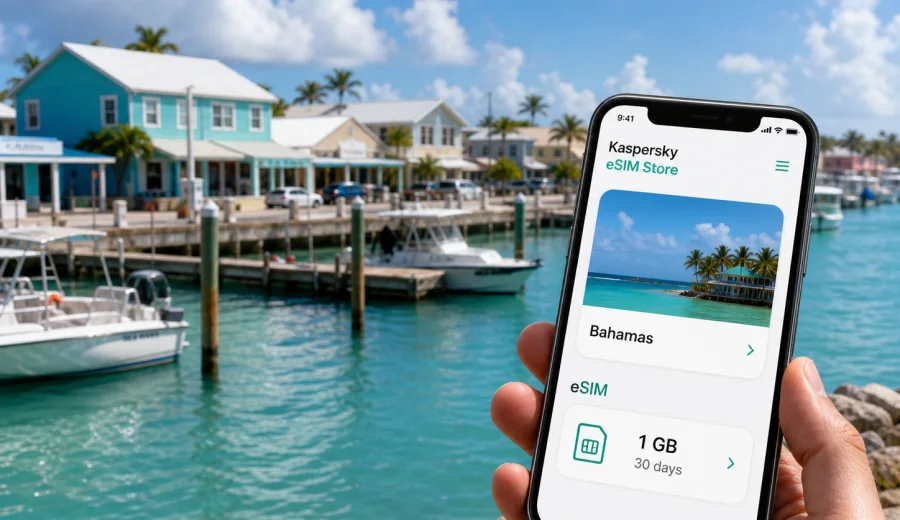
Marsh Harbour eSIM: mobile connection and internet for your Abaco trip
Marsh Harbour is a practical base for exploring the Abaco Islands: you may arrive by air, meet a boat transfer, pick up a rental car, check into a waterfront hotel, or continue toward Elbow Cay, Hope Town, Man-O-War Cay, Great Guana Cay, Treasure Cay, and smaller settlements around the Sea of Abaco. In these first-hour decisions, mobile internet matters for maps, ferry updates, marina messages, hotel directions, weather checks, and ride coordination.
An eSIM can make that arrival smoother because you do not need to look for a physical SIM card after landing. With a compatible phone, you can prepare a digital SIM profile before the trip, choose a tariff for the Bahamas, and use mobile data for navigation, messaging, bookings, and travel admin once the selected tariff is active. Kaspersky eSIM Store helps you choose, arrange, and activate an eSIM with a suitable tariff for mobile internet during an international trip.
This guide focuses on Marsh Harbour, not the Bahamas in general. The city is a gateway where airport arrival, marinas, car rental, hotel check-in, ferries, charter boats, and day trips often sit close together.
Why mobile internet is useful in Marsh Harbour
Marsh Harbour is not a city where every movement follows one fixed public transport pattern. Many visitors combine taxis, rental cars, golf carts on nearby cays, private boat transfers, ferries, and walking near marinas or accommodation. Mobile internet helps you keep those small transitions under control.
Typical Marsh Harbour use cases include:
- checking the route from Leonard M. Thompson International Airport to your hotel, marina, rental house, or ferry point;
- messaging a captain, host, taxi driver, or colleague after a delayed arrival;
- confirming ferry times before going to Elbow Cay or another Abaco cay;
- using maps when driving toward Treasure Cay, Little Harbour, or other parts of Great Abaco;
- sending documents, boarding details, marina instructions, or meeting notes during a business trip;
- checking weather and travel updates before a boat day;
- using messengers for calls when a data-only eSIM tariff does not include a standard phone number.
First hours after arrival
Your need for internet usually starts before sightseeing. In Marsh Harbour, the first hours often involve coordination: telling your hotel you are on the way, checking whether a marina office is still open, opening a reservation, or finding the correct dock.
If you activate mobile data on your prepared eSIM after arrival, you can handle these tasks without searching for a local shop first. Connection can take a few minutes and depends on the device and the local network, so it is better to prepare the eSIM profile while you still have stable Wi-Fi before the trip.
Quick arrival checklist:
- Save your hotel, marina, rental property, and ferry point in your maps app.
- Keep booking confirmations available offline in case mobile data is not active yet.
- Check that your phone supports eSIM and is not locked to one carrier.
- Install the eSIM profile before departure if the tariff conditions allow it.
- After landing, choose the eSIM profile for mobile data and allow a few minutes for registration.
- Keep your primary SIM available if you need ordinary calls or SMS from your home number.
Where eSIM helps around town
Marsh Harbour is compact compared with major capitals, but the travel pattern can be spread out. You might be near the airport in one moment, at a marina shortly after, then on a boat or road toward another part of Abaco. A data connection helps when those handoffs change.
| Scenario in Marsh Harbour | Why mobile data helps | What to prepare |
|---|---|---|
| Airport arrival | Find transport, message your host, open maps | Install the eSIM profile before the trip |
| Marina or boat transfer | Confirm dock location and departure time | Save captain or office contacts |
| Hotel check-in | Send arrival updates and access booking details | Keep confirmation files offline too |
| Driving on Great Abaco | Use navigation and check route changes | Download offline maps as backup |
| Business visit | Join calls, send files, use email securely | Choose enough data for work apps |
| Day trip to nearby cays | Coordinate return timing and meeting points | Check tariff coverage and battery level |
The key is choosing a tariff that matches your actual route. A stopover may need only light data, while remote work, photo uploads, or several days across Abaco call for more data and a validity period that covers the whole trip.
Choosing an eSIM tariff for Marsh Harbour
For a city trip to Marsh Harbour, you normally choose a Bahamas tariff rather than a separate city product. The city is your destination, but mobile networks and eSIM tariff conditions are organised by country or region. Check the destination, data amount, validity period, price, and any activation details before payment.
Think through four questions:
1. How many days will you spend in Marsh Harbour and the Abaco Islands?
2. Will you mainly use maps and messengers, or will you stream, upload media, and work online?
3. Will your route stay inside the Bahamas, or will it include another country before or after?
4. Do you need only mobile data, or do you also rely on ordinary phone calls and SMS?
Many travel eSIM tariffs are data-focused. That can be enough for maps, messaging apps, email, browser searches, ride coordination, and internet calls through apps, but it may not include a regular phone number. If voice calls and SMS are important, check the exact tariff conditions and keep your primary SIM available if needed.
When to set up eSIM before the trip
The calmest time to set up eSIM is before you leave home, when you have stable Wi-Fi and time to read the instructions. You can add the eSIM profile to your compatible device, check that it appears in mobile settings, and decide when to use it for mobile data. Whether data usage starts during installation or only after connection depends on the tariff conditions, so read them before activation.
Do this before departure:
- Confirm that your phone or tablet supports eSIM.
- Make sure the device is not locked to a single carrier.
- Check whether your operating system is up to date.
- Save the eSIM installation details and QR code or profile access information.
- Read the tariff conditions, including destination, data amount, validity period, and activation timing.
- Keep your home SIM active if you need banking SMS, airline messages, or ordinary calls.
Compatibility and installation
Before buying or activating an eSIM tariff for a Marsh Harbour trip, check your device. Some phones and tablets support eSIM only in certain regional versions, and a carrier-locked device may not accept another mobile profile.
The usual installation flow is simple:
1. Choose the destination and tariff conditions that fit your trip.
2. Add the eSIM profile to your compatible device.
3. Keep your primary SIM for calls or SMS if you need it.
4. Select the eSIM line for mobile data when you want to use it.
5. If required by the device or tariff, enable data roaming for that eSIM profile.
6. Wait a few minutes for the phone to register on the local network.
For detailed device steps, use the Android installation guide or the iOS installation guide. Menu names can vary by model and operating system version, so follow the prompts carefully.
A practical data plan for Marsh Harbour
Data use depends on your habits, but the pattern in Marsh Harbour is often predictable: maps and messages during the day, heavier updates on hotel Wi-Fi at night. Uploading photos, joining video calls, using navigation continuously, or sharing a hotspot increases data use quickly. Avoid choosing only by price; a tariff with too little data can create stress if you depend on maps, app calls, or work tools.
Once you know your route, you can choose an eSIM plan for your Marsh Harbour trip and compare available options for the Bahamas. Kaspersky eSIM Store helps you review the destination, data allowance, validity period, and purchase flow in one place before you activate the eSIM on a compatible device.
Transport, hotels, and local movement
Marsh Harbour travel often depends on practical local movement rather than long urban transit lines. Near a marina, you may walk between docks, restaurants, and accommodation. Outside the centre, you may rely on a rental car, arranged transfer, or ferry connection.
Mobile internet helps in these everyday moments:
- opening a map when a taxi or rental desk gives directions verbally;
- sharing your live location with family, colleagues, or a boat contact;
- checking whether a restaurant, shop, or office is open before travelling across town;
- using translation, currency conversion, or banking apps when needed;
- finding your way back to the right dock after dinner;
- receiving updates from your airline or accommodation.
Work trips and day trips from Marsh Harbour
Marsh Harbour is also a base for marine services, property visits, hospitality, logistics, aviation, and meetings across Abaco. If you will work away from hotel Wi-Fi, plan extra data for email, cloud files, app calls, document sharing, and possible hotspot use.
For day trips to Hope Town, Elbow Cay, Man-O-War Cay, Great Guana Cay, Treasure Cay, or Little Harbour, mobile data helps with ferry timing, meeting points, weather checks, and messages to hosts or boat contacts. Save essential details offline, carry a power bank, and remember that signal quality can vary by local network and exact location.
eSIM, roaming, or local SIM?
A travel eSIM is useful when you want mobile data prepared before arrival and do not want a physical SIM card to be your first errand. Home roaming can be simple for very short trips, but price and data rules depend on your operator. A local physical SIM may suit a longer stay if you need local mobile services. For many Marsh Harbour trips, the practical setup is eSIM for mobile data while moving, hotel Wi-Fi for heavy updates, and your primary SIM for important calls or SMS.
Common checks before you go
Before your flight or boat transfer, verify your exact phone model, carrier lock status, data roaming setting for the eSIM profile, tariff validity period, and offline copies of travel documents. Do not delete an eSIM profile unless you know it can be reinstalled under the tariff conditions, and do not expect a data-only eSIM tariff to include ordinary calls and SMS unless the terms say so.
Quick recommendations
For a smooth Marsh Harbour trip, treat mobile internet as part of your arrival plan:
- Choose a Bahamas tariff because Marsh Harbour is in the Bahamas.
- Install the eSIM profile while you still have reliable Wi-Fi.
- Use the eSIM line for mobile data after arrival.
- Keep your primary SIM for calls, SMS, and account verification if needed.
- Download offline maps and documents as a backup.
- Pick more data if you will work, upload media, or use a hotspot.
- Check compatibility before payment and activation.
FAQ
Is eSIM useful for Marsh Harbour?
Yes. eSIM can be useful for maps, messaging, booking details, ferry coordination, hotel communication, and work tools during a Marsh Harbour trip. Choose a Bahamas tariff and check the exact conditions before activation.
Should I install eSIM before arriving in Marsh Harbour?
It is usually more convenient to install the eSIM profile before departure while you have stable Wi-Fi. Check when the validity period starts for your selected tariff, then activate mobile data at the right moment.
Can I use eSIM for trips from Marsh Harbour to nearby cays?
You can use a Bahamas eSIM tariff for travel within the destination covered by that tariff, subject to local network availability and the exact plan conditions. Save essential details offline before boat trips or remote excursions.
What should I check before choosing a tariff?
Check device compatibility, carrier lock status, destination, data amount, validity period, activation timing, hotspot rules if you need tethering, and whether the tariff is data-only.
Choose mobile internet for your Marsh Harbour trip
Before you fly to Marsh Harbour or continue through the Abaco Islands, prepare your phone for the moments when Wi-Fi is not enough: airport arrival, transfers, marinas, maps, accommodation messages, business tasks, and day trips. With Kaspersky eSIM Store, you can review available options and choose an eSIM plan for travel to the Bahamas before you need mobile data on the ground.