Travel connectivity guide
Masaka eSIM: Mobile Internet in Uganda
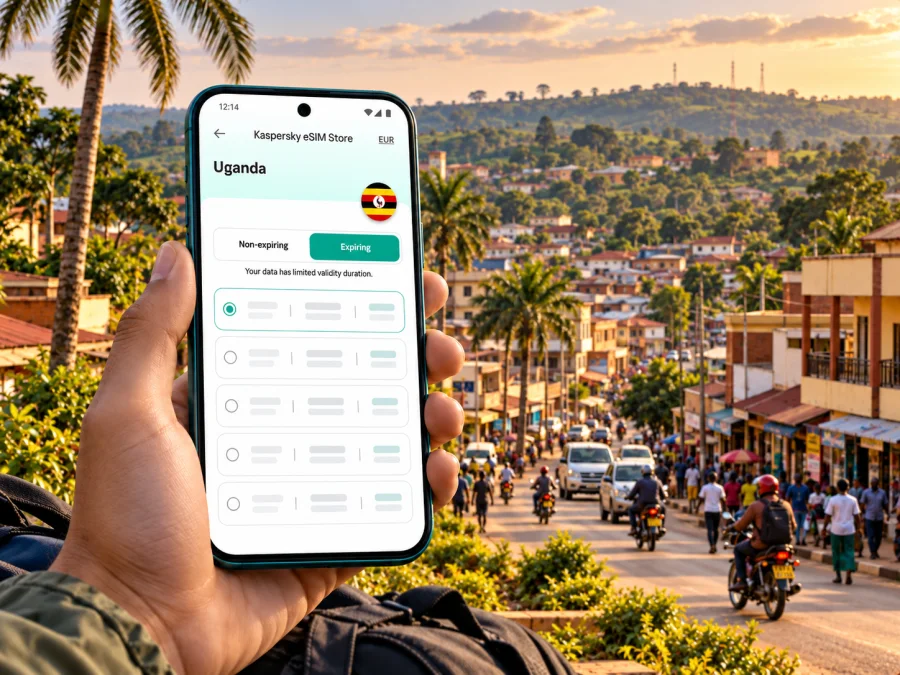
Masaka eSIM: Mobile Connection and Internet for Your Uganda Trip
Masaka is a practical base for a south-central Uganda itinerary: a city visit may involve a hotel check-in, meetings, local errands, road travel and onward journeys, often all in one day. A reliable mobile data plan helps you coordinate each step, open maps, contact a driver and confirm arrangements without depending on finding Wi-Fi first.
An eSIM is a digital SIM profile you can add to a compatible phone for mobile data without replacing its physical SIM. Check that the travel plan includes Uganda, review its network and validity terms, and make sure the allowance suits your route.
Masaka is an inland city in Uganda’s Central Region and a commercial centre for the surrounding area. It lies roughly 130–140 kilometres southwest of Kampala by road, on the corridor toward Mbarara; official local pages give slightly different approximate distances. Connectivity is useful for sharing a location, finding a meeting place and checking bookings in town or along the route. Travel times vary, so use current navigation and local advice.
Where mobile internet helps in Masaka
Think of your connection as a travel tool that supports several small tasks rather than one continuous browsing session. A route map may use little data, while video calls, cloud photo backups and streaming can use much more. A plan that seems ample for a short city stay may be less suitable if you work remotely or continue travelling across Uganda.
| Moment in the trip | What mobile data can help you do | Useful preparation |
|---|---|---|
| Before leaving for Masaka | Confirm the hotel address, meeting point and driver details | Save the full address and a map pin, not only a business name |
| On arrival in town | Message your host and check the final approach | Keep the phone charged and your booking available offline |
| Moving between appointments | Compare routes, share your location and notify contacts of delays | Ask the destination for a recognizable landmark or entrance |
| Working from a hotel or café | Join calls, exchange files and use work tools | Check Wi-Fi availability and data needs before relying on either connection |
| Leaving Masaka | Navigate toward Kampala, Mbarara or another booked stop | Download maps and confirm transport details before departure |
Mobile data does not replace travel planning. Keep key addresses and reservation details offline, and allow for delayed messages where signal or power is inconsistent.
Plan the journey from the airport
For many international visitors, Entebbe International Airport is the point of entry into Uganda. It is on the shore of Lake Victoria, southwest of Kampala. Masaka is farther inland, so the onward journey is a road transfer rather than a short city-centre hop. A typical itinerary heads first toward Kampala and then southwest along the Kampala–Masaka corridor, but the best route and departure time depend on traffic, road works, weather and your final destination.
Arrange the transfer before landing when possible. Agree on a named pickup point, exchange a working phone number and keep the booking details in a message or screenshot. If arranging transport after arrival, confirm the destination and fare with the provider and check current airport guidance.
Uganda’s Ministry of Works included sections around Masaka, including Masaka–Nyendo, in a Central Region road inspection in September 2026; the inspection also reported maintenance concerns on several sections. Check current conditions shortly before setting out.
The road journey from Entebbe to Masaka takes longer than the airport-to-Kampala leg alone. Leave time for arrival formalities, traffic and road conditions instead of scheduling a tight meeting from a map estimate. Save an offline map before departure in case coverage varies along the route.
In Masaka, combine a map pin with a written description. Ask your host for a recognizable landmark or entrance, send the pin before the drive and confirm the final stretch if the destination is outside the built-up area.
Choosing a travel eSIM for a Masaka stay
There is no separate city tariff requirement just because you are going to Masaka. For a travel eSIM, check the Uganda destination and the actual terms shown for the plan. A country page can help you start your search, but the plan details are what determine whether it fits your dates and usage. Kaspersky eSIM Store is an app and website where you can choose, arrange and activate an eSIM with a suitable plan for mobile data during an international trip.
Before selecting a plan, compare these points:
- Destination: confirm that Uganda is included. If your itinerary crosses a border, verify every country separately or choose a plan that explicitly covers the route.
- Data allowance: estimate maps, messaging, email and routine browsing separately from calls, video meetings, large uploads and backups.
- Validity: check how long the plan lasts and when the validity period starts. Installation and first use may not be the same event; follow the plan’s stated rules.
- Network and service conditions: read the details shown for the specific offer. Coverage, available network technology and performance can differ by location and by partner network.
- Hotspot use: if you expect to connect a laptop or another device, confirm tethering is allowed and that the data allowance is sufficient.
- Voice and SMS: travel data eSIM plans commonly focus on internet access. Do not assume they include a Ugandan phone number, ordinary calls or SMS unless the plan explicitly says so.
- Price and payment currency: use the amount and conditions shown at the time you choose. Offers and prices can change.
What the local market means for your decision
Uganda’s local operators have their own SIM products. The Uganda destination page currently lists Airtel among local providers for its displayed offers, while MTN Uganda describes its own eSIM service and tourist SIM option with operator-specific eligibility and procedures. These are distinct products: do not assume a travel eSIM uses MTN, supports the same functions or follows the local operator’s activation process. Check the network shown for the selected offer.
If you need a Ugandan number, voice calls or SMS, compare local operator options directly and check current visitor registration requirements. If your main need is data for maps and messaging, a travel eSIM may be simpler to prepare in advance when its destination and terms are clear. You can retain your home SIM for calls, but check its roaming charges and select the correct line for mobile data.
Do not infer that every eSIM-compatible handset will accept every carrier profile. A phone can support eSIM in one regional version while another version of the same model does not. Carrier locks, operating system requirements and the number of stored profiles can also affect setup. Check whether your device is compatible before purchase, and confirm that it is unlocked for use with another provider.
Estimate the data you may need
Your use pattern matters more than the city name. The table below is a planning guide, not a forecast or a specification for any particular tariff.
| Travel pattern | Typical data pressure | How to keep usage predictable |
|---|---|---|
| Short visit, mostly maps and messages | Low to moderate | Use text instead of sending videos; download an offline map before leaving Wi-Fi |
| Several days with email and frequent browsing | Moderate | Turn off automatic photo and app updates over mobile data |
| Remote work with document sharing | Moderate to high | Upload large files on trusted Wi-Fi and keep video quality conservative |
| Video calls or frequent hotspot use | High and variable | Check tethering terms and choose an allowance with room for calls and laptop use |
| Multi-stop road itinerary | Variable | Save routes and bookings offline; avoid streaming during long drives |
Estimate use from your actual activities: maps and messages typically need less data than video calls, media uploads or hotspot use. Review mobile-data settings and pause automatic photo backups, updates and streaming while on mobile data. For work, choose around essential needs such as maps, email and calls, then allow extra capacity if you expect to use video or tether a laptop.
Once you have estimated your usage, review the current eSIM options for Uganda and compare the plan terms. The country page is a starting point, not a promise about coverage at a particular Masaka address. If an offer does not clearly identify the local network or a device variant, treat that detail as unconfirmed and ask support before relying on it.
Prepare the phone before travel
Compatibility is device-specific: check the exact model and sales region, make sure the phone is unlocked, and have Wi-Fi available for installation.
A simple setup sequence
- Check the device. Confirm eSIM support for your exact regional model and check that the handset is unlocked. Check device compatibility if you need a quick starting point.
- Choose the destination and plan. Read the Uganda coverage, allowance, validity, supported network information and other conditions shown for the selected offer.
- Install while you have a stable connection. Follow the on-screen flow or use the QR code provided for your purchase. Avoid deleting an installed profile unless the instructions or support team tell you to do so.
- Label the line. Give it a name such as “Uganda data” so you can distinguish it from your usual SIM when selecting mobile data.
- Choose when to use it. Keep your home line available for calls or messages if needed, and set the travel eSIM as the mobile-data line when its plan should begin. Check the plan’s activation rules first.
- Check data roaming settings. Some travel eSIMs require data roaming to be enabled on that eSIM. Follow the specific provider instructions; do not change settings on your home line without checking possible charges.
- Test calmly. After arrival, allow the phone time to register on an available network. If it does not connect, check the selected data line, plan validity, roaming setting and signal before reinstalling anything.
For detailed operating-system steps, see the Android eSIM installation instructions or the iOS eSIM installation instructions. Menu labels can differ by device version. Keep the QR code or activation details private and accessible during setup, and do not share them in public messages.
Moving around the city and nearby routes
In Masaka, you may move between accommodation, shops, offices and transport points. The name can refer to the city or the surrounding district in listings, so confirm the exact destination pin and address. Ask your host to clarify similar map results; a nearby junction or landmark can help identify the final approach.
For short local journeys, ask your accommodation or meeting contact what transport is appropriate at that time of day. If you use a motorcycle taxi or another informal service, agree the destination and price before departure, wear a helmet where available, and keep the route visible on your phone. For a hired car, share the intended destination with someone you trust and save the driver’s contact details. These are general travel precautions; services, prices and availability change locally.
Download walking routes in advance and keep the phone away while crossing traffic. If a street is hard to identify, use a nearby business or junction as a reference. For a day trip, confirm the return ride before departure; do not assume a transport app or pickup will be available outside the centre. Save your route, accommodation address and contact number offline, and check opening times with the relevant provider.
Make a short stay work smoothly
A half-day stop calls for a lightweight setup. Install the eSIM before the trip if the plan permits, download the map for Masaka and keep your appointment details in a note. Once you arrive, use mobile data for the route and messaging, then switch to Wi-Fi for larger downloads when appropriate. This avoids spending time on setup while coordinating a tight schedule.
For a multi-day business visit, think about continuity. Confirm that your hotel has a workspace and Wi-Fi suitable for your calls, but keep mobile data available as a backup for messages and navigation. If a call is important, test audio and signal in advance, and have a dial-in or messaging alternative. Tell colleagues that an online meeting may be affected by local connectivity or power conditions, and exchange files before leaving a stable connection.
For a group, check hotspot rules and battery impact before sharing one connection. Travellers who separate may need their own way to access maps and communicate.
If the eSIM does not connect
A failed connection does not always mean the eSIM is unusable. Check the basics in order and avoid deleting the profile during troubleshooting:
- Confirm that you are in Uganda and that the selected plan includes the destination.
- Check that the eSIM profile is switched on and selected for mobile data.
- Review the activation date, validity period and any plan-specific roaming instructions.
- Move to a location with a clearer signal and wait briefly for network registration.
- Restart the phone once if the provider’s instructions recommend it.
- Check whether automatic network selection is enabled; only change manual network settings when the plan instructions or support team advise it.
- Use Wi-Fi to contact the eSIM provider’s support if the profile still does not connect.
Keep offline maps, your hotel address, a contact number and battery as a fallback. If an urgent task depends on connectivity, ask your accommodation or local contact for help. A local physical SIM may be an alternative when you need local voice service, subject to current registration rules and availability.
Frequently asked questions
Is Masaka a separate mobile coverage zone from the rest of Uganda?
A city name does not guarantee a specific coverage level. Coverage depends on the plan’s partner network, the exact location, device and conditions at the time. Check the selected offer’s Uganda details and treat performance at an individual hotel, road or rural stop as something to verify locally.
Can I use a travel eSIM for ordinary calls?
Only if the selected plan explicitly includes voice service and a phone number. Many travel eSIMs are data-focused. You can use internet-based calling and messaging apps when you have data, while keeping your home SIM active for ordinary calls if your operator’s roaming terms suit you.
Will one eSIM work from Entebbe to Masaka?
A plan marked for Uganda may be intended for use across the country, but that does not guarantee continuous signal on every stretch of road. Check the offer’s geographic and network conditions, save key information offline and allow for possible weak-signal sections during the drive.
Should I install the eSIM before arriving?
Often that is convenient if the plan permits advance installation and you have a stable internet connection. Read when the plan’s validity begins before installing or activating it. If the rules are unclear, ask support before travel so you do not start the validity period earlier than intended.
Does eSIM support depend on where my phone was purchased?
It can. Regional device versions may differ, and a carrier lock can prevent a new profile from working. Check your device compatibility, confirm the phone is unlocked, and verify the exact model and region before choosing a plan.
Is an eSIM enough for a work trip?
It can cover data tasks such as maps, messaging, email and some calls over the internet, depending on the plan and local service. For a critical meeting, have a Wi-Fi or dial-in backup and confirm whether your work tools function as expected on a mobile connection.
A final checklist for Masaka
Before departure, make sure you can answer yes to these questions:
- Have I saved my hotel, meeting and transport details offline?
- Have I checked compatibility for my exact device variant and confirmed that it is unlocked?
- Does the selected plan explicitly include Uganda, and do its validity and data terms fit my dates?
- Do I know which SIM is set to use mobile data, and have I checked my home operator’s roaming charges?
- Have I planned the Entebbe-to-Masaka road transfer with enough time for traffic and changing conditions?
- Do I have a fallback for maps, communication and charging if the signal is weak?
Masaka is easier to navigate when the basics are ready before you leave: destination pin, driver details, offline information and a data plan whose conditions you have checked. Choose an option for your actual itinerary, then review the plan details for Uganda in Kaspersky eSIM Store. When you are ready, browse current eSIM options for your trip to Uganda, complete the setup on a compatible device and follow the activation instructions for your chosen plan.


