Travel connectivity guide
Masaya eSIM: Mobile Internet Guide
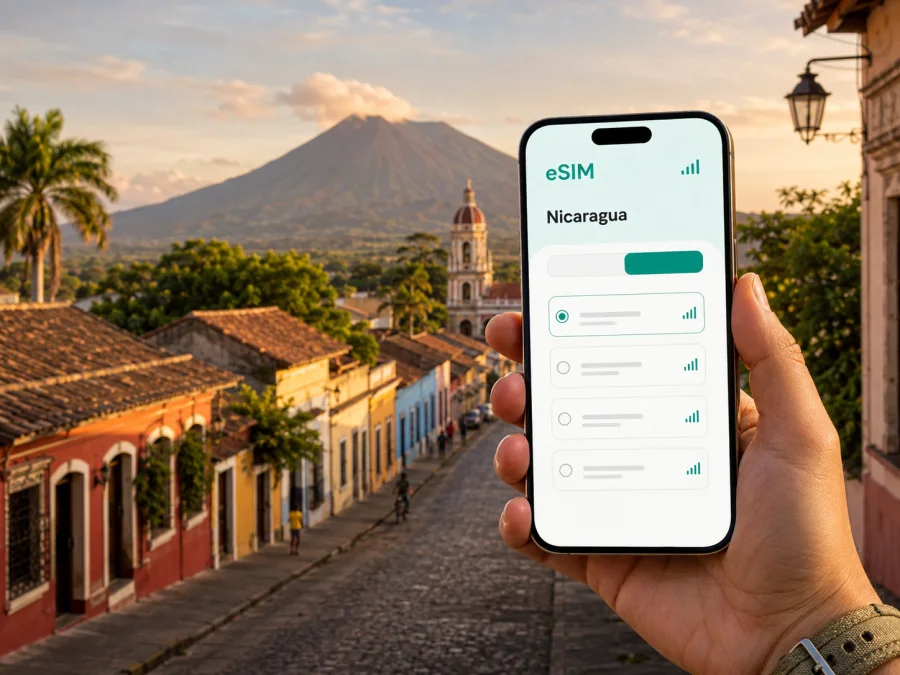
Masaya eSIM: Mobile Connection and Internet Guide for Nicaragua
If you are travelling to Masaya, Nicaragua, mobile internet can simplify arrival and daily travel. You may need directions, a message to your accommodation, a ride, a translation, or a map while walking. An eSIM, or digital SIM, can prepare mobile data without removing your physical SIM.
Masaya combines colonial streets, markets, craft traditions, and volcanic landscapes. It is also a convenient stop on a wider route through Nicaragua, whether you are visiting for a day, staying several nights, travelling for business, or using the city as a base.
Choose for the whole itinerary. Check country coverage, validity, data allowance, and activation conditions, then install the eSIM on a compatible, unlocked device with stable internet.
Quick answer: is an eSIM useful in Masaya?
Yes. An eSIM can be useful in Masaya when you want data for navigation, messages, transport coordination, reservations, and light work without looking for a physical SIM after arrival. It is particularly practical when your route includes more than one Nicaraguan city, because a country plan can fit a multi-stop journey better than a solution intended for one address.
An eSIM is not automatically right for every traveller. Conditions vary by plan, device, and local network. Travel eSIMs are often data-focused rather than a replacement for a local number. Calls and SMS may not be included unless the plan says otherwise; internet messaging and calling apps can use the data connection.
Arriving in Masaya: why the first connection matters
Visitors may reach Masaya by intercity bus, private transfer, or taxi as part of a route between larger travel hubs. The exact drop-off point may not be clear until you are already moving. Mobile data helps with small but important decisions without searching for a Wi-Fi password first.
In the first hour, it can help you:
- confirm the address and check-in details for your accommodation;
- message a host, driver, family member, or travel companion;
- open a map and find the right street or district;
- translate a short message or read a booking detail;
- check a digital ticket, reservation, or itinerary;
- locate a shop, pharmacy, café, or meeting point.
Save key maps, addresses, and reservations offline before departure, but remember that offline files cannot replace a live message or current location sharing.
Moving around Masaya with mobile internet
Many central visits combine walking with short rides, but your movement depends on where you stay, the weather, luggage, and the purpose of the trip. A map helps you understand the relationship between central streets, market areas, residential neighborhoods, and roads out of town. Mobile data lets you check a route as circumstances change instead of relying on a pre-trip screenshot.
Walking, markets, and local shopping
Pin your accommodation and starting point before leaving. Similar-looking colonial blocks and unfamiliar turns can make a short route confusing, especially while you are watching traffic. Check live positioning when stopped safely. In a market or craft area, data can support location sharing, translation, group messages, and the route back to your accommodation. Agree on a physical meeting point and save its address offline.
Taxis, transfers, and intercity travel
Your route may continue towards Managua, Granada, the volcanic area, or another Nicaraguan destination. A transfer can depend on a pickup time, named driver, bus location, or meeting point that is not obvious on a map. Data helps you confirm details and communicate if you are delayed.
Do not assume that one transport app, payment method, or pickup practice works for every journey. Ask your accommodation about an important transfer and keep driver details accessible. If you will travel between several towns, choose a plan whose country coverage and validity fit the full route.
Masaya districts and different data needs
| Masaya setting | Common mobile tasks | Planning point |
|---|---|---|
| Central streets and historic area | Maps, messages, reservations | A modest allowance may suit light use |
| Market and craft route | Location sharing, translation, photos | Leave room for coordination and uploads |
| Monimbó or residential-area visit | Navigation, messages, transport | Save the address and return route first |
| Hotel with remote work | Email, browser work, video calls | Allow more data and use Wi-Fi for large tasks |
| Masaya as a route base | Directions, tickets, intercity planning | Confirm the plan applies throughout Nicaragua |
These are planning scenarios, not fixed quotas. Video calls and photo uploads can use more data than messages and maps; use accommodation Wi-Fi for heavy tasks when possible.
Masaya for business trips and short stopovers
A business visitor may need meeting details, authentication, a short call, a document, transport, and communication between accommodation and a meeting location. Save those details offline, keep meeting times in the local time zone, and carry a charger or power bank.
For remote work, estimate usage realistically: video meetings, large attachments, software updates, and cloud synchronization may use considerably more than email. Use trusted Wi-Fi for large downloads where possible and disable automatic photo backup over mobile data if needed.
Prepare your Nicaragua eSIM before departure
Kaspersky eSIM Store is an app and website that helps you choose, arrange, and activate an eSIM with a suitable plan for mobile internet during an international trip. It is not a mobile operator or a local network. The connection depends on the applicable plan and local network conditions, so review the terms rather than assuming all plans have identical coverage, duration, or services.
For a Masaya itinerary, start with the country and route. Compare the data amount, validity, price, and activation notes. Select an option that matches the days you will use mobile data. If Masaya is one stop in a longer journey, plan for the whole route rather than only the nights in the city.
When your route, device, and usage needs are clear, you can choose an eSIM plan for a trip to Nicaragua and review the current conditions before completing the order. The country page is the relevant destination for a city trip because Masaya is in Nicaragua.
What to compare before choosing
- Validity: Check how long the plan remains usable and when its term begins. Installation and first data use do not necessarily have the same effect in every plan.
- Data allowance: Estimate maps, messaging, browsing, photo sharing, and work separately. Video use needs more headroom than a navigation-focused trip.
- Route: Confirm that the plan is intended for Nicaragua if you will travel between Masaya, Managua, Granada, or other stops.
- Device: Make sure your phone supports eSIM and is not locked to an operator. Device versions can differ by market.
- Voice and SMS: Check the conditions if you need a regular number. Many travel eSIMs focus on data.
- Activation: Read when the plan starts, what internet access is needed for installation, and whether data roaming must be enabled for the eSIM line.
How to install and activate an eSIM
Install the profile with stable internet and enough battery. Keep the QR code on a second screen if needed. Before you begin, check whether your device supports eSIM and confirm it is not operator-locked. For details, use the Android eSIM installation instructions or the iOS eSIM installation instructions.
The general sequence is:
1. Check the conditions
Confirm compatibility, unlocked status, internet access, country, validity, and activation rules.
2. Open mobile settings
Open mobile-network or mobile-data settings and select the option for adding an eSIM or mobile plan. Wording differs between models and operating-system versions.
3. Add the profile
Scan the QR code from your order details or follow the profile instructions in your account. If the code is on the same phone, use the manual-entry or app-based method available on your device.
4. Label and select the line
Label the profile “Nicaragua trip” so it is easy to identify. Select it as the mobile-data line when you want to use the plan, while keeping your primary line for calls or messages if needed.
5. Enable data roaming if required
Some configurations require data roaming for the travel profile. Follow the plan instructions and apply the setting only to the intended data line. If you want to use the plan later, leave it off until the right time, subject to the plan terms.
6. Wait for registration
Connection may take a few minutes. If data does not appear, check that the profile is active, the correct line is selected, airplane mode is off, and a usable signal is available. A restart may help the phone register again.
Use less data while exploring Masaya
Before leaving your accommodation, load the route and save important addresses. Use text messages for routine coordination and send large videos or photo collections over suitable Wi-Fi when possible.
Review these settings before a long day:
- turn off automatic updates and unnecessary background refresh;
- prevent cloud photo synchronization from using the travel line unless intended;
- check the profile and remaining allowance in the relevant settings.
Maps are valuable when an itinerary changes. Use navigation for unfamiliar turns, close it after arriving, and save the next accommodation address before travelling from Masaya to another city.
Practical Masaya scenarios
One-day city visit
For a central walk and market visit before continuing, prioritize a map, messages, a meeting point, and transport. Install before departure, choose a plan for the full route, and keep return details offline.
Several nights or a business visit
Choose validity beyond the final departure day. Use accommodation Wi-Fi for heavy tasks, but keep data for directions and messages outside. For work, set a clear data line, disable unnecessary synchronization, and allow more data if video calls are expected.
Route through several cities
If Masaya is a stop between Managua, Granada, and other destinations, confirm that the plan applies to Nicaragua for the dates of the whole route.
Troubleshooting checklist
If an installed eSIM does not provide mobile data, check these items in order:
- Confirm that the travel profile is switched on and selected for mobile data.
- Check whether data roaming is required for that profile.
- Make sure airplane mode is off and signal is available.
- Restart the phone and allow a few minutes for registration.
- Review validity, remaining data, and network-selection settings.
- Contact support once the device and plan conditions are confirmed.
Do not delete an installed eSIM in frustration: reinstalling may not be possible or may require a new QR code. Keep the order details and follow support instructions first.
FAQ about eSIM use in Masaya
Can I keep my regular SIM card in the phone?
Usually, a compatible dual-SIM phone can keep a physical SIM and an eSIM profile together, but exact options depend on the device. Select the travel eSIM for mobile data and check your primary operator’s roaming settings.
Will an eSIM give me a local phone number in Nicaragua?
Not necessarily. Many travel eSIM plans focus on mobile internet and do not include a regular number, voice calls, or SMS unless listed. Internet messaging and calling apps can work over data.
Can one plan cover Masaya and other Nicaraguan cities?
You can consider a country plan when its coverage area and validity match the journey. Local network availability can vary, so review the conditions and keep essential information offline.
What if the QR code cannot be scanned?
Make the screen bright and steady, clean the camera, and use manual entry if available. Do not share the QR code. If it still fails, use the operating-system instructions or contact support with the order details.
Final preparation checklist for Masaya
Before leaving for Nicaragua, confirm that:
- your phone supports eSIM and is not operator-locked;
- the plan is intended for Nicaragua and covers your itinerary dates;
- the allowance fits maps, messages, browsing, and work;
- the QR code or activation details are accessible;
- the eSIM has a clear label on the phone;
- you understand your regular SIM and data-roaming settings;
- addresses, transport details, and reservations are saved offline;
- a charger or power bank is packed;
- you know which line will handle mobile data after arrival.
An eSIM can support the practical parts of a Masaya visit: reaching the right address, moving between districts, coordinating a market walk, working during a short stay, and continuing to another Nicaraguan destination. Combine it with a compatible device, realistic data expectations, and offline backups.
Choose your eSIM plan for a Masaya trip
Review the Nicaragua options, compare the allowance and validity with your itinerary, and prepare the eSIM before leaving or after arrival according to the plan conditions. When ready, select an eSIM plan for your Masaya journey and follow the installation steps for your device.
Kaspersky eSIM Store helps you choose, arrange, and activate an eSIM for mobile internet during an international trip. Check the device, plan terms, activation timing, and data-line settings before you start exploring Masaya.


