Travel connectivity guide
Maseru eSIM: Mobile Internet for Travel
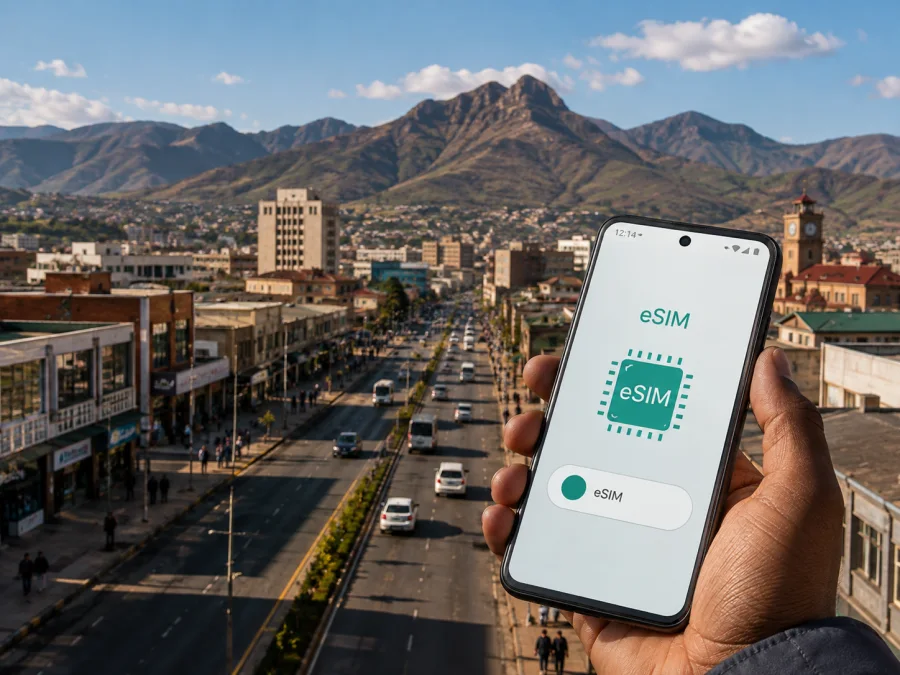
Maseru eSIM: mobile connection and internet for your trip
Maseru is often the first place where a trip through Lesotho becomes real: you arrive, find a ride, confirm a hotel and start working out the city. A dependable mobile internet setup helps with maps, messages, bookings and transport. With an eSIM, you can add a digital SIM profile to a compatible phone without removing the physical SIM you use at home.
This guide covers arrival, central and outer-city movement, hotels, business visits, short stays and onward routes from Maseru. Lesotho is the country context for the plan; the practical focus remains the city.
Why mobile data matters in Maseru
Maseru is a working capital as well as a base for visitors. A day may combine a meeting near the central business area, a coffee stop, a hotel change, and a drive towards the edge of the city. A connection on your phone helps you keep those separate parts of the day organised.
The most useful tasks are usually small and frequent rather than data-heavy:
- opening a map while walking or riding to a new address;
- sending a location pin to a driver or a travelling companion;
- checking a reservation message before leaving the hotel;
- using a taxi contact or messaging app when plans change;
- joining a work call from a hotel or office when Wi-Fi is not convenient;
- checking a route before a longer road journey.
Maseru’s hotels, offices, shopping areas, border routes and cultural stops can sit in different parts of the urban area. Mobile data lets you check the route as you go instead of waiting for Wi-Fi.
An eSIM is useful when you want to keep your regular physical SIM available while using a travel profile for mobile data. Decide which line will handle data and review your home operator’s roaming settings before travelling.
Arriving in Maseru: plan the first hour
Moshoeshoe I International Airport is the main airport serving Maseru. After landing, the immediate priorities are simple: get through the terminal, collect luggage, confirm the transfer, and reach your accommodation. If the eSIM profile has already been installed, you can check the route or message the person meeting you without searching for a shop or waiting for hotel Wi-Fi.
For a smooth arrival, keep these details together before the flight:
| Detail | Why it helps in Maseru |
|---|---|
| Hotel name and full address | A driver can match the destination even when a neighbourhood name is not enough. |
| Transfer contact | You can confirm the meeting point if the arrival area is busy. |
| Offline copy of the booking | It remains available if the phone needs troubleshooting. |
| Phone charger or power bank | Navigation and messages use power during the first transfers. |
| eSIM activation details | The profile can be installed or selected without searching through old email. |
If you install after arrival, use a trusted internet connection and follow the prompts on your device. Do not delete your regular SIM in a hurry: the eSIM is a separate profile, and your home line may still be useful.
Allow time for the road transfer from the airport. Traffic, weather, a late flight or a driver’s meeting point can change the timing, so data is useful for confirming the actual handover as well as the route.
Getting around the city
Maseru travel often combines walking, private rides and shared local transport. Choose according to the time, luggage, weather and destination, and keep a little buffer for finding a pickup point or walking from the drop-off point.
Walking and navigation
Central Maseru can be explored on foot in stages. Save the hotel, meeting venue, shopping stop and any landmark you want to revisit. A location pin is usually clearer than a verbal description when arranging to meet someone. Keep the phone accessible but discreet, and download key booking information before setting out.
Taxis and shared rides
Taxis and shared minibus transport are part of everyday movement in Lesotho. Routes, fares and availability can vary, so confirm the destination and fare where appropriate. Mobile data helps you send an exact address, check a route or translate a short exchange; keep a backup address offline in case the signal changes.
Private transfer or hired car
Confirm the pickup point and share your accommodation details before the trip starts. For a drive from Maseru into the mountains, save the day’s destinations and accommodation details before leaving the city. Do not assume that a city-centred plan means the same conditions on every later road.
Maseru areas and different stays
Visitors may describe a destination by a hotel, road, shopping centre, government office or nearby village rather than a formal district name. Save the exact address and map pin instead of relying on an area label.
Central business and civic areas
The central part of Maseru may concentrate meetings, banking, shopping and meals. For a business day, plan data for maps, email, messaging and occasional document access, and use Wi-Fi for large files where possible. If video calls or tethering are important, allow more headroom and check the tariff conditions.
Hotels and guesthouses outside the core
Accommodation may be farther from daytime stops. Before leaving, pin the property and the day’s first destination, and keep the preferred address wording in your notes. This is useful when changing vehicles or returning after a long day.
For a leisure stay, data use often comes in bursts: maps in the morning, messages and photos during the day, and reservation checks in the evening. Base the choice on the tariff’s stated size and validity, not another traveller’s habits.
Shopping, cafés and excursions
Mobile data is useful for a café booking, map search or message without joining every public Wi-Fi network. Maseru is also a starting point for cultural and mountain routes. Save the route and accommodation contact before leaving, and check that the selected Lesotho plan’s stated validity area covers the complete itinerary.
How to choose a plan for Maseru
The right amount of data depends more on your habits and itinerary than on the city name alone. Start with four questions:
- How long will you be in Maseru?
- Will you use maps and messaging only, or also video calls, hotspot and media uploads?
- Will you stay in the city, or travel onward through Lesotho?
- Do you need mobile data immediately after landing, or can installation wait until you reach accommodation?
Use the answers to build a realistic profile:
| Trip pattern | Typical use to plan for | What to check |
|---|---|---|
| Overnight stop | Arrival messages, a few routes, booking checks | Short validity and enough data for the airport transfer |
| Two- to five-day city visit | Maps, messaging, photos and reservations | Validity covering the full stay, with a small buffer |
| Business visit | Navigation, email, calls and document access | Data allowance for work, plus a backup Wi-Fi plan |
| City stay plus road trip | City use followed by route checks and communication | Whether the tariff applies along the complete Lesotho itinerary |
| Longer stay | Repeated navigation, uploads and everyday browsing | Validity, renewal conditions and a way to monitor remaining data |
Map downloads, video meetings, hotspot use and automatic photo backup can consume data faster than text messages and occasional route checks. Estimate your plan from the activities you actually expect.
Check the following before confirming a purchase:
- the country or region where the plan is valid;
- the plan’s data size and validity period;
- when validity begins according to the displayed conditions;
- whether calls and SMS are included; travel eSIM plans are generally intended for mobile data unless the terms say otherwise;
- whether your phone is unlocked and supports eSIM;
- how to set the eSIM as the line for mobile data;
- whether data roaming must be enabled for the eSIM profile;
- what happens to your home SIM while the travel line is active.
For work trips, allow for video calls or hotspot use; for a stopover, validity and activation timing may matter more than unused capacity.
When your route remains within Lesotho, choose an eSIM plan for your trip in Lesotho after comparing validity and data allowance with your days in Maseru and on the road. Kaspersky eSIM Store is an app and website for choosing, arranging and activating a suitable travel data plan; it is not a mobile network operator.
Install an eSIM before departure or after arrival
Installation is easiest when your phone is charged and connected to reliable internet. Have the QR code or activation information ready, and keep the purchase confirmation available in the Kaspersky eSIM Store profile or email. Menu names differ by manufacturer, so use the step sequence as a practical outline and follow the prompts on your own device.
Before you install
- Check that the phone model and regional version support eSIM and that the device is not locked to an operator. Check your device compatibility before purchase.
- Update the operating system if an update is already waiting and you have time to test the phone afterwards.
- Charge the phone and connect to stable Wi-Fi or another reliable internet source.
- Decide whether the travel eSIM or your home SIM should handle mobile data.
- Keep your home line available until you have confirmed that important account messages are accessible another way.
Installation sequence
- Open the mobile-network or cellular settings on your phone.
- Choose the option to add a mobile plan or eSIM.
- Scan the QR code from your purchase details, or enter the activation information when the device requests it.
- Label the new line clearly, for example “Lesotho travel”, so it is easy to identify beside your home SIM.
- Select the eSIM as the line for mobile data when you want to use it in Maseru.
- Enable data roaming for the eSIM only if the plan instructions require it.
- Turn off data roaming on your home line if you want to avoid using it for mobile data abroad.
- Open a map or send a short message to confirm that the selected line is being used.
For more detail on the device menus, use the Android eSIM installation instructions or the iOS eSIM installation instructions. The profile may take a few minutes to register after it is added. If you are installing before the flight, you can leave the travel line turned off until you arrive, provided the displayed plan conditions allow that approach.
If you install after landing
Connect to a trusted internet source, open the purchase details, and repeat the sequence. If the QR code is on the phone being configured, use another screen or manual activation details if offered. Then select the data line and test a map search.
If there is no connection, check that the eSIM is on, the right data line is selected, airplane mode is off and the phone has had time to register. Review the plan instructions before considering any removal of the profile.
Practical Maseru scenarios
One night, a business day, or a wider route
For a one-night stopover, install before departure, save the airport transfer and keep one accommodation address ready. For a business day, pin meeting venues, test the data line at home and use Wi-Fi for large work files. For a city-and-highlands route, confirm that the plan’s validity area covers later destinations and keep offline copies of accommodation, transport and activation details. These notes remain useful while the phone restarts, the battery is low or you change between lines.
FAQ: eSIM and a Maseru trip
Can I use an eSIM in Maseru?
Yes, if your device supports eSIM, is not operator-locked, and the selected plan is valid for Lesotho. Check the plan conditions and device compatibility before purchase.
Will an eSIM replace my normal phone number?
Not necessarily. A travel eSIM is generally for mobile data and does not automatically provide the ordinary phone number, calls or SMS associated with your home line. Keep your regular SIM active if you need it, and select the correct line for data.
Do I need to turn on data roaming?
Sometimes. Some eSIM profiles require data roaming to be enabled for that profile to connect. Follow the plan instructions, and check that roaming is not enabled on your home line if you do not want to use it for data.
Can I use one plan for Maseru and a trip elsewhere in Lesotho?
Possibly, when the plan’s stated validity area covers the complete route. Confirm the country or region shown during selection and do not infer coverage for a later destination from the fact that the profile is usable in Maseru.
What if my eSIM does not connect?
Check that the profile is installed and switched on, that it is selected for mobile data, and that your device has had time to register. Review roaming and network settings required by the plan, then restart the phone if appropriate. Keep the purchase details available when you need help.
A calm setup for your Maseru journey
Choose a plan for the days, data habits and route you expect; check your phone; install and label the profile; and decide which line will carry data. In Maseru, this supports airport transfers, hotels, work calls and routes beyond the city.
Once your device is ready, choose your eSIM plan for Lesotho and keep the activation details with your travel documents. Activate the profile when it suits the plan conditions, select it for mobile data, and leave yourself a little time to test maps and messages before the day’s first appointment.


