Travel connectivity guide
Mauren eSIM: Mobile Internet for Your Trip
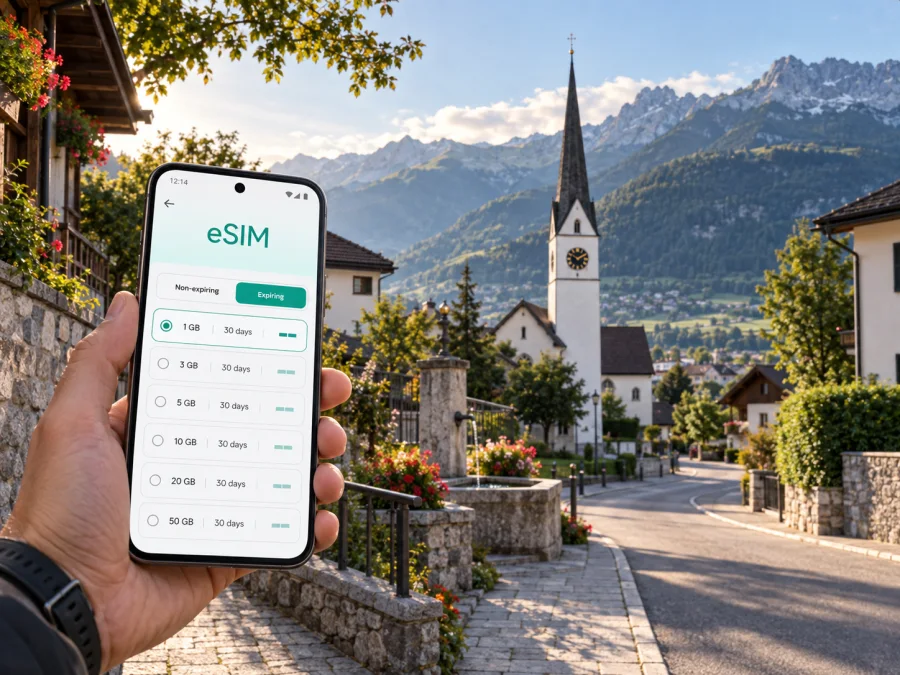
Mauren eSIM: Mobile Connection and Internet for Your Trip
Mauren is a practical base for exploring northern Liechtenstein, making short cross-border excursions, or attending a meeting in the Rhine Valley. The village is close enough to regional transport links and walking routes that a working mobile connection can make the difference between a relaxed arrival and a string of small delays. Maps, messages, hotel details, transport information and digital tickets all depend on having internet when you need it.
An eSIM, or digital SIM, can help you prepare mobile internet for a trip to Mauren without replacing the physical SIM card already in your phone. Kaspersky eSIM Store is an app and website where you can choose, arrange and activate an eSIM with a suitable plan for mobile internet during an international trip. You can review the destination, data allowance, validity period and other plan conditions before deciding what fits your route.
This guide focuses on the real situations that arise in Mauren: getting there, finding your accommodation, moving through the municipality, working on the road, and continuing towards other places in Liechtenstein or nearby countries.
Why mobile internet matters in Mauren
Mauren has a calm, village-scale setting rather than the layout of a large tourist city. That is part of its appeal, but it also means that your day may combine several kinds of movement: a walk through the centre, a local bus, a transfer from a nearby railway station, and an onward journey across the region. Keeping a phone connected makes those transitions easier to manage.
Here are the most useful everyday tasks for a visitor:
- checking the address and check-in instructions for a hotel or guest accommodation;
- navigating between Mauren, Schaanwald and nearby communities;
- confirming public transport connections before leaving;
- messaging a host, colleague or travel companion;
- translating a short message or reading a booking confirmation;
- finding an open café, shop or meeting place while you are already outside;
- using online maps while walking or changing transport;
- sharing an arrival update with family or colleagues.
The value is not that every traveller needs constant high-volume data. It is that the important moments—arrival, a missed turn, a changed meeting point or a late connection—do not have to depend on finding public Wi‑Fi.
For a short stay, an eSIM can also keep your home SIM in the phone for calls or messages while the eSIM is selected for mobile data, provided the device supports that configuration. Menu names and dual-SIM behaviour depend on the phone model and operating system.
Getting to Mauren and handling the first hours
Visitors normally plan an overland final leg to Mauren from a nearby airport or railway connection in the surrounding region. The correct route depends on your arrival point, the time of day, your luggage and whether you are travelling directly to Mauren or combining the visit with Switzerland or Austria.
Before leaving your arrival point, save the following details in an accessible place:
| Detail | Why it helps in Mauren |
|---|---|
| Full accommodation address | Distinguishes the village centre from the Schaanwald area and avoids relying on a shortened name. |
| Check-in instructions | Lets you contact the host if the arrival time changes. |
| Final transport leg | Helps you confirm where to change and when to get off. |
| A map pin | Useful when the street name is unfamiliar or the last section is on foot. |
| Emergency contact details | Keeps practical information available even if the journey is tiring. |
Save the essentials before departure, but do not treat offline preparation as a complete substitute for mobile internet. Transport times, meeting points and messages can change, so a working data connection lets you verify the next step.
From arrival point to accommodation
Confirm the destination spelling, municipality, final transport leg and walking section before boarding. Keep the accommodation contact easy to open, then verify the entrance, building number and check-in instructions on arrival. Some local journeys are comfortable on foot, but luggage, weather, terrain and the exact address may change the best choice.
Moving around Mauren
For most visitors, local movement is a combination of walking and regional public transport. A phone is useful in both modes, but for different reasons. When walking, it helps you orient yourself without repeatedly stopping to study a paper map. When using a bus or transfer, it helps you check the correct direction, connection and destination name.
Think of Mauren as a base with several layers of movement:
- The local layer: walks between your accommodation, cafés, shops, public buildings and nearby points of interest.
- The municipal layer: travel between Mauren and Schaanwald when your accommodation, meeting or route is in another part of the municipality.
- The regional layer: connections towards other Liechtenstein communities and transport hubs in neighbouring Switzerland or Austria.
- The cross-border layer: a day or business route that leaves Liechtenstein and returns later the same day.
This distinction also helps with plan selection. A visitor staying near one accommodation may use maps and messages lightly; a business traveller moving between appointments may need navigation, email, documents and hotspot use. A multi-stop route must be matched to the countries or region covered, not only to the city name.
Navigation habits
- Search by the full place name and street, not just a venue name.
- Pin the accommodation, meeting point and return transport stop.
- Check direction before boarding and save a screenshot of the address.
- If the route crosses a border, review country or regional coverage first.
- Use battery-saving settings during a long day with maps active.
These habits work for holidays and work trips alike.
Choosing an eSIM plan for a Mauren trip
The right eSIM plan is determined by the trip, not by the city name alone. Start with the dates and route, then estimate what you will actually do online.
1. Define the route
Will you stay in Mauren, visit other parts of Liechtenstein, or continue into Switzerland and Austria? Select a plan whose stated destination or region matches the route. If the trip includes a border crossing, read the coverage conditions carefully rather than assuming that a plan for one country applies to every stop.
2. Estimate data use
Use a smaller allowance only when you have a realistic low-data routine: saved maps, modest messaging and limited video. Allow more room if you expect to use navigation throughout the day, upload photos, join video meetings, use cloud documents or share a connection with another device. The aim is to match the plan to your habits, not to choose a number because it looks familiar.
3. Match validity to the journey
Check when the plan becomes active, how long it remains valid and when data use begins. These conditions can differ by plan. If you install an eSIM before travelling but intend to use it only after arrival, read the activation details and keep the profile disabled for mobile data until you are ready, if the device allows that workflow.
4. Review the practical conditions
Before payment, confirm the destination, data amount, validity, price, supported device requirements and any top-up or balance rules shown for the selected plan. Conditions can change, so rely on the information presented for the plan you are about to choose.
When you are ready to compare the available option for the country that includes Mauren, you can choose an eSIM plan for a trip to Liechtenstein. The city page and the country destination are connected: the plan should be selected for the country or region of your itinerary, while your data estimate should reflect what you will do in Mauren.
Plans for different Mauren trips
A short stopover
For a brief stop, prioritise the first and last connections. Keep the accommodation address, map pin and onward destination available. A modest data routine may be enough for walking and messages, but check the validity window for the actual transit hours.
A weekend or leisure stay
You may use data for walking routes, reservations, photos and messages. Leave some capacity if you will navigate outside Mauren. Large downloads and streaming use much more data than ordinary maps and messaging.
A business visit
For work, the priority is continuity across appointments, documents, email, calls and travel between locations. Test mobile-data selection before leaving. If a laptop is involved, check hotspot support and monitor use. A video meeting still needs a suitable environment, battery and backup plan.
A multi-country itinerary
For a route including Switzerland or Austria, match the eSIM to the actual itinerary. A Liechtenstein plan may not cover every neighbouring stop; a regional option can be useful only when its terms explicitly include the countries you will visit. Read coverage before purchase and before a border crossing.
Installing and activating an eSIM
Install the profile when you have a stable internet connection and enough battery. You may install it before leaving home or after arriving, depending on the plan’s conditions and your preference. The device must support eSIM and must not be restricted by an operator.
If you want platform-specific guidance, use the Android installation instructions or the iOS installation instructions. The names of menu items can vary slightly by model and operating-system version.
A practical installation sequence
- Check the device. Confirm that your phone supports eSIM and is not operator-locked. Check your device compatibility before purchasing if you are unsure.
- Review the plan. Confirm the destination, validity and data conditions for your Mauren itinerary.
- Prepare access. Make sure the phone can reach the internet during installation and keep the QR code or profile details available.
- Open mobile-network settings. Choose the option for adding a mobile plan or eSIM.
- Scan or enter the profile. Follow the on-screen instructions and wait for the installation to finish.
- Name the line clearly. A label such as “Liechtenstein trip” can help you avoid selecting the wrong line later.
- Choose mobile data. Select the eSIM for mobile data when you want to use it in Mauren.
- Check data roaming for the eSIM. Some devices require this setting for a travel eSIM to work; follow the plan and device instructions.
- Test a small task. Open a map or send a message, then check that the correct profile is using data.
If you install the eSIM in advance, you can leave your usual line selected until the journey begins. After arrival, check which line is used for mobile data and whether automatic switching between lines is enabled. The exact labels depend on the device.
What to check before you buy
Use this checklist before choosing a plan for Mauren:
- [ ] The phone supports eSIM; check your device compatibility if you are unsure.
- [ ] The phone is not locked to an operator.
- [ ] The plan covers Liechtenstein and any additional countries on your route.
- [ ] The validity period matches the full travel window.
- [ ] The data allowance fits your navigation, messaging and work habits.
- [ ] You know when the plan starts and when data use begins.
- [ ] You have a stable connection for installation and access to the QR code or profile.
- [ ] You understand whether calls and SMS are included; an eSIM for mobile internet does not automatically provide a regular phone number.
- [ ] You know where to find support if installation or activation does not go as expected.
This check can prevent the common problems of choosing the wrong region, installing on an incompatible device or activating too early.
If the connection does not start
Start with the simplest checks. Confirm that the eSIM line is enabled, that it is selected for mobile data and that the phone is not still using your home line for data. Check whether data roaming is required for the eSIM, then restart the device if the instructions recommend it. Allow a little time for registration; connection can take several minutes and depends on the device and local network.
If the problem continues, review the plan conditions and the installation instructions. Make sure the phone has a usable internet connection when you are trying to install or activate the profile. If you need assistance, contact support with the device model, the stage where the issue appeared and the information shown in the app or on the site. Avoid deleting an installed profile unless the instructions or support team tell you to do so, because an eSIM may not always be transferable after activation.
Calls, messages and hotspot use
An eSIM selected for mobile internet should not be treated as a replacement for an ordinary phone line. Unless the specific plan says otherwise, it does not include a regular number, standard voice calls or SMS. You can use messaging and calling apps over mobile data, subject to their own requirements.
Hotspot use depends on the device and the plan conditions. If you need to connect a laptop for a meeting in Mauren, check that tethering is supported and watch the data balance. A short document download and a long video call have very different data needs, so include work sessions in your estimate rather than relying on a general travel allowance.
Frequently asked questions
Is an eSIM useful for a short visit to Mauren?
Yes. It can help with maps, messages and booking information. Choose a validity period matching the stopover and check activation conditions before installation.
Do I need a city-specific plan?
No. Plans are normally selected for a country or region. For Mauren, choose Liechtenstein or a regional option that explicitly covers every country on your route.
Can I keep my usual SIM active?
Often, yes, if the phone supports dual-SIM use. Select the travel eSIM for data after arrival and review settings for calls, messages and data switching.
Should I install the eSIM before leaving?
You can install it before departure or after arrival, depending on the plan. Installing in advance reduces tasks after a long journey; activating data later may help control when the plan is used.
Will the eSIM include calls and SMS?
Usually not unless the specific plan states otherwise. Treat it as a mobile-internet option and use messaging apps for calls and messages when appropriate.
What if my accommodation is in Schaanwald?
Check the complete address and label the map pin. Schaanwald is part of the Mauren municipality, but the final stop may differ from an address in the village centre.
What should I do if activation fails?
Check device compatibility, operator lock status, the selected data line and any required roaming setting. Review the instructions and contact support if needed. Keep the profile installed unless advised otherwise.
Prepare your connection for Mauren
A little preparation makes a village stay and a regional itinerary easier to manage. Confirm the address, save the first route, check the device, choose a plan for the countries you will actually visit and keep the activation details accessible. Kaspersky eSIM Store helps you choose, arrange and activate an eSIM with a suitable plan for mobile internet on an international trip.
When you are ready, choose an eSIM plan for Liechtenstein, check the conditions for your route to Mauren and install the profile on a compatible device. You can then spend less time searching for a connection and more time on the walk, meeting or onward journey that brought you to Mauren.


