Travel connectivity guide
Mauritius Telecom eSIM in Mauritius: what to check
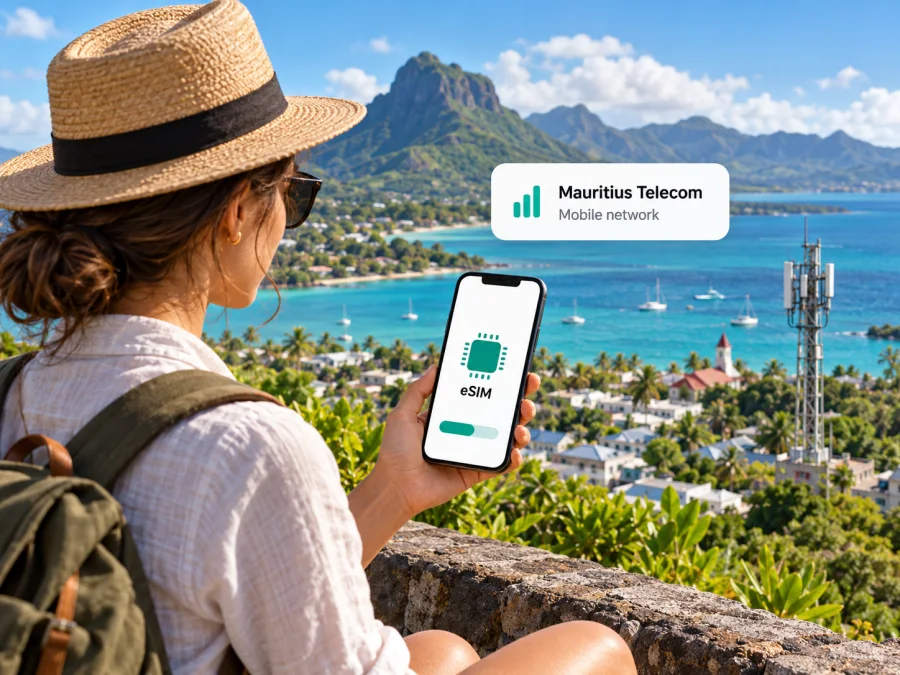
Mauritius Telecom eSIM in Mauritius: what travellers should know
Mauritius Telecom is a locally established telecommunications provider whose mobile services are presented to customers under the my.t brand. Its support information confirms that myt supports eSIM, with options described for both prepay and postpay customers and a separate tourist SIM/eSIM route. That makes a Mauritius Telecom eSIM a possible local option for visitors who want a Mauritian mobile service. The details that matter most are whether your particular phone is supported, which registration route applies to you, and whether you need a local number or mainly mobile data.
As of 17 October 2026: Mauritius Telecom’s myt Support pages, “eSIM” and “myt 5G Tourist SIM/eSIM,” confirm eSIM availability, setup information and a visitor offer. The operator’s company profile describes its mobile services and network; the myt support pages describe 4G/5G requirements and designated 5G experience zones. Conditions and availability can change, so confirm the current steps directly with Mauritius Telecom before travelling. Kaspersky eSIM Store is not affiliated with, endorsed by or an official partner or distributor of Mauritius Telecom; company names and marks belong to their respective owners.
What Mauritius Telecom offers in Mauritius
Mauritius Telecom Ltd is a telecommunications company in Mauritius. Its public company profile describes a broad portfolio of residential and business communications services, including mobile services. The consumer-facing myt website and support pages use the myt name for mobile products and assistance. In other words, Mauritius Telecom is the company named in this guide, while myt is the mobile service brand a visitor is likely to encounter when researching an eSIM or speaking with a shop representative.
The company operates in Mauritius, an island country in the Indian Ocean. A local operator can be useful if you want a domestic mobile subscription, a local contact number, or help in person at a Telecom shop. A visitor who only needs data for a trip may prefer to compare that local route with a travel eSIM that can be arranged before departure. These are different service models: a local operator plan may involve registration and a local sales channel, while travel eSIMs are commonly designed to be selected and installed online. The right choice depends on your itinerary, device, need for voice or SMS, and the conditions in force when you buy.
Mauritius Telecom’s myt support confirms that eSIM is available to existing myt Prepay and myt Postpay customers. The same support area explains how to activate a new eSIM and how an existing physical SIM can be converted. It also includes information for a separate myt tourist SIM/eSIM offering for people visiting Mauritius. This is confirmation that eSIM is part of the operator’s current public service information; it does not mean every visitor can use every type of myt subscription or complete every step remotely.
Does Mauritius Telecom have an eSIM for tourists?
Yes. The myt Support page for the tourist SIM/eSIM describes an option intended for people visiting Mauritius for tourism or business. It says that eligible visitors must be adults and lists ways to obtain it, including online ordering, the Telecom Shop counter or digital kiosk at Sir Seewoosagur Ramgoolam International Airport, Telecom Shops around the island, and certain partner hotels or authorized resellers. Because the operator may update channels, eligibility, or required documents, check the latest details before relying on a particular location or online journey.
The same support information says a valid passport and the address where you will stay in Mauritius are needed for the tourist offer. Bring those details with you and check whether the address must be entered in a specific format. If you are already in the country, ask the staff member which purchase path is available to a visitor and whether the eSIM can be issued at that location. If you plan to arrange it online before departure, read the checkout and delivery instructions carefully so you understand when the profile will be supplied and when you can install it.
The tourist option should not be confused with the general eSIM activation process for existing myt customers. For a new eSIM under an existing Prepay or Postpay account, the myt eSIM FAQ says to visit a Telecom shop and bring a national identity card or passport, proof of address issued within the period stated by the operator, and an eSIM-compatible device. It also describes online conversion of a physical myt SIM to eSIM. A traveller without an existing local account may be directed to the tourist process instead. Ask Mauritius Telecom which route matches your situation; do not assume that the standard customer process and visitor process have identical documentation or availability.
How to get and activate a myt eSIM
The operator’s standard eSIM instructions describe registration followed by delivery of a QR code by email. After registration, the customer connects the phone to Wi-Fi, keeps mobile data available as instructed, updates the device software, and scans the code or enters the activation details manually. The myt Support page gives separate menu paths for iOS and Android. The exact wording of menus varies by phone manufacturer, software version and region, so use the handset’s current eSIM setup flow if a label differs.
For a visitor, the steps are best treated as a checklist rather than a guarantee that every part can be completed before arrival:
- Confirm the offer and registration route. Contact Mauritius Telecom or review its current myt tourist SIM/eSIM information. Confirm that the offer is open to visitors with your circumstances and ask whether you should order online, visit the airport counter or kiosk, or go to a shop.
- Prepare the required identity and stay information. The tourist FAQ asks for a valid passport and the address of your accommodation in Mauritius. Keep your booking details accessible. Standard eSIM customers may face different documentation requirements.
- Check the handset before paying or registering. Confirm that the exact phone variant supports eSIM and is not locked to another provider. Manufacturer support can differ between regional variants with very similar names. See the eSIM device compatibility checklist for general checks.
- Make sure you have a reliable internet connection for installation. The myt instructions recommend Wi-Fi and current device software when downloading a profile. Airport or hotel Wi-Fi may be helpful, but downloading over a stable connection you control can be simpler.
- Install the profile using the operator’s instructions. Scan the QR code from a second screen or printed copy, or use the manual entry option if the phone provides it and the operator supplies the required details. Do not share the QR code: it is an activation credential for your profile.
- Choose the correct line for mobile data. If you keep your home SIM active, set the myt eSIM as the data line only if that matches your intention. Check voice, SMS, roaming and default-line settings separately so you do not unintentionally use your home provider’s roaming service.
- Test the connection and get help early if needed. After the eSIM is installed and the service is available, check that the phone registers and data works. If the QR code fails or the profile is missing, follow myt’s troubleshooting guidance or contact the operator rather than deleting the profile as a first step.
A QR code may be single-use or tied to a particular device after installation. The operator’s FAQ explains that an already-used code can be locked to the phone and that moving an eSIM may require assistance or a new process. Before replacing, resetting or erasing a phone, ask Mauritius Telecom how to retain or reissue the profile. Keep the activation email until setup is complete, but protect it as you would other account credentials.
Device compatibility and regional variants
An eSIM-capable phone needs more than a model name that looks similar to one on a compatibility list. Hardware, software, carrier restrictions and country-specific variants can differ. A phone bought in one market may not have the same eSIM functions as another device sold under a similar product name elsewhere. Check the exact model number in the device settings, manufacturer documentation and Mauritius Telecom’s supported-device information. If the operator cannot confirm your specific regional variant, treat compatibility as unverified and plan a fallback.
You can also check whether the phone exposes an EID, a device identifier associated with eSIM functionality. The myt visitor FAQ suggests dialling *#06# and looking for an EID as a quick check. This is useful as an initial indication, but it does not replace confirmation that the exact phone is unlocked, supported by the operator, and able to use the desired network features. A device can have eSIM hardware while a carrier lock or software limitation prevents activation.
Before travel, make sure you can access the settings for adding a mobile plan. On iPhone, this is generally within Cellular or Mobile Service settings; on Android, the route can vary by manufacturer and may be under Network, Connections or SIM management. Do not rely on a generic menu description if your phone uses different wording. The operator’s QR code instructions and your device maker’s current guidance should take precedence.
If you plan to retain your home physical SIM, confirm that your phone can keep both lines available in the way you need. Dual-SIM behaviour varies: some devices can store several profiles but use only a limited number at once, and the available combinations depend on the model. Decide which line should receive calls and messages and which should carry mobile data. If keeping your home number active, review your home carrier’s roaming settings and charges before enabling the line abroad.
Coverage, 4G and 5G
Mauritius Telecom’s myt support pages describe 4G and 5G mobile service. The eSIM FAQ names several 5G Experience Zones, while the operator’s 5G guidance makes clear that access depends on local coverage, a compatible device and a supporting service. Its support page gives a practical qualification for 5G: access depends on a 5G-capable device, 5G coverage and an active service that supports 5G. The eSIM FAQ also names several myt 5G Experience Zones, including Ebene Cybercity, the University of Mauritius, La City Trianon and Bagatelle Mall. These public statements establish that myt offers 4G and 5G services, but they are not a guarantee of identical service indoors, at every address or throughout a journey.
For planning, check the operator’s current coverage information for your accommodation, arrival airport and the places you expect to visit. Mauritius includes built-up areas, coastal routes, rural districts and elevated interior landscapes; signal conditions can vary with terrain, buildings, weather, network load and the device’s supported bands. A coverage map is a planning aid rather than a promise that a particular room or road will have service. If connectivity is essential for navigation or work, save key information offline and consider carrying a second way to get online.
Local myt service or a travel eSIM?
A local myt eSIM is worth considering if you want service directly under a Mauritius Telecom mobile account, need the features of its visitor offer, or prefer to ask for help at an operator location. Registration may require identity and address details. Depending on the route, you may need to visit a shop or use the airport facilities. Confirm whether the service includes the voice and messaging functions you need and how activation, support and any later top-up are handled.
A travel eSIM may fit a different need: arranging mobile data for a trip without visiting a local retail point. The Kaspersky eSIM Store website and app help users select, purchase and activate an eSIM with a travel data plan. The product is not a mobile operator, network owner or provider of mobile internet; its Mauritius destination page says products and related services are provided by a technology partner and identifies local telecommunications providers. The page was checked on 17 October 2026. Network routing and terms depend on the selected product, so review the live details before purchase.
Travel eSIM products are commonly data-focused. The Kaspersky eSIM Store Mauritius page says the eSIM provides data only and does not include a phone number for ordinary calls or SMS. Internet-based messaging and calling apps may work over data, but they depend on the app, account and connection. If you need a local number for calls, SMS verification, reservations or business contacts, ask Mauritius Telecom whether the relevant myt visitor service meets that need. A data-only travel eSIM and a local mobile subscription are not interchangeable in every situation.
To explore the current travel-data option for the destination, view eSIM options for Mauritius. The page is a live store listing and may change. Check the supported destination, provider information, device compatibility, installation guidance, data terms, validity, and any restrictions displayed at the time of purchase. This guide does not compare specific plan prices or package parameters.
Prepare your phone before the trip
Make a note of your accommodation address and keep your passport accessible if you intend to register for a tourist product. If you order online, read the operator’s instructions about when the profile is delivered and whether installation can happen before arrival. Installing a profile and starting service are different steps; the conditions for when service becomes usable can differ by product. Follow the instructions that apply to your order rather than assuming that scanning a QR code starts or delays service in a particular way.
Troubleshooting after arrival
If the phone shows the eSIM but has no data connection, first check that the profile is switched on and selected for mobile data. Confirm that Airplane Mode is off, restart the device if appropriate, and check whether the phone is attached to a supported network. Follow the operator’s setup instructions for data roaming only where the relevant eSIM requires it. Keep your home SIM’s data roaming setting in mind so a settings change does not create unexpected roaming usage on that line.
Quick checklist for choosing
Decide whether you need a Mauritian number or only data. Confirm the right visitor or existing-customer process, required documents, exact phone variant and coverage for your itinerary. If you rely on your home number, review dual-SIM and roaming settings before enabling either line.
Frequently asked questions
Can a tourist get a Mauritius Telecom eSIM?
Yes. myt describes a visitor SIM/eSIM and lists online, airport and shop channels. The FAQ asks for a valid passport and accommodation address. Confirm current eligibility and availability before travelling.
Can I activate a standard myt eSIM online?
For existing Prepay or Postpay customers, the FAQ describes shop activation and online physical-SIM conversion. Visitors should confirm the separate tourist process with Mauritius Telecom.
Does myt eSIM work with 5G?
It can, when the device, service and local coverage support 5G. myt names specific experience zones; check availability for your locations.
What documents should I prepare?
The tourist FAQ asks for a valid passport and accommodation address. Standard customer activation lists identity documentation and proof of address. Confirm the requirements for your purchase route.
Will a travel eSIM replace my local SIM?
Not in every respect. The Kaspersky eSIM Store Mauritius page describes data-only service without a phone number for ordinary calls or SMS. Ask myt about its visitor option if you need a local number.
What if I cannot confirm my phone variant?
Treat support as unverified until the manufacturer or operator confirms the exact model. Check the model number, EID, carrier lock and regional specifications. If you cannot verify compatibility before travel, do not rely on that eSIM as your only way to connect; arrange a practical backup.
A practical way to decide
Mauritius Telecom’s myt support confirms eSIM service for existing customers and describes a tourist SIM/eSIM for eligible visitors. It also explains QR-based setup, required documents and the conditions associated with 5G access. The main checks are straightforward: identify the correct visitor or customer route, confirm the phone’s exact eSIM compatibility, prepare the required information, and check coverage for your actual itinerary.
If you prefer to prepare mobile data through a travel eSIM, Kaspersky eSIM Store helps you select, purchase and activate an eSIM with a travel plan through its website or app. Review the current Mauritius destination details and compatibility information before proceeding. If you need a local number, voice calls or SMS, ask Mauritius Telecom directly whether its tourist service meets those needs. The best fit is the option whose registration process, device support and features match your trip.
Service availability, registration requirements, device support, network coverage and product conditions may change. The operator details in this article were checked against Mauritius Telecom/myt public support and company pages on 17 October 2026. Confirm current information with the respective provider before purchase or activation.


