Travel connectivity guide
Mavrovo eSIM: Mobile Internet in North Macedonia
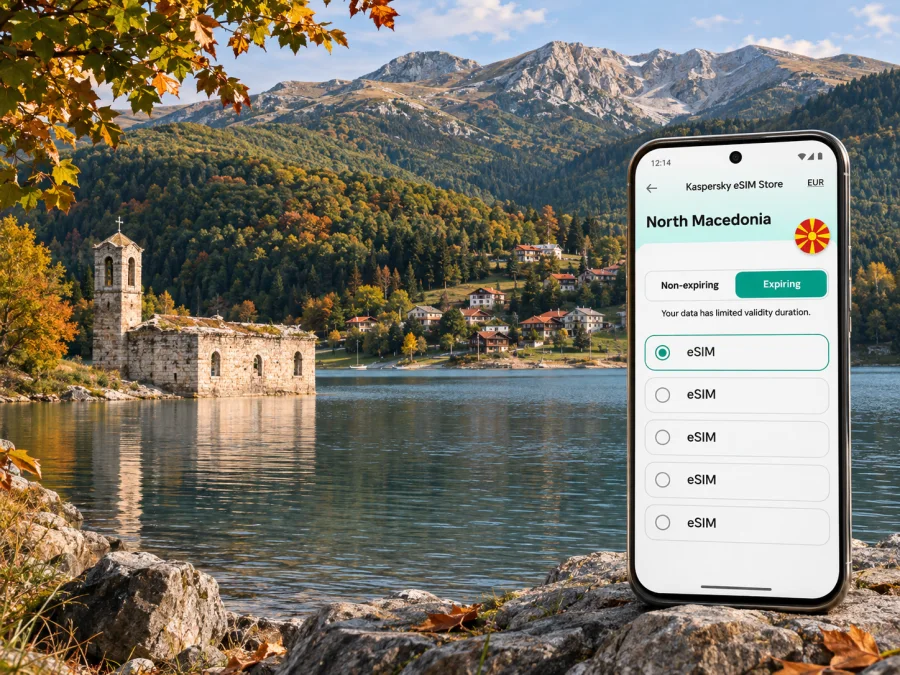
Mavrovo eSIM: Mobile Connection and Internet for a Mountain Getaway
Mavrovo is a mountain destination in western North Macedonia, best known to visitors for its lake, forested slopes, outdoor activities and the wider national park. It is not a compact city with a single centre: accommodation and places to visit are spread among villages, the lakeside, the ski area and mountain roads. That geography changes how you should plan mobile internet. A connection that is fine at your hotel may be less dependable on a remote trail or behind a ridge.
An eSIM can make it easier to get data for maps, messages, bookings and weather updates without changing the physical SIM in your phone. Before choosing one, check that your device supports eSIM, read the plan's country and network conditions, and save essential information for offline use. This guide focuses on practical mobile connection decisions for a stay in Mavrovo, from arrival and local movement to hikes and onward travel.
What to expect from a Mavrovo trip
The name Mavrovo can refer to the village and resort area as well as the wider landscape around Mavrovo Lake and Mavrovo National Park. The national park is a protected mountain area in North Macedonia. The municipality is called Mavrovo and Rostuše, and settlements are separated by distances, bends and changes in elevation. For a visitor, the useful distinction is simple: a pin labelled “Mavrovo” may refer to a particular place, while your route may continue to a hotel, trailhead, village or attraction elsewhere in the region.
Mavrovo Lake is an artificial lake within the park. The roofless remains of the Church of St Nicholas at the water's edge are a familiar landmark, but how much of the structure is visible can vary with the water level. The park's landscape also includes mountain scenery, forests, rivers and cultural sites. In winter, visitors may come for the ski area; in warmer months, the area suits road trips, walks and other outdoor plans. Conditions on the ground and seasonal access can change, so check local notices and your accommodation's advice before setting out.
There is no airport in Mavrovo. If your itinerary brings you through Skopje or another North Macedonian gateway, plan the transfer as a separate overland leg rather than expecting to step off a plane and be at the lake. Confirm the pickup point, driving time, road condition and transport schedule with the provider you intend to use. Public transport options and departure times can change, and a connection between larger towns does not necessarily take you to the exact lodge or trail entrance you booked.
A short planning checklist
- Confirm the exact name and map pin for your accommodation, not just “Mavrovo.”
- Arrange your transfer to the village, resort or property before travel, especially if arrival is late.
- Download an offline map of the whole area you plan to visit, including the route from the main road.
- Save your booking details, host's phone number and any transport instructions offline.
- Check seasonal road and park information shortly before departure.
- Keep a paper or offline backup for the last part of a route if you will be away from larger settlements.
Why data is useful around the lake and mountains
Mobile data is most helpful for the small tasks that keep a flexible trip on track. At arrival, you may need to message your host, confirm a pickup or check a navigation route. Around the lake, it can help you compare map pins, locate a restaurant or accommodation, and coordinate with someone travelling separately. In a mountain setting, it is also useful to review a forecast before leaving, check a route description and let a contact know when you expect to return.
A phone signal is not a substitute for preparation or a guarantee of assistance. Terrain, weather, building materials, distance from settlements, network load and the roaming arrangement behind a particular eSIM plan can all affect service. Coverage can vary over a short distance: a lakeside property, a road cut and a forested slope are different environments. Do not assume that a signal shown near a village means you will have data on every trail or at every viewpoint.
The operator named for a travel plan matters. The North Macedonia page currently lists TELEKOM as the local telecommunications provider for the plans shown there; check the exact offer before purchase because plan terms can change. That label identifies the stated operator arrangement, not guaranteed reception at a Mavrovo address or trail. Separately, A1's own 5G page includes Mavrovo and Rostusha in its coverage description. That is information about A1's network, not proof that a TELEKOM-based plan will use A1 or reach a particular location. In either case, terrain and network conditions can change service over short distances.
Choosing an eSIM plan for Mavrovo
A city-style plan based on constant high-speed data use is not automatically the right fit for a mountain break. First consider what you will do online and how long you will stay. Navigation, messaging, reservation updates and occasional searches use a different pattern from video calls, media uploads or streaming. Your accommodation may have Wi-Fi, but do not rely on it for the whole journey or assume it reaches outdoor areas.
Before confirming a plan, review these details in the offer itself:
| Check | Why it matters for Mavrovo |
|---|---|
| Destination and eligible network | The plan must include North Macedonia and use a network that serves the places on your itinerary. |
| Data allowance | Maps and messaging are relatively light; video, hotspot use and cloud photo uploads can consume more. |
| Validity period | Make sure the plan lasts for the full trip and understand when its validity begins. |
| Activation and roaming steps | Some plans require a data-roaming setting or a manual network selection; follow the plan instructions. |
| Tethering or hotspot rules | If you want to connect a laptop or another traveller's device, check whether sharing is supported. |
| Calls and SMS | Travel data plans usually do not provide a normal phone number unless the offer explicitly says otherwise. |
| Top-up or replacement conditions | Check the available options before relying on extra data during a remote stay. |
If the offer lists several data amounts, estimate from your own habits rather than choosing the largest by default. A useful way to reduce uncertainty is to use the accommodation's Wi-Fi for large downloads, keep automatic photo backup off over mobile data, and use offline maps for walking or driving. If you need to work, consider video meetings, file transfers and hotspot use separately; these can change your data needs quickly.
Kaspersky eSIM Store is a website and app where you can choose, arrange and activate an eSIM with a suitable plan for mobile internet while travelling abroad. To compare the current North Macedonia options and their stated conditions, browse plans for North Macedonia. The available plan details can change, so use the information shown at the time you choose rather than relying on an old screenshot or a general estimate.
Arrival and transfer: keep the first connection simple
The first few hours are often when travellers need data most: meeting a driver, finding the correct pickup point, contacting a host or checking a route. Set up the eSIM before leaving home if the plan allows installation in advance. Keep your original SIM enabled for calls or text messages if you need it, and make sure the phone uses the travel eSIM for mobile data when you are ready. Menu names differ by operating system and device.
Do not delete a digital SIM profile simply because it has not connected yet. First check the installation status, selected data line, roaming setting required by the plan, and whether the plan's activation condition has been met. If the phone shows no service, move to an open area, restart the device if appropriate, and follow the supplier's troubleshooting guidance. Avoid repeatedly changing network settings while you are driving or navigating unfamiliar roads.
For the journey from the airport or another city, download the route and your accommodation details before departure. If a transfer depends on a mobile message, agree on a meeting point and a fallback in advance. A data-only eSIM may not include voice calls or SMS, so keep a separate way to contact the driver or property if their instructions require a regular phone number. Messaging apps can work over data when both parties have access, but they are not a guaranteed replacement for every call or booking procedure.
Moving around Mavrovo
Mavrovo is better approached as a region of separate stops than as a walkable urban grid. A car gives flexibility for dispersed accommodation and viewpoints, but it also makes offline navigation important. If you rely on a driver or tour, confirm where the vehicle will wait and how you will communicate if plans change. In winter, ask locally about road and weather conditions before driving. A route that looks short on a map can take longer on mountain roads, and the app's estimated arrival time may not reflect a temporary restriction or slow conditions.
For a drive around the lake, pin the intended stop before setting off. There are hotels, villas, ski facilities and other visitor services around the wider lake area, and a similar place name can lead to the wrong entrance or side of the water. Keep navigation volume at a safe level, let a passenger manage the phone where possible, and stop somewhere appropriate if you need to re-route. Do not use a phone while driving.
On foot, treat network access as a convenience rather than part of the route itself. Download a map with enough surrounding detail, note your trailhead and return point, and check park notices or local guidance for the route you plan to take. A location pin can drift or fail when the signal is weak; battery-saving settings can also affect location updates. Carry a charged phone and a portable battery if your outing is long, and tell someone your plan and expected return time.
The lake's church landmark is a useful orientation point, but water levels can change how it appears, and the shoreline is not a substitute for a marked route. If you want to visit a monastery, village or other site beyond the resort area, confirm opening or access details before leaving. Save the destination name in both the local spelling if available and a map pin; this can help when asking for directions or comparing similar place names.
Navigation habits that help
- Download offline maps over Wi-Fi before the trip, including the route from your arrival point and the area around your accommodation.
- Save the accommodation, ski area or trailhead as a starred place, then verify the pin against the host's directions.
- Keep an offline note with the address, local contact details and planned return route.
- Check the map before you lose service, not after you have reached a junction.
- If the route changes, stop in a safe place and reassess; do not treat the phone's line as a substitute for road signs or local advice.
Installing and activating an eSIM
Set up the eSIM while you have stable Wi-Fi and enough time to read each instruction. Depending on the plan, installation may use a QR code or an in-app flow. Keep the code or activation details private and do not remove the profile during troubleshooting unless the plan's instructions tell you to. The point at which validity starts varies by plan, so check the offer before installation if timing matters.
A sensible setup sequence is:
- Confirm that the exact phone model and regional version support eSIM and that the phone is not carrier-locked. Check whether your device supports eSIM.
- Review the destination, allowance, validity, activation rules and any roaming requirement for the selected plan.
- Install the eSIM using the instructions for your phone: Android setup guide or iPhone setup guide.
- Label the new line clearly, for example “North Macedonia data,” so you can identify it later.
- Choose the eSIM as the mobile-data line when you want to use the plan. Keep your primary line's settings as intended for calls and messages, and check its roaming terms to avoid unexpected charges.
- Once in North Macedonia, follow the plan's activation steps and confirm that the phone has selected an eligible network before relying on mobile data.
Device menus vary, and some models have different eSIM capabilities depending on their sales region. Check the manufacturer's information for your precise model number rather than assuming that two phones with the same product name are identical. eSIM plans for travel are generally intended for data; they do not provide an ordinary number, voice service or SMS unless the selected offer clearly includes those features. You can use internet-based messaging or calling apps when data is available and the other person can receive them.
What to do if data does not connect
Start with the basics: confirm that the eSIM profile is installed and enabled, that it is selected for mobile data, and that the plan is active for the current destination. Check the plan's instructions for data roaming and automatic or manual network selection. A restart may help after a setting change, but follow the supplier's troubleshooting guidance and avoid deleting the profile unless instructed.
If you are in a valley, inside a thick-walled building or on a forested slope, move to a safe open location before testing again. If service remains unavailable, check whether the plan names a particular network, whether your phone is set to automatic network selection, and whether data roaming is enabled as required. Contact the plan's support channel over Wi-Fi if the issue continues. A local map or an operator coverage estimate can be informative, but neither guarantees the signal at your exact position.
Before a long drive or hike, prepare for a no-data interval: offline map, saved directions, downloaded tickets, a charged battery and a person who knows your plan. If the route or conditions change, return to a safe place and ask locally rather than pushing onward because a map app has stopped updating.
Frequently asked questions
Is Mavrovo a city?
Mavrovo is commonly used for a village and resort area in the municipality of Mavrovo and Rostuše, as well as for the surrounding lake and mountain destination. It is useful to confirm the exact settlement or attraction you are visiting because the wider area is spread out.
Will an eSIM work throughout Mavrovo National Park?
No plan should be assumed to work everywhere. Service depends on the network named by the plan, local coverage, terrain, weather, buildings and network conditions. An operator may report coverage in the Mavrovo area, but that does not guarantee reception on every road or trail. Keep offline navigation and a backup plan.
Does the North Macedonia plan include the Mavrovo area?
Check the current offer's destination and network conditions before purchase. A North Macedonia plan is the relevant starting point for a stay in Mavrovo, but the exact partner network and access rules are specific to the offer. Do not infer plan coverage or performance from the country name alone.
Can I use a travel eSIM for ordinary calls and SMS?
Usually a data-focused travel eSIM does not add a local phone number or ordinary voice and SMS service. Read the offer terms. Internet calling and messaging apps can work over data, but they require an internet connection and may not replace calls required by a transport or accommodation provider.
Should I install the eSIM before I travel?
If the plan allows it, installing over a stable Wi-Fi connection before departure can make arrival easier. Check when the plan's validity starts and whether you should activate it only after reaching the destination. Keep the installation details available until the profile is working.
Is a town-centre map enough for a Mavrovo stay?
Often not. Your accommodation, trailhead, ski area or lakeside stop may be in a different settlement or on another stretch of road. Save each exact destination, check the route with your host or driver and download a wider offline map.
Prepare your eSIM for Mavrovo
Before travelling, check the current North Macedonia options, compare the stated data and validity, and make sure the network conditions match your plans. Kaspersky eSIM Store helps you choose, arrange and activate a suitable eSIM through its website or app. Explore plans for your North Macedonia trip, then install the eSIM in time and save your Mavrovo maps for offline use.


