Travel connectivity guide
Maxis eSIM in Malaysia: what to check
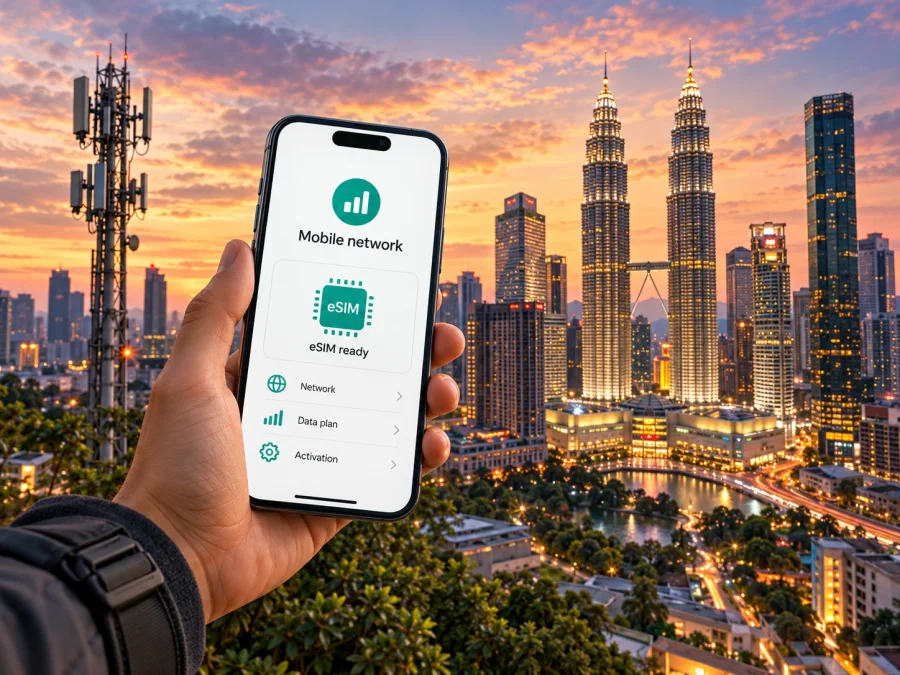
Maxis eSIM in Malaysia: activation, coverage and travel options
If you are travelling to Malaysia, Maxis eSIM may be relevant for a local connection or an existing customer’s line. An eSIM is a digital SIM profile, not a travel package by itself; eligibility, identity checks and the phone’s regional version matter.
Maxis confirms eSIM for compatible devices, with online and in-person activation, a prepaid visitor route and postpaid options. The right path depends on your status, so confirm current eligibility with Maxis before setup.
This guide covers the practical checks, setup choices and network considerations without listing plan names, prices or data allowances. Information below was checked against Maxis public pages on 1 November 2026. Maxis is a Malaysian telecommunications operator; this article is independent and is not affiliated with, endorsed by or sponsored by Maxis.
What Maxis eSIM means for a Malaysia trip
An eSIM stores a mobile subscription digitally in a compatible device. Some devices can save multiple profiles, but the number stored and number active at once differ; check the exact model and software.
Maxis is a mobile network operator in Malaysia and offers eSIM for eligible Maxis services. Its FAQ says that new and existing postpaid customers, Hotlink Postpaid customers and business customers can use Maxis eSIM; it also describes a prepaid eSIM route for Hotlink. For a visitor making a short stay, the FAQ says the prepaid option can be obtained through the Hotlink app without a Malaysian identity card, with a QR code sent by email for activation. For a longer stay, Maxis describes postpaid registration through a Maxis Centre or Exclusive Partner and asks foreign applicants for a passport and proof of residency, such as a work permit or student visa (Maxis FAQ, “Traveling to Malaysia,” checked 1 November 2026).
These categories are not interchangeable. Visitors should confirm registration and payment steps for prepaid service; people staying for work or study should check accepted documents and eSIM eligibility with Maxis. Existing Maxis customers should check roaming terms: domestic eSIM support does not establish international roaming availability.
Choose the right connection for your situation
| Your situation | What to check with Maxis | Practical point |
|---|---|---|
| Short visit to Malaysia | Current visitor eligibility and prepaid eSIM onboarding in the Hotlink app | Confirm identity, payment, QR delivery and when the profile should be installed. |
| Longer stay or residence | Registration channel and accepted documents for postpaid service | Maxis currently directs foreign applicants to a Maxis Centre and lists a passport plus proof of residency. |
| Existing Maxis customer | Whether your line can be converted or transferred and what authentication is needed | The app or Apple’s transfer flow may require access to the active line and a one-time code. |
| Maxis subscriber travelling outside Malaysia | Roaming availability, partner networks and charges for your own line | Ask Maxis directly; domestic eSIM capability is not a promise of roaming service. |
| Traveller who only needs mobile data | Device compatibility and a travel eSIM option for the destination | A separate travel data eSIM can leave your regular number available on another SIM, if your phone supports dual SIM. |
The table is a decision aid, not confirmation that every line or device qualifies. Check Maxis’s latest support list. Regional models can have different eSIM or radio configurations, so confirm the full model code and sales region.
Is Maxis eSIM available to visitors?
Yes, Maxis’s current eSIM FAQ explicitly describes a short-stay visitor path through Hotlink prepaid eSIM. It says visitors can obtain it in the Hotlink app without a Malaysian ID and activate by scanning a QR code sent by email. The same page distinguishes this visitor route from postpaid registration for longer stays. The FAQ may be updated, so confirm the instructions in the app and with Maxis before relying on them.
For the prepaid route, make sure the account and contact details you use can receive any required verification or activation messages. Keep internet access available for the download itself, either through hotel Wi-Fi or another working connection. Treat the QR code as a private activation credential. Read the on-screen instructions before scanning, including whether the code is one-time use and which phone should receive the profile. App availability, checks and product conditions can change, and the visitor option does not establish compatibility for every device. If onboarding fails, contact Maxis rather than repeatedly trying the same code.
For a resident or longer-term visitor, Maxis lists a passport and proof of residency, with a work permit or student visa as examples. Ask a Maxis Centre which documents apply to your status and whether you can activate before visiting. A physical SIM remains an option if your phone lacks eSIM or registration requires in-person assistance.
Confirm the exact device variant first
Carrier support and device support are separate checks. A phone can contain eSIM hardware yet be locked to another network, have its eSIM function disabled for a market, or be missing from the carrier’s approved list. Regional models sold in mainland China, Hong Kong, Macau or elsewhere may differ from versions sold in Malaysia or Europe. Do not infer compatibility from a familiar commercial name alone.
Maxis’s live compatibility FAQ lists Apple, Samsung, Google Pixel, Huawei and selected Honor, OPPO, Xiaomi and OnePlus devices. It gives model families and notes that Huawei eSIM support is limited to devices sold in Malaysia; it also says Huawei devices cannot use transfers through the Maxis App. These are Maxis’s published conditions, not a guarantee for every model revision or imported unit. Lists can change (Maxis FAQ, “Which devices support Maxis eSIM?”, checked 1 November 2026).
Before buying or activating, check:
- The manufacturer’s complete model number and country/region of sale.
- Whether the exact variant has an EID or an eSIM setting in its system menu.
- That the device is not carrier-locked and has current software.
- Maxis’s current supported-device list and the specific line type you intend to use.
- Whether the phone can keep your regular SIM active while the eSIM handles mobile data.
- Whether you can receive an SMS or other authentication code needed for conversion or transfer.
If unsure, confirm the exact variant with the manufacturer and Maxis. You can also check your device’s eSIM compatibility before choosing a travel eSIM; that does not replace checking Maxis’s regional support list.
How Maxis activation works
Maxis currently describes several routes. New postpaid customers can begin through the Maxis Online Store; its FAQ identifies the Hotlink app for prepaid eSIM; existing customers can convert using the Maxis App or, on supported Apple devices, an Apple transfer tool. Maxis Centres and partners can provide an activation kit with a QR code. Follow the route for your service and device; new lines and existing-customer conversions may use different steps (Maxis eSIM FAQ and “Switch and Activate 5G eSIM,” checked 1 November 2026).
For QR setup, complete eligibility and registration first, connect to Wi-Fi, then add the mobile plan in the phone’s cellular settings and follow the prompts. If the QR arrives on the same phone, use only an installation method allowed by Maxis’s instructions.
For a new postpaid eSIM, Maxis’s guide describes email instructions followed by setup in the Maxis App and verification by the principal line owner. Existing customers can use the app or an Apple transfer process. A transfer may require an active line, Wi-Fi and access to an SMS one-time password.
A careful installation sequence
- Check eligibility before travel. Confirm whether the selected line is prepaid, postpaid or an existing-line conversion, and whether the exact phone variant appears on Maxis’s current list.
- Prepare the phone. Update its operating system, unlock it from any other carrier, and back up important information. Keep the physical SIM in place until you know what the installation will do to that line.
- Use a stable connection. Connect to Wi-Fi before starting. A cellular connection from the profile being installed is not available until setup succeeds.
- Follow the operator’s route. Use the Maxis or Hotlink app, Apple’s supported transfer flow or an in-person QR kit as applicable. Don’t scan a QR code repeatedly unless Maxis tells you to retry.
- Label each line. If you use dual SIM, choose clear labels such as “Home” and “Malaysia” so calls, messages and mobile data go to the intended line.
- Choose data settings deliberately. Select the intended line for mobile data. If the phone offers data switching, decide whether to allow it; automatic switching could use your other SIM’s roaming service.
- Test before depending on it. Check that the eSIM is enabled and that mobile data works. If voice or SMS is part of your service, test those separately. Data-only travel plans do not necessarily include an ordinary number, calls or SMS.
Keep the installation email and support details available over Wi-Fi. If a QR code fails, do not delete profiles or reset network settings immediately. Maxis suggests rescanning after a failed download and visiting a Maxis Centre if the issue persists. Ask before moving a profile, since a code may be tied to one device.
Maxis eSIM, prepaid service and travel eSIM are different things
An eSIM is the format of the SIM profile. Prepaid or postpaid describes how a local mobile service is billed. A travel eSIM is a product intended for use in a destination or across several countries; it may connect through one or more local networks, according to its own terms. These categories can overlap, but one label does not establish the details of another.
A local Maxis service may suit an eligible person who needs a Malaysian line. A travel data eSIM may suit someone who wants to arrange connectivity before departure or separate data from a home SIM. Compare destination, data conditions, validity start, tethering, support and refund terms. Do not assume a travel eSIM includes a Malaysian number, voice or SMS.
Kaspersky eSIM Store is an app and website that helps travellers choose, purchase and activate an eSIM plan for a trip. It is not a mobile operator, network owner or provider of mobile internet. Its Malaysia destination page is available for checking current options; it should be used to review the destination and current product details, not as evidence of a specific Maxis local tariff. A travel eSIM can be an alternative when the goal is mobile data and the phone is compatible, while Maxis’s route is relevant when a local Maxis line is needed (Kaspersky eSIM Store Malaysia destination page, checked 1 November 2026).
You can browse current Malaysia eSIM options and review the destination details before deciding. The available products and conditions can change, so check the live page at the time of purchase. The Store does not guarantee Maxis network coverage for every product; check the selected plan’s provider and coverage information.
Coverage and network technology in Malaysia
Maxis describes 4G LTE and 5G service and provides a mobile map. Its settings FAQ says 3G has been retired nationwide. The map notes that 5G information is supplied by Digital Nasional Berhad (DNB) and that actual availability can vary with terrain, buildings, indoor conditions and handset; it is not a guarantee of service at an address (Maxis “Network Map” and “Navigating Network and Mobile Settings” FAQ, checked 1 November 2026).
Malaysia spans Peninsular Malaysia and East Malaysia on Borneo, including Sabah and Sarawak, with cities, islands, highlands and rural routes. A signal in central Kuala Lumpur says little about a rural district or another island. Check the map against your itinerary, especially for ferries and long transfers.
A 5G phone does not guarantee 5G at every stop: device bands, line eligibility and local availability all matter. Elsewhere it may use 4G LTE or another supported technology. If service is weak, try an open location before changing advanced settings.
Population coverage is not geographic coverage: it does not promise service on every road, indoors or offshore. Check Maxis’s map and save offline maps and essential travel details before remote or critical journeys.
Using a Maxis line alongside a travel eSIM
Many recent phones can keep a physical SIM and eSIM available together, depending on model and region. You may retain a home number for verification while assigning data to a travel eSIM. Check the selected data line and home-line roaming settings before travel; charges depend on your home provider’s rules.
A travel eSIM may require data roaming for its own profile. Set roaming per line if your phone allows, and disable automatic data switching if you want to avoid using your home line accidentally. Menu names differ by model. Do not delete a working profile to change data lines: Maxis says each eSIM works on one device and transfer may require verification. Ask Maxis before changing phones or reusing a QR code.
Troubleshooting while travelling
If setup stops, identify whether account approval, email delivery, profile download, line activation or data selection failed. This helps separate an account problem from a device setting or coverage gap.
Try these checks first: confirm Wi-Fi for setup, restart the phone, ensure the eSIM is enabled and selected for data, turn airplane mode off, and check software and date settings. If the profile is installed but has no service, move to an open area and check local coverage.
If the profile downloaded but there is no service, use the operator’s official troubleshooting flow and support channel. Avoid deleting the eSIM or resetting all network settings unless support recommends it; you may need a replacement activation credential to reinstall. For a Maxis line, its public FAQ says a failed QR download can be retried and persistent problems should be referred to a Maxis Centre. Keep your account details and identity documents secure when contacting support.
Questions travellers often ask
Can I get a Maxis eSIM before arriving?
Maxis describes online setup for new postpaid customers and an app route for visitor prepaid eSIM. Whether all steps can be completed abroad depends on current eligibility, app access and payment checks. Follow the live instructions.
Does it work on every iPhone or Android phone?
No. Support varies by exact model, regional variant and software. Check the full model code against both the manufacturer’s information and Maxis’s current list.
Does an eSIM-only phone qualify for the visitor option?
Maxis’s FAQ describes a visitor path for eSIM-only iPhones, but this does not confirm every imported variant. Verify your device and onboarding route with Maxis.
Will I have 5G everywhere?
No. Use Maxis’s map for your locations; actual availability can vary with buildings, terrain and equipment. The phone may use another supported technology where 5G is unavailable.
Can I keep my home number while using a travel eSIM?
Possibly, if the exact phone supports dual SIM. Check your home carrier’s roaming conditions and select the data line explicitly to avoid unintended use.
Is a travel eSIM the same as a Maxis line?
No. A Maxis eSIM activates an eligible Maxis service; a travel eSIM is a separate product with its own provider, destination and terms. Check whether it includes data only or also voice and SMS.
A practical pre-trip checklist
Before relying on a Maxis eSIM or a travel eSIM in Malaysia, make sure you can answer these questions:
- Have I checked the current Maxis FAQ or Store page for the intended type of line?
- Do I know the full regional model code, and has eSIM support been verified for that variant?
- Is the phone unlocked, updated and able to connect to Wi-Fi during installation?
- Do I have the passport, residency evidence or account access required for my selected route?
- Do I understand when the profile should be installed and how to recover if activation fails?
- Have I checked 4G/5G availability at the locations on my route, including less populated stops?
- Have I selected which SIM handles data and checked roaming on my home line?
- Have I saved essential travel information for offline access?
Maxis’s public guidance currently confirms eSIM activation for compatible devices, app and QR-based setup routes, and a prepaid path for visitors. The suitability of any particular device, application flow or location still needs an individual check. For a local Maxis line, follow Maxis’s current instructions and ask its support team about eligibility. For a separate mobile-data option, Kaspersky eSIM Store can help you review eSIM choices for Malaysia; check the destination page and product conditions before purchase.


