Travel connectivity guide
Mayaguez eSIM: Mobile Internet & Travel Guide
Mayaguez eSIM: mobile connection and internet for your city trip
Mayaguez is a useful base for exploring Puerto Rico’s west coast, with a historic downtown, university life, coastal scenery and day trips in several directions. A dependable mobile internet plan can help you move between these places, check opening details, coordinate a pickup and keep maps available when your schedule changes. An eSIM can make that preparation simpler, provided your phone supports it and the plan you choose explicitly covers Puerto Rico.
This guide focuses on the practical details of staying connected around Mayaguez: which airport to plan around, how to use maps in town, what to consider for a short stop or a longer visit, and how to prepare a travel eSIM without assuming that every device or plan works the same way.
First, place Mayaguez on the map
Mayaguez is a municipality on Puerto Rico’s west coast, facing the Mona Passage. Plaza Colón, the historic main square, is a useful reference point for downtown; the University of Puerto Rico at Mayaguez (RUM), Teatro Yagüez and the market area are other landmarks to save before you set out.
The city is also a base for exploring the western region. A day may combine a downtown appointment with a drive to a beach or neighboring town. These are separate destinations, so check driving time, parking and the return route before leaving. Mobile data helps you compare your route with live navigation when traffic or plans change.
Puerto Rico is a U.S. territory, and Mayaguez is part of Puerto Rico. For connectivity, treat Puerto Rico as the destination named in the plan’s coverage terms. Do not assume a plan labelled “United States” includes Puerto Rico unless its provider confirms this. Check your home operator’s roaming policy separately.
Arrival: choose an airport before choosing a route
Mayaguez has Eugenio María de Hostos Airport (MAZ), which Puerto Rico’s Ports Authority describes as serving general aviation, aviation education, commercial development and tourism. That description does not promise scheduled passenger service. Confirm a bookable flight directly with an airline before planning around MAZ.
Rafael Hernández Airport (BQN) in Aguadilla is a western arrival option to investigate. San Juan’s Luis Muñoz Marín International Airport (SJU) is the island’s main gateway, but the onward road trip is longer. Visitor guidance estimates about an hour by car from BQN and about two and a half hours from SJU; real times vary. Check the flight and ground transfer together.
| Arrival plan | Practical note | Save before departure |
|---|---|---|
| BQN in Aguadilla | Western airport option; arrange onward transport. | Pickup details, accommodation address and route. |
| SJU near San Juan | Main gateway, with a longer drive to the west. | Transfer plan and enough data for the full journey. |
| MAZ in Mayaguez | Airport exists, but scheduled service is not assured. | Confirm the flight directly before relying on it. |
At arrival, data can help you contact a driver, check a pickup point, open your booking and navigate to your first stop. Download an offline map as a backup; it will not show live traffic, but can help if service is temporarily unavailable.
Where a connection helps around town
A city stay may include short hops from a hotel to Plaza Colón, a campus visit, a meeting or a meal. Save exact addresses in one notes app so you do not need to search again while walking or waiting for a ride.
- Downtown: Save Plaza Colón and nearby venues separately. For meetups, share a specific entrance or landmark rather than just “the plaza.”
- University visits: Ask for the building name, entrance and parking details for RUM or another campus stop. A general university search may not pinpoint the right place.
- Coast and waterfront: Confirm the exact beach access point and return route. Destinations and services differ; save the map pin before setting off.
- Day trips: Rincón, Cabo Rojo and other west-coast stops add road time. Check parking, fuel, daylight and the return drive before combining several places.
Before you leave the airport or hotel, decide how you will make the first and last legs of each trip. In Mayaguez, a destination may be close on a map but still require a separate ride, a walk or a prearranged pickup. Confirm the pickup point and the driver’s contact method while you have Wi-Fi or data. For evening plans or a day trip outside the center, agree on the return arrangement in advance instead of assuming you can request the same transport on the spot. Save the address and route so you can show them if a call or message is difficult.
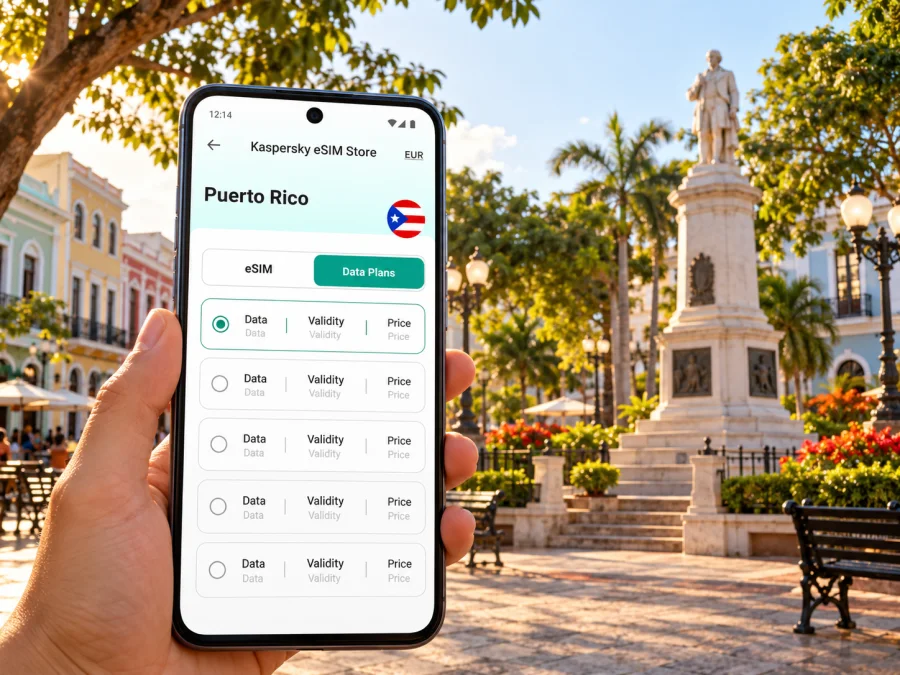
For a first comparison, you can review eSIM plans listed for Puerto Rico. Check each plan’s validity, data allowance, destination and activation conditions. A country listing is a starting point, not a guarantee of service at a particular Mayaguez address.
What to check in a Puerto Rico eSIM plan
Puerto Rico’s mobile market is connected to local and U.S. carrier arrangements, but a travel eSIM’s network depends on its specific provider and plan. Apple’s current iPhone carrier information lists T-Mobile USA, Claro and Liberty for eSIM in Puerto Rico. This is a carrier-support listing for iPhone; it does not tell you which network every travel plan will use or guarantee service at every location. Check the plan terms, and ask its provider about networks if this is not clear.
Before purchase, confirm:
- Destination: Puerto Rico is explicitly included; do not infer this from “United States.”
- Data and validity: Choose an allowance and duration that fit your dates and use. Check when the validity period starts.
- Service type: Verify whether calls, SMS and hotspot use are included. Many travel plans are data-only.
- Top-ups and expiry: Check whether additional data is available and what happens to unused data.
- Activation: Confirm whether Wi-Fi is needed during installation and when service begins.
- Device status: Your exact phone must support eSIM and be unlocked for another carrier profile.
Estimate use from your itinerary. Maps and messages usually need less data than video, photo backup or remote work. Check your phone’s data-use settings, disable automatic media backups on mobile data and use Wi-Fi for large downloads. Keep mobile data available for directions and schedule changes.
Keep trip logistics usable offline
A live connection is helpful, but it should not be the only place where your plans exist. Save your lodging address in both the map app and a note, keep the driver or host contact in your phone, and capture reservation details that you may need at arrival. For a day trip, pin the starting point, destination and return stop before leaving town. If someone else is meeting you, share the same pin so you are both navigating to one location. These small preparations make a temporary data interruption easier to manage without changing the rest of your itinerary.
Device compatibility: check the exact phone, not just the brand
eSIM support varies by exact model and sales market; phones with the same brand or family name can differ. Check the model number against the manufacturer’s specifications and confirm that the phone is carrier-unlocked. An eSIM menu is a useful clue, but does not replace those checks. Check whether your device is compatible with eSIM before choosing a plan.
If you use two lines, label them clearly and choose which line handles mobile data. Keep your regular number available only if needed and if its roaming conditions are acceptable. Do not remove an eSIM profile unless its reinstallation rules are clear; some cannot be installed again after deletion.
Install before you leave, activate with care
If the plan permits, install the profile over stable Wi-Fi before departure. Keep the QR code or in-app instructions available on another screen. Installation and activation are not always the same: a plan may start on installation or on first connection, so follow the selected plan’s wording.
- Check the destination, data, validity and activation rules.
- Confirm exact-device compatibility and unlocked status.
- Add the eSIM over Wi-Fi using the plan’s instructions and label the line.
- At the destination, select it for mobile data and enable data roaming only if required by the plan.
- Test a simple web page or map; if it fails, check the selected data line and troubleshooting steps.
Follow the Android eSIM installation guide or iOS eSIM installation guide. Menu names vary by device and operating-system version.
Practical connection setups by itinerary
Weekend downtown: Save your hotel, Plaza Colón and venues. If you mostly navigate and message, estimate data from your actual use; use Wi-Fi for large downloads. Keep your regular SIM only if you need its number and understand roaming charges.
University or work visit: Request exact building and entrance details. Video meetings and hotspot use can consume more data, so check plan allowances and tethering terms. Keep addresses and contacts in offline notes.
West-coast road trip: Save endpoints and lodging addresses, check parking and return timing, download maps over Wi-Fi and bring a charging cable or power bank. Do not rely on a single connection for every stretch of road.
Delay or short stop: Prioritize confirming your location, contacting your pickup and saving the revised route. Match plan validity to your dates, and keep booking details available offline.
If mobile data does not connect
Check the least disruptive possibilities first: make sure the eSIM is installed and switched on, select it for mobile data, and confirm the plan has started. Follow its instructions for data roaming, toggle airplane mode once, then try again where the signal is clearer. Review destination, validity and remaining data. If the issue persists, contact the plan provider through its support channel.
Avoid deleting the profile unless support or written instructions say to. Keep your accommodation address, pickup contact and offline map available while troubleshooting.
A compact Mayaguez connectivity checklist
Before booking
- [ ] Confirm the arrival airport and onward route.
- [ ] Verify any MAZ flight directly; its official description does not promise scheduled passenger service.
- [ ] Check Puerto Rico coverage, validity, data and activation terms.
- [ ] Confirm eSIM support and unlocked status for your exact phone.
Before departure
- [ ] Install over Wi-Fi if the plan permits advance setup.
- [ ] Save hotel, pickup, campus and meeting addresses; download an offline map.
- [ ] Review roaming settings and keep plan instructions accessible.
After arrival
- [ ] Select the right data line and follow activation steps.
- [ ] Test a map or web page before leaving the airport area.
- [ ] Keep the phone charged on transfers and day trips.
Frequently asked questions
Does every U.S. plan include Puerto Rico?
No. Puerto Rico is a U.S. territory, but plan coverage depends on its terms and network arrangements. Confirm Puerto Rico explicitly, especially for a plan labelled “United States.”
Can I count on flying into MAZ?
Do not assume so. The Ports Authority describes Eugenio María de Hostos Airport as serving general aviation and related uses. Confirm scheduled service directly. BQN and SJU are larger airports commonly relevant to visitors.
Which carriers support eSIM locally?
Apple’s current iPhone listing names T-Mobile USA, Claro and Liberty for Puerto Rico. That does not establish which carrier a travel plan uses; check its own terms.
Does a travel eSIM include a phone number?
Not necessarily. Check separately for calls, SMS and tethering, and consider whether to keep your regular number active.
Will service work everywhere in Mayaguez and on every road?
No plan guarantees the same service indoors, on the coast or along every route. Coverage depends on network, device and conditions. Keep offline maps and important addresses.
Can I install before travelling?
Often, but follow the plan instructions and confirm when validity begins.
Prepare your Mayaguez trip
A smoother connection starts with three checks: confirm how you will reach Mayaguez, make sure your exact phone can use eSIM, and read the Puerto Rico coverage and activation terms for the plan you choose. Then save key addresses and a map before departure so navigation does not depend on a single live connection.
Use the Kaspersky eSIM Store app or website to review available options, select and arrange an eSIM with a suitable plan for your trip, and follow the installation instructions for your device. Explore current eSIM options for Puerto Rico and compare the destination, validity, data allowance and conditions before you travel.


