Travel connectivity guide
Mayumba eSIM: Mobile Internet Guide for Gabon
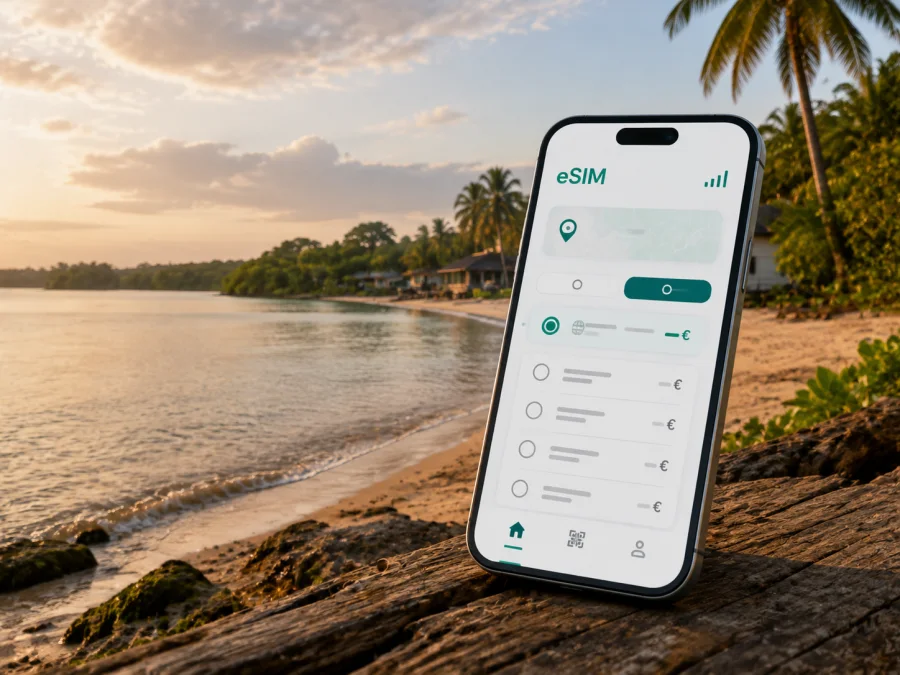
Mayumba eSIM: a practical guide to mobile connection and internet in Gabon
Mayumba is a coastal town in Gabon’s Nyanga Province, close to the Banio lagoon and the Atlantic shore. It is a very different arrival from a large capital or a resort built around mass tourism. The town is a useful base for coastal trips, conservation work, fishing-related visits, local business and quiet time near one of Gabon’s distinctive protected landscapes. That setting is precisely why a reliable mobile connection and a realistic data plan deserve attention before you travel.
In Mayumba, internet access is not only for posting a beach photo. You may need data to confirm a transfer, message a host, share your location, translate a short exchange, check a changing departure detail or download a map before leaving a stronger-signal area. An eSIM, or virtual SIM card, can keep your travel data separate from your home SIM and let you prepare a mobile internet plan before the trip. The right choice depends on your device, route, length of stay and expected use.
How to plan mobile data for Mayumba
Start with the shape of your itinerary rather than with a tempting data quantity. A short visit based in town uses data differently from a field assignment, a coastal excursion or a road journey through southern Gabon. Estimate the days when you will need navigation, messaging, work files, calls in messaging apps and photo uploads.
| Travel pattern | Typical online tasks | Planning priority |
|---|---|---|
| Short stop in Mayumba | Arrival messages, maps, reservations and occasional searches | A small package with a comfortable validity period and offline backups |
| Beach and nature trip | Location sharing, messages, weather checks and coordination with a guide | Battery management, preloaded maps and enough data for changing plans |
| Business or field visit | Email, messaging, document access and scheduled calls | A larger allowance, a charging plan and a second way to reach colleagues |
| Road-based itinerary | Route checks, hotel coordination and updates between towns | Downloaded navigation, flexible timing and data reserved for essential use |
| Longer stay | Regular messaging, work, media and account management | Compare volume and duration, then monitor balance during the trip |
Messaging and navigation are usually lighter on data than video meetings, cloud backups or continuous video. Turn off automatic photo synchronisation until you have a stable Wi-Fi connection. If you use your phone as a hotspot for a laptop, remember that a few large files or a video call can use much more data than a day of text messages.
Choose enough data for your real activities, then leave a reserve for the unexpected. High-resolution uploads, video streaming and remote work can use much more than messaging or navigation.
Choosing an eSIM for a Mayumba itinerary
An eSIM is useful when you want to prepare a digital SIM profile without waiting to find a physical SIM after arrival. Kaspersky eSIM Store is an app and website that helps you select, arrange and activate an eSIM with a suitable tariff for mobile internet during an international trip. The service does not replace a local mobile operator, and the exact conditions depend on the selected tariff.
Before you choose, check four details:
- Destination. Select Gabon for a Mayumba stay. If your route crosses borders or includes several countries, check whether a regional option is more appropriate.
- Validity. Match the active period to your actual trip, including arrival and departure days. Do not assume that a package starts when you purchase it; read the activation conditions shown with the tariff.
- Data volume. Count work, navigation, messaging, uploads and hotspot use separately. A short stay does not automatically mean low consumption.
- Device status. Confirm that your phone supports eSIM and is not locked to a mobile operator before you travel.
Device preparation before leaving home
The easiest time to solve a compatibility or installation problem is before you are in transit. A phone may have an eSIM-capable model but still be restricted by a carrier lock, an old operating-system version or limited support for additional profiles. Check the manufacturer’s specifications and use the device compatibility check before purchasing.
Use this short pre-departure checklist:
- update the operating system and the Kaspersky eSIM Store app;
- confirm that the phone is unlocked and has enough storage for the installation steps;
- note which SIM is your home line and which line will be used for data;
- decide whether your home SIM should remain active for incoming messages;
- save the eSIM instructions and booking details where you can access them offline;
- charge the phone before the journey and pack a power bank.
Keep your home number available if you need bank verification codes or messages from family. At the same time, set the travel eSIM as the line for mobile data when you are ready to use it. The exact menu names differ by phone brand and operating-system version, so use the instructions that match your device.
Installing and activating the eSIM
Installation is normally easier with a stable connection and a charged phone. If you buy or install the profile before departure, follow the displayed steps carefully and do not delete the profile after installation unless the conditions specifically allow you to reinstall it. Some eSIM profiles are intended for one device and cannot simply be moved to another phone.
A practical sequence
- Open the eSIM purchase or management area and confirm that Gabon is the selected destination.
- Check the tariff volume, validity and activation conditions one more time.
- Install the eSIM using the method shown for your device, such as a QR code or an in-app flow.
- Give the line a clear label, for example “Gabon travel”, so you do not confuse it with your home SIM.
- Keep the home line for calls and messages if needed, but set the travel eSIM as the mobile-data line when you want to use it.
- Enable data roaming for the travel eSIM only if the instructions or tariff conditions require it.
- Disable automatic switching between SIMs if your phone may move data back to the home line.
- Test a short message or a simple page load before leaving a reliable connection.
For device-specific steps, use the Android installation instructions or the iOS installation instructions. Do not rely on a generic screenshot if your menus look different; follow the current sequence for your operating system.
Arrival in Mayumba: a low-stress connection routine
Arrival planning matters more in Mayumba than in a city where transport and accommodation are available at every hour. Before your departure, ask your host or local contact how they expect to meet you, what landmark they use and whether your vehicle can reach the accommodation directly. Send your expected arrival window, not only the name of the town.
When you arrive, use this order:
- keep the phone in battery-saving mode until you are settled;
- confirm that the travel eSIM is selected for mobile data;
- send one short arrival message rather than beginning a long upload;
- save the route to your accommodation for offline use;
- download any next-day information while the connection is convenient;
- note where you can charge the phone before the next outing.
If the phone does not connect immediately, avoid changing several settings at once. Check the active line, mobile data selection, roaming requirement and eSIM instructions. Restart if appropriate, then contact support while keeping reservation details offline.
If you want to compare the available conditions before departure, choose an eSIM plan for a trip to Gabon. Review the data allowance, validity, activation rules and any fair-use or hotspot notes shown for the option you select.
Moving around town and along the coast
Mayumba is better approached as a place where movement is organised around roads, local arrangements and specific destinations than as a city with a dense public-transport grid. A map pin alone may not be enough for a remote lodge, beach access point or meeting location. Share the name of the place, the expected route and a contact number with someone you trust.
For short local trips, keep navigation simple. Save the starting point, destination and return route before leaving. If a driver or guide is meeting you, agree on a visible landmark and a backup contact method. In low-signal areas, the important information is the route you have already loaded, not the ability to recalculate it every minute.
For longer movements, allow time for changes. Roads, weather, vehicle availability and local arrangements may affect the journey. Ask locally about the current condition of the road and the realistic departure time. Do not promise a precise arrival hour to a colleague when the route depends on several transfers.
A useful day-trip setup
Before leaving town, prepare:
- an offline map and a screenshot of the key route;
- the phone number of the guide, driver or host;
- the address of the return destination;
- drinking water and a power bank;
- enough data for a message or location share at the end of the excursion;
- a backup note with meeting instructions in case your phone battery is low.
This approach is useful for visits connected with the coast and Mayumba National Park. The park’s value comes from the relationship between beach, dunes, coastal vegetation, lagoons and marine habitat, so a trip may involve outdoor conditions rather than a predictable urban timetable. Follow local guidance, stay on agreed routes and avoid assuming that a signal will be available on every stretch of shore or forest edge.
Hotels, guesthouses and remote accommodation
Ask accommodation providers specific questions before travel. “Wi-Fi available” does not necessarily mean that it will support a video meeting, a large upload or continuous work. Ask whether internet access is available in the room or only in a common area, whether power is stable, and whether there is a place to charge devices overnight.
If you are booking through a third party, save the confirmation and contact details offline. Send your estimated arrival time and ask for clear directions from the point where your driver will drop you. A data connection is valuable for the final message, but the plan should still work if you cannot load a map at the last turn.
For a business stay, test your work routine before the first meeting:
| Need | Check before the meeting |
|---|---|
| Email and documents | Whether files open without repeated downloads |
| Voice or video call | Signal, battery, headset and a quiet backup location |
| Messaging | Correct data line and enough reserve for follow-up messages |
| Hotspot | Laptop connection, battery drain and data consumption |
| Payment or verification | Access to required messages while the home SIM remains enabled |
The best plan is often a combination: mobile data for essential movement and messages, accommodation Wi-Fi for heavier work when it is dependable, and offline copies for anything you cannot afford to lose access to.
Data-saving habits and eSIM limitations
Use automatic updates and photo backups only on Wi-Fi, turn off video autoplay and download maps and documents before travelling. Check your balance before an excursion, reserve data for navigation and messages, and recheck it after a hotspot session or video call. Signal bars show the radio connection at that moment; they do not show how much data remains.
An eSIM tariff for mobile internet is not automatically a normal local phone number. Voice calls and SMS are not included unless the selected conditions say otherwise. Validity, supported networks, hotspot rules, refills and refunds also depend on the tariff. Read the conditions before payment, and do not move a profile to another device unless the conditions allow it.
Frequently asked questions
Is an eSIM useful for a short visit to Mayumba?
It can help you arrange travel data before arrival instead of relying entirely on finding a physical SIM after landing. Compare validity with the number of days you need and keep essential information offline.
Should I buy a large data package for Mayumba?
Not automatically. Choose based on navigation, messaging, work, uploads and hotspot use. An extended road itinerary may require a reserve even if the stay in town is short.
Can I keep my home SIM in the phone?
Many dual-SIM phones allow this, but behaviour depends on the model. Keep the home line for important messages if necessary, select the travel eSIM for data and check roaming settings to avoid unexpected charges.
Will mobile data work everywhere around Mayumba?
No connection should be treated as universal. Signal and speed can vary by location, device, conditions and infrastructure. Prepare offline maps and contacts, and ask your accommodation or guide about the current route.
Prepare your connection before the journey
The most reliable Mayumba setup combines a suitable eSIM tariff with sensible preparation. Check device compatibility, compare the Gabon options by data volume and validity, install the profile at a convenient moment, and test the data line before you leave. Save your route and contacts offline so the trip does not depend on a perfect signal.
When you are ready, prepare an eSIM plan for your Mayumba trip in Gabon. Kaspersky eSIM Store helps you choose, arrange and activate an eSIM tariff for mobile internet abroad; the conditions of use remain those of the option you select.


