Travel connectivity guide
Mbabane eSIM: Mobile Internet in Swaziland
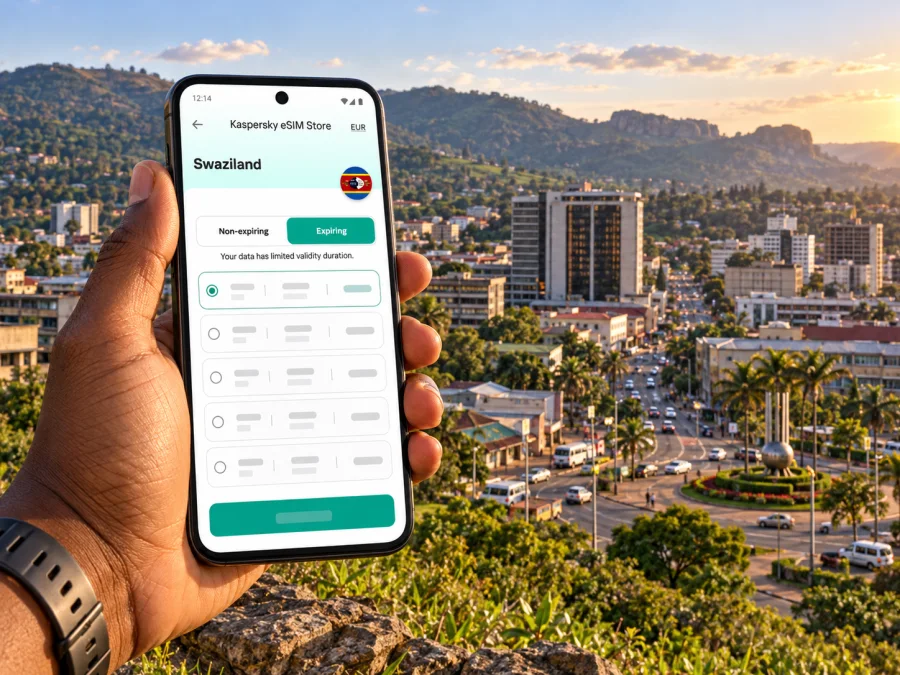
Mbabane eSIM: Mobile Connection and Internet for Your Trip
Mbabane is the administrative capital of Swaziland, officially renamed Eswatini in 2018. It is a compact highland city, but a visit may involve more than moving between a hotel and the centre: you may arrive through another part of the country, continue toward the Ezulwini Valley, or use the city as a base for meetings and day trips. A working mobile internet connection helps with maps, messages, reservations and checking your next ride as plans change.
An eSIM is a digital SIM profile that you install on a compatible, unlocked device. It can provide mobile data under the conditions of its selected travel plan, without replacing the physical SIM already in your phone. Kaspersky eSIM Store is an app and website where you can choose, purchase and activate an eSIM with a suitable plan for mobile internet on an international trip. Before relying on it in Mbabane, confirm that a plan for the destination is currently available and check its coverage terms; availability and service depend on the selected plan and local network.
Why mobile internet helps in Mbabane
Mbabane is a useful starting point for a trip through the western highlands and nearby destinations. Its roads rise and curve through hilly terrain, and familiar city-grid assumptions may not help when you are finding a guesthouse entrance, a government office or a pickup point. Mobile data gives you a way to open a map, compare the route with a driver’s directions, contact your host and check a booking without first looking for public Wi-Fi.
A connection is especially useful for the small transitions that shape a travel day:
- confirming the address and check-in instructions before leaving a vehicle;
- sharing a live location or pickup point with a driver or travel companion;
- checking a route when a road junction or destination name is unfamiliar;
- messaging a hotel if your arrival time changes;
- opening an online ticket, reservation or work document while away from your accommodation;
- translating a short message or checking current opening information before setting out.
These are practical uses, not guarantees of uninterrupted service. Signal strength and data performance can vary by operator, device, building, terrain and weather. Save the details you will need offline as well, particularly if you are leaving the central area or travelling between towns. Eswatini’s communications regulator lists MTN Eswatini and Eswatini Mobile as licensed operators. That market list does not establish which network a travel eSIM plan uses or what reception you will have at a particular hotel or road. Check the selected plan’s own network and coverage terms rather than inferring support from the presence of a local operator.
First hours after arrival
The airport you use matters to the journey into Mbabane. King Mswati III International Airport is in Sikhuphe, in the eastern part of Eswatini, rather than in Mbabane. Your transfer can therefore be a substantial part of the itinerary. Matsapha Airport is another airport in the country, closer to the Manzini area. Check your ticket and pickup arrangements rather than assuming that every flight arrives near the capital.
Before you travel, save your accommodation name and address, a local contact number if you have one, and any transfer confirmation. Ask your driver or host which landmark or entrance they use; a pin can be helpful, but a written description gives you a second reference if a map loads slowly. If you expect to use a taxi or a prearranged transfer, confirm the price and meeting point directly before getting in. Do not rely on mobile data as your only copy of the booking.
At the airport, keep your current home SIM active if you need one-time passcodes or calls, and use the travel eSIM for data only if that matches your plan and device settings. You can install an eSIM before departure while you have a reliable connection, then leave its data line turned off until you are ready to use it. Some plans begin their validity at installation, while others start at first connection or under another stated condition; check the specific terms before scanning or enabling the profile.
Arrival checklist
- Confirm the airport and transfer plan.
- Save an offline map, hotel address and driver details.
- Check eSIM installation and the selected data line.
- Switch on data according to the plan’s start conditions.
- Charge your phone; maps and messaging use power.
Finding your way around the city
The central business area is where many visitors handle practical errands, meetings and transport connections. A short-looking trip on the map can take longer on hilly or busy roads, so allow a buffer between appointments. Enter a specific destination rather than navigating only to “Mbabane centre”: a building name, street, entrance or nearby landmark can reduce confusion when several places share similar names.
Mbabane’s municipal council describes a main public transport rank and a satellite rank at Sidwashini. The city also has a substantial minibus and bus commuter network. If you plan to use public transport, ask locally which rank or route serves your destination and confirm where to board; route names and loading points are more useful than assuming that a map app lists every service. Keep the destination written down so you can show it if your connection drops.
For a taxi or private transfer, share the exact pickup point rather than a broad neighbourhood label. If you are walking, use navigation for orientation but stay aware of steep streets, crossings and changing pavement conditions. In low light or unfamiliar areas, arrange transport with your accommodation or a trusted local contact rather than following a phone screen while distracted.
A simple navigation routine
- Search the full venue or accommodation name and check that the pin matches the correct town and entrance.
- Compare the route with a written address or directions from your host.
- Save the route or screenshot the map before leaving a dependable connection.
- Tell your driver the destination in words as well as showing a pin.
- Recheck the route after a change of vehicle or meeting point, especially if you are travelling outside the centre.
Mobile internet supports these checks, but it does not replace local directions. If a route looks implausible, stop somewhere safe and ask your host or driver to confirm it before continuing.
Staying connected in hotels, cafés and meeting spaces
Accommodation Wi-Fi is useful for larger downloads, calls and updates; mobile data can cover maps, messages and urgent changes while you travel between places. Download work files before leaving your hotel and check a café’s opening information before setting out. Test reception before an important video call and keep an audio-only option ready, as buildings and local conditions can affect signal. For sensitive account activity, use a trusted connection and the protections you normally rely on; an eSIM does not by itself make online activity private or secure.
Choosing an eSIM plan for a Mbabane itinerary
Start with the whole route, not only the city name. A plan must cover the country or region where you expect to use data. If your trip includes a border crossing or several countries, check whether the plan explicitly includes every destination; a Swaziland/Eswatini plan should not be assumed to work in neighbouring countries. Review any network, fair-use, hotspot or activation conditions shown for the individual plan.
Estimate the data you will use. Navigation, messaging and checking bookings usually require less than repeated video streaming, large uploads or a laptop hotspot. Think about your actual routine: how often you will use maps, whether your accommodation has Wi-Fi, whether you need to send work files, and how many days you will be away from a reliable connection. Choose based on the published allowance and validity period rather than selecting a larger package by default.
Before you buy, check whether Swaziland appears as an available destination and review the exact plan conditions. A general store page does not by itself confirm a country-specific plan. If the destination or your full route is not listed, consider your home operator’s roaming service or ask about a locally available SIM after confirming its current terms.
You can check current travel destinations and available eSIM options before the trip. The available plans and their conditions can change, so review the destination, data amount, validity, price, activation timing and support details on the offer itself before completing a purchase.
Match the plan to the way you travel
| Travel pattern | What to consider |
|---|---|
| Short city visit | Map searches, messaging and essential booking checks; choose a validity period that covers arrival through departure. |
| Several days of meetings | Add work messaging and document use to your estimate; download large files on trusted Wi-Fi where practical. |
| Mbabane plus regional excursions | Confirm the plan’s country coverage and save offline maps for areas where service may be limited. |
| Multi-country itinerary | Check every country and border segment in the plan conditions; do not infer regional coverage from one destination name. |
| Heavy video or hotspot use | Verify whether tethering is allowed and consider how quickly these activities can consume data. |
A plan’s coverage depends on the local networks and terms associated with it. Neither an eSIM nor a city label guarantees service in every building, road corridor or rural area. If continuous connectivity is important for safety or work, arrange a backup and tell someone your route.
Prepare your phone before departure
Compatibility is the first check. Confirm that your phone supports eSIM, is not locked to a carrier, and can add another mobile plan. Device variants can differ by model number and sales region, so do not rely on a family member’s similar-looking phone as proof. Use the phone’s own settings and the manufacturer’s current documentation; if anything is unclear, ask the device seller or carrier. Check whether your device is compatible with eSIM before you select a plan.
Also check that you can access the email or account where the installation details will arrive, and that the phone has an internet connection available during setup. Keep the QR code or activation details on another screen or printed securely if you need to scan them with the same phone. Do not delete a profile to troubleshoot unless the plan’s support instructions say it can be installed again; some eSIMs cannot simply be transferred or reinstalled.
Install and activate with care
The exact menu labels vary by phone and operating system, but the general sequence is similar:
- Connect to Wi-Fi or another dependable internet source.
- Open the mobile or cellular settings and choose the option to add an eSIM.
- Scan the supplied QR code or follow the provider’s manual activation steps.
- Label the profile clearly, for example “Travel data,” so you can distinguish it from your regular line.
- Review the plan’s instructions before choosing when to switch it on or enable data roaming.
- Set the travel eSIM as the mobile-data line when you are ready to use it; keep voice and SMS on your usual line if that suits your needs and your operator’s terms.
- Once connected, open a simple webpage or map to confirm that data is working.
For platform-specific steps, follow the Android eSIM installation guide or the iPhone and iOS eSIM installation guide. Menu names and activation behaviour may vary by model. If the profile installs but data does not work, verify the selected data line, the plan’s start conditions and any roaming setting required by its instructions before changing other settings.
Keep your regular number available
A compatible phone may keep your home SIM active for calls or verification while the eSIM handles data, but check your device and operator settings. Confirm roaming charges, select the intended data line and disable automatic data switching if you do not want the phone to fall back to your home SIM. Unless the offer says otherwise, treat a travel eSIM as mobile data rather than a local phone number with calls and SMS.
If the connection does not work
Change one setting at a time. Check that the eSIM is enabled and selected for data, that the plan is active for this destination and date, and whether its instructions require data roaming. Try another location; do not remove the profile as an initial step.
| What you notice | First checks |
|---|---|
| No service | Confirm the plan covers the country, the eSIM line is enabled and the phone is not in airplane mode. Move to another location and wait briefly for network registration. |
| Signal but no data | Check selected data line, plan validity and any required data-roaming setting. Test a webpage with Wi-Fi off. |
| Slow data | Pause large downloads, move outdoors or nearer a window, and retry later. |
| QR code will not scan | Check camera permission and screen brightness; use manual details only if supplied. |
| Asked to remove a profile | Consult the plan guidance first. Removing an eSIM may make reinstallation difficult. |
If the checks do not help, contact the support channel named in your purchase or plan instructions while you still have access to Wi-Fi. Include your device model, the country where you are, the time the issue began, and the steps already tried. Do not send passwords or one-time verification codes.
Four Mbabane travel situations
- Late arrival: Keep transfer details and your accommodation address offline; use data for the final route check and message to your host.
- Meeting day: Save the office location and calendar invitations before leaving. Check reception and audio before an essential call.
- Excursion outside the centre: Confirm transport and return arrangements, download a map and check the plan’s country coverage.
- Brief stop between journeys: Save the next address before arriving. An installed eSIM can help if the plan is active and covers your location.
Frequently asked questions
Is Mbabane in Swaziland or Eswatini?
Mbabane is the capital of the country now officially called Eswatini. Swaziland is the former official name, retained here because it is the destination name supplied for this guide and may still appear in older travel or commercial materials.
Does an eSIM guarantee mobile service throughout Mbabane?
No. The available network and signal depend on the plan, local coverage, buildings, terrain, device and other conditions. Check the plan terms and keep offline directions for important trips.
Can I use an eSIM as soon as I land?
Only if the profile is installed, its activation conditions are met, and the selected plan covers your location. Install it ahead of time where possible, but follow the offer’s instructions for when validity begins and when to enable mobile data.
Can I keep my normal SIM active?
Often a compatible phone can keep an eSIM and physical SIM available together, but behaviour varies. Check your device and home operator settings, select the intended line for data, and confirm any roaming charges for calls or messages.
Will the travel eSIM include a local phone number?
Do not assume so. Unless the plan explicitly includes voice and SMS, treat it as a mobile-data option. Messaging and internet calls may work through apps, subject to data access and the other person’s availability.
Should I buy a Swaziland plan before travelling?
Check the current destination list and exact plan conditions before deciding; a general store page alone does not confirm that a Swaziland plan is available. If you cannot find a suitable option, review your home operator’s roaming terms or ask about a local SIM after arrival.
What if I travel onward to South Africa or Mozambique?
Check each country separately in the plan conditions. A plan that covers Swaziland/Eswatini should not be assumed to include neighbouring countries, even on a short cross-border trip. Download maps and travel details before crossing.
A practical connection plan for your visit
For Mbabane, prepare around the shape of the journey: identify the airport and transfer, save the city address and offline map, confirm your phone’s eSIM compatibility, and choose a plan only after checking the destination and terms. Use mobile data for directions, bookings and messages, then rely on trusted Wi-Fi for heavier tasks where available. Keep your usual number’s roaming settings in mind and carry a backup for important travel details.
When you are ready, check the current destinations and choose an eSIM option for your trip. Kaspersky eSIM Store is an app and website that helps you select, purchase and activate an eSIM with a suitable plan for mobile internet abroad. Review the exact destination, allowance, validity and activation instructions shown for your selected offer before you travel.


