Travel connectivity guide
Mbarara eSIM: Mobile Internet for Uganda Trips
Mbarara eSIM: mobile connection and internet for your trip
Mbarara is a practical base in western Uganda: a working city, a regional meeting point, and a useful stop on routes toward the country’s western and southwestern destinations. Mobile data can make the visit easier from the first transfer onward. You may need a map while finding a hotel, a message to a driver, a booking confirmation, or a video call before a meeting. An eSIM lets you arrange travel data digitally without replacing your everyday physical SIM card.
This guide focuses on using an eSIM in Mbarara: arrival, local movement, navigation, hotels, business trips, short stopovers, and travel from the city. Uganda is the destination context for selecting the right plan, but the practical decisions belong to your Mbarara itinerary.
Why mobile data is useful in Mbarara
Mbarara combines an urban routine with journeys that quickly become regional. During one day you might move between accommodation, shops, cafés, offices, a campus appointment, and a transport connection. Outside the centre, unfamiliar roads and longer gaps between stops make a saved route and a way to message someone especially useful.
A data-only eSIM can help you:
- open navigation when a driver or colleague sends a location;
- contact accommodation if your arrival time changes;
- check a reservation, ticket, or itinerary while travelling;
- use a transport service when its app is available to you;
- translate a short message or look up a place;
- send messages and photos to people at home;
- join a work call from a hotel or quiet café;
- keep your home SIM active for its existing number.
An eSIM is a digital SIM profile installed in a compatible device. It does not automatically provide a second phone number. Travel eSIMs are generally intended for mobile data, so ordinary calls and SMS remain on your regular line unless the selected plan says otherwise. Internet messaging and calling apps use the data connection and the accounts you already have.
The first hour after arrival
The first hour is often when you have the least local context: a transfer, luggage, a hotel entrance, and a message to confirm. With a prepared data profile, the address, map, and booking details are available on one phone.
Mbarara Airstrip handles general aviation, including private and charter flights. The Uganda Civil Aviation Authority lists it about 11 kilometres from town, with a single unpaved runway for small aircraft. Do not assume every international itinerary arrives there; ask for the exact arrival point and transfer plan before departure.
The stopover scenario
For a one-night visit, prepare the profile, keep the confirmation and QR code accessible, and save the accommodation address offline. If Mbarara is one stage of a longer itinerary, review the plan’s country or regional scope instead of assuming it covers every later border crossing.
How to choose an eSIM plan for Mbarara
There is no universal amount of data for every traveller. Messaging and maps require a different allowance from daily video meetings, cloud work, or frequent photo uploads. Start with four questions:
- How long will you need data? Match the validity period to the real arrival and departure dates. If your schedule is flexible, note the difference between a fixed-duration package and one whose data does not expire under its stated terms.
- What will you do online? Navigation, email, messaging, and text pages are different from video calls, backups, and high-resolution media.
- Will you leave Mbarara? A Uganda destination may suit a city stay. A regional option may be relevant when the same journey includes other covered countries. Check the destination list.
- Do you need a hotspot? If a laptop or companion will use the connection, confirm tethering support and allow for faster data consumption.
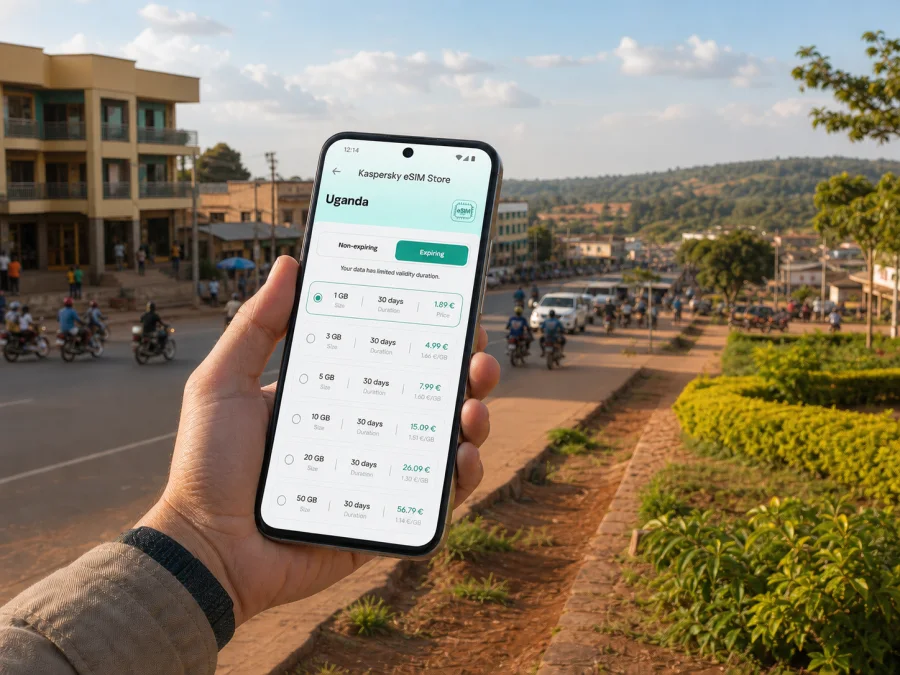
The Uganda destination page in Kaspersky eSIM Store shows the available options and conditions at the time you visit it. Compare data, validity, destination scope, and usage terms before confirming a purchase; the best allowance depends on your own Mbarara schedule.
For a stay centred on Mbarara, begin by checking the Uganda destination. If your journey continues across countries, review a regional option as a separate decision. Write down the route in order—arrival point, Mbarara, any overnight stop, and the next country—then compare each place with the plan description.
Kaspersky eSIM Store is an app and website that helps you choose, arrange, and activate an eSIM with a suitable travel data plan. The underlying service is supplied by local telecommunications providers. Kaspersky eSIM Store is the selection and activation interface for the travel scenario, not a mobile network operator.
Once your dates and route are clear, you can choose an eSIM plan for a trip to Uganda. This is the relevant country page for Mbarara; you do not need a separate city product. Read the current information shown there and select an option that fits your own trip.
Prepare before travelling to Mbarara
Complete the data-intensive steps while you still have dependable Wi-Fi and enough time to read the instructions.
Pre-departure checklist
- Confirm that your phone supports eSIM and is not operator-locked. Check your device compatibility before choosing a plan.
- Charge the phone for installation, arrival, and the first transfer.
- Keep your regular SIM active for calls, SMS, or account verification if needed.
- Choose which line will be used for data and disable automatic data switching if available.
- Save the hotel, meeting point, transfer details, and an offline map.
- Keep the confirmation and QR code secure, then read the plan’s activation, roaming, validity, and top-up information.
Compatibility can differ by model, region of sale, and carrier lock. A device family that supports eSIM may still require an individual check. This is particularly important for an employer-issued, leased, or overseas-market phone.
Install before departure or after arrival?
Installing before departure gives you time to read each screen and resolve questions. Follow the activation terms and choose the data line when ready. Installation after arrival may work with Wi-Fi and a charged phone, but it adds a task to a busy moment and requires the confirmation or QR code.
How to install and activate the eSIM
The labels differ between Android and iOS, but the order is broadly similar:
- Check the device. Confirm eSIM support and make sure the phone is not operator-locked.
- Open mobile-network settings. Look for “add a mobile plan” or “add eSIM”. Keep the confirmation or QR code available.
- Scan or enter the details. Use the code supplied with your purchase or the in-app installation flow.
- Label the profile. A label such as “Uganda travel” makes it easier to identify the correct line.
- Choose the data line. Set the travel eSIM as mobile data when you want to use it, while keeping calls and SMS on your regular line if appropriate.
- Review roaming settings. Some profiles require data roaming on that eSIM. Treat this as a device setting and follow the plan terms.
- Test the connection. Open a simple webpage or send a message after activation. Change one setting at a time.
For device-specific guidance, use the Android eSIM installation instructions or the iOS eSIM installation instructions. A data-only profile does not replace the number attached to your home line.
If mobile data does not start
Do not delete the profile first. Check that it is on, mobile data is assigned to it, the required roaming setting is enabled, and Uganda is included. Turn Wi-Fi off for a test, restart if instructed, and contact support if the issue remains.
Moving around Mbarara
Separate your day into short, named legs: accommodation, the first appointment, a meal or rest stop, the return point, and the next transport connection. Save each place on your map before leaving. This is helpful when someone describes a destination by a local landmark rather than a formal street address.
Arrival and first transfer
Before leaving your arrival point, open the route to accommodation and check the destination spelling. Share your expected arrival time with the person receiving you. If a driver sends a new meeting point, compare it with the saved address before setting off.
If your journey begins at Entebbe or another Ugandan gateway, plan the overland transfer to Mbarara separately. Do not build the journey around an assumption that a particular shuttle, taxi app, or public transport timetable will be available at the hour you land. Keep the address, contact details, and route in an offline note as well as in the map app.
City centre, hotels, and meetings
Place the hotel and each meeting on your map before you leave in the morning. Compare walking, private car, shared taxi or minibus, boda boda, and pre-arranged transfer according to distance, luggage, weather, and your comfort. Ask the accommodation for the best landmark or entrance to use; a pinned location and a written description work well together.
For work, keep meeting addresses in one note with a contact name and download the agenda and important documents in advance.
Transport habits
Local transport is not one uniform system for every route. Ask about the destination and fare, share the correct location when appropriate, secure luggage on a boda boda, and charge the phone before a longer transfer. Search before departure, save frequent destinations, use offline maps where available, and restrict automatic backups and updates to Wi-Fi. These habits reserve data for a route, message, reservation, or changed meeting point.
Business trips and short city breaks
For a meeting, download the latest document, keep the organiser’s number in your contacts, and agree on a backup method. Test video calls on Wi-Fi and pause synchronisation. For a short break, save the return route and transport before leaving the centre.
Trips from Mbarara
Mbarara is often used as a gateway or stopover for western and southwestern Uganda, with routes toward Lake Mburo, Queen Elizabeth, Bwindi, Mgahinga, and the Rwenzori area. Confirm road, booking, opening, and transport details for your dates.
Prepare an onward trip in three layers:
- City layer: hotel, food, meeting point, and return route in Mbarara.
- Road layer: driver contact, rest stops, downloaded directions, and a charged phone.
- Destination layer: reservation, entry details, accommodation, and the connection scope for the next area.
Navigation and messages may be light in the city but more important on the road. If you continue to another country, check regional eligibility before crossing a border. If the route enters an area with limited service or long stretches between settlements, download what you can in advance and tell someone your planned route.
Planning at a glance
An eSIM selected through Kaspersky eSIM Store is normally for mobile data, not a standard phone number, ordinary voice calls, or SMS. Check device support, destination, validity, allowance, activation instructions, and roaming settings. Read the current plan description and do not assume that a top-up, transfer, or hotspot is available unless it says so.
Comparing common situations
| Situation | An eSIM can help with | Keep in mind |
|---|---|---|
| Late arrival | Messaging a transfer contact and finding the hotel | Keep the address offline |
| Morning meeting | Finding the venue and receiving updates | Download the agenda |
| City movement | Maps, messages, and booking details | Limit background data |
| Trip outside town | Route changes and communication | Confirm return transport |
Frequently asked questions
Is an eSIM useful for one night in Mbarara?
Yes, if you need data for arrival, accommodation, a meeting, or an onward transfer. Prepare the profile and save key addresses before leaving home.
Do I need a Ugandan phone number?
Not for every task. A data-only eSIM supports maps, email, and messaging apps, but does not provide a standard local number by itself. Keep your normal number for calls or SMS that require it.
Can I use the eSIM elsewhere in Uganda?
That depends on the selected plan’s destination and service conditions. Check the Uganda description against your complete route before purchase.
Why might data roaming be required?
Some travel profiles require roaming on that eSIM so the phone can use the partner network. Select the correct data line and follow the plan’s instructions.
What if the eSIM does not connect?
Check that the profile is active, the travel eSIM is selected for data, the required setting is on, and Uganda is included. Restart if instructed, test in a different location, and contact support if needed. Avoid deleting the profile first.
A calm plan for your Mbarara arrival
Prepare the device, choose for the route, install with time to spare, and keep key details offline. Before departure, verify compatibility and plan which SIM handles data, calls, and messages. On arrival, check the profile before leaving the transfer point; before an onward trip, review the next destination.
Get ready for your trip
If Mbarara is on your route, prepare an eSIM plan for Uganda through the country page, then review the device and installation steps before you travel. Kaspersky eSIM Store helps you choose, arrange, and activate a suitable eSIM for mobile data during an international trip. Select the option that matches your dates, route, and actual usage, and keep the setup information available until you are connected.


