Travel connectivity guide
mcom eSIM in Nigeria: what to check
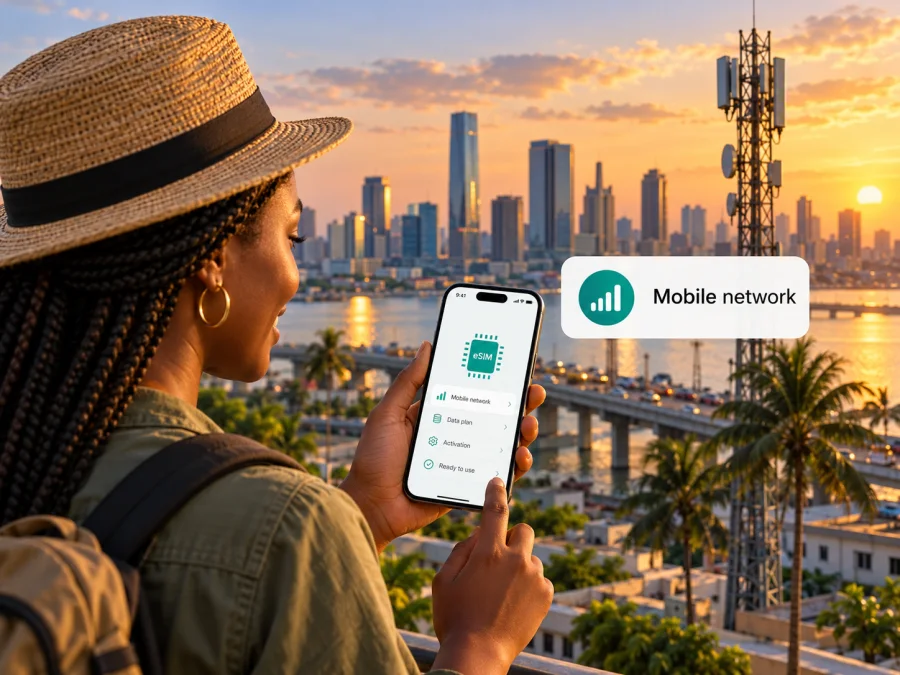
mcom eSIM in Nigeria: what travelers should check
If you are searching for an mcom eSIM in Nigeria, the first thing to confirm is whether mcom currently issues eSIM profiles to customers. As of 18 October 2026, mcom’s public website describes its 5G network, coverage lookup, data plans and router products, but I could not verify an official page that confirms eSIM availability or explains how to obtain and activate an mcom eSIM.
This guide keeps those facts separate. It explains what mcom’s public information does establish, how to check support directly before travelling, what to verify about coverage and a phone, and how to plan mobile data in Nigeria if an mcom eSIM is not available for your situation. It does not assume that a visitor can buy a local eSIM, register remotely, or use every feature advertised for the network.
What is mcom in Nigeria?
mcom is the consumer-facing brand on mcom.ng for a Nigerian mobile and connectivity service. Its website describes a 5G standalone network and displays data plans and 5G router products. The Nigerian Communications Commission (NCC) lists Mafab Communications Limited as a licensee and has documented Mafab’s 5G service launch. Nigeria Communications Week reported on 20 June 2025 that Mafab launched its mobile service brand as mcom; the NCC’s licensee list and launch notice independently identify Mafab Communications.
The NCC says Mafab publicly launched services in Abuja and Lagos in January 2023, with an initial rollout directed at six cities: Lagos, Abuja, Port Harcourt, Enugu, Kano and Kaduna. This is launch history, not a current nationwide coverage guarantee. mcom’s current coverage page asks users to select a state and location to check availability. Use that tool for the specific neighbourhood or address where you will stay.
mcom’s public positioning focuses on 5G and router products. Do not infer mobile-phone compatibility from the words “5G” or “network”; check service type, device requirements and your travel locations directly.
Is an mcom eSIM available?
I could not confirm an mcom eSIM offer on the public pages checked on 18 October 2026. The official About page describes the network, the Coverage page provides a state and location lookup, and the Plans page refers generally to data plans and mcom 5G routers. I found no public eSIM ordering flow, eligibility rules, installation instructions or compatibility list.
This limit in public information is not proof that mcom never offers eSIM through a particular channel. Availability may depend on the product, account type, device and market. Ask mcom directly whether eSIM is currently offered to new Nigerian customers, existing subscribers and visitors; request details for your exact handset variant, registration steps and whether activation must take place in Nigeria.
A phone’s eSIM menu does not prove that mcom can issue a profile. Nor does a 5G plan or router product imply that a service can be converted to eSIM. The operator must issue a profile for the relevant line, and the handset must support and be approved for that service.
Questions to ask mcom before relying on eSIM
- Is eSIM currently available for mobile phones, and can a visitor obtain it?
- Can registration be completed remotely, and what identity or account details are required?
- Which exact phone model number and regional variant have been tested? Is an unlocked phone required?
- How is the profile delivered and activated, and does activation need to happen in Nigeria?
- Does the specific service include a local number, voice or SMS, or is it data-only?
- Can the profile be reissued or moved if you replace your phone?
- Where does service work now, including the addresses and routes relevant to your trip?
Save mcom’s response and its setup instructions offline. If you cannot get a clear answer, plan a fallback instead of depending on an unverified eSIM path.
How to check mcom coverage for your route
Coverage should be checked where and when you will use the connection. mcom’s official coverage tool asks for a state and location. Search the actual hotel, airport, work site or neighbourhood, rather than relying on a country-level label.
The NCC’s launch notice names six cities that were targeted during the initial rollout. It does not say every district in those cities is covered today or that indoor service is available at every address. Treat it as launch history; use mcom’s current location checker and ask the operator about important destinations.
mcom describes its service as a 5G standalone network. That does not establish that every 5G phone supports it or predict a particular speed. Device support depends on the exact variant, software, radio configuration and operator provisioning. Ask mcom to check the complete model code.
For a multi-stop trip, check each overnight stay and key work location, and ask about known gaps along longer routes. Keep a fallback for maps, bookings and contacting your accommodation. Coverage maps cannot guarantee uninterrupted indoor reception; local conditions and maintenance can affect service.
Choosing between a local operator option and a travel eSIM
A local operator service may suit you if you need a Nigerian number, local calling or a particular mcom service. Ask whether visitor registration is possible, what documents are required, whether a shop visit is necessary, and whether the service covers each stop on your route. The public pages reviewed do not establish mcom’s visitor onboarding or eSIM availability.
A travel eSIM is a separate option for mobile data during a trip. Its supported network, destination coverage, activation rules and included services depend on the specific product. Many travel eSIMs are data-focused and do not provide a local phone number or ordinary voice and SMS; read the product conditions if you need local calls or bank messages.
Neither option is universally preferable. Choose based on confirmed coverage, registration requirements, device support and whether you need a local number. If an mcom eSIM is unconfirmed, consider a verified physical SIM or travel eSIM instead. Dual-SIM behavior differs by phone, so check which line handles data and review roaming charges for your home SIM.
Browse the current Nigeria options in Kaspersky eSIM Store. This page is for checking current travel eSIM availability for Nigeria; it is not an mcom tariff page and does not imply an mcom network connection. Review the current product conditions before purchase.
Device checks before buying or installing an eSIM
Before buying a travel eSIM, confirm that your exact phone variant supports eSIM and is not carrier-locked. Regional versions of a familiar model can differ. Check the manufacturer’s support information using the model code from your settings or packaging, then confirm that the intended provider accepts it.
- Find the model identifier. Record the full model number and software version, not just the retail family name.
- Check eSIM controls. Look for an option to add a mobile plan in the cellular or SIM settings. This is a device check, not proof mcom supports eSIM.
- Confirm unlock status and network requirements. Ask the carrier that sold the device whether another provider’s profile can be used, and ask mcom about the exact variant.
- Prepare installation. Confirm whether setup uses a QR code, activation code, app or in-person step. Keep instructions accessible offline.
- Protect existing lines. Note which SIM handles calls, messages and data. Do not delete an eSIM profile unless the provider confirms it can be reissued.
Review the eSIM device compatibility check before selecting a travel eSIM. It concerns device capability; it does not confirm that mcom offers eSIM or approves a particular phone.
Installation and activation: use the provider’s exact steps
If mcom confirms eSIM support for your account and handset, follow its instructions for that service. A typical eSIM flow may use Wi-Fi, the phone’s mobile-plan settings, and a provider-issued QR code or activation code, followed by choosing how the new line will be used. However, the mcom pages reviewed do not publish an eSIM activation procedure; this is general orientation, not an mcom setup guide.
Ask when the profile becomes active and when data use or any service period starts. Installation and service activation may be separate. Confirm whether setup should happen before departure or after arrival, whether the phone must connect locally, and whether data roaming should be enabled for that line.
For a travel eSIM, use reliable Wi-Fi during installation unless its instructions say otherwise. Label the line clearly, select it for data according to the provider’s directions, and disable automatic data switching if it could use your home SIM. After arrival, check the selected data line, coverage and account status. Do not delete a profile as a troubleshooting step unless support tells you how it can be restored.
Registration and travel practicalities
Mobile services may have identity, account and registration requirements. The pages reviewed do not state mcom’s complete process for visitors or remote customers. Ask which documents and local details are needed, whether online registration is possible, and whether an in-person check is required. Confirm the latest rules directly before travel; telecom registration and entry permission are separate matters.
Save your accommodation address, transport details, bookings and key contacts offline. Confirm whether your chosen service includes a Nigerian number or only data if you need local calls or SMS. A 5G label does not guarantee uninterrupted connectivity; coverage, device support and local conditions can matter.
Troubleshooting checklist
If a mobile line does not connect, check the basics before changing advanced settings:
- Confirm the profile is installed, enabled and selected for mobile data.
- Check the phone is unlocked and the profile is active for the current date and destination.
- Compare your location with the operator’s current coverage information.
- Toggle airplane mode or restart if the provider recommends it.
- Use APN or network settings only as stated in current provider instructions.
- Contact support with the full model code, software version, location and error message.
If no eSIM profile has been issued, there is nothing to install. Ask mcom about a physical SIM or another available service and its registration requirements. If you need data soon after landing, arrange a compatible fallback before departure.
Frequently asked questions
Can I buy an mcom eSIM online before travelling to Nigeria?
I could not verify an official mcom eSIM purchase or registration flow on the public pages checked on 18 October 2026. Ask mcom whether it is available to visitors and whether registration can be completed remotely.
Does mcom eSIM work on every 5G smartphone?
No universal compatibility is established by the public information reviewed. eSIM capability and network support depend on the exact model and regional variant. Ask mcom to confirm your full model number and unlock status.
Does mcom’s 5G network cover all of Nigeria?
The official coverage page asks users to check by state and location. The NCC’s launch notice describes initial target cities, not blanket nationwide or indoor coverage. Check each destination using current operator information.
Can I use a travel eSIM for calls and text messages?
That depends on the specific service. Do not assume it includes a Nigerian number, ordinary voice calls or SMS. Confirm the included features with its provider; internet messaging apps use data but do not provide cellular calling by themselves.
Can I keep my current SIM while using a travel eSIM?
Many phones support multiple SIM lines, but active-line limits and data switching vary. Check the manufacturer’s instructions, select the intended data line and review roaming terms for your home SIM.
Is a travel eSIM the same as an mcom subscription?
No. A travel eSIM is a separate product and may connect through a local network partner. It does not create an mcom account or guarantee access to mcom’s network.
What if eSIM support cannot be confirmed?
Ask mcom directly. If the answer remains unclear, consider a verified physical SIM or a travel eSIM that supports your exact device and destination, and keep another way to connect on arrival.
A practical way to decide
For mcom eSIM in Nigeria, start with two questions: does mcom currently issue eSIM to your customer type and exact phone variant, and does its current coverage tool show service at your destinations? mcom’s public information confirms a Nigerian 5G service and location-based coverage lookup, but does not let readers verify eSIM eligibility or an activation flow. Treat those details as unconfirmed until mcom answers for your case.
If you need data for a trip, compare confirmed local options with a travel-data alternative based on your route, device and need for a local number. Kaspersky eSIM Store is an app and website that helps users choose, purchase and activate an eSIM plan for mobile data while travelling abroad. It is not a mobile network operator, does not own mcom’s network and does not itself provide mobile coverage. Check current Nigeria options in Kaspersky eSIM Store and read the selected product’s conditions before travel.
This article is independent and is not affiliated with or endorsed by mcom or Mafab Communications. Operator availability, coverage, registration requirements, device support and service conditions can change. The status statements above reflect public mcom and NCC information checked on 18 October 2026; confirm current details with the operator and provider before purchase or activation.


