Travel connectivity guide
Mdina eSIM: Mobile Internet for Your Malta Visit
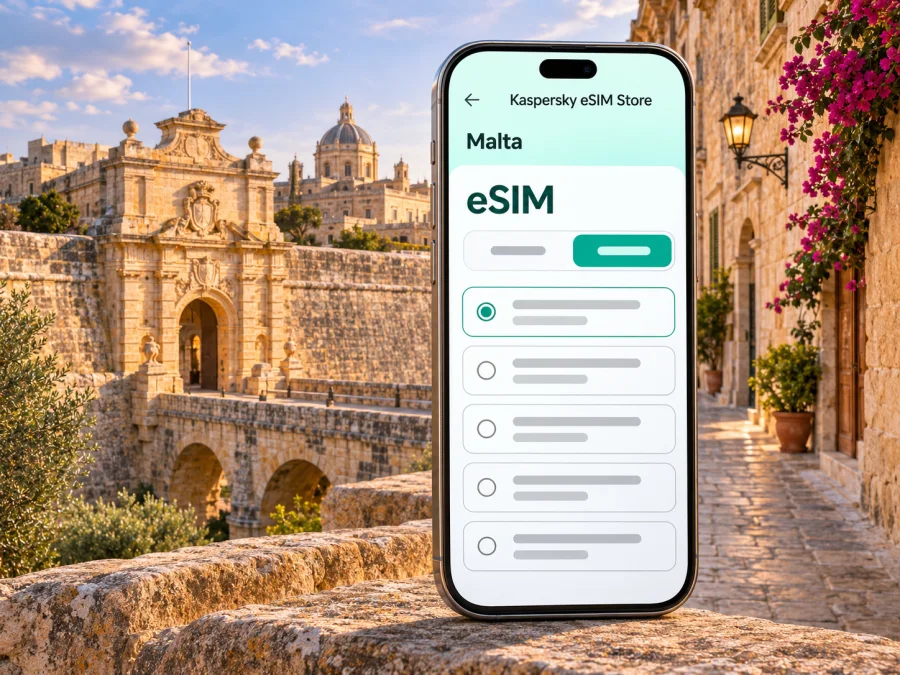
Mdina eSIM: mobile connection and internet for a quiet city break
Mdina is a compact walled city in the heart of Malta, best explored slowly and mostly on foot. A working mobile connection can still make the visit easier: use a map to find the right bus stop in nearby Rabat, check a museum’s current opening information, message your host, or coordinate a pickup after an evening walk. An eSIM can provide a mobile data option without replacing the physical SIM in your phone, if your device and chosen plan support that setup.
Mdina’s lanes are narrow, shaded and sometimes confusing on a first visit. It helps to download a map for offline use, but internet access is useful for live directions and last-minute changes. This guide explains where connectivity fits into a Mdina itinerary, how to plan the data connection, and what to check before you travel.
Mdina and Rabat: two places to keep distinct
Mdina is the fortified historic city on a hill; Rabat is the larger town immediately outside its walls. They meet at Mdina Gate, so visitors often treat them as one outing, but transport stops, accommodation and several major sites are in Rabat rather than inside Mdina. Malta Public Transport describes Rabat as the gateway to Mdina and lists the walled city’s gate, St Paul’s Cathedral and Bastion Square among the local points of interest.
Mdina is known as the Silent City. Its pedestrian character and tightly packed streets are part of the experience: arrive on foot from the bus stop or nearby parking, then explore without expecting to drive between sights. Walking directions may take you through small lanes and courtyards, so keep a little battery available for your map and camera. A paper note with your accommodation address or meeting point is useful if your phone runs low.
Mdina’s history is visible in its fortifications and architecture, including later Baroque additions. The city’s old street pattern is not a modern grid, so a downloaded map is a useful backup.
Where a mobile connection helps during a Mdina visit
Most travellers do not need to stare at a screen while walking the old streets. The useful moments are usually before and between activities:
- Before leaving your hotel: confirm the route to Rabat or Mdina Gate and check whether a bus journey needs a connection or change.
- At the stop: compare the live or published journey information with the direction shown on the bus, especially if your route begins in another part of Malta.
- At the gate: send a quick message to companions, confirm a meeting point, or check a booking before entering the pedestrian streets.
- During the visit: look up a site’s location, opening information or accessibility details; use downloaded maps if the signal is weak or you prefer to keep the phone away.
- After the walk: request a ride or navigate back to Rabat, your accommodation or the next bus stop.
Mdina and Rabat make a good half-day or full-day pairing. A visitor might walk the bastions and lanes in Mdina, then continue to Rabat for a meal or a visit to its archaeological sites. Each extra stop adds a little coordination: check the route and the time needed before leaving the walled city, rather than assuming every attraction is inside the gate.
A mobile data plan is also useful for practical travel messages. You might need to tell a host that your bus is delayed, share a pin with a driver, translate a short notice, or confirm a reservation. These are modest tasks, but they are easier when you decide in advance which SIM line will carry data and how much of your phone’s battery you can spare.
Arriving from Malta International Airport
Malta International Airport is the island’s main air gateway. From there, travellers can take a bus or arrange a private transfer. The airport’s information service says public buses depart from stops just outside the terminal and connect the airport with localities around Malta. Malta Public Transport currently lists Airport Direct route TD1 as serving Rabat as part of its airport-to-north route; route TD5 also serves Rabat and Buġibba. Check the operator’s current timetable and service updates close to your travel date, since routes and departures can change.
Rabat is the useful destination name to look for when you are heading to Mdina by bus. The final approach to the walled city is on foot from the Rabat area. If you are carrying luggage or arriving late, check your lodging’s exact location and arrival instructions before choosing public transport; accommodation may be in Rabat or beyond the walls, and the nearest stop can differ.
A simple arrival sequence helps avoid confusion:
- Before landing, save the accommodation address and the nearest bus stop or pickup point.
- Once you can connect, check the current airport service and confirm that the route serves Rabat at the time you need it.
- Keep your map open only when you need it; download the relevant area in advance as a backup.
- At the Rabat stop, follow the walking route to your lodging or Mdina Gate. Confirm the gate or street name with your host if the route seems to end on the wrong side of the walls.
- If you take a taxi or pre-booked transfer, share the destination and meeting point clearly. A pin is helpful, but keep the written address as well.
The airport is not in Mdina, and there is no reason to assume that a plan described as “Malta” includes a special city-level network or a particular signal quality at the airport, on the bus and inside the old walls. A travel eSIM’s destination and service details depend on the plan. Treat the first connection as something to verify on your own phone after arrival.
Choosing a travel eSIM for Mdina
Mdina uses Malta’s mobile networks; it is not a separate country or a distinct eSIM destination. When comparing plans, look for Malta as the covered destination, then read the details for data allowance, validity, activation timing, supported network access and any limitations. A regional plan may include Malta, but confirm that in its destination list instead of inferring it from the plan name.
The right data allowance depends on how you use your phone. Downloaded maps, text messages and occasional searches use less data than video calls, social media clips, cloud backups or streaming. If you expect to work remotely or tether a laptop, check whether the selected plan permits hotspot use and estimate usage separately. Plan terms can differ, so do not assume that a particular allowance, speed or feature is universal.
| Your itinerary | What to check when comparing plans |
|---|---|
| A short Mdina visit within a Malta holiday | Destination coverage and validity dates that fit the whole trip |
| Several days moving around Malta | Data allowance for maps, messages, bookings and other regular use |
| Remote work or frequent video calls | Hotspot terms, expected data use and a reliable backup connection |
| Malta plus another country | Whether every country on the route is explicitly included |
| A phone used for calls and texts on your usual number | Dual-SIM settings and which line handles mobile data |
If you want to review the destination options before leaving, browse eSIM plan options for Malta. Kaspersky eSIM Store is an app and website where you can choose, purchase and activate an eSIM with a suitable travel data plan. The page is for Malta; the exact plan terms, available networks and current offers are shown during selection and may vary. It does not establish that a particular plan has a specific signal level in Mdina.
Check your phone before you buy
An eSIM is a digital SIM profile, but not every phone variant supports it. Compatibility can depend on the exact model and, in some cases, the sales region. A device can also be locked to a home carrier. Check the manufacturer’s specifications and phone settings for your precise model, and ask your carrier or seller if anything is unclear. Check whether your device supports eSIM before choosing a plan.
Before purchase, confirm these points:
- The exact phone model supports eSIM; do not rely only on a family name or appearance.
- The phone is unlocked for use with another carrier’s eSIM profile.
- You can connect to Wi-Fi during installation if the profile needs an internet connection to download.
- The chosen Malta plan matches your trip dates and explains when its validity begins.
- You know which SIM line will provide mobile data and whether data roaming must be enabled for that travel eSIM.
Keep your usual SIM active if you need your regular number for calls, authentication messages or contact. On a dual-SIM phone, you can often keep a physical SIM and a travel eSIM installed, but simultaneous use and settings depend on the device. Confirm which line is selected for mobile data, and review call and data roaming settings carefully to avoid unexpected charges from your home operator.
Install and activate before the walk
If possible, install the profile while you have stable Wi-Fi and time to troubleshoot. Follow the instructions provided with the chosen eSIM; menu names vary by phone and operating-system version. Avoid deleting a profile to “start over” unless the provider’s instructions say that it can be installed again. Some eSIM profiles are intended for one-time installation.
General setup sequence:
- Check the plan’s installation and activation instructions, including whether validity starts on installation or first connection in Malta.
- Connect to Wi-Fi and add the eSIM using the method supplied for that purchase, such as a QR code or in-app flow.
- Label the line something clear, for example “Malta data,” so you can distinguish it from your usual SIM.
- Keep your main number selected for calls or messages if you need it, and choose the travel eSIM for mobile data when appropriate.
- Enable data roaming for the travel eSIM only if the plan’s instructions require it. Follow the provider’s guidance for the exact profile.
- After arrival, turn on the travel line and check whether it registers and data works. If it does not, verify the selected data line, roaming setting, plan validity and network selection instructions.
Use the relevant setup guide for your phone: eSIM installation instructions for Android and eSIM installation instructions for iOS. Follow the steps shown for your software version and the purchased plan. If a setup screen differs, use the plan’s current instructions rather than repeatedly changing settings at random.
Moving around the city and nearby sights
The day’s route is best planned around the pedestrian entrance. If you are coming by bus, public transport information points you to Rabat; from there, continue on foot to Mdina Gate. The route can feel different in midday heat or after dark, so check the forecast and bus departure before committing to a late return. Keep water, battery and enough time for the walk back to the stop in mind.
Once inside Mdina, maps are useful for orientation but do not turn the visit into a race from pin to pin. The lanes are part of the appeal, and walking a short loop without navigation can be more enjoyable. Save the map offline, note a recognisable meeting point such as the main gate, and use live internet when you need an updated route, a booking detail or a message.
Rabat extends the visit beyond the walls. Malta Public Transport’s guide identifies sites there such as St Paul’s Catacombs, Domus Romana and Wignacourt Museum. Check each attraction’s current access and opening details independently before setting out: opening days, ticketing and hours may change. A useful mobile connection helps you verify those details on the day, but saved confirmations are a better backup if mobile service drops.
If your accommodation is in Valletta, Sliema, St Julian’s or another locality, plan the return leg before you start exploring. Public Transport lists routes 50, 51, 52, 53 and 56 between Valletta and Rabat; the specific route and timetable available to you can change. Check the live operator information, confirm the direction at the stop and allow extra time if you need to make a connection. For other starting points, search from the actual address rather than assuming the Valletta route is the best one.
If the eSIM does not connect
Start with the least disruptive checks. Confirm that the eSIM line is switched on, selected for mobile data, and within its validity period. Check the plan’s stated activation requirements, including whether data roaming is needed. Toggle airplane mode once or restart the phone if the provider’s troubleshooting instructions recommend it. Give the network a short time to register, then consult the plan’s support guidance.
If your phone shows no service, check whether automatic network selection is recommended for that plan. Do not manually select an operator unless the plan instructions identify a supported network. If data does not work but signal bars appear, verify the data-line setting and any required access-point settings in the supplied instructions. Avoid deleting the eSIM profile: you may not be able to reinstall it without help.
Keep an alternate way to get essential information. Your lodging address, a saved map, a paper or screenshot of transport details, and access to Wi-Fi at your accommodation can help while you troubleshoot. If the problem continues, contact the eSIM provider through its official support channel and include the phone model, location, time and troubleshooting steps already tried. These details help distinguish a device-setting issue from a plan or network issue.
Mdina connectivity checklist
Before leaving for Malta:
- Confirm that your exact phone variant supports eSIM and is carrier-unlocked.
- Choose a plan that explicitly covers Malta and review its duration, data, activation and hotspot conditions.
- Install the profile over Wi-Fi if the instructions allow installation before travel.
- Save your lodging address, Rabat/Mdina route and useful confirmations offline.
- Check the current bus timetable and service notices for the day you travel.
At the start of the visit:
- Confirm the selected line for mobile data and the eSIM’s roaming setting as directed by its plan.
- Keep enough battery for maps, messages and your return route.
- Use Rabat as a transport reference point and walk to Mdina Gate.
- Recheck current opening details for attractions rather than relying on an old schedule.
- Agree on a clear meeting point if your group may separate in the lanes.
Frequently asked questions
Is Mdina a separate eSIM destination from Malta?
No. Mdina is a city in Malta, so look for a plan whose destination coverage includes Malta. A city name in a search does not establish a separate local network or guarantee a particular signal. Review the plan’s destination and service terms.
Can I use eSIM inside Mdina’s old walls?
That depends on the eSIM plan, its underlying network access, your phone and local conditions. Coverage can vary indoors and between streets. Keep a downloaded map and saved details as a backup, and do not treat a coverage label as a promise of uninterrupted service at every point.
Which bus should I take from the airport?
Malta Public Transport lists Airport Direct TD1 to Rabat and other northern destinations, and TD5 also serves Rabat and Buġibba. The airport has bus stops outside the terminal. Check the current timetable and service updates for your specific date before travelling.
Do I need mobile internet for a walking visit?
Not continuously. An offline map and saved address may be enough for a simple walk. Mobile data is useful for live route changes, checking current attraction information, messaging and coordinating transport.
Can I keep my usual number active?
Many dual-SIM phones allow a physical SIM and an eSIM profile to be configured together, though the available combinations vary by model. Check the device settings, choose the intended data line and review your home carrier’s roaming charges before travel.
When should I install the eSIM?
Follow the plan’s instructions. If installation can happen before travel, doing it over Wi-Fi gives you time to resolve setup issues. Activation may begin at installation or at first connection, so check the exact terms before adding the profile.
What if my phone is not eSIM-compatible?
Use another supported device or ask your home carrier about roaming options. You can also investigate a physical SIM from a local provider after arrival. Check current purchase requirements, available packages and opening locations before relying on that alternative.
Prepare your connection before you explore
Mdina rewards an unhurried visit. A saved map, a clear route from Rabat, current transport information and a phone with enough battery will cover most practical needs. If an eSIM suits your device and travel style, review its Malta coverage, activation rules and data allowance before you leave, then install and configure it according to the supplied instructions.
When you are ready, choose an eSIM plan for your trip to Malta in the Kaspersky eSIM Store app or website. Review the current details for the plan that fits your itinerary, and confirm that your phone is compatible before purchase.


