Travel connectivity guide
Mecca eSIM: Mobile Internet for Your Trip
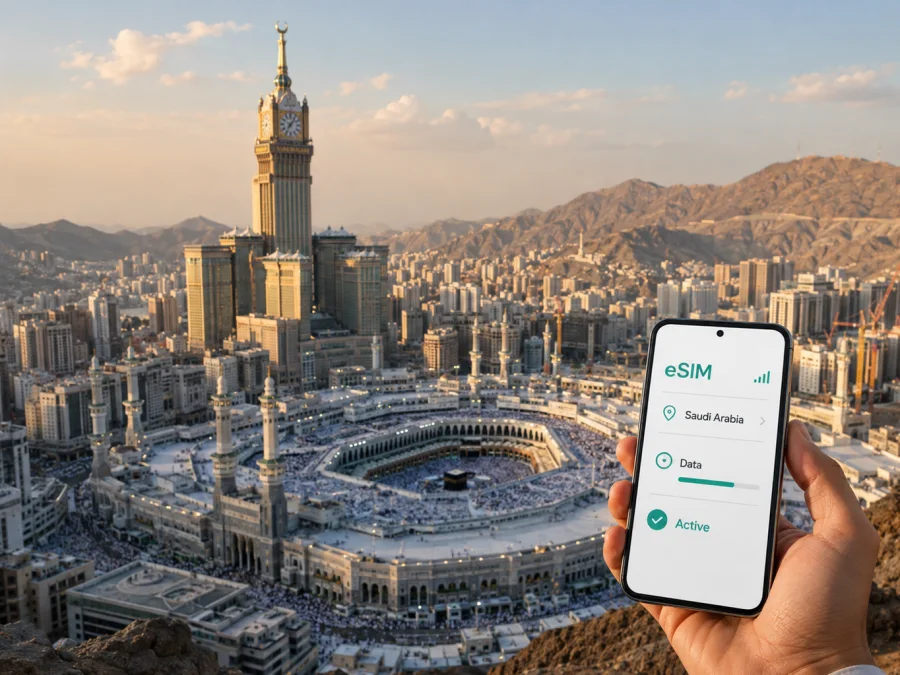
Mecca eSIM: mobile connection and internet for your trip
Mecca is a destination where a reliable mobile connection supports much more than sightseeing. It helps you find a hotel entrance, keep a meeting time, follow a changing itinerary, contact a travel companion and check directions after arriving in Saudi Arabia. For pilgrims, mobile internet can make the practical side of a demanding journey easier: coordinating a group, reading travel information, using translation tools and keeping important details available while moving through an unfamiliar city.
An eSIM, or digital SIM, can prepare data for a trip to Mecca without changing the physical SIM card in your phone. You choose an eSIM tariff for the country or route, install it on a compatible and unlocked device, and select the correct line for mobile data. The right choice depends on your dates, expected traffic and the places you plan to visit.
This guide focuses on Mecca: arrival through Jeddah, movement around the Haram area, hotel districts, pilgrimage logistics, stopovers, business visits and onward journeys.
Why mobile internet matters in Mecca
Mecca is surrounded by hills, its central area is dense, and the distance between a hotel, a transport hub and a meeting point may not be obvious on a first visit. Walking routes can differ from driving routes, entrances may be described by nearby landmarks, and a group can separate quickly in a busy area. A working data connection gives you access to navigation, messages and booking details when public Wi-Fi is unavailable or inconvenient.
Decide in advance which phone line will handle calls and SMS, which will handle data, and when the travel eSIM should become active. This helps prevent accidental data use on the home line while you check routes, messages, reservations or work tools.
Arriving in Mecca through Jeddah
Many international visitors reach Mecca after flying to King Abdulaziz International Airport in Jeddah and then continuing by road or rail. The exact transfer depends on your booking, arrangements and current travel rules. Data is useful as soon as you leave the airport: you may need to read a transfer message, locate a driver, check a railway detail or update your hotel.
Before leaving home, save your accommodation name, booking number, travel details and companions’ phone numbers securely. An offline map is a useful backup, but it cannot replace live data for messages, updated routes or transfer changes.
Arrival checklist
Keep the physical SIM for your regular number if needed, install the travel eSIM over a stable connection unless its conditions say to wait, label the lines clearly, select the travel eSIM for data only when ready, turn off data switching if available, check whether roaming is required, and keep the QR code available until the profile works.
These steps reduce configuration mistakes, but do not guarantee a particular connection time or speed.
Moving through Mecca
A Mecca itinerary can combine walking, hotel shuttles, taxis, private transfers and rail or coach travel. The best option changes with the district, time of day, group size and purpose. Navigation is not only about finding a point on a map; it is also about identifying an entrance, allowing for walking time and keeping a group together.
Around Al Masjid al-Haram, use a map to orient yourself between the hotel, a meeting point and transport. Check the route before a crowded section and agree on a backup point. Outside the core area, use the exact address from your hotel, host or organizer; a copied address and map pin are safer than a name typed from memory.
Before leaving, copy the destination from the booking or local contact’s message, mark the hotel and meeting point, consider walking and vehicle routes, share an arrival window, charge the phone and carry a power bank. Recheck the route when you are ready. Do not rely on one person’s battery or phone.
Hotels and districts: where data helps
Accommodation in Mecca ranges from the central hotel zone near the Grand Mosque to districts farther away where a shuttle or vehicle transfer may be part of the stay. Hotel names can be similar, so mobile internet helps confirm the building, send a pin, read check-in instructions and contact reception.
In the central Haram area, walking may be practical for some travelers, but the route, crowd conditions, mobility needs and hotel entrance matter. In Ajyad, Al Aziziyah, Jabal Omar and outer districts, compare walking with shuttles or vehicles and save the hotel location, boarding point and return arrangement. Large complexes may require the exact property name, entrance and shared pin.
Mecca is not a collection of interchangeable map pins. An eSIM tariff for a hotel-centered pilgrimage may not fit a traveler moving between Mecca, Jeddah and Medina. Select a direction that matches the full route and read its validity and traffic conditions.
Choosing an eSIM tariff for Mecca
Start with the route rather than the city name alone. A short Mecca stay may involve navigation, messages and occasional web pages. A longer itinerary with airport transfers, several cities, messenger calls or photo uploads may need more traffic or a regional option. Do not assume that a country package includes every neighboring destination.
Kaspersky eSIM Store is an app and website that helps you choose, arrange and activate an eSIM with a suitable tariff for mobile internet during an overseas trip. The eSIM tariffs follow the conditions shown for the selected direction. They are not a replacement for a local mobile operator in every situation, and a data tariff normally does not include a regular phone number, standard voice calls or SMS unless its conditions say otherwise.
When you are ready, choose an eSIM tariff for a trip to Mecca and compare the current terms for Saudi Arabia. Read the tariff card as a checklist.
What to compare
| Question | Why it matters in Mecca |
|---|---|
| How long is the trip? | Validity should cover the days you need data, including arrival and departure. |
| How much traffic will you use? | Maps, video, backups and video calls can consume more data than messages. |
| Does the route stay in Saudi Arabia? | A trip continuing to Jeddah or Medina needs matching coverage. |
| When does validity start? | Check whether it begins at installation, activation or first network use. |
| Does the phone support eSIM? | Compatibility and no operator lock are prerequisites for use. |
| Do you need voice and SMS? | Many travel eSIM tariffs are data-only, so keep your primary line if needed. |
Do not select a package solely by headline volume. A smaller plan may suit maps and messages, while regular video calls may justify more data. Conditions, price, validity and top-up options can change, so rely on the information shown when you choose.
Compatibility and preparation before purchase
Before paying, check that your phone supports eSIM and is not locked to another operator. Support can vary by model, region of sale and software configuration. If you use a dual-SIM phone, check how it handles two active lines and which line is selected for mobile data. Check your device compatibility before choosing a tariff.
Pre-purchase check: identify the phone model and regional version, confirm that an eSIM option appears in mobile-network settings, verify that the phone is not operator-locked, prepare stable Wi-Fi for installation, decide which line handles calls and SMS, and confirm that the tariff covers Saudi Arabia and the complete route.
Check each traveler’s phone separately: one compatible device does not prove another model or regional variant will work. Keep the original SIM available until the travel eSIM has been tested.
How to install and activate an eSIM
Install the profile before departure when possible, while you have reliable internet and activation information. Some tariffs have specific timing rules, so follow the conditions displayed with the selected plan. Do not delete a newly installed profile merely because it does not show a signal at home; it may be intended for use in the destination network.
For device-specific steps, use the Android eSIM installation instructions or the iOS eSIM installation instructions. Menu names differ, but the usual sequence is:
- Open mobile-network or mobile-data settings.
- Choose the option to add a mobile plan or eSIM.
- Scan the QR code or enter the supplied activation details.
- Label the new line, for example “Mecca trip”.
- Keep your home line for calls and SMS if needed.
- Select the travel eSIM for mobile data when ready.
- Enable data roaming for that eSIM only if its instructions require it.
- After arrival, allow a few minutes for registration and test a page or message.
If installation fails, check the QR code, Wi-Fi, available eSIM slots and operator lock. If data does not work, verify the selected data line, roaming setting and any access-point instructions. Keep your home line’s data roaming disabled to avoid accidental domestic data use.
Pilgrimage and group travel
For Umrah or Hajj-related travel, connectivity is most useful when it supports organization without becoming a distraction. Before leaving the hotel, agree on a primary and backup meeting point, a return window and the person who carries booking information. Share only what the group needs and keep important documents protected.
Follow local instructions, respect worshippers and avoid photographing people without permission. During crowded movements, put the phone away while walking and check directions at the side of the route. A charged device, a written hotel name and an agreed backup can matter more than a complicated app setup.
Group checklist
Every traveler should know the hotel name, district and meeting point; at least two people should have the backup point; phones should be charged; and the return transfer details should be saved offline as well as in chat.
An eSIM does not replace planning; it makes the data part easier to arrange.
Business trips and short stopovers
A Mecca visit may be a pilgrimage, a business journey or a short stopover. A business traveler may exchange documents or confirm a transfer, while a stopover may need only enough data to leave the airport, reach accommodation and coordinate departure.
| Travel situation | Data pattern | Preparation priority |
|---|---|---|
| Short stopover | Navigation, messages and booking checks | Install early and save the onward route. |
| Hotel-based pilgrimage | Group coordination, maps and translation | Check every device and meeting point. |
| Longer stay | Navigation, browsing and app calls | Estimate daily use and review validity. |
| Mecca plus other Saudi cities | Navigation across several legs | Confirm the direction covers the route. |
| Business visit | Email, documents and authentication | Test the data line and keep access details. |
For every scenario, read the destination, traffic allowance, validity, activation behavior and restrictions before purchase.
Common problems and fixes
Data does not work after landing
Confirm that the travel eSIM is on and selected for mobile data. Check whether roaming is required, whether the phone has registered with a network and whether it is still using the home line. If the QR code cannot be scanned, increase screen brightness, keep it fully visible and use manual activation if provided. Keep the activation message private.
Data disappears quickly, or calls do not work
Review data usage: video, backups, map imagery and social-media feeds can consume more traffic than messages. Use trusted Wi-Fi for large downloads and check the tariff balance. Also check the conditions, since a travel eSIM may be data-only and may not include a phone number, voice calls or SMS.
FAQ about eSIM for Mecca
Is an eSIM useful for a first trip to Mecca?
It can help with navigation, messages, booking details and group coordination without removing the physical SIM. Its value depends on compatibility, tariff conditions and the data your itinerary requires.
Should I install it before flying, and can one tariff cover other cities?
Installing before departure is often practical because you can use a stable connection and label the lines carefully. Follow the activation rules because validity may begin at a particular stage. On many dual-SIM phones, you can keep the physical SIM for calls and SMS while selecting the travel eSIM for data. Whether one tariff covers Jeddah, Medina or another destination depends on its direction and regional coverage.
Is Kaspersky eSIM Store a mobile operator?
No. Kaspersky eSIM Store is an app and website that helps users choose, arrange and activate an eSIM with a suitable tariff for mobile internet during an overseas trip. It is not a network owner.
A practical Mecca eSIM plan
Before departure, write down the dates, cities and main data tasks. Choose a tariff whose destination and validity match. Check the phone, prepare the QR code, install the profile over a stable connection and leave the home line available if needed. After arriving via Jeddah, select the travel eSIM for data and test one essential task.
During the stay, use mobile internet for coordination, routes, hotel details or work messages. Save critical information offline, protect the phone in crowded areas and follow current local instructions around religious sites and transport. If your route extends beyond Mecca, review coverage before relying on the same tariff in another city.
When you are ready, select an eSIM tariff for Saudi Arabia and your Mecca itinerary. Check compatibility, traffic, validity and activation terms, then install the eSIM on a supported, unlocked device.


